
Smart home devices promise convenience, automation, and seamless control over lighting, climate, security, and entertainment. But when your voice command to turn on a light takes five seconds to register—or worse, fails entirely—the illusion of effortless living quickly fades. Slow response times are one of the most common frustrations among smart home users, often leading to disuse or even device abandonment. The good news is that in most cases, sluggish performance isn’t due to faulty hardware but rather fixable issues in network setup, device configuration, or environmental interference.
Understanding the root causes behind delayed responses allows you to take targeted action. Whether it’s a laggy smart plug, an unresponsive thermostat, or a speaker that barely hears your commands, the solutions are often simpler than they appear. From optimizing Wi-Fi signals to managing device load and firmware updates, this guide walks through proven strategies to restore speed and reliability to your smart ecosystem.
Why Smart Devices Lag: Common Causes Explained
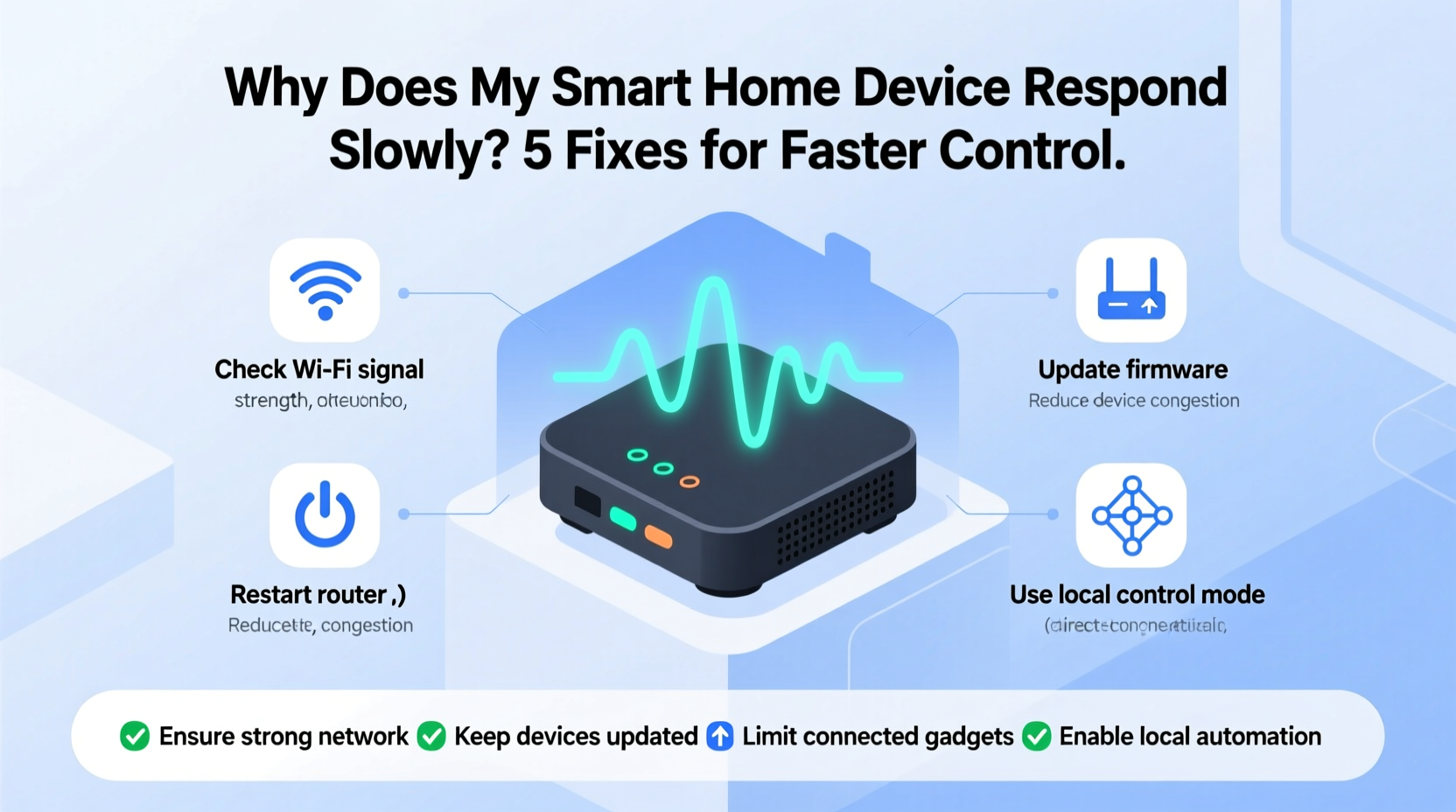
Before jumping into fixes, it’s essential to understand what might be slowing down your smart home system. These devices rely heavily on stable communication between your local network, the device itself, and often, cloud-based servers. Any bottleneck in this chain can cause delays.
- Weak Wi-Fi signal: If your device is far from the router or obstructed by walls or appliances, signal strength drops, increasing latency.
- Network congestion: Too many connected devices—especially those streaming video or downloading large files—can saturate your bandwidth.
- Outdated firmware: Manufacturers regularly release updates to improve performance and patch bugs. An outdated device may lack optimizations.
- Cloud dependency: Many smart devices route commands through remote servers. Server outages or high traffic can delay processing.
- Interference from other electronics: Microwaves, cordless phones, and Bluetooth devices operate on similar frequencies (2.4 GHz), causing signal disruption.
- Device overload: Running multiple automations or integrations simultaneously can overwhelm less powerful hubs or edge devices.
These factors don’t always act alone. A poorly placed smart bulb on a crowded 2.4 GHz network with outdated firmware will likely suffer compounded delays. Diagnosing which elements affect your setup is the first step toward resolution.
Step-by-Step Guide to Speed Up Your Smart Home
Improving responsiveness requires a methodical approach. Follow these steps to isolate and resolve the underlying issue.
- Reboot all components: Start simple. Power cycle your router, hub, and affected smart devices. This clears temporary glitches and resets network connections.
- Check Wi-Fi signal strength: Use a Wi-Fi analyzer app (like NetSpot or Wi-Fi Analyzer) to measure signal levels where your device is installed. Anything below -70 dBm indicates poor reception.
- Move devices closer to the router: For non-permanent devices, test responsiveness when temporarily relocated near the access point. If performance improves, distance or obstacles are likely culprits.
- Switch to 5 GHz if possible: While not all smart devices support it, the 5 GHz band offers faster speeds and less interference than the crowded 2.4 GHz band.
- Update firmware and apps: Open your smart home app (e.g., Google Home, Apple HomeKit, or manufacturer-specific software) and check for pending updates.
- Reduce background network activity: Pause large downloads or video streams during testing to see if real-time responsiveness improves.
- Factory reset problematic devices: As a last resort, reset the device and re-pair it with your network. This clears corrupted configurations.
Each step targets a specific potential failure point. Completing them systematically helps determine whether the problem lies in connectivity, configuration, or hardware limitations.
Optimizing Your Network Infrastructure
Your router is the backbone of your smart home. Even high-end devices will underperform on a weak or outdated network. Consider upgrading or enhancing your infrastructure for long-term stability.
If you have a large home or thick interior walls, a single router may not provide adequate coverage. In such cases, mesh Wi-Fi systems like Google Nest Wifi, Eero, or TP-Link Deco offer seamless roaming and consistent signal distribution across rooms.
| Solution | Best For | Impact on Response Time |
|---|---|---|
| Mesh Wi-Fi System | Homes over 1,500 sq ft or multi-story layouts | High – reduces dead zones and packet loss |
| Wi-Fi Range Extender | Budget-conscious users needing moderate reach | Moderate – may halve bandwidth |
| Dual-Band Router Upgrade | High-density device environments | High – separates traffic between bands |
| Ethernet Backhaul | Stable connection for central hubs (e.g., smart displays) | Very High – eliminates wireless variability |
Additionally, assigning static IP addresses or using Quality of Service (QoS) settings on advanced routers can prioritize smart home traffic. QoS ensures that critical commands aren’t delayed by less urgent data like cloud backups or software updates.
“Over 60% of smart home latency issues we diagnose stem from suboptimal Wi-Fi placement or outdated networking gear.” — Rajiv Mehta, Senior Network Engineer at HomeNet Labs
Real-World Example: Fixing a Delayed Smart Thermostat
Consider Sarah, who lives in a two-story suburban home. She noticed her smart thermostat took up to 15 seconds to acknowledge heating adjustments via her phone—unacceptable during cold mornings. Initially, she assumed the app was glitchy and reinstalled it twice without improvement.
After reading about Wi-Fi signal degradation, she used a mobile analyzer and discovered the thermostat in her basement registered only -78 dBm. Her router was upstairs, separated by two floors and a metal duct system. She tested a temporary Wi-Fi extender near the thermostat; response time dropped to 3 seconds. Satisfied, she invested in a mesh system with a node in the basement. Now, commands execute instantly, and automatic geofencing works reliably as she leaves or returns home.
Sarah’s experience illustrates how physical layout impacts performance—and how incremental improvements lead to dramatic gains.
Action Checklist: Boost Smart Device Responsiveness
Use this checklist to audit and upgrade your smart home setup:
- ✅ Reboot router and all smart devices weekly
- ✅ Verify firmware is up to date on every device
- ✅ Test Wi-Fi signal strength at each device location
- ✅ Replace old routers with modern dual-band or tri-band models
- ✅ Implement mesh Wi-Fi for homes with coverage gaps
- ✅ Separate IoT devices onto a dedicated SSID or guest network
- ✅ Minimize use of 2.4 GHz-only devices in congested areas
- ✅ Disable unused automations that trigger unnecessary actions
- ✅ Place hubs and voice assistants centrally for better signal relay
- ✅ Monitor for interference from microwaves, baby monitors, or cordless phones
Completing this list doesn’t require technical expertise but delivers measurable improvements. Most users report noticeable speed increases within 48 hours of implementation.
Frequently Asked Questions
Can turning off other smart devices make my system faster?
Yes, especially if they’re actively communicating or updating. Each connected device consumes a small amount of bandwidth and processing overhead. Reducing the number of active devices—particularly cameras or speakers streaming audio—can free up resources and reduce network contention.
Do smart plugs inherently respond slower than built-in smart lights?
Not necessarily. However, many budget smart plugs use older Wi-Fi modules with limited processing power and memory. Higher-end models with newer chipsets and support for Matter or Thread protocols typically respond faster and integrate more smoothly with ecosystems.
Is there a way to control devices locally instead of through the cloud?
Yes. Devices that support local execution (such as those using Apple HomeKit Secure Remote, Amazon Sidewalk, or the open-source Matter protocol) process commands directly on your network rather than routing them to external servers. This reduces latency and maintains functionality during internet outages. Check product specifications for “local control” or “on-premise processing” support.
Expert Insight: The Future of Fast Smart Homes
The next generation of smart home technology focuses on minimizing latency through decentralized computing and improved protocols. The introduction of Matter—a unified standard backed by Apple, Google, Amazon, and Samsung—aims to eliminate compatibility issues and enable faster, more secure local communication.
Thread, a low-power mesh networking protocol often paired with Matter, allows devices to communicate directly with one another rather than relying solely on a central hub or Wi-Fi. This distributed architecture reduces single points of failure and improves overall responsiveness.
“With Matter and Thread, we’re shifting from cloud-dependent commands to instantaneous local decision-making. The result? Lights that turn on the moment you speak, not five seconds later.” — Dr. Lena Tran, IoT Systems Architect at OpenHome Initiative
While full adoption will take time, early adopters are already seeing benefits. When purchasing new devices, prioritize those certified for Matter and Thread to future-proof your investment.
Conclusion: Take Control of Your Smart Home Speed
Slow smart home devices don’t have to be a permanent frustration. Most delays stem from correctable network conditions, outdated software, or suboptimal placement—not defective products. By applying strategic upgrades to your Wi-Fi infrastructure, maintaining firmware, and simplifying automation workflows, you can achieve near-instantaneous control across your ecosystem.
The goal isn’t just faster reactions—it’s restoring trust in your technology. When your home responds reliably, automation becomes invisible, intuitive, and truly helpful. Don’t settle for laggy performance. Audit your setup today, apply the fixes outlined here, and experience the responsive smart home you originally envisioned.




 浙公网安备
33010002000092号
浙公网安备
33010002000092号 浙B2-20120091-4
Comments
No comments yet. Why don't you start the discussion?