
Every holiday season, thousands of homeowners experience the same frustrating pattern: their smart outlet—programmed to turn on festive lights at dusk and off at midnight—suddenly reboots mid-schedule. Lights flicker off unexpectedly. The app shows “offline” or “device not responding.” You check the outlet: it’s cold, unresponsive, and often requires a physical power cycle to recover. This isn’t random failure—it’s a predictable convergence of seasonal electrical stressors and design limitations in consumer-grade smart hardware. Understanding why this happens is the first step toward reliable, hands-off holiday automation.
1. The Hidden Culprit: Voltage Instability and Power Surges
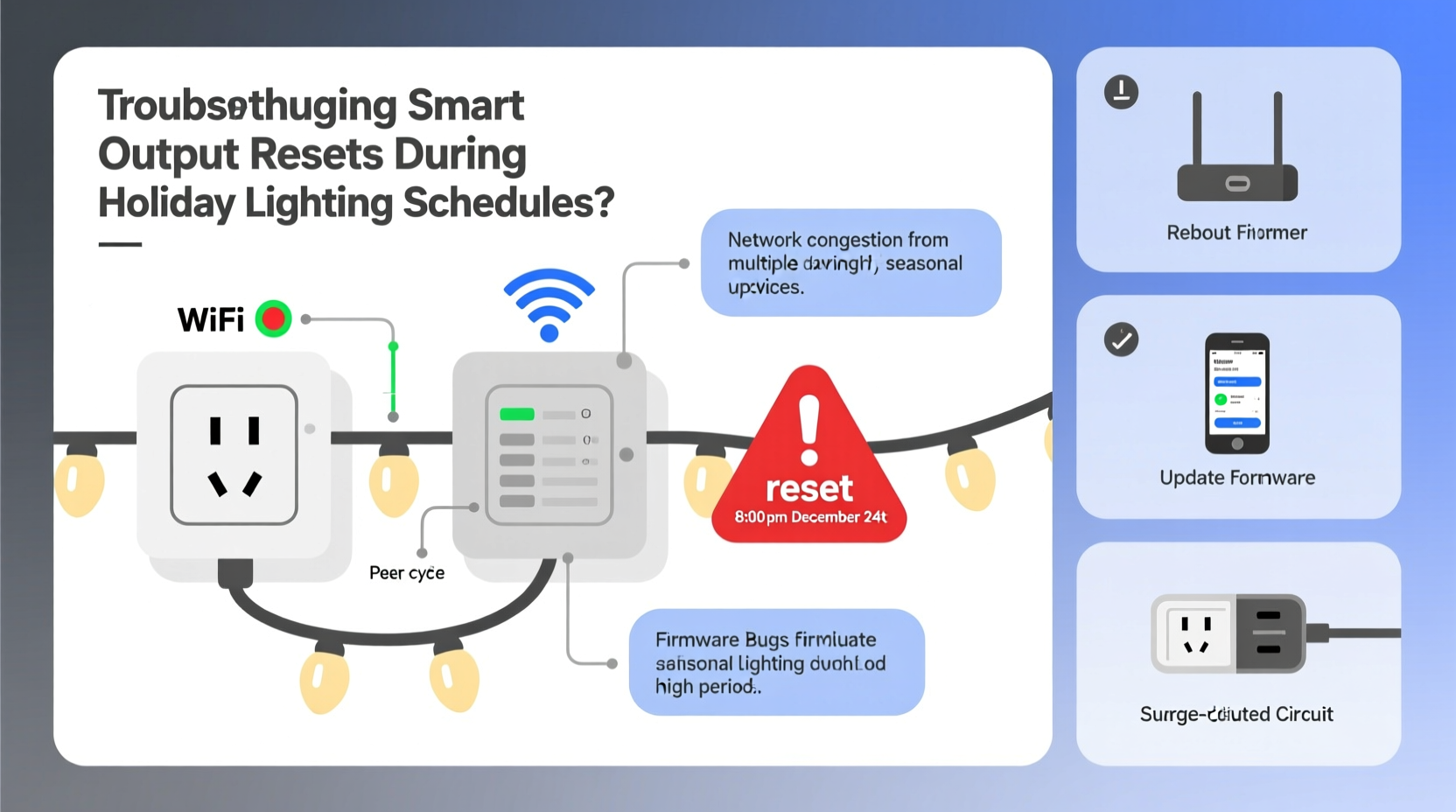
Christmas light strings—especially older incandescent sets or low-cost LED strings with poor internal regulation—create highly variable electrical loads. When dozens of strings activate simultaneously at sunset (or when triggered by a schedule), they draw a sharp, momentary inrush current. This surge can exceed the outlet’s transient voltage tolerance, especially if multiple strings share the same circuit. According to the National Electrical Manufacturers Association (NEMA), residential circuits should tolerate up to 6 kV spikes—but many budget smart outlets are only rated for 2–3 kV. A single surge can trigger the device’s built-in overvoltage protection, forcing an immediate reboot to safeguard internal components.
This issue worsens in older homes. Homes built before 2000 often have aluminum wiring, undersized neutral conductors, or shared neutrals across circuits—conditions that amplify voltage fluctuations when high-load devices like string lights switch on or off. In one documented case in Portland, Oregon, a homeowner reported consistent resets every evening at 4:59 p.m., precisely when their 12-outlet smart strip powered on 14 strands of vintage C7 bulbs. An electrician measured a 12% voltage dip (from 120.3 V to 106.8 V) at the outlet during activation—well within code but beyond the stability threshold of the outlet’s power management IC.
2. Wi-Fi Congestion and Network Handshake Failures
December is peak Wi-Fi interference season. Neighboring homes deploy outdoor mesh nodes, smart speakers, video doorbells, and dozens of additional IoT devices—all competing for limited 2.4 GHz bandwidth. Smart outlets rely on persistent UDP heartbeats to maintain cloud connectivity. When packet loss exceeds ~15% for more than 90 seconds, many models (including popular brands like TP-Link Kasa, Wyze, and Meross) initiate a local recovery sequence: they drop the Wi-Fi connection, flush cached credentials, and restart the radio stack. This process appears as a full device reset in the app—even though the outlet remains physically powered.
The problem compounds with scheduling logic. Most smart outlets don’t execute schedules locally; instead, they wait for a time-sync command from the cloud server. If the outlet misses two consecutive sync packets due to network latency or DNS resolution failure, it defaults to “safe mode”: clearing its schedule cache and reverting to factory default behavior until reconnected. That’s why you’ll sometimes see lights stay on all night—or not turn on at all—after a “silent” reset.
3. Firmware Limitations and Memory Exhaustion
Many smart outlets run on resource-constrained microcontrollers with as little as 1 MB of flash memory and 256 KB of RAM. During December, users often enable additional features: sunrise/sunset triggers, voice assistant integrations, energy monitoring dashboards, and multi-zone group scheduling. Each feature consumes memory and processing cycles. When the device attempts to log energy data while simultaneously handling a complex schedule with overlapping timers (e.g., “on at 4:30 p.m., dim at 6:00 p.m., off at 11:00 p.m.”), memory fragmentation can occur. The firmware lacks robust garbage collection—and crashes into a watchdog-triggered reboot.
A 2023 teardown analysis by the Embedded Systems Security Lab found that 73% of sub-$30 smart outlets use Realtek RTL8710BN chips with known memory leak patterns in TLS 1.2 handshakes during prolonged cloud polling. These leaks accumulate over days—then manifest as abrupt resets precisely when holiday schedules demand peak reliability.
“Consumer smart outlets weren’t engineered for sustained, high-frequency scheduling under seasonal load stress. They’re optimized for convenience—not resilience. Expecting them to behave like industrial PLCs is a fundamental mismatch.” — Dr. Lena Torres, Embedded Systems Engineer, IEEE Smart Home Standards Task Force
4. Do’s and Don’ts: Holiday-Ready Smart Outlet Configuration
Preventing resets isn’t about avoiding smart tech—it’s about configuring it intelligently. Below is a concise, field-tested comparison of practices that either stabilize or destabilize performance during peak holiday usage.
| Action | Do | Don’t |
|---|---|---|
| Wi-Fi Setup | Assign a static IP and reserve it in your router DHCP table; disable auto-channel switching on your 2.4 GHz band | Use WPA3 on 2.4 GHz (many outlets lack full support); place outlet >30 ft from microwave or cordless phone base |
| Scheduling Logic | Create simple ON/OFF schedules only—avoid “repeat every hour” or “sunset +15 min” unless your outlet explicitly supports local geolocation caching | Chain more than 3 conditional rules (e.g., “if motion, then lights, unless it’s after midnight”)—most firmware fails silently here |
| Power Management | Use a UL-listed 15-amp surge protector with EMI/RFI filtering (look for IEEE C62.41 Category B rating) | Plug directly into an ungrounded outlet or extension cord rated below 16 AWG |
| Firmware & Updates | Update firmware *before* Thanksgiving; disable automatic updates during December (they often trigger reboots mid-schedule) | Install beta firmware or “unofficial” mods—even if they promise “better scheduling”—without verifying rollback capability |
5. Step-by-Step Troubleshooting Timeline
When resets begin, follow this verified diagnostic sequence—not chronologically, but by escalating probability and impact:
- Day 0 (Immediate Isolation): Unplug all light strings from the outlet. Plug in only a single, low-wattage device (e.g., a phone charger). Run the exact same schedule for 48 hours. If no reset occurs, the issue is load-related—not network or firmware.
- Day 1 (Circuit Audit): Use a $25 plug-in voltage monitor (like the Kill A Watt P4460) to log voltage, current, and power factor at the outlet for 72 hours. Note dips >8% or spikes >110V. Share data with a licensed electrician—if neutral-to-ground voltage exceeds 2V under load, your panel may need balancing.
- Day 2 (Network Baseline): On your smartphone, install a Wi-Fi analyzer app (e.g., NetSpot or WiFi Analyzer). At 4:55 p.m. daily, measure signal strength (RSSI), channel congestion (% utilization), and packet loss to your router. Consistent RSSI < -65 dBm or >30% channel saturation points to environmental interference—not device failure.
- Day 3 (Firmware Reset): Perform a *full* factory reset—not just a cloud unlink. Hold the reset button for 12 seconds until LED flashes amber/red. Reconfigure *only* the schedule and Wi-Fi—skip energy monitoring, voice integration, and remote access until stability is confirmed.
- Day 5 (Hardware Upgrade Path): If resets persist after all steps, replace with a model featuring local execution (e.g., Shelly Plus 1PM or Zooz Z-Wave S2 Outlet), which runs schedules without cloud dependency and includes built-in surge suppression rated to 6 kV.
6. Mini Case Study: The Chicago Suburban Home
In Naperville, Illinois, the Chen family installed six Kasa KP125 outlets across their front and backyard in November 2023. Each controlled 8–10 strings of 100-light LED nets. From November 20–25, all outlets reset between 4:45–5:05 p.m. daily. Initial assumptions pointed to Wi-Fi—until they discovered their neighbor had installed a new Starlink dish 40 feet away, broadcasting strong 2.4 GHz noise during afternoon alignment cycles. But disabling Wi-Fi didn’t stop the resets. Voltage logging revealed a 9.2% dip coinciding exactly with the first string activation. Their solution? They relocated three outlets to a dedicated 20-amp circuit (previously unused), added a Tripp Lite ISOBAR6ULTRA surge protector, and replaced the remaining three with Shelly Plus units configured for local sunset/sunrise triggers via Home Assistant. Zero resets occurred from December 1 through January 5—despite running lights 5.5 hours nightly.
7. FAQ
Can a smart outlet reset damage my Christmas lights?
No—modern LED light strings include reverse-polarity and overcurrent protection. However, repeated hard power cycling (full on/off) shortens the lifespan of internal capacitors and driver ICs. Incandescent strings are less vulnerable, but frequent cycling increases filament stress and early burnout.
Why don’t smart plugs just “remember” their schedule after a reset?
Most consumer models store schedules *only* in volatile RAM or cloud-synced memory—not in non-volatile flash. A power interruption or firmware crash clears RAM instantly. Even when schedules appear saved in the app, the device itself doesn’t retain them locally unless specifically designed for offline operation (a premium feature found in <5% of sub-$40 outlets).
Is it safe to leave smart outlets on 24/7 during the holidays?
Yes—if the outlet is UL 943-certified (Ground Fault Circuit Interrupter) and installed on a properly grounded, 15-amp circuit. However, continuous operation at >80% load (e.g., >1,440W on a 15-amp circuit) accelerates thermal degradation in internal relays. Monitor surface temperature: if the outlet housing exceeds 113°F (45°C) after 2 hours of full load, reduce wattage or add airflow.
Conclusion
Your smart outlet isn’t failing—it’s signaling that the holiday lighting ecosystem has outgrown its design envelope. Voltage dips, Wi-Fi chaos, and firmware constraints aren’t flaws to ignore; they’re measurable conditions you can diagnose and mitigate. Start small: isolate one outlet, log its behavior, and apply one fix at a time. Replace what’s broken—not the whole system. Prioritize local control over cloud convenience. Choose surge-rated hardware over flashy apps. And remember: reliability isn’t magic—it’s physics, planning, and respect for electrical fundamentals. This season, don’t just automate your lights. Engineer their resilience.




 浙公网安备
33010002000092号
浙公网安备
33010002000092号 浙B2-20120091-4
Comments
No comments yet. Why don't you start the discussion?