
Smart outlets are designed to bring convenience, automation, and energy efficiency into modern homes. From turning on coffee makers in the morning to powering down entertainment systems at night, scheduled routines make life easier. But many users report a frustrating issue: their carefully programmed schedules vanish after a brief power outage. The lights don’t turn on. The slow cooker doesn’t start. And you're left wondering—why does my smart outlet schedule reset after power outages?
The answer lies in how smart outlets manage memory, firmware behavior, and power recovery settings. While some devices are built to retain configurations through outages, others default to safety protocols that wipe or disable automation until manually re-enabled. Understanding the technical and design reasons behind this behavior empowers you to choose better devices, configure them properly, and avoid disruptions.
How Smart Outlets Handle Power Loss
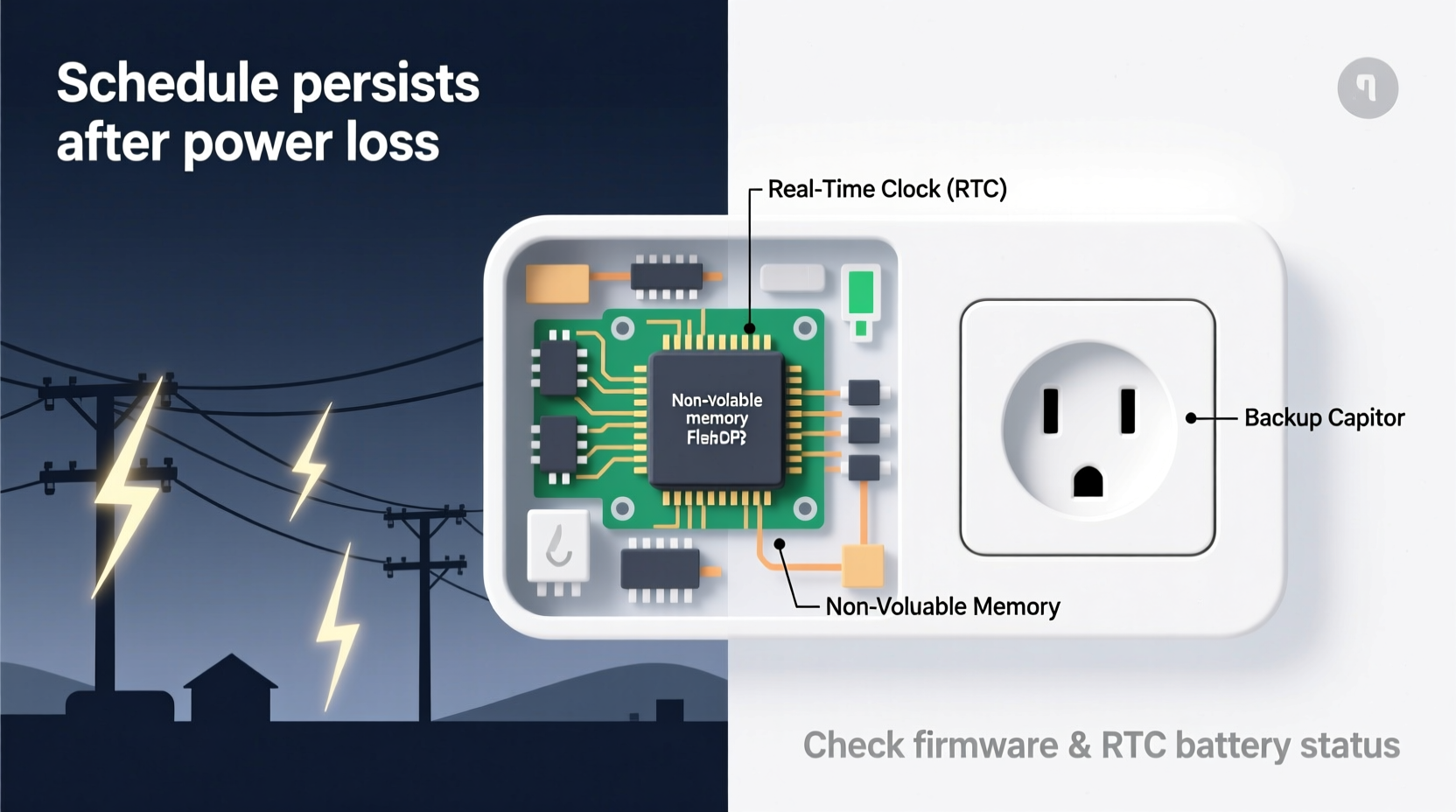
When electricity cuts out—even for a few seconds—smart outlets lose power like any other electronic device. What happens next depends on the internal architecture of the unit:
- Volatile vs. Non-Volatile Memory: Many budget-friendly smart outlets use volatile memory (like RAM), which clears when power is lost. If the device relies on this type of storage for schedules, those settings disappear once the outlet restarts.
- Firmware Design Philosophy: Some manufacturers prioritize safety over continuity. After detecting a power interruption, the outlet may reset to an “off” state by default to prevent unexpected appliance activation—a potential fire hazard if no one is home.
- Cloud Dependency: Devices that store schedules in the cloud rather than locally must reconnect to Wi-Fi and sync data upon reboot. If your router also went down during the outage, synchronization delays can cause temporary loss of automation until connectivity resumes.
This combination of hardware limitations and software logic explains why not all smart outlets behave the same way after losing power. High-end models often include safeguards such as onboard non-volatile memory and configurable power-on behaviors, while cheaper units sacrifice these features for cost savings.
Why Manufacturers Allow Schedule Resets
At first glance, resetting schedules seems counterintuitive. However, there are valid engineering and safety considerations behind this design choice:
Safety First: Preventing Unintended Operation
Imagine a space heater set to turn on every evening at 6 PM. A short power flicker occurs at 5:55 PM. If the outlet immediately restores its previous schedule, the heater could reignite without confirmation that it's safe to do so. In households with pets, children, or flammable materials nearby, unattended appliance restarts pose risks.
“Devices that automatically resume operation after power loss need fail-safes. Without user confirmation, they risk creating hazardous conditions.” — Dr. Alan Zhou, Electrical Safety Engineer at Consumer Tech Labs
Minimizing Support Requests and Confusion
Some users aren't aware their devices have schedules enabled. If an outlet turns back on after an outage and starts a blender or vacuum unexpectedly, it can startle occupants. To reduce confusion—and customer service calls—manufacturers opt for predictable behavior: off after power loss.
Hardware Cost Constraints
Incorporating reliable non-volatile memory increases component costs. For entry-level smart plugs priced under $15, manufacturers often cut corners here. These savings allow broader market access but come at the expense of reliability during grid instability.
How to Prevent Schedule Reset Issues
You don’t have to live with unreliable automation. With proper selection, configuration, and network setup, you can ensure your smart outlets maintain schedules even after power interruptions.
Choose the Right Device
Not all smart outlets are created equal. Prioritize models known for retaining settings after outages. Brands like TP-Link Kasa, Wemo Mini, and certain Eve Energy models offer options with configurable power-loss responses.
| Smart Outlet Model | Retains Schedule After Outage? | Configurable Power-On Behavior? | Local Control (No Cloud Required)? |
|---|---|---|---|
| TP-Link Kasa HS103 | Yes (with firmware update) | Yes – Off / On / Last State | No (requires cloud sync) |
| Wemo Mini Smart Plug | Limited (resets unless synced quickly) | No – defaults to off | No |
| Eve Energy (HomeKit-enabled) | Yes | Yes – supports last state restore | Yes (uses Thread/Bluetooth) |
| Amazon Basics Smart Plug | No | No – always resets | No |
As shown above, investing in higher-tier models pays off in long-term reliability, especially in areas prone to frequent brownouts or storms.
Configure Power-On Behavior Settings
If your outlet supports customizable post-power-loss actions, take time to adjust it correctly:
- Open the companion app (e.g., Kasa, Home Assistant, Apple Home).
- Navigate to the device settings for your smart plug.
- Look for options like “Power Loss Recovery,” “Restore State,” or “After Power Failure.”
- Select “Last State” or “Continue Previous Setting” instead of “Always Off.”
- Save changes and test by unplugging the device briefly.
Note: Some apps only expose this setting after a firmware update. Check for available updates regularly.
Stabilize Your Network Environment
Even if your outlet stores schedules locally, it may depend on Wi-Fi to validate time, sync recurring events, or execute voice commands. Use a UPS (Uninterruptible Power Supply) for your router and modem to keep the network alive during short outages. This ensures faster reconnection and reduces cloud-dependent lag in resuming operations.
Real-World Example: The Forgotten Coffee Maker
Jamie lives in rural Pennsylvania, where winter storms frequently knock out power for 10–20 minutes. She uses a smart outlet to turn on her coffee maker at 6:45 AM daily. One Monday morning, she woke up to silence. No brewing. No aroma. Her outlet had powered back on—but the schedule was gone.
After troubleshooting, Jamie discovered two issues: her outlet model (a basic Amazon-branded plug) didn’t support schedule retention, and her Wi-Fi took longer to restart than the plug did. By the time the network came online, the plug had already booted in “safe mode” with scheduling disabled.
She upgraded to a TP-Link Kasa HS103, configured it to restore the last state, and added a compact UPS for her router. Since then, even during multi-hour outages, her coffee routine remains uninterrupted. The new system remembers its settings, reconnects smoothly, and resumes automation seamlessly.
Her experience highlights a common pattern: low-cost devices combined with unstable infrastructure lead to avoidable failures. A modest investment solved a daily inconvenience.
Troubleshooting Checklist: Fixing Schedule Reset Problems
If your smart outlet keeps losing schedules, follow this actionable checklist:
- 1. Confirm Device Compatibility
- Check manufacturer specs for terms like “memory function,” “power failure recovery,” or “state retention.”
- 2. Update Firmware
- Outdated firmware may lack critical fixes. Open your app and verify all devices are current.
- 3. Adjust Power-On Behavior
- Set the outlet to resume the last known state rather than defaulting to “off.”
- 4. Test During Controlled Conditions
- Unplug the outlet for 30 seconds, then plug it back in. Does the light turn on? Does the app show correct status?
- 5. Evaluate Wi-Fi Stability
- Use a Wi-Fi analyzer tool to check signal strength near the outlet. Weak signals delay reconnection.
- 6. Consider a Local Hub or Bridge
- Zigbee or Thread-based outlets (e.g., Philips Hue-compatible) often recover faster because they rely less on cloud services.
- 7. Add Backup Power for Critical Devices
- A UPS for your router and essential smart plugs prevents desynchronization.
Frequently Asked Questions
Can I fix a smart outlet that always resets schedules?
It depends on the model. If the hardware lacks non-volatile memory or firmware support, no software tweak will help. However, most mid-range outlets allow configuration via their app to retain state. Upgrade only if your current device doesn’t support this feature.
Do all smart outlets lose data during power outages?
No—not all. Higher-end models from reputable brands typically preserve schedules using onboard memory and intelligent boot logic. Always verify “power loss memory” capability before purchasing.
Is it safe to let smart outlets turn back on automatically?
For low-risk devices like lamps, fans, or phone chargers, yes. But exercise caution with high-wattage appliances such as heaters, ovens, or hair tools. Only enable auto-restart for devices that won’t create hazards if activated unattended.
Conclusion: Build a Resilient Smart Home
Your smart outlet shouldn’t betray your routine just because the lights blinked. Schedule resets after power outages are not inevitable—they’re symptoms of mismatched expectations, outdated devices, or misconfigured settings. By choosing hardware wisely, adjusting power-on behavior, and stabilizing your network environment, you can build a smarter, more reliable home ecosystem.
Don’t settle for inconsistent automation. Audit your current devices, apply the fixes outlined here, and upgrade where necessary. Small improvements today prevent bigger frustrations tomorrow—especially when you're counting on that morning coffee to start the day right.




 浙公网安备
33010002000092号
浙公网安备
33010002000092号 浙B2-20120091-4
Comments
No comments yet. Why don't you start the discussion?