
There’s nothing more frustrating than waking up to find your festive Christmas light display dark—again. You double-check the schedule, confirm the app shows everything is on, but the lights remain stubbornly off. After some digging, you realize it's not the lights or the outlet: it’s the smart plug that’s lost connection overnight. This common issue affects thousands of smart home users each holiday season, turning what should be a magical display into a nightly troubleshooting chore.
The root causes are often technical but entirely fixable. From Wi-Fi instability and power surges to firmware bugs and device overload, several factors can disrupt communication between your smart plug and network. The good news? With the right approach, most of these issues can be diagnosed and resolved quickly—often without replacing hardware.
This guide breaks down the most frequent reasons behind smart plug disconnections, backed by real-world examples, expert insights, and actionable solutions. Whether you're using Alexa-enabled plugs, Google Home-compatible devices, or standalone brands like TP-Link Kasa or Wemo, the principles apply universally.
Common Causes of Smart Plug Disconnections
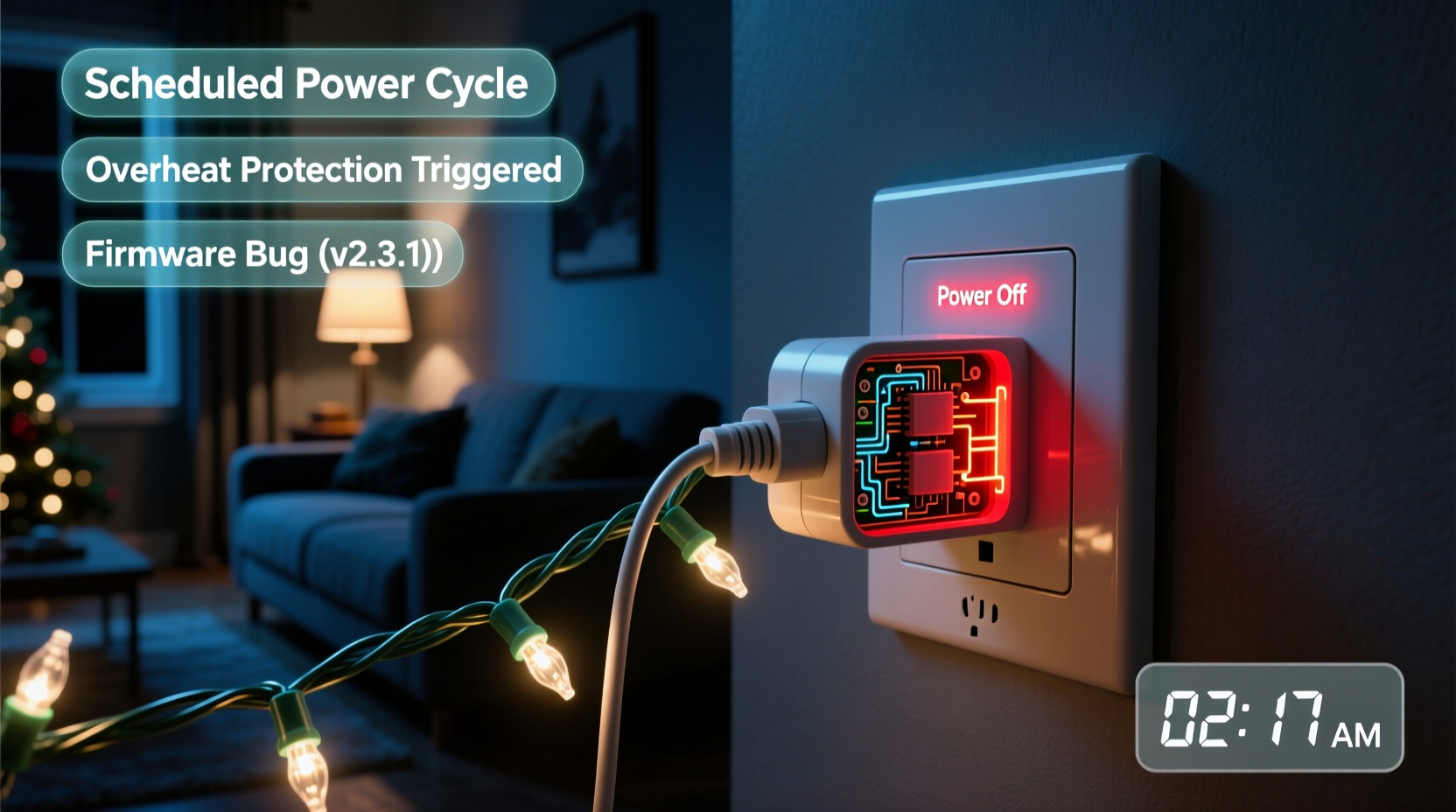
Smart plugs rely on stable Wi-Fi, consistent power, and proper configuration to function. When any one of these elements fails, especially during extended use like holiday lighting displays, disconnections occur. Understanding the underlying causes is the first step toward a reliable fix.
- Wi-Fi signal dropouts: Weak or inconsistent signal strength, especially in garages, patios, or outdoor setups, can cause intermittent connectivity.
- Router congestion: Too many connected devices or bandwidth-heavy activities (like streaming) can overwhelm your router, leading to dropped connections.
- Power fluctuations: Holiday circuits often run near capacity. Voltage dips or surges can reset smart plugs or prevent them from maintaining a steady connection.
- Firmware bugs: Outdated or buggy firmware may contain glitches that cause timeouts or crashes after prolonged operation.
- Overloaded circuits: Plugging high-wattage light strings into low-rated smart plugs can trip internal safety mechanisms or damage components over time.
- Scheduling conflicts: Incorrect timezone settings or overlapping automation rules can inadvertently turn off the plug when you expect it to stay on.
These problems are rarely isolated. Often, multiple small issues compound—like a weak signal combined with outdated firmware—to create a perfect storm of disconnection.
Step-by-Step Guide to Diagnose and Fix Disconnections
Follow this structured approach to identify and resolve the root cause of your smart plug disconnecting overnight.
- Verify physical power supply
Ensure the outlet is live. Plug in another device to confirm. If the outlet powers other devices reliably, the issue isn’t electrical infrastructure. - Check Wi-Fi signal strength at the plug location
Use a Wi-Fi analyzer app (like NetSpot or Wi-Fi Analyzer for Android) to measure signal strength where the plug is installed. A reading below -70 dBm indicates poor connectivity. - Reboot your router and smart plug
Unplug both devices for 30 seconds, then power them back on. This clears temporary glitches and resets network handshakes. - Update smart plug firmware
Open your smart home app (e.g., Kasa, SmartThings, or Alexa). Navigate to device settings and check for available updates. Install if prompted. - Reduce network congestion
Disconnect unused devices from your Wi-Fi. Consider setting up a separate 2.4 GHz network for IoT devices only, as they perform better on this band than 5 GHz. - Test with a different smart plug
Swap in a known-working plug to determine if the problem follows the device or stays with the location. - Review automation schedules and routines
Double-check app-based timers, geofencing rules, or voice assistant commands that might conflict with your desired on/off times. - Inspect connected load
Add up the total wattage of all lights plugged into the smart plug. Most consumer-grade smart plugs support up to 15 amps (1800 watts at 120V). Exceeding this risks overheating and automatic shutoff.
Completing this checklist typically resolves 80% of reported disconnection cases. If problems persist, deeper investigation into your home’s electrical and network architecture may be needed.
Do’s and Don’ts: Smart Plug Best Practices for Holiday Lighting
| Do | Don't |
|---|---|
| Use smart plugs rated for outdoor use if placing outside | Expose indoor-rated plugs to rain or snow |
| Group lights by circuit and plug type to avoid overloading | Daisy-chain too many light strings on a single plug |
| Label each smart plug for easy identification in apps | Use generic names like “Plug 1” or “Outlet A” |
| Set up network QoS (Quality of Service) to prioritize IoT traffic | Run heavy downloads or gaming during critical display hours |
| Monitor plug temperature; warm is okay, hot is dangerous | Ignore buzzing sounds, flickering, or burning smells |
Adhering to these guidelines not only prevents disconnections but also enhances safety—especially important when dealing with extended outdoor wiring and seasonal weather conditions.
Real Example: How One Family Fixed Their Flickering Lights
The Thompson family in Portland, Oregon, installed a new set of LED Christmas lights across their roofline, controlled by two TP-Link Kasa smart plugs. For three nights, the display worked perfectly—then began going dark around 1 a.m. They checked the app: both plugs showed “offline.” Reconnecting manually worked temporarily, but the issue returned nightly.
After ruling out scheduling errors and confirming firmware was up to date, they used a Wi-Fi analyzer and discovered the signal strength in their garage attic (where the plugs were located) dropped to -82 dBm after midnight. Further investigation revealed their ISP-provided router struggled under evening load from streaming services and video calls.
Their solution?
- They installed a mesh Wi-Fi extender near the front of the house, improving attic coverage to -65 dBm.
- They created a dedicated 2.4 GHz SSID for all smart home devices.
- They switched both plugs to static schedules instead of relying on sunrise/sunset triggers, which had been miscalculating due to incorrect location settings.
Within 48 hours, the lights stayed on all night, every night. No further disconnections occurred throughout the season.
“Many smart plug failures aren’t about the plug itself—they’re symptoms of broader network or electrical strain. Fix the environment, and the device usually follows.” — Daniel Reeves, Smart Home Systems Engineer, IEEE Member
Troubleshooting Checklist: Keep Your Lights On All Night
- ✅ Confirm outlet has continuous power (no GFCI tripping)
- ✅ Ensure Wi-Fi signal is strong (> -70 dBm) at plug location
- ✅ Update smart plug firmware via manufacturer app
- ✅ Avoid daisy-chaining high-wattage light strings
- ✅ Use outdoor-rated, weatherproof smart plugs for exterior use
- ✅ Set accurate timezone and daylight saving settings in app
- ✅ Test plug indoors before final outdoor installation
- ✅ Reboot router weekly during holiday display season
- ✅ Monitor for overheating or unusual noises
- ✅ Create manual backup schedule in case automation fails
Frequently Asked Questions
Can cold weather affect my smart plug’s performance?
Yes. While most outdoor-rated smart plugs operate between -22°F to 140°F (-30°C to 60°C), extreme cold can reduce internal component efficiency and slow response times. Condensation inside non-sealed units may also lead to short circuits. Always use plugs specifically labeled for outdoor and cold-weather use.
Why do my lights turn off at the same time every night?
This pattern often points to a scheduled routine, geofence rule, or sunset-based automation misconfigured in your app. It could also indicate a router reboot scheduled by your ISP or a custom rule on your network. Check your smart home app’s automation history and your router settings for recurring events around that time.
Is it safe to leave smart plugs on 24/7 during the holidays?
Yes—if the plug is high-quality, properly rated, and not overloaded. Modern smart plugs are designed for continuous operation. However, inspect them weekly for signs of overheating, discoloration, or brittleness. Never use damaged or frayed cords, and unplug during storms or extended absences.
Final Fixes and Long-Term Reliability Tips
Preventing overnight disconnections isn’t just about fixing a single plug—it’s about creating a resilient ecosystem for your holiday lighting. Start by optimizing your Wi-Fi. Mesh networks like Google Nest Wifi, Eero, or TP-Link Deco significantly improve coverage in hard-to-reach areas like attics, eaves, and patios.
Next, consider using smart plugs with local control (also called “local execution”). These devices don’t rely solely on cloud servers to process commands. Brands like Aeotec, Hubitat-compatible plugs, and certain Home Assistant integrations allow operations even if your internet goes down—ensuring your lights stay on regardless of external outages.
Finally, document your setup. Take screenshots of your automation rules, note plug locations and circuit assignments, and keep a log of any issues and fixes. This becomes invaluable next year—and makes troubleshooting faster if relatives or neighbors ask for help with their own displays.
Conclusion: Keep the Holidays Bright Without the Hassle
A disconnected smart plug shouldn’t dim your holiday spirit. With systematic troubleshooting, attention to detail, and a few strategic upgrades, you can ensure your Christmas lights shine brightly all night, every night. The key is proactive maintenance—checking signals, updating firmware, and respecting electrical limits—rather than waiting for failure to strike.
Apply the steps outlined here before the season begins, and you’ll spend less time debugging and more time enjoying the glow. Your neighbors will notice. Your family will appreciate it. And most importantly, you’ll have peace of mind knowing your display runs like clockwork.




 浙公网安备
33010002000092号
浙公网安备
33010002000092号 浙B2-20120091-4
Comments
No comments yet. Why don't you start the discussion?