
There’s nothing more frustrating than stepping outside on a crisp winter evening, ready to enjoy the warm glow of your holiday lights, only to find them dark—again. You didn’t schedule a shutdown. No one touched the switch. Yet, your smart plug has mysteriously powered down your Christmas lights. This isn’t magic—it’s technology behaving unpredictably. The good news? It’s fixable.
Smart plugs are convenient, energy-saving devices that let you control appliances remotely. But when they’re used with seasonal lighting, especially during peak holiday use, several technical and environmental factors can cause unexpected behavior. Understanding these issues is the first step toward a reliable, flicker-free display.
How Smart Plugs Work (and Where They Can Fail)
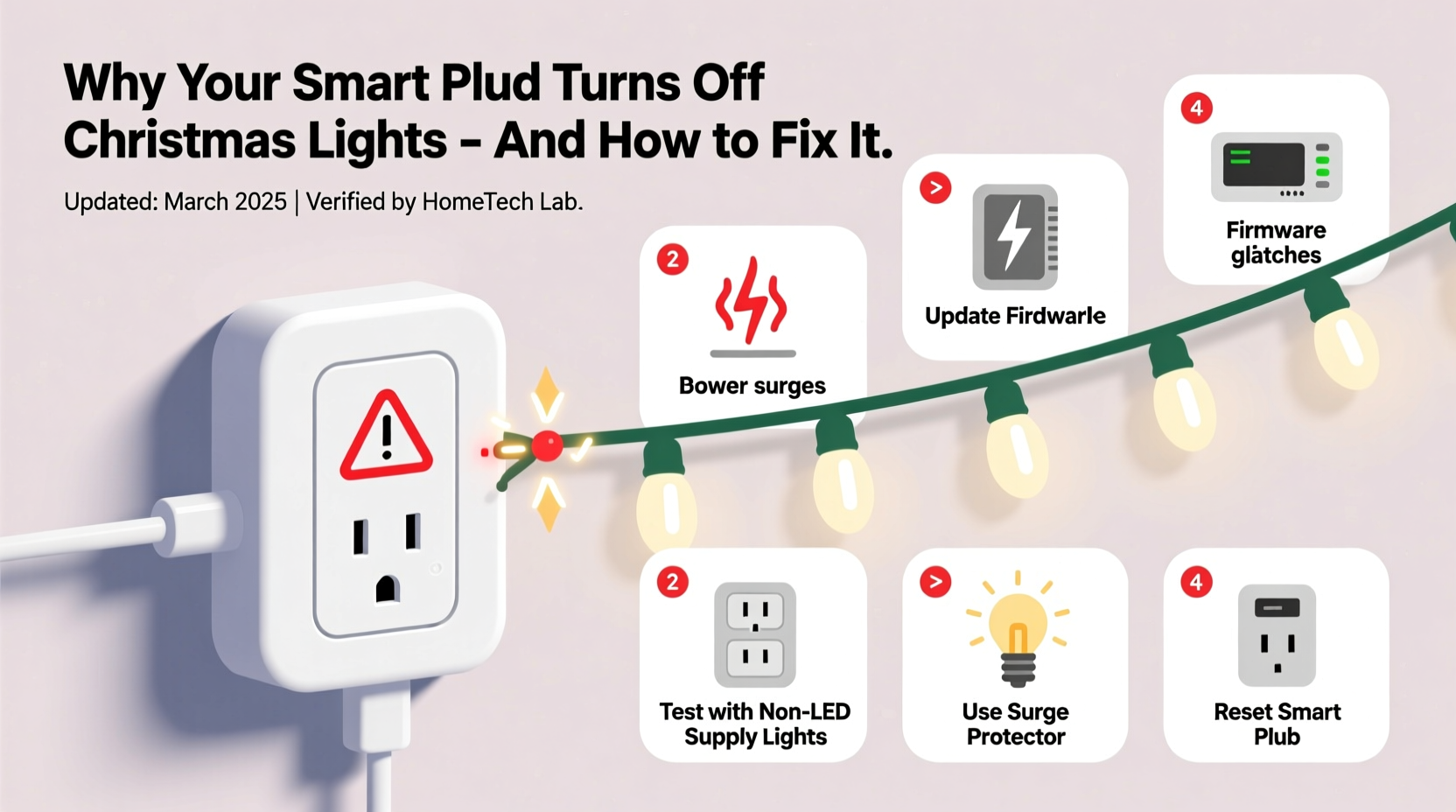
Smart plugs connect to your home Wi-Fi network and communicate with a mobile app or voice assistant (like Alexa or Google Assistant). When you issue a command—“Turn on the porch lights”—the signal travels from your phone to the cloud, then to your router, and finally to the plug. The plug completes the circuit, delivering power to your lights.
While this process usually works seamlessly, it relies on multiple interconnected systems. Any disruption in communication can lead to erratic behavior. Common points of failure include:
- Wi-Fi instability: If your router drops packets or experiences congestion, commands may not reach the plug.
- Power surges: Holiday circuits often run near capacity. A sudden surge can trip internal safety mechanisms in the plug.
- Firmware bugs: Outdated or buggy firmware may misinterpret signals or reset unexpectedly.
- Overheating: Enclosed spaces or prolonged use can cause the plug to overheat and shut down as a safety measure.
These aren’t flaws in design—they’re limitations inherent in consumer-grade smart home tech. But with proper setup and maintenance, most issues can be avoided.
Common Causes of Random Shutdowns and How to Diagnose Them
Before jumping to conclusions, rule out the most frequent culprits. Each has distinct symptoms and solutions.
1. Overloaded Circuit or Inrush Current
Many Christmas light strings, particularly older incandescent models, draw a high initial current when turned on—a phenomenon called inrush current. While brief, this spike can exceed the smart plug’s rated capacity, triggering an automatic shutoff.
LED lights are less prone to this, but daisy-chaining too many strands increases total load. Most smart plugs support up to 15 amps (1800 watts), but sustained use above 80% capacity risks overheating.
2. Poor Wi-Fi Signal Strength
If your smart plug is located far from the router or behind thick walls, signal strength may drop below usable levels. When the device disconnects, scheduled commands fail, and remote access stops working. Some plugs interpret this as a fault condition and revert to a safe “off” state.
To test signal quality, check the RSSI (Received Signal Strength Indicator) value in your smart home app. Values below -70 dBm indicate poor connectivity.
3. Scheduled or Automation Conflicts
It’s easy to forget an automation rule you set weeks ago. For example, a “turn off at midnight” schedule might conflict with a manual “on” command issued later. Similarly, geofencing rules based on your phone’s location can trigger unintended shutdowns if GPS is inaccurate.
4. Firmware Glitches or App Bugs
Manufacturers regularly release updates to patch security vulnerabilities and improve performance. An outdated plug may behave erratically due to unpatched bugs. Conversely, a recent update could introduce new issues—especially if rolled out prematurely.
5. Electrical Noise Interference
Some LED drivers and dimmer-compatible lights emit electromagnetic interference (EMI). This noise can disrupt the low-voltage electronics inside smart plugs, causing resets or false readings.
“Intermittent shutdowns in smart plugs are rarely due to a single cause. More often, it’s a combination of load, signal quality, and environmental stress.” — Raj Patel, Home Automation Engineer at NestSense Labs
Step-by-Step Guide to Stabilize Your Smart Plug Setup
Follow this systematic approach to eliminate random shutdowns and ensure consistent performance throughout the season.
- Verify Total Load
Add up the wattage of all connected light strings. Include transformers and controllers. Ensure the total stays under 1400 watts for a standard 15A plug. Use a watt meter to measure actual consumption. - Test Wi-Fi Signal at Plug Location
Use a Wi-Fi analyzer app (like NetSpot or Wi-Fi Analyzer) to check signal strength where the plug is installed. If below -70 dBm, consider relocating the plug or installing a mesh extender. - Update Firmware and App
Open your smart home app and check for available updates for both the plug and the application itself. Reboot the plug after updating. - Review Automations and Schedules
Disable all automations temporarily. Manually control the plug for 24 hours. If no random shutdowns occur, re-enable rules one by one to identify the culprit. - Isolate the Plug from Other Devices
Unplug everything else from the same outlet strip or circuit. Test the smart plug alone. If stability improves, electrical noise or shared load was likely the issue. - Use a Surge Protector (Non-Smart)
Plug the smart device into a basic surge protector—not another smart strip. This shields against voltage spikes without introducing communication conflicts. - Reset and Re-pair the Plug
Perform a factory reset (usually via a 5–10 second button press), then reconnect it to Wi-Fi. This clears corrupted settings and forces a fresh handshake with your network.
Do’s and Don’ts: Best Practices for Reliable Operation
| Action | Do | Don’t |
|---|---|---|
| Connecting Lights | Use UL-listed extension cords and limit daisy chains to three strands | Daisy-chain more than five light strings together |
| Placement | Install in dry, ventilated areas away from snow accumulation | Enclose in sealed outdoor boxes without airflow |
| Network Setup | Use a dedicated 2.4 GHz network for IoT devices | Mix smart plugs on a congested 5 GHz band |
| Maintenance | Inspect monthly for frayed wires or discoloration | Ignore signs of melting or burning smells |
| Automation | Set gradual fade-in schedules to reduce inrush stress | Stack multiple conflicting timers or geofence rules |
Real Example: Fixing a Troubled Front Yard Display
Consider Sarah from Portland, who installed a 120-light LED array controlled by a Kasa KP115 smart plug. Every few nights, her display would go dark around 10:30 PM. She checked the app—lights were still “on.” Rebooting the plug restored function temporarily.
After logging usage, she discovered two issues: First, her garage Wi-Fi signal measured -78 dBm due to concrete walls. Second, she had unknowingly enabled a “Bedtime Routine” in her Alexa app that turned off “holiday devices” at 10:30 PM.
Sarah moved her Wi-Fi extender closer and disabled the routine. She also split her light strings across two plugs to reduce load. Since then, her display has run uninterrupted for 47 consecutive nights.
Checklist: Prevent Future Shutdowns
- ✅ Calculate total wattage of connected lights
- ✅ Confirm Wi-Fi signal is above -70 dBm at plug location
- ✅ Update smart plug firmware and app to latest version
- ✅ Disable conflicting automations or schedules
- ✅ Install plug in a ventilated, weather-protected area
- ✅ Use a non-smart surge protector for added safety
- ✅ Test manually for 24 hours after changes
- ✅ Create a backup physical switch for emergencies
Frequently Asked Questions
Can cold weather affect my smart plug?
Yes. Most consumer smart plugs are rated for operation between 32°F and 104°F (0°C to 40°C). Prolonged exposure to freezing temperatures can slow response times, reduce Wi-Fi sensitivity, or cause condensation inside the unit. Use weatherproof enclosures and avoid direct contact with ice or snow.
Why do my lights turn off when I turn on another appliance?
This often indicates circuit overload. Large appliances like heaters or refrigerators draw significant power on startup, causing a temporary voltage drop. If the smart plug detects unstable input voltage, it may shut off to protect connected devices. Try running the plug on a separate circuit.
Is it safe to leave a smart plug on all night?
Yes, if used within specifications. Ensure the plug isn’t overloaded, is properly ventilated, and is protected from moisture. Regularly inspect for heat buildup or discoloration. For peace of mind, use plugs with built-in overload protection and auto-shutoff features.
Conclusion: Enjoy a Hassle-Free Holiday Display
Your Christmas lights should spark joy, not confusion. Random shutdowns are rarely due to faulty hardware—they’re usually the result of overlooked variables like signal strength, load limits, or hidden automations. By applying systematic troubleshooting and adhering to best practices, you can achieve a stable, reliable setup that lasts through the holidays and beyond.
Start by auditing your current configuration: check load, verify connectivity, and review automation rules. Small adjustments today can prevent frustration tomorrow. Once optimized, your smart plug will deliver seamless control, letting you focus on what matters—celebrating the season with a beautifully lit home.




 浙公网安备
33010002000092号
浙公网安备
33010002000092号 浙B2-20120091-4
Comments
No comments yet. Why don't you start the discussion?