
As holiday lights twinkle and smart home devices hum with festive automation, many users report a frustrating issue: their smart sockets become unresponsive precisely when they're needed most—during peak Christmas hours. You're not alone if your voice command to turn on the tree lights fails at 7 PM on December 24th. This isn’t magic gone wrong—it’s technology meeting real-world limitations. Behind the scenes, network congestion, power fluctuations, and device overload conspire to disrupt even the most carefully programmed routines. Understanding the root causes empowers you to maintain control over your smart home throughout the season.
Network Congestion: The Hidden Holiday Bottleneck
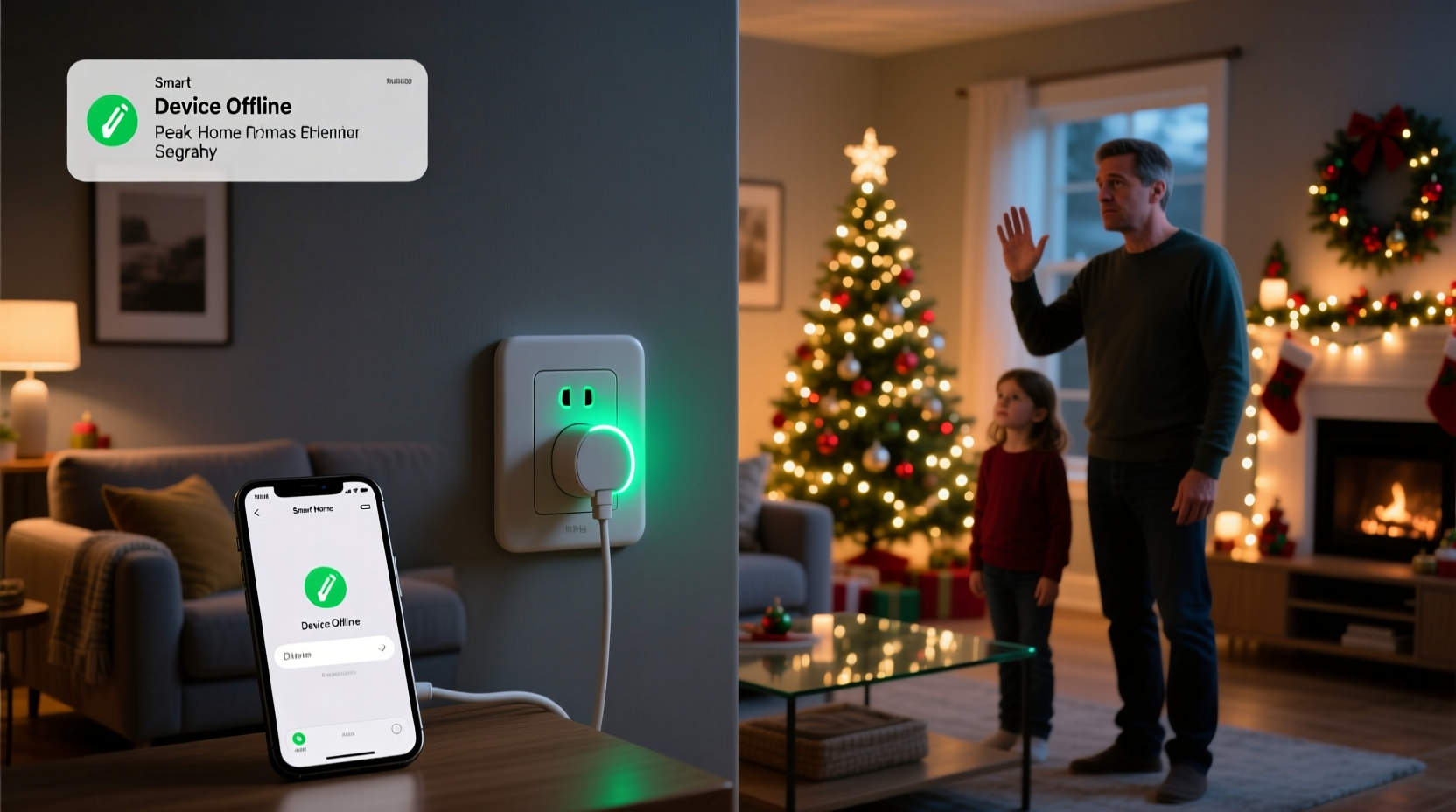
During the Christmas season, homes transform into high-traffic digital environments. Multiple family members stream movies, children play online games, guests connect to Wi-Fi, and smart devices—from thermostats to coffee makers—compete for bandwidth. Smart sockets rely on stable internet or local network communication to receive commands from apps or voice assistants. When network traffic surges between 5 PM and 9 PM—the peak usage window in most households—latency increases and packet loss becomes common.
Wi-Fi operates on shared radio frequencies (typically 2.4 GHz or 5 GHz). The 2.4 GHz band, while offering better range, is especially prone to interference due to its widespread use by older smart devices, microwaves, baby monitors, and Bluetooth gadgets. Many budget-friendly smart sockets still use this band, making them vulnerable during crowded airwaves.
Additionally, mesh networks or routers without Quality of Service (QoS) settings may treat all data equally, meaning a video call can overpower a simple \"on/off\" signal meant for your smart plug. Without prioritization, low-bandwidth but time-sensitive commands get delayed or dropped entirely.
Device Overload and Power Supply Challenges
Christmas amplifies electrical demand. Homes that normally run a few appliances now support strings of LED lights, animated displays, space heaters, ovens, and multiple entertainment systems. Even though individual smart sockets consume minimal power themselves, the devices they control often draw significant current when activated simultaneously.
Consider this scenario: At exactly 6 PM, your automation triggers five smart plugs—each powering a strand of outdoor lights, a menorah display, indoor candles, a sound machine, and a coffee maker. That sudden collective surge, while within safe limits, can cause voltage drops across older or undersized household circuits. Some smart sockets are sensitive to such micro-fluctuations and may reboot, disconnect, or fail to execute commands until power stabilizes.
“Voltage instability during high-load periods can reset poorly regulated IoT devices—even if only momentarily.” — Dr. Lena Pruitt, Electrical Systems Engineer, Smart Home Institute
Furthermore, daisy-chaining too many smart plugs into a single outlet strip or circuit risks tripping breakers or exceeding amperage ratings. While modern sockets have safety cutoffs, repeated cycling weakens responsiveness over time. Devices located at the end of long extension cords may also experience reduced signal strength if they rely on Wi-Fi, compounding connectivity problems.
Common Causes of Smart Socket Failure During Peak Hours
| Issue | Description | Solution |
|---|---|---|
| Wi-Fi Congestion | Too many devices using the same network channel | Switch to 5 GHz where possible; enable QoS |
| Voltage Drop | Simultaneous device activation lowers line voltage | Distribute loads across circuits; avoid clustering |
| Signal Interference | Microwaves, cordless phones disrupt 2.4 GHz signals | Relocate router or socket; use shielded cables |
| Firmware Bugs | Poorly optimized firmware struggles under stress | Update firmware before holidays; choose reputable brands |
| Cloud Dependency | Remote servers slow down during mass usage spikes | Use local execution modes (e.g., Matter protocol) |
Step-by-Step Guide to Stabilize Your Smart Sockets Before Christmas
Preventing downtime requires proactive preparation. Follow this timeline in the weeks leading up to the holidays to ensure reliable performance when it matters most.
- Week 4: Audit Your Setup (December 1–7)
Inventory all smart sockets and connected devices. Note their locations, power requirements, and network bands used. Identify which ones are essential for holiday routines. - Week 3: Update Firmware and Apps (December 8–14)
Check manufacturer apps for available firmware updates. Outdated software may lack optimizations for high-load scenarios. Reboot each socket after updating. - Week 2: Optimize Network Configuration (December 15–21)
Log into your router settings. Enable Quality of Service (QoS) and prioritize traffic for smart home devices. If using 2.4 GHz, switch to the least congested channel (use a Wi-Fi analyzer app). Consider setting up a separate guest network for visitors. - Week 1: Test Under Load (December 22–24)
Simulate peak conditions by activating all scheduled devices manually. Watch for delays, disconnections, or resets. Adjust timing so not all devices trigger at once—stagger commands by 10–30 seconds. - Christmas Eve: Final Check (Evening of December 24)
Verify all sockets appear online in your app. Disable non-essential automations temporarily to reduce background noise.
Real Example: The Johnson Family’s Holiday Meltdown
The Johnsons in suburban Ohio had a tradition: every Christmas Eve, their porch display lit up at exactly 6:00 PM via a smart socket linked to Alexa. In 2023, as relatives gathered and music played, the moment arrived—yet the lights remained dark. Voice commands failed. The app showed the socket as offline. After frantic troubleshooting, they discovered the root cause wasn’t broken hardware, but a perfect storm of factors.
Their 2.4 GHz Wi-Fi was overwhelmed by three simultaneous Zoom calls, two Netflix streams, and a Ring doorbell update. The smart socket, plugged into an outdoor outlet at the far end of the house, lost signal. Meanwhile, turning on the oven and dishwasher caused a minor voltage dip that briefly reset the socket’s internal processor. By the time the network stabilized, it was nearly 6:15 PM.
In response, they upgraded their router to a tri-band model with dedicated IoT support, moved critical sockets to the 5 GHz network, and rewired one outdoor circuit to prevent future dips. The next year, the lights came on without delay—and stayed on.
Choosing the Right Technology: Do’s and Don’ts
Not all smart sockets are created equal. Choosing resilient models and integrating them wisely prevents seasonal failures.
| Action | Do | Don't |
|---|---|---|
| Network Selection | Use 5 GHz-capable sockets near the router | Rely solely on distant 2.4 GHz devices |
| Placement | Keep sockets within 30 feet of the router | Install behind metal enclosures or thick walls |
| Power Management | Spread high-draw devices across circuits | Plug heaters and lights into the same socket strip |
| Automation Design | Stagger start times for multiple devices | Set 10 sockets to activate at the exact same second |
| Protocol Choice | Prefer Matter or Thread-compatible devices for local control | Depend entirely on cloud-based actions |
“Local processing eliminates dependency on external servers, which often buckle under holiday traffic.” — Marcus Tran, IoT Architect at HomeNet Labs
FAQ: Common Questions About Smart Socket Reliability
Why do my smart plugs work fine during the day but fail at night?
Evening hours bring higher household activity—streaming, cooking, charging—which increases both Wi-Fi congestion and electrical load. Devices that function smoothly during low-usage periods may struggle when competing for resources. Additionally, some utility providers experience minor grid fluctuations during peak demand, affecting sensitive electronics.
Can I fix unresponsive sockets without replacing them?
Yes, in most cases. Start by relocating the socket closer to your router or using a Wi-Fi extender. Update firmware, reduce nearby interference sources, and spread device activation over time. If the socket frequently reboots, test it on a different circuit to rule out localized power issues.
Is there a way to make smart sockets work without internet?
Certain protocols like Zigbee, Z-Wave, or Matter allow local control through a hub, eliminating the need for constant internet access. These systems route commands through your home network rather than the cloud, improving speed and reliability. Look for models with “local execution” support to maintain functionality during outages.
Essential Pre-Holiday Checklist
- ✅ Inventory all smart sockets and label them clearly
- ✅ Verify firmware is up to date on each device
- ✅ Test each socket individually and in groups
- ✅ Confirm strong Wi-Fi signal at each installation point
- ✅ Enable QoS on your router and prioritize smart home traffic
- ✅ Distribute high-power devices across different circuits
- ✅ Stagger automation schedules to avoid simultaneous triggers
- ✅ Set up alerts for offline devices in your smart home app
- ✅ Backup manual override plans (e.g., physical switches)
Conclusion: Keep the Magic Alive
The beauty of a smart home lies in its seamless operation—especially during emotionally charged moments like Christmas Eve. When technology falters at the worst possible time, it’s not just inconvenient; it disrupts cherished traditions. But these failures are rarely random. They stem from predictable pressures: overloaded networks, unstable power, and poor planning. With a few strategic adjustments, you can ensure your smart sockets respond reliably when the family gathers around the tree.
Start now. Don’t wait until the last minute to discover a flaw in your setup. A little foresight turns potential frustration into flawless automation. Let your smart home enhance the holiday spirit—not hinder it.




 浙公网安备
33010002000092号
浙公网安备
33010002000092号 浙B2-20120091-4
Comments
No comments yet. Why don't you start the discussion?