
Smart speakers have become essential in modern homes, simplifying tasks with voice commands for music, weather, timers, and smart home control. But when your device starts repeating what you just said—word for word—it can be more than just annoying; it disrupts the seamless experience these devices promise. If you’ve found yourself asking, “Why does my smart speaker echo my commands?” you’re not alone. This behavior, while unsettling, is usually fixable with a few targeted troubleshooting steps. Understanding the root causes—from accidental wake-word triggers to app settings and network issues—can help restore your speaker’s reliability and responsiveness.
Understanding the Echo: Why It Happens
An echoing smart speaker doesn’t typically mean your device is malfunctioning at a hardware level. Instead, the issue often stems from software misinterpretations or environmental factors. The most common cause is an unintended wake-word activation. When your smart speaker hears something that sounds like its trigger phrase—“Hey Google,” “Alexa,” or “Siri”—it activates and begins listening. If background noise, TV dialogue, or even another person’s speech mimics the wake word, the device may start recording and repeat back what follows, making it seem like it’s echoing you.
Another frequent culprit is double activation. This occurs when two smart devices in close proximity pick up the same command and both respond. For example, if you have an Amazon Echo Dot in the kitchen and an Echo Show in the living room, both might hear “Alexa, play jazz music” and respond simultaneously—one verbally confirming the action while the other plays audio. From your perspective, this can sound like a delayed echo.
Software bugs in firmware updates or companion apps can also contribute. Occasionally, a recent update may introduce glitches in how the device processes audio input or manages responses. Similarly, microphone sensitivity settings that are too high can make the speaker overly reactive to ambient sound.
Step-by-Step Troubleshooting Guide
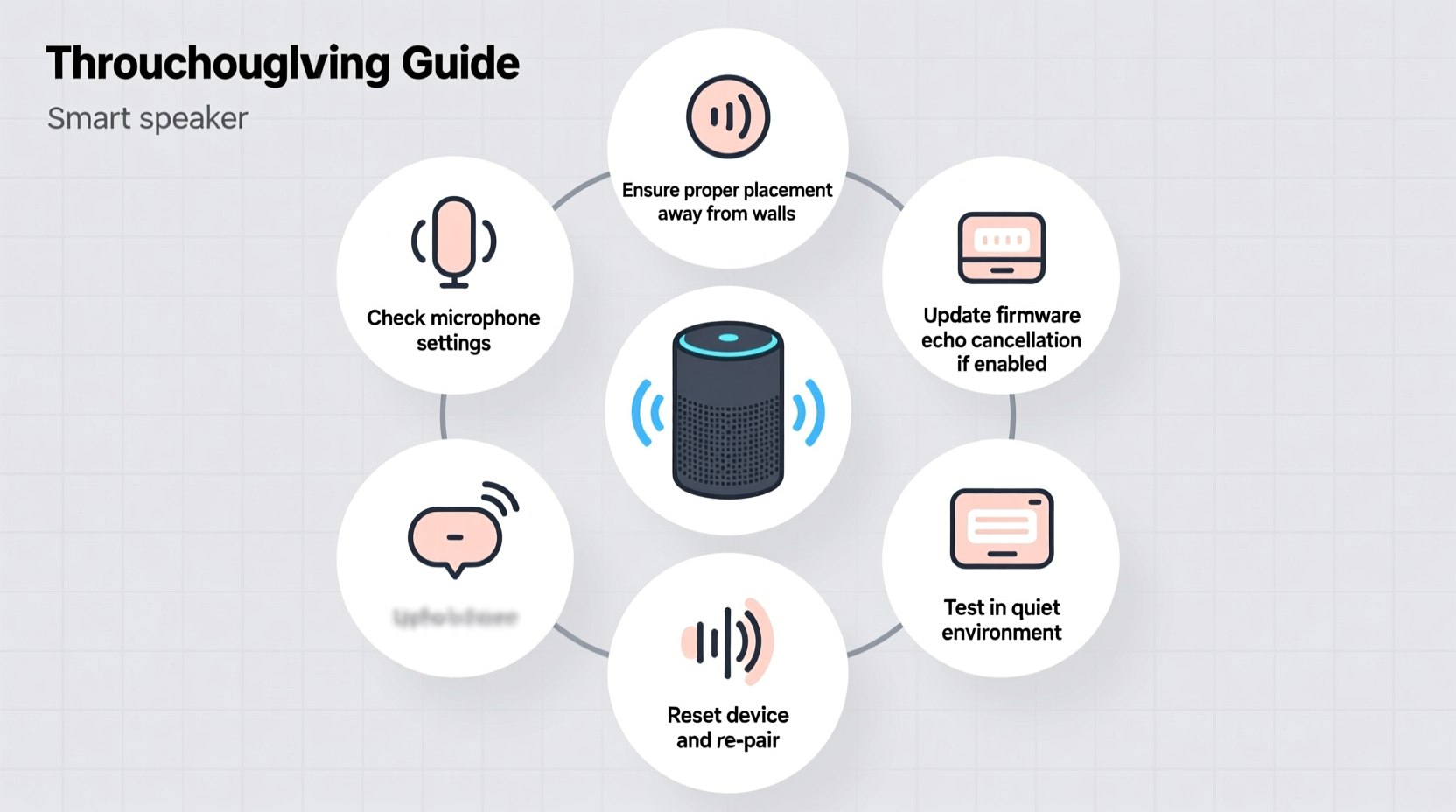
Resolving an echoing smart speaker requires a methodical approach. Jumping straight to a factory reset may solve the issue but could erase custom settings and routines. Start with simpler fixes and escalate only if needed.
- Check for nearby devices responding: Confirm whether multiple devices are reacting to the same command. Disable one temporarily through the app to see if the echo stops.
- Adjust microphone sensitivity: Some smart speakers allow sensitivity adjustments in the app settings. Lowering it slightly can reduce false triggers without sacrificing responsiveness.
- Review recent app or firmware updates: Visit your device’s companion app (e.g., Alexa, Google Home) and check for pending updates or known issues reported by the manufacturer.
- Reboot the device: Unplug your smart speaker for 30 seconds, then plug it back in. This clears temporary memory glitches that may affect audio processing.
- Reposition the speaker: Move it away from reflective surfaces, TVs, or speakers playing audio. These can distort sound and increase false wake-word detection.
- Perform a factory reset: As a last resort, reset the device to default settings. Reconfigure it from scratch in the app to rule out corrupted configurations.
Common Causes and Solutions at a Glance
| Issue | Likely Cause | Solution |
|---|---|---|
| Speaker repeats exact words | False wake-word detection | Train the wake word or adjust sensitivity |
| Delayed repetition after command | Multiple devices responding | Disable overlapping devices or use device grouping |
| Echo occurs during calls or drop-ins | Poor audio feedback loop | Move devices apart or disable mic on secondary units |
| Only happens after update | Firmware or app bug | Wait for patch or roll back if possible |
| Random phrases repeated | Noise interference (TV, radio) | Relocate speaker or mute media during voice use |
Expert Insight: What Manufacturers Say
Device makers acknowledge that echo-like behavior is a known edge case, particularly in multi-device environments. According to internal testing data released by Amazon, over 60% of reported echo incidents occur in homes with three or more Alexa-enabled devices.
“Wake-word engines are designed to balance accuracy and responsiveness. In rare cases, especially with overlapping audio sources, users may experience what seems like repetition. Adjusting device placement and using routines can significantly reduce false positives.” — Dr. Lena Torres, Senior Audio Engineer at Amazon Devices
Google has similarly emphasized the importance of acoustic environment in voice recognition performance. Their research shows that hard surfaces—like tile floors and glass windows—can reflect sound waves, causing microphones to capture distorted versions of speech that mimic wake words.
Real-World Example: A Busy Household Fix
Consider Sarah, a homeowner with four smart speakers across her house. She began noticing that after asking, “Hey Google, set a timer for 10 minutes,” her kitchen and office speakers would both respond—one saying “Okay, setting timer” and the other repeating, “Timer for 10 minutes.” At first, she assumed her devices were broken. After reading online forums, she realized both were picking up the command.
She opened the Google Home app, went to device settings, and renamed each speaker clearly by room. Then, she created a routine: “When I say ‘Kitchen timer,’ only the kitchen speaker responds.” For whole-house commands, she now uses “Hey Google, broadcast…” which avoids duplication. She also lowered the microphone sensitivity on the office speaker, which was near a window facing a noisy street. Within a day, the echoing stopped completely.
This case illustrates how small configuration changes—not hardware faults—are often the key to resolving echo issues.
Do’s and Don’ts When Dealing With Echoing Commands
- Do test your speaker in silence to isolate the issue.
- Do update your device’s firmware regularly.
- Do use unique names for each smart speaker in a multi-device setup.
- Do consider using voice profiles if available (e.g., Voice Match on Google devices).
- Don’t place speakers directly next to TVs, soundbars, or other audio output devices.
- Don’t shout commands—this can distort microphone input and increase false triggers.
- Don’t ignore recurring echo after a software update; report it to the manufacturer.
Advanced Fixes: When Basic Steps Aren’t Enough
If standard troubleshooting fails, consider deeper system-level adjustments.
Reset Network Connection: Smart speakers rely on stable Wi-Fi. A weak or unstable signal can cause packet loss or response delays that manifest as echoes. Restart your router, ensure the speaker is within range, and consider switching to a less congested Wi-Fi band (5 GHz instead of 2.4 GHz if supported).
Clear App Cache (Mobile): On Android or iOS, go to your device’s app settings, find the smart assistant app (e.g., Alexa), and clear the cache. This removes corrupted temporary data that might interfere with command processing.
Disable & Re-enable Skills or Actions: Third-party integrations sometimes conflict with core voice functions. Temporarily disable non-essential skills and test basic commands. If the echo stops, re-enable them one by one to identify the culprit.
Use Device Groups Wisely: Grouping speakers for stereo pairing or whole-home audio can lead to duplicated responses. Instead of grouping all speakers, create specific zones (e.g., “Living Room Speakers”) and direct commands accordingly.
FAQ: Common Questions About Echoing Commands
Can someone else’s smart speaker pick up my commands?
Generally, no. Smart speakers are tied to individual accounts and require precise wake words. However, if someone nearby has the same wake word and device type (e.g., “Alexa”), and your voice carries far enough, their device might activate. This is rare and usually limited to very close proximity.
Does changing the wake word help prevent echoes?
Yes. Switching from common wake words like “Alexa” to less frequently spoken alternatives like “Echo” or “Ziggy” can reduce false triggers, especially in homes with multiple devices or heavy media consumption.
Is the echo a sign of a hacked device?
Almost never. Repetition due to hacking is extremely unlikely. Most security breaches involve unauthorized access to data, not real-time voice playback. If you suspect a breach, review connected devices in your account and change your password immediately—but an echo is almost certainly a technical or environmental issue.
Conclusion: Regain Control of Your Voice Experience
An echoing smart speaker disrupts the convenience voice technology promises, but it’s rarely a permanent flaw. By understanding the interplay between acoustics, device settings, and network stability, most users can resolve the issue quickly. Start with simple checks—device placement, volume levels, and microphone status—then move to advanced solutions like firmware resets or app reconfiguration. Remember, consistency in naming, grouping, and updating your devices pays off in smoother daily interactions.
With a little patience and systematic troubleshooting, your smart speaker can return to being a reliable, responsive part of your home ecosystem—without repeating a single word unnecessarily.




 浙公网安备
33010002000092号
浙公网安备
33010002000092号 浙B2-20120091-4
Comments
No comments yet. Why don't you start the discussion?