
Smart speakers have become central to modern homes, handling everything from setting alarms to controlling lights. Yet, one of the most common frustrations users face is when their device mishears commands—responding to something you didn’t say or ignoring what you did. This inconsistency isn’t just annoying; it undermines trust in a technology designed to simplify life. The good news: most voice recognition problems are fixable with the right approach. Understanding why mishearing occurs—and how to correct it—can transform your experience from erratic to reliable.
Understanding Why Smart Speakers Mishear Commands
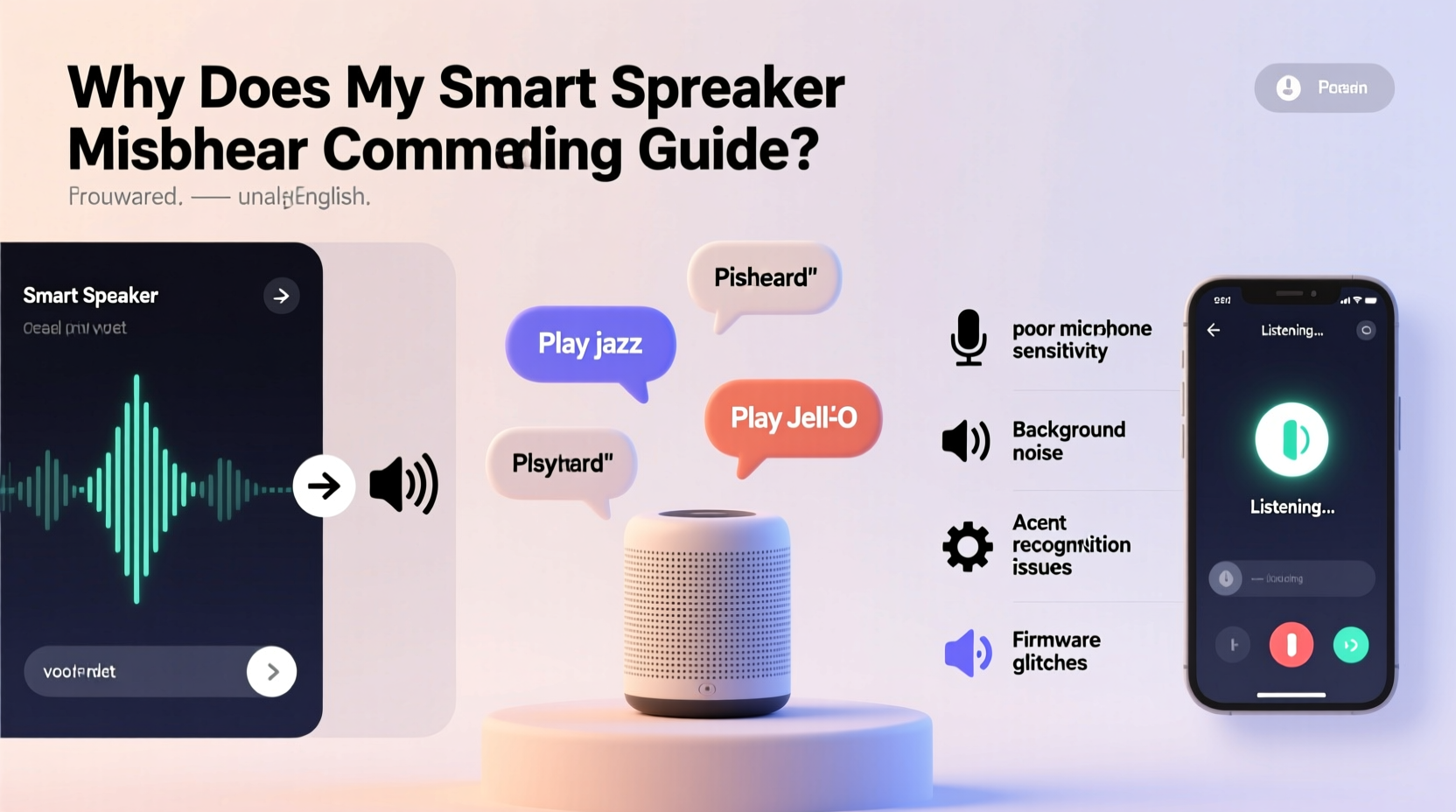
Voice assistants like Alexa, Google Assistant, and Siri rely on complex algorithms to interpret human speech. These systems convert sound waves into digital signals, analyze them for keywords and context, and execute actions accordingly. However, this process can break down at multiple stages. Background noise, poor microphone sensitivity, or even subtle pronunciation differences can lead to misinterpretation.
One major factor is ambient noise. Devices placed near kitchens, living rooms, or busy hallways often struggle to isolate voices from washing machines, TVs, or conversations. Another issue lies in acoustic design—some rooms create echoes or dead zones where sound doesn’t travel cleanly to the device’s microphones. Additionally, regional accents, fast speech, or soft-spoken users may fall outside the training data used by AI models, leading to lower accuracy.
“Voice recognition systems perform best in controlled environments. Real-world usage introduces variables that even advanced AI can't always overcome.” — Dr. Lena Torres, Speech Recognition Researcher at MIT Media Lab
It's also important to recognize that these systems are probabilistic—they make educated guesses based on patterns. When confidence levels drop due to unclear input, errors occur. Rather than assuming your device is broken, consider it an opportunity to optimize both environment and interaction habits.
Step-by-Step Guide to Improve Voice Recognition Accuracy
Improving your smart speaker’s ability to understand you doesn’t require technical expertise. Follow this structured sequence to diagnose and resolve common causes of misheard commands.
- Reposition Your Device: Move the speaker away from walls, corners, or obstructions. Place it at ear level (3–5 feet off the ground) in an open area where sound travels freely.
- Reduce Background Noise: Turn off nearby appliances during critical interactions. If constant noise is unavoidable, consider using a voice trigger phrase more distinct than default options (e.g., “Computer” instead of “Alexa”).
- Test Microphone Functionality: Press the mute button (if available), then un-mute and speak a simple command. Listen for feedback tones indicating microphone activation.
- Speak Clearly and Consistently: Enunciate words without shouting. Pause slightly after the wake word before issuing the command.
- Update Firmware and Apps: Check the companion app for pending updates. Outdated software may lack improvements in speech processing.
- Re-train Your Assistant: Use built-in voice profile tools (like Amazon’s \"Improve Alexa’s Understanding\" or Google’s \"Voice Match\") to recalibrate recognition to your voice.
- Reset and Reconnect: As a last resort, perform a factory reset and re-pair the device to your Wi-Fi network and account.
Common Environmental and Technical Factors That Affect Performance
Your home environment plays a larger role than most users realize. Hard surfaces like tile, glass, and bare walls reflect sound, creating echo effects that confuse microphones. Carpets, curtains, and upholstered furniture absorb sound, improving clarity. Even lighting conditions indirectly affect performance—if your speaker doubles as a display (e.g., Echo Show), glare might prevent visual confirmation of listening status.
Network stability is another overlooked element. While voice processing happens partially in the cloud, delays caused by slow internet can disrupt timing between wake word detection and command delivery. A laggy connection may cause the assistant to miss the tail end of your sentence.
| Factor | Impact on Recognition | Solution |
|---|---|---|
| Background Music | High – masks vocal frequencies | Pause audio before speaking or increase mic sensitivity in settings |
| Wi-Fi Latency | Medium – delays response processing | Move closer to router or use Ethernet via dock (if supported) |
| Dust-Covered Mic Holes | High – physically blocks sound | Clean gently with dry brush or compressed air |
| Multiple Voices in Household | Medium – confuses voice profiles | Set up individual voice profiles and train each user separately |
| Outdated Voice Model | Low to Medium – reduced accent adaptability | Enable automatic updates and participate in voice improvement programs |
Troubleshooting Checklist: Fix Misheard Commands Fast
When your smart speaker starts misunderstanding you, go through this checklist systematically. Skipping steps may leave root causes unresolved.
- ✅ Ensure the microphone isn’t muted (check LED indicator)
- ✅ Verify Wi-Fi signal strength (minimum 2 bars in device app)
- ✅ Confirm the device is within 15 feet and has line-of-sight access
- ✅ Clean microphone ports with a soft, dry tool
- ✅ Re-record your voice sample in the assistant’s personalization menu
- ✅ Disable similar-sounding custom routines that could conflict
- ✅ Restart both the device and your home router
- ✅ Test with another user to determine if issue is voice-specific
Real Example: How Sarah Fixed Her Kitchen Echo’s Recognition Issues
Sarah installed an Amazon Echo Dot in her kitchen to control lights and timers while cooking. But she noticed it frequently misheard “set timer for ten minutes” as “play jazz music” or ignored her completely. Frustrated, she almost unplugged it—until she took a methodical approach.
First, she realized the device was tucked behind a coffee maker, partially blocked by cabinets. She moved it to the center of the counter, elevated on a small stand. Next, she observed that her exhaust fan created continuous low-frequency noise. Turning it off during voice use helped—but wasn’t practical long-term.
She then opened the Alexa app and navigated to Settings > Your Voice Profile. There, she completed the “Improve Alexa’s Understanding” exercise, reading 25 short phrases aloud. Within two days, accuracy improved dramatically. Finally, she changed her routine phrasing from “Alexa, timer ten minutes” to “Alexa, set a timer for ten minutes,” giving the system clearer syntax to work with.
The combination of physical repositioning, environmental awareness, and voice training resolved 95% of her issues. Now, the speaker works reliably—even with the oven fan running.
Do’s and Don’ts of Smart Speaker Communication
How you speak to your device matters as much as where it’s placed. These guidelines help maximize recognition success across platforms.
| Do | Don’t |
|---|---|
| Use full sentences with clear verbs (e.g., “Turn on the bedroom light”) | Bark fragmented commands (“Bedroom light on!”) |
| Pause briefly after saying the wake word | Rush into the command immediately after “Alexa” |
| Train voice profiles for all regular users | Assume the system will learn naturally over time |
| Keep firmware updated automatically | Ignore update notifications for weeks |
| Use distinct names for devices (avoid “lamp,” “light,” “bulb” interchangeably) | Name everything generically like “kitchen thing” |
“Users who treat voice assistants like humans—clearly, patiently, and consistently—get better results than those who expect mind-reading.” — Carlos Mendez, UX Lead at VoiceTech Insights
Frequently Asked Questions
Can accents really affect voice assistant accuracy?
Yes. While major assistants support dozens of languages and dialects, accuracy varies by region and phonetic structure. Users with strong regional or non-native accents may need extra training sessions. Some platforms, like Google Assistant, offer specific accent-based tuning in advanced settings.
Why does my smart speaker hear me better at night?
This is typically due to reduced ambient noise. During daytime, HVAC systems, household activity, and outdoor sounds interfere with microphone sensitivity. At night, quieter surroundings allow cleaner audio capture, improving recognition rates.
Is it safe to let my assistant record my voice samples?
Most companies allow opt-out of data storage for voice improvement. If privacy is a concern, disable voice recording history in your account settings. Note: doing so may reduce personalization and long-term accuracy.
Final Steps Toward Reliable Voice Control
Misheard commands don’t mean your smart speaker is faulty—they’re often symptoms of mismatched expectations and suboptimal setup. By adjusting placement, minimizing interference, training your voice profile, and communicating clearly, you can achieve near-flawless performance. Remember, voice technology thrives on consistency. The more predictable your environment and speech patterns, the smarter your assistant becomes.
Start today: pick one device showing issues, apply the steps outlined here, and track changes over three days. Small adjustments compound into significant improvements. Once you’ve mastered one speaker, replicate the solution across others in your home.




 浙公网安备
33010002000092号
浙公网安备
33010002000092号 浙B2-20120091-4
Comments
No comments yet. Why don't you start the discussion?