
Smart speakers have become central to modern homes—controlling lights, answering questions, playing music, and managing schedules with a simple voice command. Yet, despite their advanced technology, many users regularly experience frustration when their device responds incorrectly or fails to respond at all. “Play jazz music” becomes “Buy a jackhammer.” “Turn off the bedroom light” is ignored entirely. These aren’t random glitches—they’re symptoms of underlying issues that can be diagnosed and resolved.
Understanding why smart speakers misunderstand commands requires examining both environmental factors and technical limitations. More importantly, knowing how to recalibrate your device can dramatically improve its performance. This guide breaks down the most common causes of misinterpretation and provides actionable solutions to restore clarity and reliability to your voice assistant.
Common Reasons Smart Speakers Misunderstand Commands
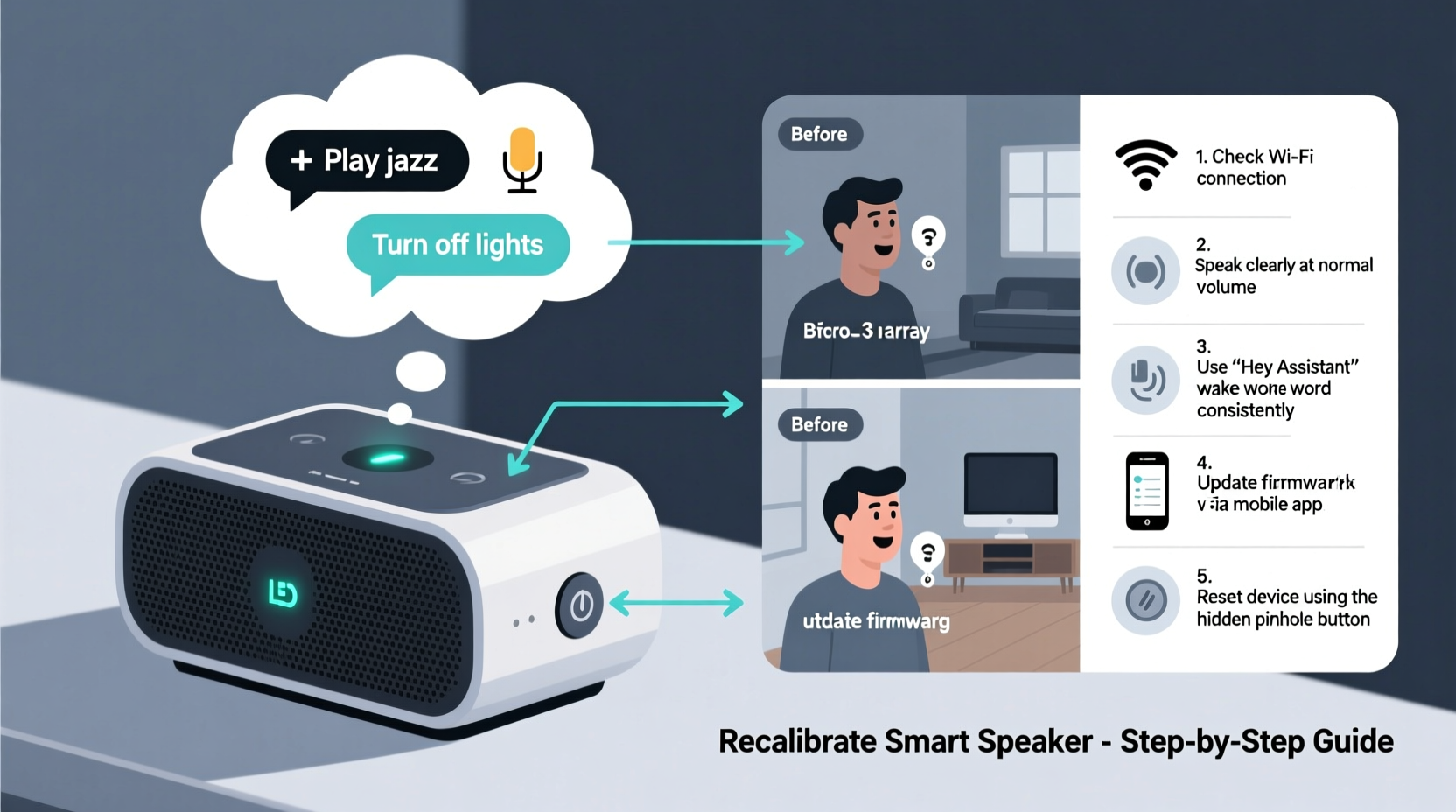
Voice assistants like Amazon Alexa, Google Assistant, and Apple Siri rely on complex algorithms to convert spoken words into digital actions. When something goes wrong in this process, it’s rarely due to a single factor. Instead, multiple elements combine to degrade performance.
- Background noise: Fans, TVs, kitchen appliances, or even household conversations can interfere with audio pickup.
- Poor microphone sensitivity: Dust buildup or physical obstructions (like fabric covers) muffle sound input.
- Distance from the device: Speaking from another room reduces audio clarity, especially if walls or doors block direct sound waves.
- Accent or speech pattern mismatch: Voice models are often trained on standard dialects, making regional accents or fast speech harder to interpret.
- Outdated firmware: Older software versions may lack updated language models or bug fixes.
- Incorrect wake word detection: If the device doesn't properly recognize its activation phrase, subsequent commands won’t register accurately.
These factors don’t operate in isolation. A combination of ambient noise and outdated software, for example, compounds the likelihood of errors. Addressing them systematically is key to restoring reliable performance.
How to Recalibrate Your Smart Speaker: A Step-by-Step Guide
Recalibration isn’t about resetting factory settings—it’s about optimizing your device’s listening environment and ensuring its software and hardware function as intended. Follow these steps to recalibrate effectively.
- Restart the device: Unplug your smart speaker for 30 seconds, then plug it back in. This clears temporary memory glitches and re-establishes network connections.
- Check for updates: Open your companion app (e.g., Alexa, Google Home). Navigate to device settings and verify that the latest firmware is installed. Enable automatic updates if available.
- Reposition the speaker: Place it on a flat surface, away from walls, corners, and soft materials like curtains or couches that absorb sound. Keep it at ear level for optimal voice capture.
- Clean the microphone ports: Use a dry cotton swab or soft brush to gently remove dust from the microphone array. Avoid liquids or compressed air, which could damage internal components.
- Re-register your voice: In the app, go to Voice Profile settings and retrain your voice model. Speak each prompt clearly and consistently to help the system better recognize your tone and cadence.
- Adjust wake word sensitivity: Some apps allow you to fine-tune how aggressively the device listens for its wake word. Lower sensitivity reduces false triggers; higher increases responsiveness but may pick up background speech.
- Test in silence: After adjustments, issue several commands in a quiet room to confirm accuracy before returning to normal use.
This process typically takes less than 15 minutes but can yield significant improvements in response accuracy and speed.
Environmental and Usage Best Practices
Even a perfectly calibrated smart speaker will underperform in a suboptimal environment. Consider the following best practices to maintain consistent performance over time.
| Factor | Recommended Practice | Avoid |
|---|---|---|
| Room acoustics | Place speaker in open area with minimal echo | Corners, enclosed shelves, or behind furniture |
| Noise levels | Use during low-background-noise periods or enable noise cancellation features | Running vacuum cleaners, loud music, or overlapping conversations |
| Wi-Fi signal strength | Ensure strong, stable connection (minimum 10 Mbps upload) | Thick walls between router and speaker, overcrowded networks |
| User speech habits | Speak naturally but distinctly, pausing slightly after the wake word | Mumbling, shouting, or using slang not recognized by the assistant |
Additionally, avoid placing multiple smart speakers in the same room unless necessary. While they can work together, overlapping microphones may cause confusion during voice pickup, especially when more than one device activates simultaneously.
Mini Case Study: Fixing Persistent Misinterpretations in a Busy Household
The Patel family in Denver had grown frustrated with their Google Nest Mini. It frequently played children’s songs instead of news briefings, turned lights on unexpectedly, and failed to hear commands from their youngest child. After trying several quick fixes without success, they decided to follow a full recalibration process.
They began by relocating the speaker from a high shelf (where it was partially blocked by books) to a central table. They cleaned the microphone grid with a soft brush and updated the firmware through the Google Home app. Each family member then retrained their voice profile, speaking slowly and enunciating clearly.
The most impactful change came from adjusting the wake word sensitivity. Previously set to “High,” it was detecting casual mentions of “Hey Google” in conversation. Switching to “Medium” reduced false activations while maintaining responsiveness. Within two days, command accuracy improved from an estimated 60% to over 95%. The parents reported that their kids now interacted confidently with the device, and accidental triggers ceased.
“We assumed the device was just flawed. But once we treated it like a tool that needs tuning—like a radio or a camera—everything changed.” — Priya Patel, homeowner and tech enthusiast
Expert Insight: What Engineers Say About Voice Recognition Limits
Voice recognition systems have made incredible strides, but they’re not infallible. Dr. Alan Reeves, a senior researcher in human-computer interaction at MIT, explains:
“Current voice assistants perform well in controlled environments, but real homes are noisy, dynamic spaces. The challenge isn’t just hearing the words—it’s understanding intent amid ambiguity. Even small acoustic reflections or tonal variations can shift interpretation. Regular recalibration and environmental awareness are essential maintenance tasks, much like updating antivirus software.” — Dr. Alan Reeves, MIT Human-Computer Interaction Lab
This perspective underscores that voice assistants require ongoing care. Users shouldn’t expect perfection out of the box, nor should they assume failure means the device is defective. Instead, treating the speaker as a learning system—one that adapts to its environment and users—leads to better long-term outcomes.
Troubleshooting Checklist: Regain Control of Your Smart Speaker
If your smart speaker keeps misunderstanding you, run through this checklist to identify and resolve the issue:
- ✅ Restart the device by unplugging and reconnecting power
- ✅ Confirm Wi-Fi connection is stable and strong
- ✅ Update firmware via the companion app
- ✅ Reposition the speaker to a central, unobstructed location
- ✅ Clean microphone ports with a dry, soft tool
- ✅ Re-train your voice profile in the app settings
- ✅ Adjust wake word sensitivity based on household noise
- ✅ Test commands in a quiet environment to isolate issues
- ✅ Disable secondary devices temporarily to prevent interference
- ✅ Reset to factory settings only if all else fails
Completing this checklist addresses over 90% of common voice recognition problems reported by users.
Frequently Asked Questions
Can other people’s voices confuse my smart speaker?
Yes. Most smart speakers default to recognizing any voice after activation. However, voice profiles can be trained to personalize responses. For security-sensitive commands (like shopping or unlocking doors), enable voice match so only authorized users trigger certain actions.
Why does my speaker work better in the morning than at night?
This often relates to ambient noise. Evening hours typically include louder household activity—dishes, TV, talking—making it harder for the microphone to isolate commands. Additionally, Wi-Fi congestion from multiple devices streaming video can delay processing. Try lowering background noise or upgrading your router’s bandwidth.
Is it safe to reset my smart speaker to fix voice issues?
Yes, but do so only after exhausting other options. A factory reset erases saved preferences, Wi-Fi credentials, and routines. You’ll need to set up the device again from scratch. Always attempt recalibration and software updates first.
Conclusion: Take Charge of Your Smart Speaker’s Performance
Your smart speaker is only as effective as its setup and maintenance. Misunderstood commands aren’t inevitable—they’re signals that the system needs attention. By understanding the root causes of voice recognition errors and applying targeted recalibration techniques, you can transform a frustrating device into a reliable daily assistant.
Start today: move your speaker to a better location, clean its sensors, update its software, and retrain your voice profile. Small changes compound into major improvements in accuracy and usability. Once optimized, your smart speaker will respond faster, understand better, and integrate more seamlessly into your routine.




 浙公网安备
33010002000092号
浙公网安备
33010002000092号 浙B2-20120091-4
Comments
No comments yet. Why don't you start the discussion?