
Smart speakers have become central to modern homes, offering voice-controlled access to music, information, smart devices, and more. Yet, one of the most common frustrations users report is unexpected activation—when the device lights up, responds, or begins recording without being properly summoned. These random activations can be unsettling, especially when they occur in quiet moments or during private conversations. Understanding the root causes behind these false triggers is essential not only for convenience but also for maintaining trust in voice assistant technology.
These unintended wake-ups are rarely due to malfunctions. Instead, they stem from how voice assistants interpret sound, environmental conditions, hardware sensitivity, and even speech patterns. By examining the technical and behavioral factors at play, you can take meaningful steps to reduce or eliminate unwanted activations while preserving the usefulness of your device.
How Voice Activation Works: The Basics
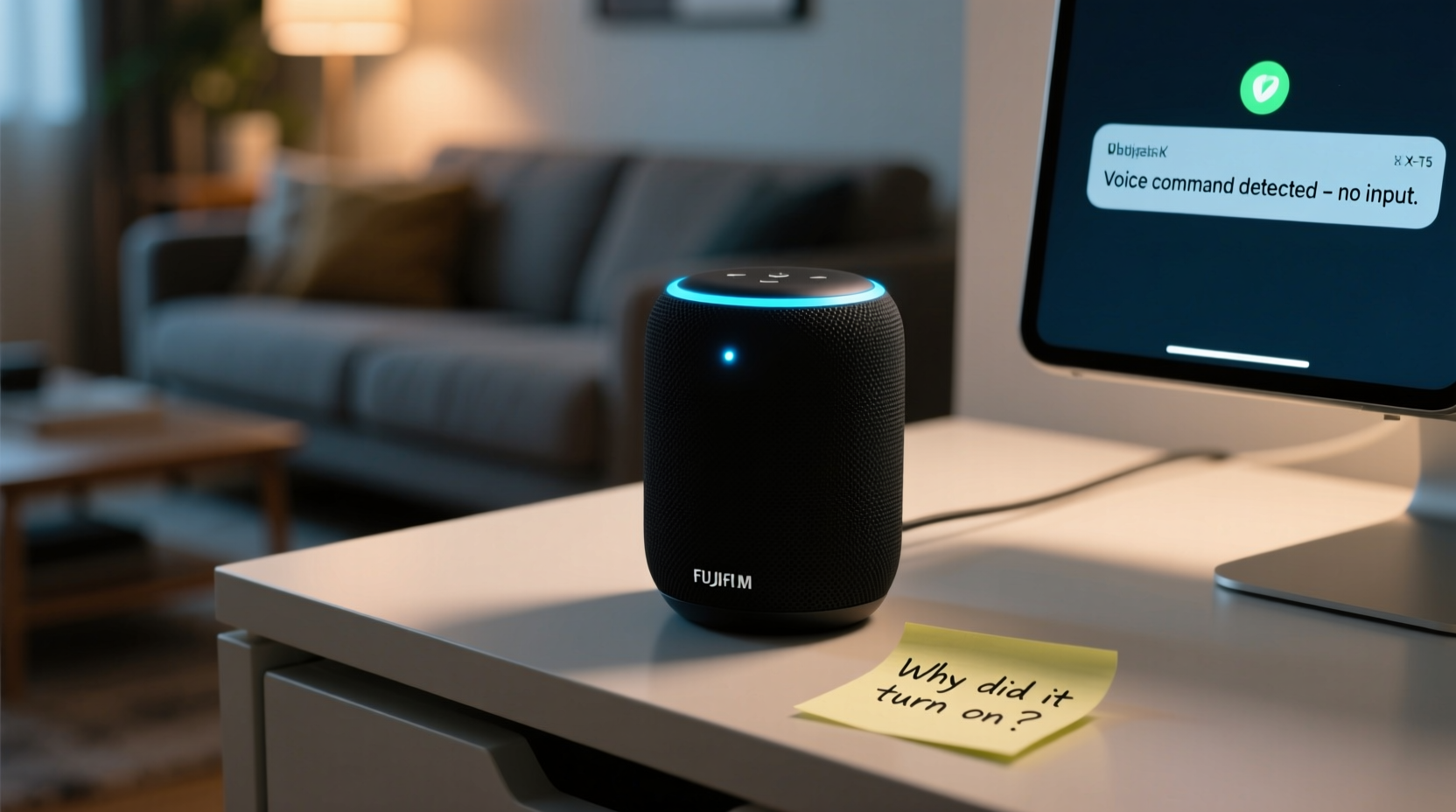
At the heart of every smart speaker is a \"wake word\" detection system. Devices like Amazon Echo (Alexa), Google Nest (Hey Google), and Apple HomePod (Siri) continuously listen to ambient audio through their microphones—but they don’t record or process everything. Instead, they use on-device algorithms to detect specific trigger phrases such as “Alexa,” “Hey Google,” or “Hey Siri.”
When the microphone picks up sound, it analyzes the audio waveform in real time, comparing it against a pre-trained model of what the wake word should sound like. If the match exceeds a certain confidence threshold, the device activates, begins streaming audio to the cloud, and awaits a command.
This system relies on machine learning models trained on thousands of voice samples across accents, pitches, and background noises. However, no model is perfect. False positives occur when sounds that aren't the actual wake word closely resemble it acoustically. For example:
- A TV commercial saying “access codes” might sound like “Alexa.”
- Someone laughing with a rising intonation could mimic “Hey Google.”
- The syllables in “enlighten us” may accidentally trigger “Hey Siri.”
Because these systems prioritize responsiveness over perfection, they err on the side of activation rather than missing a legitimate request. This trade-off increases the likelihood of random wake-ups.
“Voice recognition systems are designed to catch every genuine command, which inherently means accepting some level of false triggers.” — Dr. Lena Patel, Audio AI Researcher at MIT Media Lab
Common Causes of Random Activations
Understanding the mechanics of wake-word detection helps explain why false triggers happen. But several real-world factors amplify the issue. Here are the most frequent culprits:
1. Acoustic Similarity to the Wake Word
The leading cause of accidental activation is phonetic resemblance. Human speech contains many overlapping sounds. Words like “election,” “alexia,” or “negligee” contain phonemes close enough to “Alexa” that the algorithm may misinterpret them under certain conditions.
2. Background Noise and Audio Interference
Loud environments—such as parties, movie nights, or even noisy appliances—can distort sound input. A sudden spike in volume or harmonic resonance from speakers may confuse the microphone array. Additionally, playing media that includes voices (e.g., podcasts, audiobooks, or films) raises the chance of triggering the device.
3. Device Sensitivity Settings
Some smart speakers allow users to adjust wake-word sensitivity. A high-sensitivity setting makes the device more responsive but also more prone to false alarms. Conversely, lowering sensitivity may reduce random triggers but risks missing valid commands.
4. Multiple Devices in Close Proximity
Homes with several smart speakers may experience cascading activations. One device hears a wake word, activates, and its response is picked up by another nearby unit, causing a chain reaction. This often results in multiple devices speaking simultaneously or lighting up unexpectedly.
5. Firmware Bugs or Outdated Software
Like any software-driven product, smart speakers rely on regular updates. Occasionally, bugs introduced in firmware updates can alter microphone behavior or wake-word logic. Conversely, failing to update the device may leave known issues unresolved.
Step-by-Step Guide to Reducing Unwanted Activations
You can significantly reduce random activations by fine-tuning your device settings and environment. Follow this sequence of actions for best results:
- Verify the Wake Word: Confirm which wake word your device uses. Some platforms let you change it. For instance, Alexa devices support “Amazon,” “Echo,” or “Computer” instead of “Alexa,” which may reduce conflicts if you live in a household where similar-sounding names are used.
- Adjust Sensitivity Settings: In the companion app (e.g., Alexa or Google Home), check if there’s an option to modify wake-word sensitivity. Lowering it slightly can help filter out distant or unclear speech.
- Reposition the Device: Move the speaker away from reflective surfaces, windows, or corners where sound echoes. Center it in open space, ideally at ear height, to improve directional accuracy.
- Update Firmware: Ensure your device is running the latest software version. Manufacturers frequently release patches that improve voice detection accuracy and fix edge cases.
- Use Do Not Disturb Mode: Schedule quiet hours when the microphone won’t respond. This is ideal for bedrooms at night or during meetings.
- Test with Different Wake Words: If “Hey Google” keeps triggering during conversations about geography, try switching to a less commonly spoken alternative if supported.
- Disable Unused Microphones: If you have multiple devices, consider turning off microphones on secondary units when not needed, especially in low-traffic rooms.
Do’s and Don’ts: Best Practices Summary
| Do | Don’t |
|---|---|
| Place the speaker in a central, open area | Put it inside a cabinet or behind furniture |
| Keep firmware updated regularly | Ignore software update notifications |
| Use a less common wake word if possible | Choose a wake word that sounds like common phrases |
| Enable mute buttons during private discussions | Assume the device isn’t listening just because it’s silent |
| Review voice history to identify false triggers | Delete recordings without checking context first |
Real-World Example: The Case of the Midnight “Alexa”
Mark, a homeowner in Portland, noticed his Amazon Echo would occasionally light up around 2:30 a.m., even though no one was awake. At first, he suspected a glitch. After reviewing his voice history in the Alexa app, he found dozens of partial recordings with no clear command—just silence or faint rustling.
He began investigating potential causes. He ruled out pets, as his cat slept in another room. Then he realized the timing coincided with the HVAC system kicking on. Using a sound meter app, he discovered that the air duct near the speaker emitted a brief whistling noise when pressure changed—a high-pitched tone that mimicked part of the “Alexa” phoneme structure.
After relocating the speaker to a shelf farther from the vent and adjusting the wake-word sensitivity to “low,” the random activations stopped completely. Mark’s case illustrates how non-speech environmental sounds can deceive even advanced voice recognition systems.
Troubleshooting Checklist
Use this checklist to diagnose and resolve random activation issues:
- ✅ Review recent voice recordings in your assistant’s app
- ✅ Check for nearby sound sources (TVs, vents, appliances)
- ✅ Confirm the correct wake word is set
- ✅ Update device software to the latest version
- ✅ Reposition the speaker to a quieter, central location
- ✅ Adjust wake-word sensitivity in settings
- ✅ Enable Do Not Disturb or scheduled mute times
- ✅ Test with an alternative wake word if available
- ✅ Mute microphones manually when privacy is critical
- ✅ Disable unnecessary devices in multi-speaker setups
Frequently Asked Questions
Does my smart speaker record everything all the time?
No. Smart speakers only begin recording after detecting the wake word. Before that, audio is processed locally and immediately discarded unless the trigger phrase is recognized. However, rare bugs or malicious exploits could theoretically compromise this system, which is why physical mute switches exist.
Can I disable voice recordings entirely?
Yes. Most platforms allow you to disable voice history storage. In the Alexa or Google Home app, you can turn off automatic saving of recordings. Note that this may affect personalization and learning features, but basic functionality remains intact.
Will changing the wake word affect performance?
It can. Less common wake words (like “Computer” instead of “Alexa”) tend to produce fewer false positives because they appear less frequently in everyday speech. However, ensure the new word is easy for household members to pronounce consistently, or you may increase missed commands.
Protecting Privacy While Maintaining Functionality
Random activations raise valid concerns about privacy. Even if no recording occurs, the mere perception of being listened to can erode trust. Fortunately, manufacturers provide tools to balance convenience and control.
Most smart speakers include a physical mute button that disconnects the microphone. Use this during sensitive conversations. You can also configure routines that automatically mute devices at bedtime or when you leave home using geofencing.
Additionally, review your privacy settings monthly. Platforms like Amazon and Google offer dashboards where you can delete voice history, manage permissions, and opt out of human review programs. Being proactive reinforces your control over personal data.
“The key to comfortable smart speaker use is transparency and user agency. Knowing how and when your device listens empowers informed choices.” — Sarah Lin, Digital Privacy Advocate at Consumer Tech Watch
Conclusion: Take Control of Your Smart Speaker Experience
Random activations are a known limitation of current voice assistant technology—not a flaw, but a consequence of prioritizing responsiveness in complex acoustic environments. While eliminating every false trigger may be unrealistic, significant improvement is achievable through awareness, adjustment, and routine maintenance.
By understanding how wake-word detection works, identifying environmental triggers, and applying targeted fixes, you can enjoy the benefits of hands-free control without constant surprise interruptions. These devices are meant to serve you, not disrupt your peace.




 浙公网安备
33010002000092号
浙公网安备
33010002000092号 浙B2-20120091-4
Comments
No comments yet. Why don't you start the discussion?