
If you've ever stepped outside on a frosty winter morning, raised your wrist to check the time or heart rate, and found your smartwatch suddenly dead or nearly empty—despite charging it fully the night before—you're not imagining things. Cold weather significantly impacts smartwatch battery performance. This isn't just user error or faulty hardware; it's rooted in electrochemistry. Lithium-ion batteries, which power virtually every modern smartwatch, behave very differently in low temperatures. Understanding why this happens—and how to mitigate it—can help you get through winter hikes, early morning runs, and snowy commutes without losing connectivity.
The Science Behind Battery Chemistry in Cold Temperatures
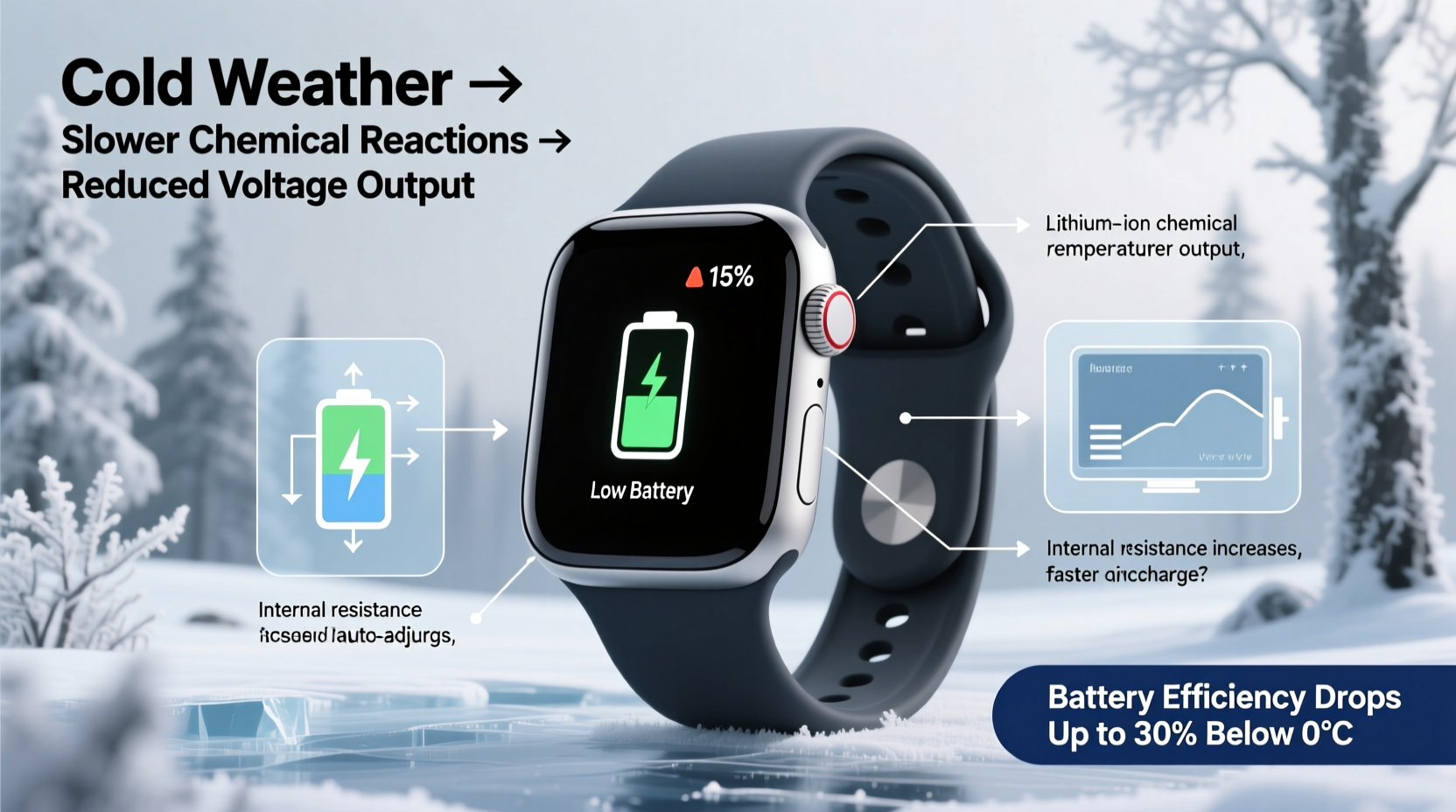
Lithium-ion batteries rely on the movement of lithium ions from the negative electrode (anode) to the positive electrode (cathode) during discharge, and back again when charging. This ion transfer occurs through an electrolyte solution. When temperatures drop, especially below 0°C (32°F), the chemical reactions inside the battery slow down dramatically. The electrolyte becomes more viscous, almost syrup-like, making it harder for ions to move efficiently.
As a result, the internal resistance of the battery increases. Higher resistance means less usable energy can be delivered at a given moment. Your smartwatch may interpret this as a sudden drop in charge—even if the actual stored energy hasn’t changed much. In extreme cases, the device might shut down entirely to protect itself, even with 20% or more battery remaining.
“Cold doesn’t permanently kill most lithium-ion batteries, but it temporarily disables them by slowing ion mobility. Once warmed, they often recover most of their capacity.” — Dr. Lena Park, Electrochemical Engineer, MIT Energy Initiative
This temporary effect is reversible, but repeated exposure to freezing conditions while discharging can accelerate long-term degradation. Apple, Samsung, and Garmin all warn against using their wearables in environments colder than -10°C (14°F), though brief exposure is generally safe.
How Cold Weather Triggers Additional Power Drain
Beyond the core battery chemistry issue, cold weather forces your smartwatch to work harder in several ways—each contributing to faster-than-normal battery depletion.
Increased Display Brightness
In daylight winter conditions, glare from snow and ice can make screens difficult to read. Most smartwatches automatically ramp up screen brightness to compensate. Since the display is one of the top power consumers, this alone can cut battery life by 15–30% over a few hours.
Frequent GPS and Sensor Use
Outdoor winter activities like skiing, snowshoeing, or trail running often involve prolonged use of GPS, accelerometers, and heart rate sensors. These components draw significant power, and cold-induced inefficiencies amplify their energy cost. For example, optical heart rate monitors struggle in cold weather because reduced blood flow to the skin makes readings less accurate—so the sensor works harder, cycling more frequently to capture data.
Bluetooth Strain
Colder air can slightly affect radio wave propagation, though minimally. More importantly, if your paired phone is buried in a coat pocket or insulated bag, the smartwatch must boost its Bluetooth signal strength to maintain connection, increasing power draw.
Software Overcompensation
Some operating systems misinterpret voltage drops caused by cold as true low-battery states and trigger power-saving modes prematurely—or worse, initiate unexpected shutdowns. This can create the illusion of rapid drain, even if the battery recovers once warmed.
Real-World Example: A Winter Hiker’s Experience
Consider Mark, an avid hiker in Colorado. On a recent trek in Rocky Mountain National Park, temperatures hovered around -5°C (23°F). He started his day with a fully charged Garmin Fenix 7, expecting four days of battery life in smartwatch mode. By midday of day one, the battery had dropped to 30%. Confused, he reviewed his settings later and realized several factors were at play:
- He’d enabled full GPS tracking due to poor trail visibility under snow.
- The watch brightness was maxed out for three hours during a sunlit ridge walk.
- His jacket blocked the Bluetooth signal to his phone, forcing repeated reconnections.
- At one point, the watch shut down completely for ten minutes until body heat revived it.
Once back home and warmed, the watch reported 45% charge—proving that much of the “lost” battery was actually just inaccessible due to temperature. Mark now adjusts his habits: he pre-warms his watch in his pocket before heading out, uses expedition GPS modes more conservatively, and keeps brightness capped manually.
Practical Strategies to Preserve Smartwatch Battery in Cold Weather
You don’t need to stop wearing your smartwatch in winter. With a few adjustments, you can maintain functionality and extend usable runtime—even in sub-zero conditions.
Keep It Close to Your Body
Heat generated by your body helps buffer the watch against extreme ambient temperatures. Wear it under your sleeve or jacket cuff when possible. Even a small amount of insulation can delay the onset of chemical slowdown.
Pre-Warm Before Intense Use
If you’re heading out for a run or ski session, keep your smartwatch close to your torso (e.g., in an inner pocket) for 10–15 minutes before strapping it on. This raises the internal temperature closer to optimal operating range (10–25°C / 50–77°F).
Adjust Settings Proactively
Before entering cold environments, tweak key settings:
- Reduce screen brightness or set auto-brightness limits.
- Disable always-on display.
- Turn off unnecessary notifications and apps.
- Use battery-saver modes during extended outdoor activity.
- Limit background heart rate monitoring if accuracy isn’t critical.
Avoid Charging in the Cold
Charging a lithium-ion battery below 0°C can cause lithium plating—a dangerous condition where metallic lithium deposits form on the anode, reducing capacity and increasing fire risk. Never charge your smartwatch outdoors in freezing temps. Wait until it’s back indoors and near room temperature.
Do’s and Don’ts: Cold Weather Smartwatch Care
| Action | Do | Don’t |
|---|---|---|
| Using outdoors in cold | Keep it covered and close to skin | Expose it directly to wind and snow for long periods |
| After coming indoors | Let it acclimate naturally before charging | Plug it in immediately after cold exposure |
| During physical activity | Use power modes optimized for sport | Run all sensors continuously without purpose |
| If the device shuts down | Warm gently with body heat and retry | Try to force restart repeatedly or use external heaters |
| Long-term storage | Store at ~50% charge in cool, dry place | Leave fully charged or depleted in freezing garage |
Step-by-Step Guide: Preparing Your Smartwatch for Winter Use
- Check manufacturer guidelines – Review your model’s operating temperature range (e.g., Apple Watch: 0° to 35°C).
- Update software – Install the latest firmware, which may include cold-weather optimizations.
- Customize power settings – Disable non-essential features like voice assistants, music streaming, or third-party apps.
- Test in mild cold – Take it outside for short durations to observe behavior before relying on it in remote areas.
- Create a winter profile – Save a custom watch face or mode with lower brightness and fewer complications.
- Carry backup options – Bring a traditional analog watch or extra battery bank if venturing far from power sources.
- Monitor real-time usage – Use built-in battery diagnostics to identify what’s draining power fastest.
Frequently Asked Questions
Can cold weather permanently damage my smartwatch battery?
Occasional exposure to cold is unlikely to cause permanent harm, especially if the device is allowed to warm up naturally. However, repeated deep discharges in freezing conditions or charging while cold can degrade the battery over time. Lithium plating from cold charging is irreversible and hazardous.
My smartwatch died in the snow—will it come back?
Often, yes. If the battery was drained due to cold rather than actual depletion, warming the device close to body temperature for 10–20 minutes may restore functionality. Avoid rapid heating methods like hairdryers or placing it near radiators, as thermal shock can damage components.
Does battery size affect cold performance?
Yes. Larger batteries (found in rugged or outdoor-focused models like Garmin or Coros) tend to handle cold better because they have more reserve capacity and sometimes include thermal management features. Smaller devices like the Apple Watch Series are more vulnerable due to compact design and higher component density.
Conclusion: Stay Informed, Stay Powered
Smartwatch battery drain in cold weather isn’t a flaw—it’s physics. Lithium-ion technology, while powerful and efficient, has inherent limitations in extreme temperatures. But with awareness and preparation, you can minimize disruptions and keep your wearable functional throughout the winter months. The key is understanding that what looks like rapid drain is often temporary unavailability of charge, not true energy loss.
By adjusting your usage patterns, protecting your device from direct cold exposure, and respecting the limits of battery chemistry, you’ll maintain reliability whether you're commuting through a blizzard or summiting a frozen peak. Technology adapts best when we adapt with it.




 浙公网安备
33010002000092号
浙公网安备
33010002000092号 浙B2-20120091-4
Comments
No comments yet. Why don't you start the discussion?