
Sleep tracking has become one of the most relied-upon features of modern smartwatches. From monitoring heart rate variability to analyzing sleep stages, these devices promise deeper insights into rest quality. But many users are puzzled—sometimes frustrated—when their smartwatch battery drains significantly overnight, even though they’re not actively using it. If your device starts the evening at 80% and wakes up at 25%, you're not imagining things. The issue is real, and more importantly, it's often preventable.
This article breaks down the technical and behavioral factors behind excessive battery drain during sleep tracking. You’ll learn what processes consume power, how different brands handle background operations, and what settings might be sabotaging your battery life. Most importantly, you’ll get actionable steps to optimize performance without sacrificing data accuracy.
How Sleep Tracking Works—and Why It Uses Power
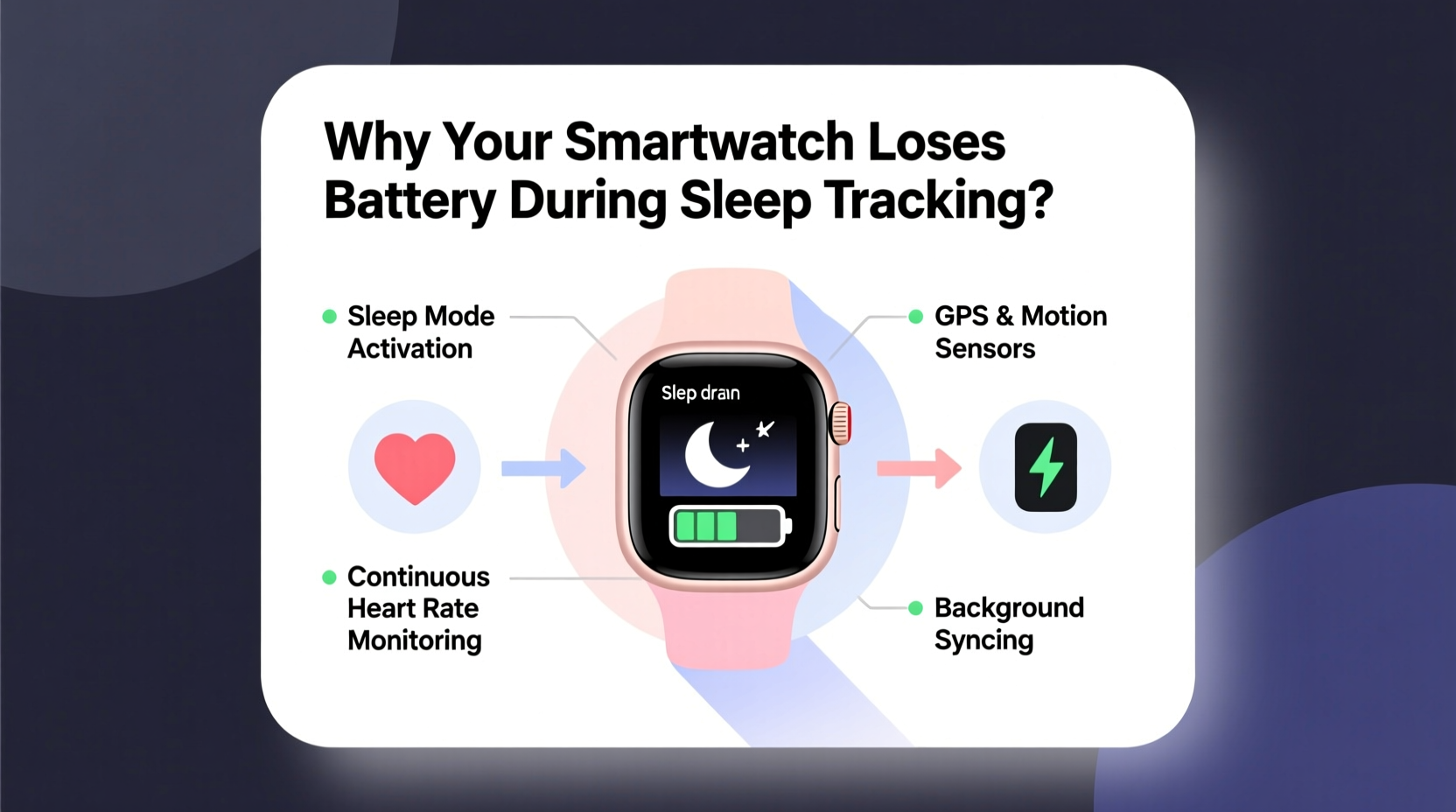
Sleep tracking isn’t passive. Unlike simply counting steps or detecting motion, sleep analysis requires continuous monitoring of multiple sensors throughout the night. These include:
- Optical heart rate sensor (PPG): Measures blood flow changes to estimate heart rate and HRV. This sensor emits green light into the skin and reads reflected signals—both actions require energy.
- Accelerometer and gyroscope: Track body movement and position to determine if you’re in light, deep, or REM sleep.
- SpO2 sensor (in select models): Monitors blood oxygen levels, typically using red and infrared LEDs. This feature, especially when used all night, can double nighttime power consumption.
- GPS (rarely active during sleep): Not usually engaged unless paired with other activities like snoring detection via microphone or ambient noise logging.
These sensors don’t just take occasional readings—they operate in cycles. For example, a typical smartwatch may sample heart rate every 5–10 minutes, but during periods of detected movement or irregular heart rhythms, it may switch to continuous mode. This dynamic adjustment increases accuracy but also spikes energy use unpredictably.
“Overnight battery drain is often a trade-off between data granularity and efficiency. Users want detailed sleep reports, but few realize the computational cost.” — Dr. Alan Reyes, Wearable Technology Researcher at MIT Media Lab
Common Causes of Excessive Battery Drain During Sleep Tracking
Not all battery loss is equal. Some discharge is expected—typically 15–25% over eight hours. But if your watch loses more than 40%, there’s likely an underlying issue. Here are the top culprits:
1. Always-On Display (AOD) Enabled Overnight
If your smartwatch keeps the screen lit—even dimly—it consumes far more power than necessary. AOD uses both the display backlight and processor resources to refresh content. During sleep, this serves no purpose and can account for up to 30% of extra drain.
2. Background App Syncing and Notifications
Even while sleeping, your watch may sync health data to the cloud, receive message alerts, or update widgets. These background processes wake the CPU, disrupt low-power modes, and create cumulative energy draw.
3. Inaccurate Wear Detection Leading to False Wake-Ups
Some watches disable certain sensors when they detect the device has been removed. But if the algorithm misjudges and thinks you’ve taken it off (e.g., due to arm position), it may briefly reactivate syncing or notifications when you adjust your wrist in bed.
4. Third-Party Sleep Apps Running Alongside Native Tracking
Using apps like Sleep as Android or third-party health platforms can trigger redundant sensor usage. Two apps polling the heart rate sensor simultaneously doubles the workload and heat generation, accelerating battery depletion.
5. Firmware Bugs or Outdated Software
Manufacturers regularly release updates to fix inefficiencies in sensor management. An outdated OS version may lack optimizations that reduce idle power consumption or properly suspend non-critical services at night.
Brand-Specific Behavior: How Watch Models Compare
Different manufacturers approach sleep tracking differently. Below is a comparison of major smartwatch brands and their typical overnight battery impact under standard conditions (8-hour sleep, SpO2 enabled).
| Smartwatch Model | Typical Battery Drop (8 hrs) | Key Power Factors | Optimization Tips |
|---|---|---|---|
| Apple Watch Series 9 | 30–40% | AOD, ECG on demand, frequent iPhone sync | Use Theater Mode; disable AOD; enable Sleep Focus |
| Samsung Galaxy Watch 6 | 25–35% | BioActive Sensor suite, BIA scans overnight | Turn off Body Composition scanning at night |
| Fitness Tracker (e.g., Fitbit Charge 6) | 15–20% | Efficient firmware, minimal UI overhead | Enable “Sleep Sensing” only; disable GPS history sync |
| Garmin Venu 3 | 20–30% | Advanced sleep coaching, Pulse Ox every 5 min | Adjust Pulse Ox frequency to 10-min intervals |
| Amazfit GTR 4 | 10–15% | Low-power ZenHeart algorithm, efficient OLED | Already optimized; little user intervention needed |
Note: Devices with smaller batteries (like Apple Watch) tend to show higher percentage drops, but actual milliamp-hour (mAh) usage may be comparable to larger-capacity watches.
Step-by-Step Guide to Reduce Nighttime Battery Drain
Follow this sequence before bed to ensure your smartwatch lasts through the night—and still captures accurate sleep data.
- Enable Sleep Mode or Do Not Disturb: This disables vibrations, calls, and screen wake-ups from wrist raises. On Apple Watch, activate “Sleep Focus”; on Wear OS, turn on “Bedtime Mode.”
- Turn Off Always-On Display: Navigate to display settings and disable AOD. Your watch will still record data—you just won’t see it until you tap the screen.
- Limit SpO2 Sampling Frequency: If your model allows, set blood oxygen monitoring to “every 10 minutes” instead of “every 5.” This cuts sensor runtime by half.
- Close Background Apps: Swipe through open apps and close any non-essential ones, especially fitness or social media apps syncing in the background.
- Disable Unnecessary Sensors: Turn off ECG, skin temperature monitoring, or stress tracking if they aren’t needed overnight.
- Charge Before Bed (If Needed): Aim to start sleep with at least 60% charge. Charging to 100% isn’t required, but avoid starting below 30% if heavy tracking is enabled.
- Update Firmware: Check for system updates weekly. Manufacturers often roll out battery efficiency patches silently.
Mini Case Study: Solving Persistent Drain on a Samsung Galaxy Watch
Mark, a 38-year-old software engineer, noticed his Galaxy Watch 6 dropping from 70% to 18% each night despite using sleep tracking. He wasn’t concerned about missing calls, but the morning recharge routine disrupted his workflow.
After reviewing his settings, he discovered two issues: first, “Body Composition” scanning was set to run automatically every night; second, he had installed a third-party weather widget that refreshed every 15 minutes via Bluetooth.
He disabled automatic BIA scans and removed the widget. He also turned off AOD and scheduled “Do Not Disturb” from 10 PM to 7 AM. The next night, his battery dropped only 22%—well within acceptable range—and his sleep data remained complete.
Mark’s experience highlights how minor settings, when combined, can have a major cumulative effect on power consumption.
Checklist: Optimize Your Smartwatch for Sleep Tracking Efficiency
Use this quick checklist nightly or set up automation rules to apply these settings automatically:
- ✅ Enable Sleep Mode / Do Not Disturb
- ✅ Disable Always-On Display
- ✅ Reduce SpO2 sampling interval (if available)
- ✅ Close unused apps running in background
- ✅ Ensure firmware is up to date
- ✅ Avoid charging right before bed (heat increases resistance)
- ✅ Remove third-party sleep apps if using native tracker
- ✅ Confirm wear fit—not too tight, not too loose (prevents false sensor triggers)
Frequently Asked Questions
Is it normal for my smartwatch to lose 30% battery overnight?
It depends on the model and features enabled. For high-end smartwatches like Apple Watch or Galaxy Watch with full sensor engagement, 25–35% is common. However, if you're seeing consistent drops above 40%, review your settings for unnecessary features or consider a software reset.
Can poor fit affect battery life during sleep tracking?
Indirectly, yes. If the watch is too loose, the heart rate sensor may struggle to get consistent readings and increase LED brightness or sampling frequency to compensate. This leads to higher power draw. A snug—but comfortable—fit ensures optimal sensor efficiency.
Does turning off Wi-Fi and Bluetooth help save battery at night?
Generally, no. Disabling Bluetooth means your watch can’t sync data to your phone, which defeats the purpose of sleep tracking. Wi-Fi is rarely used overnight unless manually triggered. Instead of cutting connectivity, focus on reducing screen and sensor load, which are the true power hogs.
Conclusion: Balance Accuracy and Efficiency
Sleep tracking shouldn’t come at the cost of daily usability. While advanced sensors provide valuable insights, they demand energy. Understanding how your smartwatch operates at night empowers you to make informed choices—keeping essential features active while eliminating silent battery killers.
The goal isn’t to disable tracking, but to refine it. With proper configuration, most users can reduce overnight drain by 10–20 percentage points without losing meaningful data. That difference could be the gap between needing a morning recharge and making it through breakfast with battery to spare.




 浙公网安备
33010002000092号
浙公网安备
33010002000092号 浙B2-20120091-4
Comments
No comments yet. Why don't you start the discussion?