
It’s common to pick up your tablet after plugging it in and notice it feels warm—sometimes even hot—to the touch. While some warmth is normal, persistent or intense heating can raise concerns about safety, battery health, and device longevity. Understanding the science behind this phenomenon helps distinguish between routine operation and potential danger. Tablets are sophisticated devices, but they’re not immune to thermal stress, especially during charging. This article breaks down the reasons behind tablet heating, identifies red flags, and provides actionable guidance to protect your device and personal safety.
Why Tablets Generate Heat During Charging
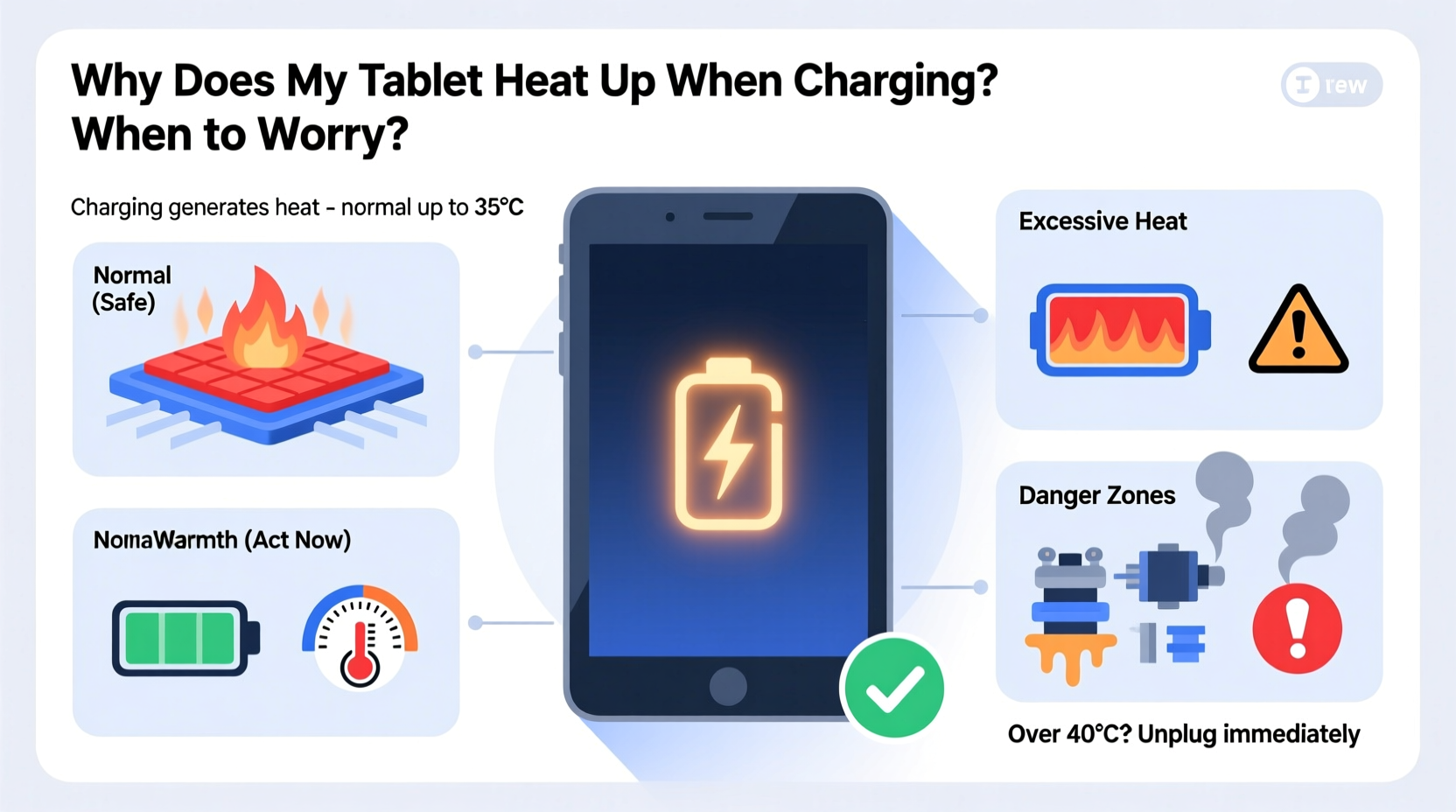
Heat generation during charging is primarily due to energy conversion inefficiencies. When you plug in your tablet, electrical energy from the charger is converted into chemical energy stored in the battery. This process isn’t 100% efficient—some energy is lost as heat. The faster the charging rate, the more pronounced this effect becomes. Modern tablets often support fast charging, which pushes higher currents through the battery, increasing internal resistance and generating more heat.
Besides the battery, other components contribute to the overall temperature rise. The charging circuitry, power management IC (integrated circuit), and even the processor may activate background processes while charging—like syncing data, updating apps, or checking email. These activities increase power draw and generate additional heat.
Environmental factors also play a role. Charging your tablet in direct sunlight, on a bed or couch (which blocks airflow), or inside a case can trap heat and prevent proper dissipation. Poor ventilation forces the device to retain more thermal energy, leading to higher surface temperatures.
Normal vs. Abnormal Heating: What’s the Difference?
Not all heat is cause for alarm. A slightly warm tablet during charging is expected. But how do you know when it crosses the line into dangerous territory? The key lies in degree, duration, and accompanying symptoms.
Normal heating typically means the back of the tablet is warm to the touch—not hot—and cools down shortly after unplugging. It may feel warmer near the top or center, where internal components are concentrated. This kind of heating occurs without performance issues, shutdowns, or unusual smells.
Abnormal heating involves excessive warmth—so much that holding the device becomes uncomfortable. If the screen flickers, the device restarts unexpectedly, or you detect a burning or plastic-like odor, these are serious warning signs. Prolonged overheating can degrade battery capacity, reduce device lifespan, and in rare cases, lead to swelling or combustion.
“While mild warming is part of normal operation, sustained high temperatures during charging should never be ignored. They can accelerate battery aging and pose safety risks.” — Dr. Lena Torres, Electrical Safety Engineer at the Consumer Technology Institute
Common Causes of Excessive Tablet Heating
Several factors can turn routine warmth into problematic overheating. Identifying the root cause is essential for preventing long-term damage.
- Using non-certified chargers or cables: Aftermarket accessories may not regulate voltage or current properly, causing unstable charging and excess heat.
- Charging while using resource-heavy apps: Playing games, streaming video, or multitasking while charging increases power demand, compounding heat generation.
- Damaged or aging batteries: As lithium-ion batteries degrade, their internal resistance increases, making them less efficient and more prone to heating.
- Poor ambient conditions: High room temperatures or direct exposure to sunlight exacerbate thermal buildup.
- Background processes: Automatic updates, cloud backups, or malware running in the background can keep the CPU active during charging.
- Faulty hardware: Internal component failure, such as a malfunctioning charging port or short circuit, can create abnormal current flow and overheating.
Mini Case Study: Overheating Due to Third-Party Charger
Sarah, a freelance designer, noticed her tablet becoming unusually hot every time she charged it overnight. The device would sometimes shut down automatically, and the battery drained faster than before. She was using a third-party USB-C charger she’d bought online for half the price of the original. After consulting a technician, she learned the charger delivered inconsistent voltage, causing the tablet to overwork its power regulation system. Switching back to the manufacturer-recommended charger resolved the issue immediately. The lesson? Cutting corners on chargers can cost more in the long run.
When to Worry: Warning Signs You Shouldn’t Ignore
Most tablets have built-in thermal protection that slows charging or shuts down the device if temperatures become unsafe. However, relying solely on these safeguards isn’t enough. Watch for these critical warning signs:
- The device is too hot to hold: If you can’t comfortably rest the tablet in your hand, it’s overheating.
- Visible warping or bulging: A swollen battery can push against the casing, creating a visible bump—this is a fire hazard.
- Burning smell or smoke: Any acrid odor or visible vapor requires immediate action: unplug and power off the device.
- Charging stops prematurely: If the battery percentage freezes or drops despite being plugged in, overheating may have triggered protective shutoffs.
- Screen discoloration or flickering: Excessive heat can affect display components, leading to visual anomalies.
| Symptom | Likely Cause | Action Required |
|---|---|---|
| Slightly warm back | Normal charging process | Monitor; no action needed |
| Hot to touch, but functional | Poor ventilation or heavy usage | Stop using, remove case, cool down |
| Battery swelling | Aging or damaged battery | Stop use immediately; replace battery |
| Burning smell | Electrical fault or component failure | Unplug, power off, seek repair |
| Random shutdowns during charge | Thermal throttling or software issue | Check for updates, monitor temperature |
Step-by-Step Guide to Safely Manage Charging Heat
If your tablet consistently runs hot during charging, follow this systematic approach to diagnose and resolve the issue:
- Power off the tablet before charging: This reduces background activity and lowers heat production.
- Remove the case: Especially if it’s made of silicone or leather, which insulates heat.
- Use the original charger and cable: Ensure compatibility and stable power delivery.
- Charge in a cool, well-ventilated area: Avoid direct sunlight, cars, or enclosed spaces.
- Keep the device on a hard surface: Use a desk or table instead of a bed or lap.
- Monitor temperature: Periodically check how hot the device feels. If it’s uncomfortably warm, disconnect and let it cool.
- Restart the device weekly: Clears memory leaks and stops rogue processes consuming power.
- Update software regularly: Manufacturers often release thermal management improvements via updates.
- Check battery health: On supported devices, review battery condition in settings. Look for reduced maximum capacity.
- Seek professional help if issues persist: Visit an authorized service center for diagnostics.
Prevention Checklist: Keep Your Tablet Cool While Charging
Proactive care prevents overheating and extends your tablet’s life. Use this checklist to stay ahead:
- ✅ Use only manufacturer-approved chargers and cables
- ✅ Avoid using the tablet intensively while charging
- ✅ Remove protective cases during charging sessions
- ✅ Charge on hard, flat surfaces with good airflow
- ✅ Keep ambient temperature below 77°F (25°C)
- ✅ Turn off Wi-Fi, Bluetooth, or GPS if not needed
- ✅ Disable background app refresh for non-essential apps
- ✅ Monitor for unusual behavior (slow charging, shutdowns)
- ✅ Replace bloated or old batteries promptly
- ✅ Store the tablet in a dry, shaded place when not in use
Frequently Asked Questions
Is it safe to leave my tablet charging overnight?
Modern tablets are designed to stop charging once the battery reaches 100%, so occasional overnight charging is generally safe. However, doing this frequently can contribute to long-term battery degradation, especially if the device overheats. For best results, avoid overnight charging when possible or use features like “optimized charging” (available on some models) that delay full charging until morning.
Can a hot tablet explode?
While extremely rare, lithium-ion batteries can fail catastrophically under severe conditions—such as physical damage, manufacturing defects, or extreme overheating. This may result in thermal runaway, leading to fire or explosion. Most consumer devices include multiple safety layers to prevent this, but misuse (like using damaged chargers or exposing devices to heat) increases risk. Immediate action upon noticing swelling or smoke greatly reduces danger.
Does fast charging always make tablets hotter?
Yes, fast charging inherently generates more heat due to higher power input. However, well-designed systems manage this with intelligent thermal regulation. The risk increases when combined with poor ventilation or usage during charging. If your tablet supports adaptive fast charging, enable it—it adjusts speed based on temperature.
Conclusion: Stay Informed, Stay Safe
Your tablet heating up during charging isn’t automatically a crisis, but it shouldn’t be dismissed either. By understanding the causes and recognizing the warning signs, you take control of both device performance and personal safety. Small habits—like using the right charger, removing the case, and avoiding intensive use while charging—can make a significant difference over time. Remember, technology serves you best when treated with care and awareness. Don’t wait for a swollen battery or burnt smell to act. Implement these practices today to ensure your tablet remains reliable, efficient, and safe for years to come.




 浙公网安备
33010002000092号
浙公网安备
33010002000092号 浙B2-20120091-4
Comments
No comments yet. Why don't you start the discussion?