
Power outages—whether brief blips or multi-hour blackouts—are more than just inconveniences. For millions of homeowners and facility managers, they trigger a frustrating cascade: the coffee maker won’t auto-brew at 6:30 a.m., the irrigation system skips its morning cycle, the furnace fails to preheat before sunrise, and the aquarium lights flicker off mid-day—leaving fish stressed and algae unchecked. At the heart of this disruption is a single, often overlooked component: the timer. Unlike modern smart devices with robust backup systems, most built-in timers rely entirely on continuous mains power—not just to run, but to *remember*. When the electricity drops, so does the memory. This isn’t a design flaw; it’s a consequence of cost-conscious engineering, component selection, and decades-old standards that prioritize simplicity over resilience. Understanding why this happens—and what you can realistically do about it—is essential for anyone who depends on scheduled automation in daily life.
The Core Problem: Why Timers Forget Everything
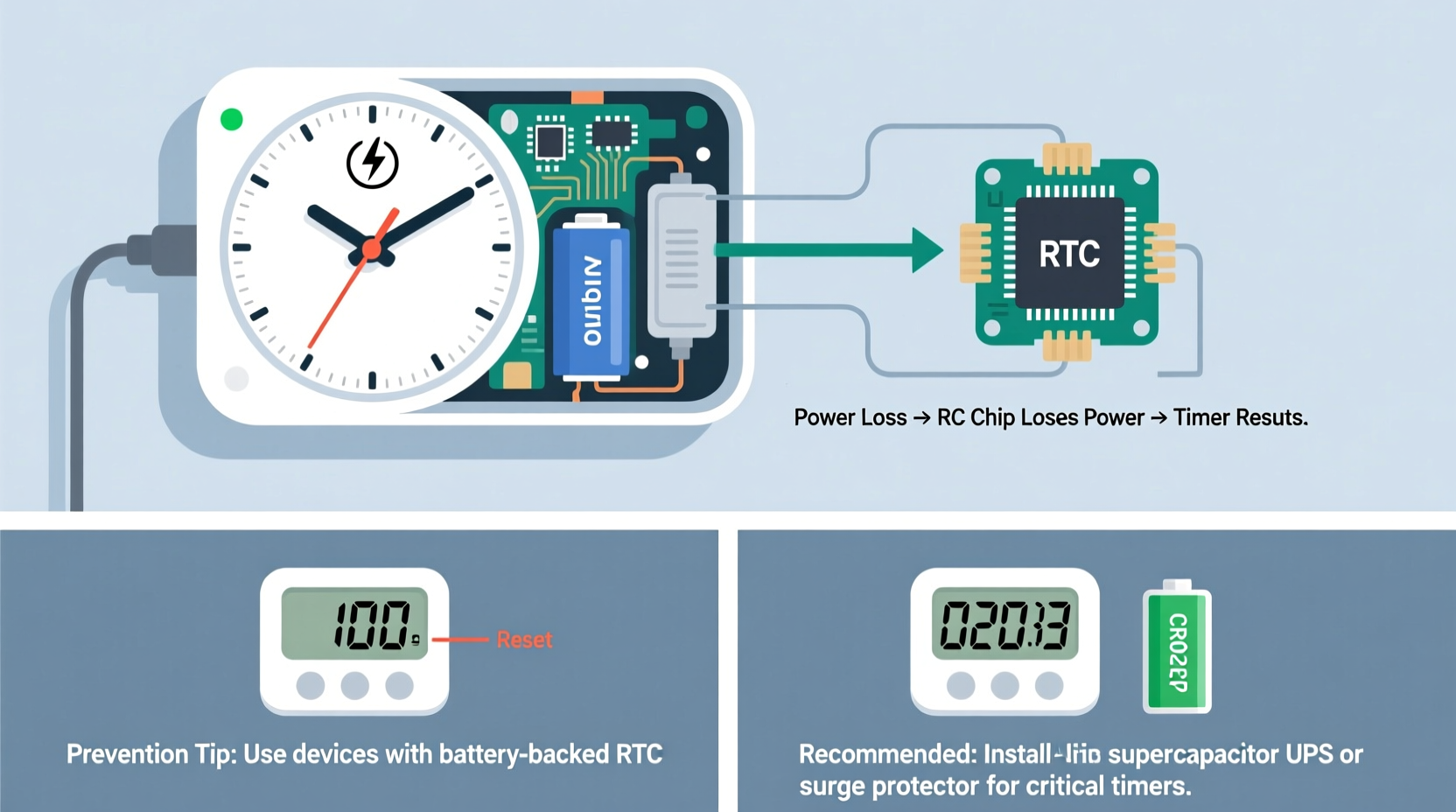
Most consumer-grade mechanical and digital timers—including those embedded in microwaves, ovens, water heaters, pool pumps, security lights, and programmable thermostats—use volatile memory (RAM) or simple quartz-based oscillators without persistent storage. These components require constant voltage to retain time, date, and program settings. When grid power cuts out—even for less than a second—the internal clock circuit loses its reference signal, and any stored schedule evaporates. Unlike computers with CMOS batteries or smartphones with lithium-ion backups, these devices lack energy reservoirs capable of bridging interruptions.
Even “digital” timers aren’t always truly digital in the computing sense. Many are microcontroller-based but omit non-volatile memory (like EEPROM or flash) due to BOM (bill of materials) constraints. A $1.20 microcontroller chip with integrated EEPROM might cost 30% more than one without—and when manufacturing at scale, those fractions add up quickly. As a result, manufacturers default to “power-only” operation: if the plug is live, the timer runs; if not, it resets to factory defaults (often 12:00 AM, no programs set).
Hardware Limitations by Timer Type
Not all timers behave the same way under power loss. Their resilience depends heavily on architecture, age, and intended use case. Below is a comparison of common timer categories and their typical failure modes:
| Timer Type | Memory Technology | Backup Capability | Typical Reset Behavior |
|---|---|---|---|
| Mechanical (rotary dial) | Spring-driven gear train | None—purely analog | Stops at outage; resumes from last position only if power returns *before* spring unwinds (rare); otherwise, must be manually reset |
| Basic Digital (LED/LCD display) | Volatile RAM + quartz oscillator | No battery or capacitor backup | Resets to 12:00, clears all programs; requires full reprogramming |
| Mid-Range Programmable (e.g., Honeywell RTH2300) | EEPROM + supercapacitor or coin-cell battery | 5–72 hours of retention (varies) | Retains time/date for hours; may lose complex schedules if outage exceeds backup window |
| Smart Timers (Wi-Fi/Zigbee) | Flash memory + rechargeable Li-ion or large electrolytic capacitor | Minutes to 2+ days, depending on firmware and design | Often retains core settings; syncs with cloud upon reconnection—but local scheduling may pause until network restored |
| Industrial PLC Timers | Non-volatile memory + dedicated backup battery (10+ years) | Years of retention; hot-swappable batteries | Negligible drift; programs survive decades of outages |
This hierarchy explains why a $12 outlet timer fails catastrophically while a $350 commercial HVAC controller keeps running through hurricanes. It’s not magic—it’s deliberate engineering trade-offs between reliability, cost, size, and serviceability.
A Real-World Example: The Case of the Missed Irrigation Cycle
In suburban Austin, Texas, landscape contractor Maria Rodriguez installed a $28 digital sprinkler timer for a new client’s drought-tolerant garden. The system was programmed to run three zones for 12 minutes each at 5:00 a.m., timed to avoid peak evaporation. Two weeks in, a summer thunderstorm caused a 47-second grid interruption. When power returned, the timer displayed “12:00” and blinked “SET TIME.” No alarm sounded. No error code appeared. The next morning, the lawn remained dry—and the client called furious, citing wilting lavender and cracked soil.
Maria inspected the unit and found no physical damage. She reprogrammed it, added a $15 UPS (uninterruptible power supply) rated for 300VA, and monitored it for two months. During three additional outages (all under 2 seconds), the timer retained settings flawlessly. Her conclusion? “This wasn’t user error—it was an expectation mismatch. The product manual never mentioned backup capability. I assumed ‘digital’ meant ‘reliable.’ Now I ask every client: ‘Is timing mission-critical?’ If yes, we spec differently.”
Practical Prevention Strategies (Tested & Verified)
Preventing timer resets isn’t about buying the most expensive model—it’s about matching the solution to your operational needs, environment, and tolerance for manual intervention. Below is a step-by-step guide validated across residential, agricultural, and light commercial applications:
- Evaluate criticality: List every timer-dependent device. Mark each as “Critical” (e.g., medical refrigeration, sump pump), “Important” (irrigation, HVAC staging), or “Convenient” (coffee maker, holiday lights). Focus prevention efforts on Critical and Important items first.
- Check existing backup capacity: Consult the device manual for terms like “battery backup,” “supercapacitor,” “EEPROM memory,” or “power-loss retention.” If none appear, assume zero retention.
- Add localized power bridging: For single-device protection, use a small line-interactive UPS (e.g., APC Back-UPS ES 350). Ensure output waveform is pure sine wave for sensitive electronics. Avoid cheap “simulated sine wave” units—they can interfere with timer microcontrollers.
- Upgrade to purpose-built timers: Replace vulnerable units with models explicitly designed for resilience. Look for certifications like UL 1012 (power supply safety) and features such as “10-year battery backup” (e.g., Intermatic EJ500 series) or “grid-independent scheduling” (e.g., RainMachine Touch HD-12).
- Implement redundancy: For Critical systems, pair a primary timer with a secondary mechanical fail-safe (e.g., a spring-wound irrigation valve timer set to activate weekly as a baseline). This ensures minimal function even during extended outages.
“Timers don’t fail because they’re poorly made—they fail because users expect enterprise-grade resilience from consumer-grade components. The fix isn’t always replacement; it’s context-aware layering: power conditioning, memory augmentation, and procedural safeguards.” — Dr. Lena Torres, Electrical Engineering Professor, Purdue University, specializing in embedded systems reliability
Do’s and Don’ts for Timer Longevity & Reliability
Even with backup hardware, environmental and usage factors accelerate timer degradation. Below is a concise, field-tested checklist:
- DO install timers away from heat sources (e.g., not inside breaker panels or above ovens)—high temperatures degrade capacitors and battery chemistry.
- DO replace backup batteries every 2–3 years, even if the device appears functional. Lithium coin cells self-discharge ~1–2% per year; after 3 years, voltage often drops below operational thresholds.
- DO verify time accuracy monthly using NIST-traceable sources (e.g., time.gov). Drift >10 seconds/week indicates failing oscillator or capacitor.
- DON’T use extension cords or power strips with surge protection *between* the timer and UPS—many suppressors introduce latency or clipping that confuses timing circuits.
- DON’T assume “smart” means “self-healing.” Some Wi-Fi timers erase local schedules when cloud sync fails repeatedly, leaving them blank even after power returns.
- DON’T ignore firmware updates. Manufacturers occasionally patch memory retention bugs—e.g., a 2023 update for the GE Enbrighten Z-Wave timer fixed a 17-second outage-induced reset bug.
Frequently Asked Questions
Can I add a backup battery to my existing timer?
Retrofitting is rarely advisable. Most consumer timers lack solder pads, battery holders, or firmware support for external power management. Adding a coin cell without voltage regulation risks overcharging, leakage, or microcontroller damage. Instead, use an external UPS or replace the unit with a model that includes integrated backup.
Why do some timers reset even when connected to a UPS?
Two common causes: (1) The UPS switches to battery mode with a brief transfer time (typically 2–8 ms). Low-cost timers interpret this as a power loss. Choose a UPS with “zero transfer time” (online/double-conversion topology) for mission-critical timers. (2) The UPS battery is depleted or degraded—test it annually with a load test, not just LED indicators.
Are mechanical timers more reliable during outages than digital ones?
Not inherently. Mechanical timers stop during outages and offer no memory—so they “reset” in function, though not in setting. However, they won’t corrupt data or require reprogramming. For simple on/off tasks where exact timing isn’t vital (e.g., “run fan for 30 minutes daily”), a quality mechanical timer (e.g., Woods 59378) often outperforms budget digital units in long-term reliability.
Conclusion: Build Resilience, Not Just Redundancy
Your timer shouldn’t be the weakest link in an automated home or business. Resetting after outages isn’t inevitable—it’s a solvable problem rooted in awareness, appropriate hardware selection, and layered protection. Start by auditing what truly depends on precise timing. Then, invest selectively: a $40 UPS for your HVAC controller, a $65 industrial-grade timer for your well pump, or a $120 smart irrigation hub with cellular fallback. These aren’t luxuries; they’re insurance against inconvenience, waste, and risk. In an era of increasingly volatile grids and climate-driven disruptions, resilience isn’t about preventing outages—it’s about ensuring your systems keep working *through* them. Take one action today: unplug a non-critical timer, note its behavior after 30 seconds, and compare it to the specs in its manual. That small test reveals everything you need to know about where your vulnerabilities lie—and where to begin building real reliability.




 浙公网安备
33010002000092号
浙公网安备
33010002000092号 浙B2-20120091-4
Comments
No comments yet. Why don't you start the discussion?