
It’s a familiar frustration: you’re adjusting the volume on your television, someone walks in front of the screen, and suddenly—nothing happens. The remote doesn’t respond. You press the buttons again, maybe even aim more carefully, but only after the person moves out of the way does the command finally register. This isn't a glitch in your remote or a sign of failing batteries—it's physics in action. Most traditional TV remotes rely on infrared (IR) light to communicate with your television, and like visible light, IR signals require an unobstructed path. When a person steps between the remote and the device, they block that invisible beam, interrupting communication.
Understanding this phenomenon involves exploring how infrared technology works, the nature of line-of-sight transmission, and how physical obstructions—including people—affect signal integrity. While newer technologies like Bluetooth and Wi-Fi have reduced reliance on direct visibility, millions of households still use IR-based remotes daily. Knowing the science behind these interruptions helps users troubleshoot issues, optimize their setup, and make informed decisions when upgrading devices.
The Science Behind Infrared Communication
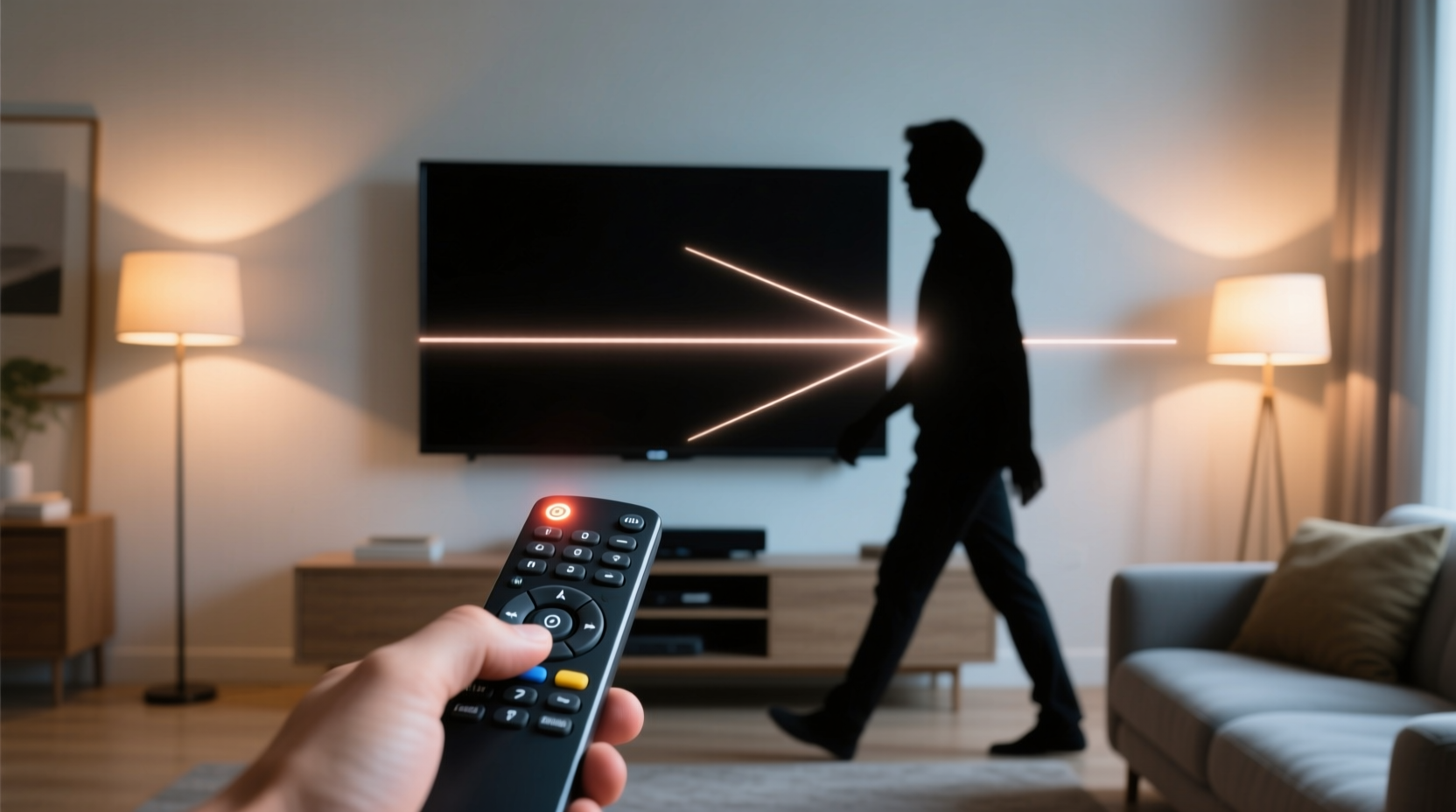
Infrared remotes operate using pulses of invisible light just beyond the red end of the visible spectrum. These wavelengths typically range from 700 nanometers to 1 millimeter, though consumer electronics usually use around 940 nm. When you press a button on your remote, an LED at the front emits a rapid sequence of flashes—modulated to represent specific commands such as “power,” “volume up,” or “input select.” The receiving sensor on the TV detects these pulses and decodes them into actions.
This system is efficient, low-cost, and consumes minimal power, which explains its widespread adoption over decades. However, unlike radio waves used in Bluetooth or Wi-Fi, infrared light cannot penetrate solid objects. It behaves much like a flashlight beam: if something blocks the path, the light doesn’t reach its destination. Human bodies, made largely of water and organic material, are especially effective at absorbing and scattering IR radiation. As a result, even a brief passage through the signal path can disrupt communication.
Moreover, ambient light can interfere with IR reception. Sunlight and incandescent bulbs emit significant amounts of infrared radiation, potentially overwhelming the receiver. High-end remotes mitigate this with modulation techniques—encoding signals at specific frequencies so the TV can distinguish intentional commands from background noise—but physical obstruction remains a fundamental limitation.
Line of Sight: Why Visibility Matters
For infrared signals to work reliably, there must be a clear optical path between the remote’s emitter and the TV’s sensor. This requirement defines what engineers call “line of sight” communication. Unlike RF (radio frequency) signals, which can travel through walls and furniture, IR light travels in straight lines and reflects poorly off many surfaces. Even minor misalignment or temporary blockage can prevent successful transmission.
When someone walks between the remote and the TV, their body absorbs most of the IR energy. Clothing, skin, and bodily fluids all contain molecules that readily absorb infrared wavelengths. The human body also radiates heat in the same spectrum, adding thermal noise near the receiver. Though modern sensors filter out constant emissions, sudden movements introduce variability that may confuse detection algorithms.
This sensitivity to position means that placement of both the remote and the TV matters. If the IR sensor is recessed or partially covered by a bezel, it becomes even more directional and vulnerable to interruption. Similarly, holding the remote too low, too high, or at an extreme angle reduces signal strength due to reduced emitter exposure and increased reflection loss.
“Infrared remotes are remarkably reliable—when conditions are ideal. But they're fundamentally limited by physics. Any object in the beam path will attenuate or completely block the signal.” — Dr. Alan Zhou, Senior Researcher in Consumer Electronics, MIT Media Lab
Comparing IR, Bluetooth, and RF Technologies
Not all remotes behave the same way. Understanding the differences between infrared, Bluetooth, and radio frequency (RF) helps explain why some remotes work seamlessly even when obstructed, while others fail with the slightest interference.
| Technology | Signal Type | Obstacle Penetration | Range | Common Use Cases |
|---|---|---|---|---|
| Infrared (IR) | Light waves | None – requires line of sight | Up to 10 meters (30 ft), optimal within 5–7 m | Traditional TVs, DVD players, soundbars |
| Radio Frequency (RF) | Electromagnetic waves (e.g., 315 MHz, 433 MHz) | Yes – penetrates walls, furniture, people | Up to 30 meters (100 ft) | Garage door openers, advanced universal remotes |
| Bluetooth | Short-range RF (2.4 GHz) | Moderate – passes through thin obstacles | Up to 10 meters (30 ft) | Smart TVs, streaming sticks, headphones |
Modern smart remotes—like those for Apple TV, Roku Ultra, or Amazon Fire Stick—often combine multiple technologies. For example, they may use Bluetooth for primary control (allowing use from another room or inside a drawer) while retaining IR for backward compatibility with older devices. This hybrid approach offers flexibility without sacrificing functionality.
However, many budget or legacy televisions still rely solely on IR. Users upgrading other components of their entertainment system may not realize that their remote limitations stem from outdated signaling methods rather than poor design or malfunction.
Troubleshooting and Optimization Strategies
If you frequently experience dropped signals when someone crosses the room, several practical solutions can improve reliability without requiring new hardware.
- Reposition the Remote During Use: Hold the remote higher or point it toward reflective surfaces like walls or coffee tables. Smooth, light-colored surfaces can reflect enough IR energy to reach the sensor indirectly.
- Clean the Emitter and Sensor: Dust, fingerprints, or smudges on the remote’s tip or the TV’s IR window can weaken the signal. Gently wipe both with a soft, dry cloth.
- Replace Old Batteries: Weak batteries reduce LED output intensity, making the signal more susceptible to interference. Even if the remote seems to work intermittently, fresh batteries can restore full performance.
- Check for Sensor Obstruction: Ensure no cables, frames, or decorative items are covering the IR receiver on the TV. Some wall mounts or media cabinets inadvertently block the sensor.
- Upgrade to a Universal Remote with RF/Bluetooth: Consider switching to a Logitech Harmony Elite or similar model that uses RF to communicate with a base station connected to your devices via IR blasters. This allows control from any room.
Mini Case Study: The Living Room Interference Problem
The Patel family had been frustrated for months. Every time someone walked from the kitchen to the living room during movie night, the TV would stop responding to the remote. At first, they assumed the remote was failing. They replaced batteries twice and even bought a second identical remote, but the issue persisted. After consulting a technician, they discovered the root cause: the TV was mounted low on the wall, and the IR sensor faced directly forward. Anyone walking past created a complete blockage.
The solution was simple. They purchased a $25 universal remote with Bluetooth connectivity. Pairing it with the TV eliminated the need for line of sight. Now, they can pause the movie from the hallway or even the adjacent dining area. The original IR remote was kept as a backup, but daily use shifted entirely to the Bluetooth-enabled device. The change resolved not only the walk-by interference but also improved responsiveness overall.
Preventive Checklist for Reliable Remote Operation
- ✅ Clean the IR LED on the remote monthly
- ✅ Wipe the TV’s IR sensor regularly
- ✅ Replace remote batteries every 6–12 months, regardless of usage
- ✅ Avoid placing lamps or windows directly behind the TV (sunlight causes interference)
- ✅ Test alternative angles when signal fails—try bouncing off walls
- ✅ Consider upgrading to Bluetooth or RF-based control systems for whole-home coverage
- ✅ Position seating arrangements to minimize crossing the direct remote-to-TV axis
Frequently Asked Questions
Can walls block TV remote signals?
Yes, solid walls completely block infrared signals because IR light cannot penetrate opaque materials. However, radio frequency (RF) and Bluetooth remotes can transmit through walls, allowing control from different rooms. Standard IR remotes only work when pointed directly at the device with no major obstructions.
Why does my remote work sometimes when someone is standing in front of the TV?
Partial obstructions may still allow scattered or reflected IR light to reach the sensor. If the person isn’t fully blocking the beam or is wearing lighter clothing that reflects some IR, a weak signal might get through. Additionally, repeated button presses increase the chance that one transmission occurs during a micro-gap in obstruction.
Do all modern TVs still use infrared remotes?
No, many newer smart TVs come with Bluetooth-enabled remotes that don’t require line of sight. Brands like Samsung, LG, and Sony offer models where the default remote connects via Bluetooth for enhanced usability. However, basic models and older units often retain IR-only functionality for cost and compatibility reasons.
Conclusion: Moving Beyond Line of Sight Limitations
The momentary failure of a TV remote when someone walks by is not random bad luck—it’s a predictable outcome of relying on infrared technology. While IR remains a cost-effective and widely supported method, its dependence on uninterrupted visibility presents real-world usability challenges. Awareness of these limitations empowers users to make smarter choices about device placement, maintenance, and upgrades.
As home entertainment systems evolve, so do control mechanisms. Transitioning to Bluetooth or RF-based remotes eliminates many of the frustrations associated with traditional IR. Even small adjustments—like cleaning sensors or repositioning furniture—can yield noticeable improvements. Technology should serve convenience, not hinder it. By understanding the principles behind remote communication, you gain the insight needed to create a seamless viewing experience for everyone in your household.




 浙公网安备
33010002000092号
浙公网安备
33010002000092号 浙B2-20120091-4
Comments
No comments yet. Why don't you start the discussion?