
There are few household frustrations quite like a TV remote that works one moment and fails the next. You press the power button—nothing. A second later, it responds. This inconsistent behavior can disrupt movie nights, delay sports viewing, or make everyday use unnecessarily stressful. While it’s tempting to assume the batteries need replacing, intermittent remote failure isn’t always about power. It could stem from signal interference, hardware degradation, or environmental factors. Understanding the root cause is essential for a lasting fix.
This guide breaks down the most common reasons behind erratic remote performance, helping you distinguish between battery-related problems and signal disruptions. With practical diagnostics, real-world examples, and expert-backed solutions, you’ll be able to restore reliable control over your television setup—without unnecessary replacements or service calls.
Understanding How TV Remotes Work
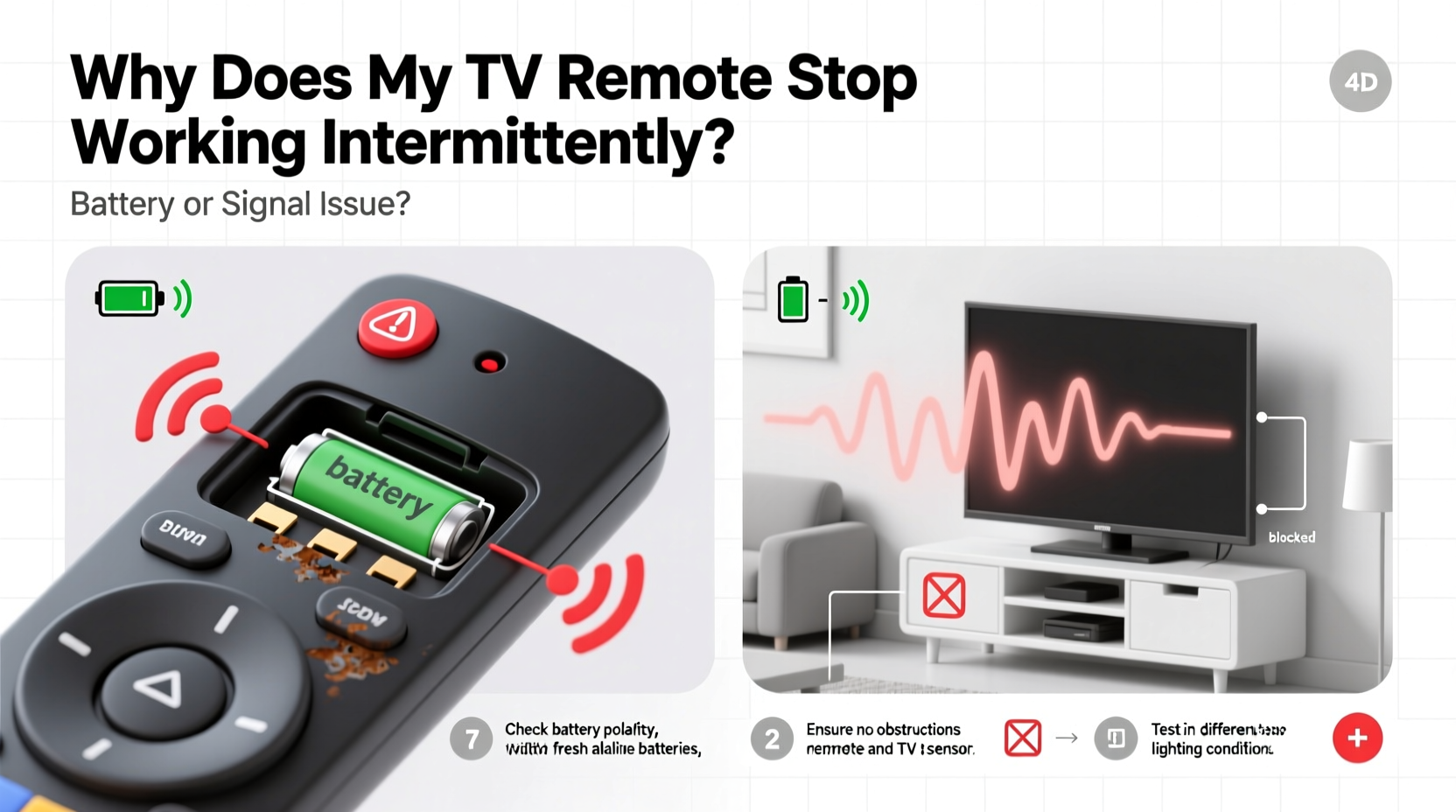
Most modern TV remotes operate using infrared (IR) or radio frequency (RF) signals. Infrared remotes send pulses of invisible light to a sensor on the TV, requiring a direct line of sight. RF remotes, often used with streaming boxes or smart home systems, transmit via radio waves and don’t require pointing directly at the device.
When you press a button, the remote completes an electrical circuit, activating the internal chip to send a coded signal. This process depends on two critical components: consistent power from the batteries and an unobstructed transmission path. Any weakness in either area can result in delayed responses, partial functionality, or complete dropouts.
Intermittent operation suggests instability rather than total failure. Unlike a completely dead remote—which usually points to dead batteries or circuit damage—sporadic function indicates fluctuating conditions that temporarily disrupt communication between the remote and the TV.
Battery Issues: The Most Common Culprit
Weak or failing batteries are the leading cause of inconsistent remote performance. Even if the remote appears to work occasionally, degraded power supply can prevent the IR LED from emitting a strong enough signal every time.
Alkaline batteries lose voltage gradually. As they deplete, their ability to deliver consistent current diminishes. This results in situations where the remote functions only when minimal energy is required—such as pressing volume buttons—but fails during higher-demand actions like powering on the TV, which may require longer signal bursts.
Other battery-related problems include:
- Corrosion: Moisture or aging can cause battery terminals to corrode, creating poor contact. White or green crust around the battery compartment is a telltale sign.
- Poor contact springs: Over time, the metal contacts inside the battery compartment can lose tension, failing to grip batteries securely.
- Incompatible batteries: Using low-quality or non-recommended battery types (e.g., zinc-carbon instead of alkaline) may not provide sufficient voltage stability.
How to Test Battery Health
- Remove the batteries and inspect for leakage or corrosion.
- Clean the contacts gently with a cotton swab dipped in vinegar or isopropyl alcohol.
- Insert fresh, high-quality alkaline batteries (brands like Duracell or Energizer are recommended).
- Test the remote immediately from close range (within 3 feet of the TV).
- If responsiveness improves, the issue was likely battery-related.
Signal Interference and Obstruction Problems
If new batteries don’t resolve the issue, the problem may lie in signal transmission. Infrared signals are sensitive to physical and environmental interference.
Common sources of obstruction include:
- Furniture, decor, or people blocking the line of sight between the remote and TV sensor.
- Direct sunlight or bright incandescent lighting flooding the IR receiver and drowning out the signal.
- Reflective surfaces causing signal bounce or scattering.
Radio frequency remotes avoid line-of-sight issues but can suffer from electromagnetic interference. Devices such as cordless phones, Wi-Fi routers, microwaves, or even LED lights may emit frequencies that interfere with RF remotes, especially cheaper models with limited shielding.
“Many customers come in thinking their remote is broken, but we find it’s often sunlight hitting the TV’s front panel during afternoon hours.” — James Lin, Consumer Electronics Technician, BestBuy Repair Services
Simple Signal Troubleshooting Steps
- Stand within 5 feet of the TV and point the remote directly at the IR sensor (usually located near the power light).
- Turn off nearby lamps or close curtains to eliminate competing light sources.
- Remove any objects between the remote and TV.
- Try operating the remote at different times of day to check for sunlight interference.
- For RF remotes, move other electronics away temporarily to test for interference.
Distinguishing Between Battery and Signal Issues
It’s not always obvious whether the fault lies with power delivery or signal transmission. The following table outlines key differences to help diagnose the problem:
| Battery Issue Signs | Signal Issue Signs |
|---|---|
| Remote works better after jiggling or pressing harder on batteries | Remote works only when pointed precisely at the TV |
| Buttons respond weakly or require multiple presses | Remote fails in bright rooms but works in dim light |
| Visible corrosion or swelling in battery compartment | Works perfectly when close, fails at normal distance |
| Improved performance with brand-new batteries | No improvement after battery replacement |
| Gradual decline in function over weeks | Sudden onset tied to room changes (new lamp, furniture) |
Using this comparison, you can narrow down the likely cause and apply targeted fixes. For example, if the remote only fails in the evenings when overhead lights are on, signal interference from lighting is probable. If response improves dramatically with new batteries, the power source was the bottleneck.
Hardware and Internal Failures
Sometimes, neither batteries nor environment are to blame. Internal wear and tear can degrade remote performance over time.
Common hardware faults include:
- Worn-out button contacts: Rubber domes under buttons lose conductivity, causing missed inputs.
- Cracked circuit board: Dropping the remote can create hairline fractures that intermittently break connections.
- Failing IR LED: The emitter diode may degrade and produce inconsistent pulses.
- Moisture damage: Spills or humidity exposure can corrode internal traces.
These issues often manifest as specific buttons not working, delayed responses, or random behavior—like the TV turning on by itself. Unlike battery or signal problems, hardware failures typically worsen over time and don’t improve with simple fixes.
Mini Case Study: The Office Room Remote
A customer reported that their Samsung TV remote worked perfectly in the morning but became unreliable by early evening. New batteries didn’t help. After testing, a technician discovered that a newly installed LED desk lamp emitted infrared noise that flooded the TV’s sensor during daylight hours. The remote’s signal couldn’t compete. Moving the lamp three feet away resolved the issue instantly. This case highlights how seemingly unrelated devices can interfere with IR communication—especially in home offices where electronics cluster together.
Step-by-Step Diagnostic Checklist
Follow this comprehensive checklist to identify and fix your remote’s intermittent behavior:
- Replace batteries with fresh, high-quality ones. Clean terminals if needed.
- Test in optimal conditions: Sit close to the TV in a dark room with no obstructions.
- Use smartphone camera to verify IR emission when pressing buttons.
- Check for environmental interference: Turn off bright lights, close blinds, remove obstacles.
- Inspect remote physically: Look for cracks, sticky residue, or damaged buttons.
- Try a factory reset (if supported) to rule out software glitches in smart remotes.
- Test with another device: Some universal remotes can control DVD players—use this to isolate the issue.
- Borrow a working remote to confirm whether the TV’s sensor is functioning properly.
If the remote still misbehaves after completing these steps, internal hardware damage is likely, and replacement may be necessary.
FAQ: Common Questions About Intermittent Remote Failure
Can a TV remote sensor go bad?
Yes. The IR receiver on the TV can fail due to power surges, physical damage, or age. If multiple remotes fail to work—even with new batteries—and the smartphone camera test shows proper transmission, the sensor may be faulty. Try using a universal remote app on your phone via Wi-Fi to bypass the IR system.
Why does my remote work only when I’m right in front of the TV?
This usually indicates a weak signal, often caused by dying batteries or a failing IR LED. It can also result from ambient light overwhelming the sensor. Clean the TV’s front panel and ensure no bright lights are shining directly onto it.
Do rechargeable batteries affect remote performance?
Rechargeable NiMH batteries typically output 1.2V per cell, compared to 1.5V for alkalines. While generally safe, the lower voltage may reduce IR signal strength in older or power-sensitive remotes. If using rechargeables, ensure they’re fully charged and consider switching back to alkalines for testing.
Prevention and Long-Term Care Tips
To avoid future issues, treat your remote as a precision electronic device, not just a plastic wand. Simple habits can extend its life significantly:
- Replace batteries proactively every 6–12 months, even if the remote seems functional.
- Keep the remote away from moisture, heat sources, and direct sunlight.
- Store it in a designated spot to prevent drops and spills.
- Wipe it down monthly with a dry microfiber cloth to remove dust and oils.
- Use protective silicone covers to shield against wear and liquid exposure.
“Remotes are one of the most handled yet least maintained devices in the living room. A little care goes a long way.” — Dr. Lena Patel, Home Electronics Researcher, IEEE Consumer Tech Group
Conclusion: Regain Reliable Control
An intermittently failing TV remote doesn’t have to be a mystery. By systematically evaluating battery health, signal clarity, and hardware integrity, you can pinpoint the cause and apply the right fix. Often, the solution is as simple as swapping in fresh batteries or adjusting your room’s lighting. Other times, deeper inspection reveals hidden interference or internal damage.
Don’t accept inconsistent performance as inevitable. With the steps outlined here, you can restore smooth, dependable control over your entertainment system. Take action today—test your remote, clean its contacts, optimize your setup, and enjoy uninterrupted viewing.




 浙公网安备
33010002000092号
浙公网安备
33010002000092号 浙B2-20120091-4
Comments
No comments yet. Why don't you start the discussion?