
Spending hours in front of a computer, tablet, or smartphone has become unavoidable in modern life. Whether for work, education, or leisure, digital screens are now central to daily routines. But many people notice a troubling side effect: their vision becomes blurry after prolonged use. This isn’t just discomfort—it’s a sign of digital eye strain, commonly known as eye fatigue. Understanding the causes and solutions can help preserve visual clarity and long-term eye health.
The Science Behind Screen-Induced Blurry Vision
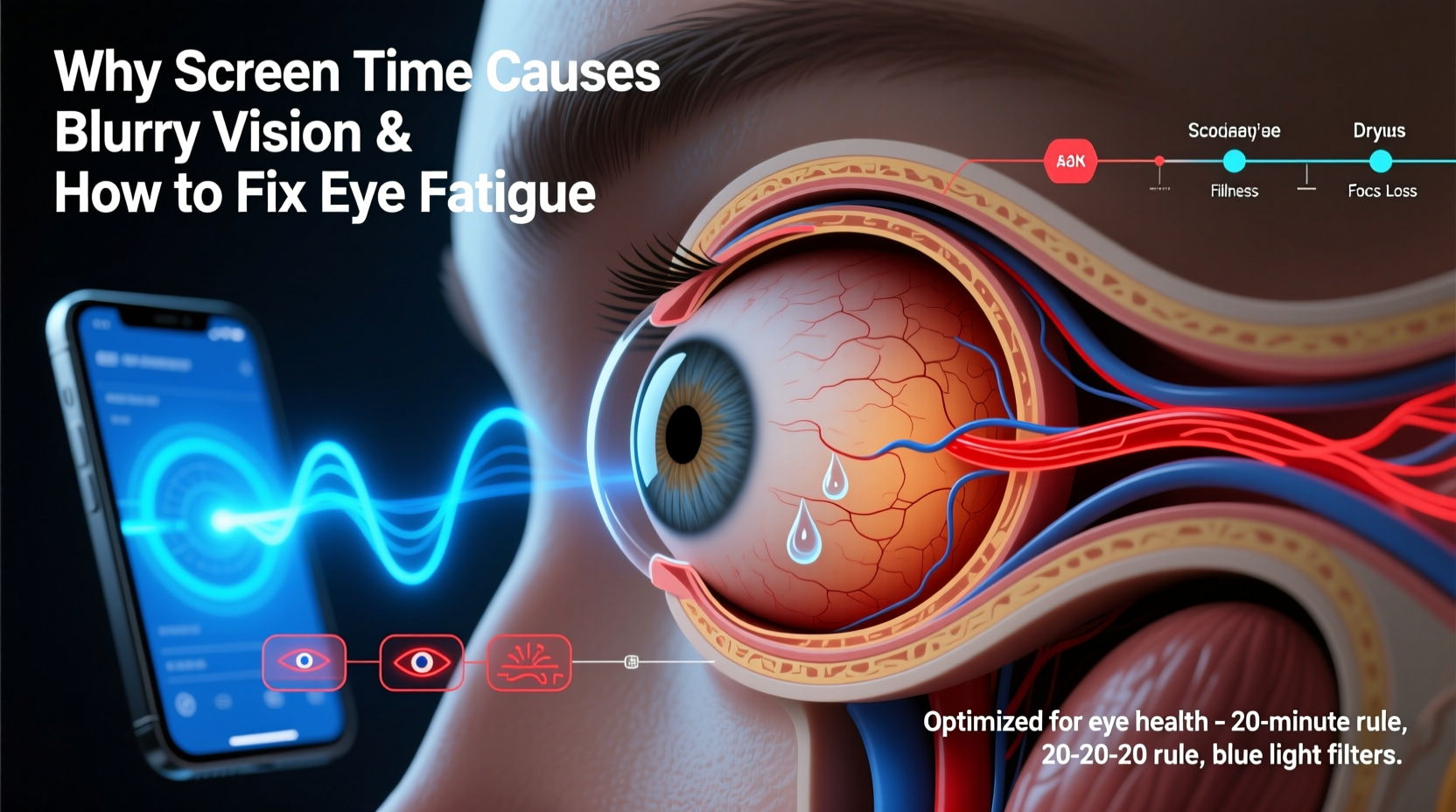
When you focus on a screen, your eyes perform constant micro-adjustments to maintain sharp focus. Unlike printed text, digital characters are made of pixels, which have less defined edges. This forces your eyes to work harder to interpret the image, leading to visual stress over time.
A key factor is reduced blinking. Studies show that people blink about 66% less while staring at screens—dropping from a normal rate of 15–20 times per minute to just 5–7. Blinking is essential for spreading tears evenly across the cornea, keeping the surface moist and clear. When blinking slows, the tear film evaporates faster, causing dryness, irritation, and temporary blurriness.
Additionally, screens emit blue light, which has a shorter wavelength and higher energy than other visible light. While not inherently harmful in moderation, excessive exposure—especially in low-light environments—can disrupt circadian rhythms and contribute to visual discomfort. The cumulative strain on the ciliary muscles (responsible for focusing) leads to a condition called accommodative spasm, where the eye temporarily loses its ability to shift focus smoothly between near and distant objects.
“Digital eye strain is one of the most common yet underdiagnosed conditions in office workers. It's not just about comfort—it affects productivity and long-term ocular health.” — Dr. Lena Patel, Optometrist and Vision Researcher
Common Symptoms of Eye Fatigue Beyond Blurriness
Blurry vision is often the most noticeable symptom, but it rarely occurs in isolation. Other signs include:
- Dry or gritty sensation in the eyes
- Headaches, especially around the forehead or temples
- Neck, shoulder, or back pain from poor posture
- Sensitivity to light
- Difficulty refocusing when looking away from the screen
- Double vision or afterimages
- Increased eye twitching
If left unaddressed, chronic eye strain may lead to longer recovery times and increased susceptibility to dry eye disease. Recognizing these symptoms early allows for timely intervention before they escalate.
Effective Strategies to Reduce and Prevent Eye Fatigue
Addressing eye fatigue requires both environmental adjustments and behavioral changes. The goal is to reduce the physiological load on your eyes while improving visual ergonomics.
Follow the 20-20-20 Rule
This widely recommended technique helps relax the focusing muscle in your eye. Every 20 minutes, look at something at least 20 feet away for 20 seconds. This simple habit gives your ciliary muscle a chance to reset, reducing the risk of accommodative spasm.
Optimize Your Workspace Lighting
Poor lighting forces your eyes to constantly adapt between bright screens and dark surroundings, increasing strain. Use ambient lighting that matches the brightness of your screen. Avoid glare by positioning your monitor perpendicular to windows and using blinds or anti-glare filters.
Adjust Screen Settings
Modern devices offer settings that support eye comfort:
- Lower screen brightness to match room lighting
- Increase text size to reduce squinting
- Use dark mode or night shift features in the evening
- Enable high refresh rates (e.g., 60Hz or higher) to reduce flicker perception
Improve Ergonomic Setup
Your physical setup plays a critical role. Position your screen 20–28 inches from your eyes, with the top of the monitor at or slightly below eye level. This encourages a natural downward gaze, minimizing eyelid exposure and tear evaporation.
| Factor | Ideal Setting | Why It Matters |
|---|---|---|
| Screen Distance | 20–28 inches | Reduces focusing effort and neck strain |
| Screen Height | Top at/below eye level | Limits tear film evaporation |
| Brightness | Match ambient light | Prevents pupil dilation fluctuations |
| Text Size | Readable without leaning | Reduces squinting and eye tension |
Step-by-Step Guide to a Refreshing Eye Break Routine
Integrating structured breaks into your day can dramatically improve eye comfort. Follow this 5-minute routine every two hours:
- Pause Work (0:00): Close your laptop or turn off your phone screen.
- Palming (0:30): Rub your hands together to warm them, then gently cup them over closed eyes without pressing. Breathe deeply for 30 seconds. This promotes relaxation and blocks visual input.
- Distant Gazing (1:00): Look out a window or across the room. Focus on an object at least 20 feet away. Let your gaze soften; don’t try to analyze details.
- Blinking Exercise (2:00): Close your eyes and perform 10 slow, deliberate blinks. Then open your eyes and repeat 10 more exaggerated blinks to fully coat the surface with tears.
- Neck and Shoulder Roll (3:00): Gently roll your shoulders backward five times, then slowly tilt your head side to side to release upper body tension linked to eye strain.
- Hydration Sip (4:30): Drink water. Dehydration reduces tear production, worsening dryness.
- Return Gradually (5:00): Reopen your device and resume work at a slightly adjusted angle or brightness if needed.
Real-Life Example: How Sarah Reduced Her Daily Headaches
Sarah, a 34-year-old graphic designer, spent 8–10 hours daily editing images on dual monitors. Within months, she began experiencing frequent headaches and blurred vision by mid-afternoon. She assumed it was stress-related until her optometrist diagnosed her with severe digital eye strain.
Her doctor recommended a three-phase plan: first, adjusting her monitor height and adding task lighting; second, enforcing the 20-20-20 rule with app reminders; third, switching to computer glasses with a mild prescription and blue-light filtering coating.
Within two weeks, Sarah reported a 70% reduction in headaches and no more end-of-day blurriness. She also noticed improved sleep quality, likely due to reduced blue light exposure in the evenings. Her case illustrates how small, consistent changes can yield significant results.
Do’s and Don’ts of Managing Screen-Related Eye Strain
| Do’s | Don’ts |
|---|---|
| Position your screen slightly below eye level | Look up at your screen for extended periods |
| Use artificial tears if eyes feel dry | Rely on redness-reducing drops daily |
| Take short breaks every 20–30 minutes | Work through discomfort to finish tasks |
| Wear prescription or blue-light glasses if recommended | Assume all “blue light blocking” glasses are equal |
| Keep your screen clean to reduce glare | Use paper towels or harsh cleaners on screens |
“Blue light glasses aren't magic, but for patients with high screen exposure, they can reduce glare and improve contrast, making sustained focus easier.” — Dr. Rajiv Mehta, Clinical Ophthalmologist
Frequently Asked Questions
Can blue light from screens permanently damage my eyes?
No conclusive evidence shows that typical screen use causes permanent eye damage. However, excessive blue light exposure, especially at night, can disrupt melatonin production and sleep cycles. It may also worsen eye fatigue in sensitive individuals. Using night mode settings and limiting screen time before bed mitigates these effects.
Are children more vulnerable to screen-related eye strain?
Yes. Children’s eyes are still developing, and they often hold devices closer to their faces. They also blink less and may not recognize early symptoms. Parents should enforce screen breaks, encourage outdoor play, and schedule annual eye exams starting at age 3.
Do computer glasses really help with blurry vision?
For many users, yes—but effectiveness depends on proper fitting and usage. Computer glasses are designed with a customized focal range for intermediate distances (about 20–26 inches). They reduce the need for constant focusing effort. Some include anti-reflective coatings and selective blue light filtering. An optometrist can determine if they’re right for you.
Checklist: Daily Habits to Prevent Eye Fatigue
- ✅ Position screen 20–28 inches away and slightly below eye level
- ✅ Adjust brightness to match room lighting
- ✅ Enable dark mode or night shift during evening hours
- ✅ Follow the 20-20-20 rule every hour
- ✅ Perform 5-minute eye relaxation routine twice daily
- ✅ Blink consciously every few minutes
- ✅ Use preservative-free artificial tears if dryness persists
- ✅ Schedule an annual eye exam, even if no issues are apparent
Conclusion: Protect Your Vision Before It Fades
Blurry vision after screen use isn’t something to ignore or push through. It’s your body’s way of signaling that your eyes are overworked. With intentional habits and minor environmental tweaks, you can significantly reduce eye fatigue and maintain visual clarity throughout the day. The strategies outlined here—ranging from ergonomic adjustments to mindful breaks—are proven, practical, and sustainable.




 浙公网安备
33010002000092号
浙公网安备
33010002000092号 浙B2-20120091-4
Comments
No comments yet. Why don't you start the discussion?