
Rain can do more than dampen your plans—it can also disrupt your internet connection. If you've noticed your Wi-Fi cutting out every time the skies open up, you're not imagining things. This issue affects thousands of households, especially those relying on older infrastructure or outdoor network components. While water itself doesn’t directly interfere with Wi-Fi signals indoors, the environmental changes during rainfall expose vulnerabilities in your network setup. Understanding the root causes is the first step toward building a more resilient connection.
How Rain Affects Your Internet Connection
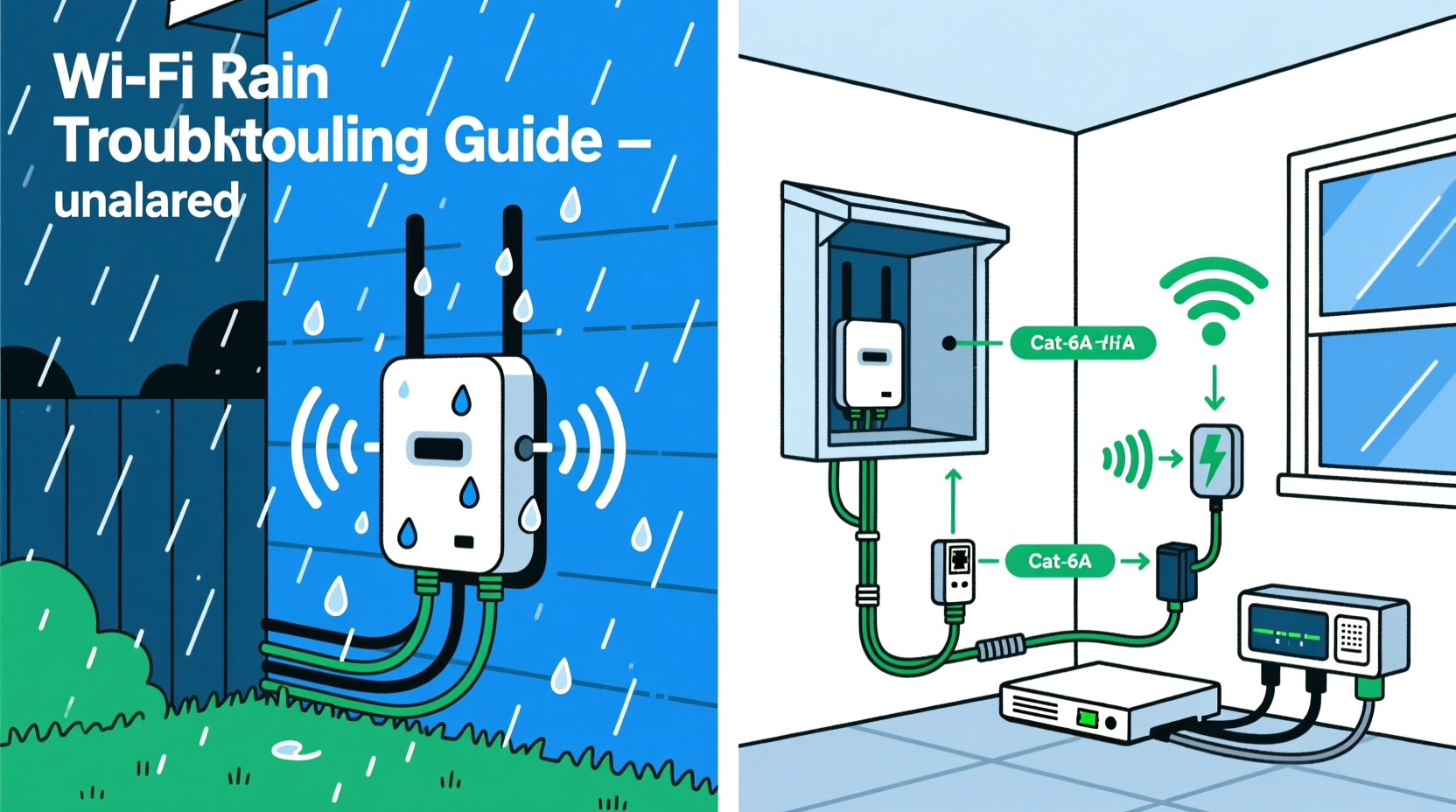
Wi-Fi signals travel wirelessly from your router to your devices using radio frequencies—typically 2.4 GHz or 5 GHz. These signals are strong under normal conditions but can be weakened by physical obstructions, interference, and signal degradation in external network components. When it rains, several indirect factors come into play that compromise connectivity:
- Moisture infiltration into outdoor cables, connectors, or junction boxes.
- Signal attenuation caused by dense rain clouds or heavy foliage saturated with water.
- Electrical interference from lightning-induced power surges or grounding issues.
- Coaxial cable damage where water seeps into compromised shielding, causing signal loss.
- ISP infrastructure problems, such as flooded underground conduits or damaged utility poles.
While indoor Wi-Fi relies on a stable upstream signal from your Internet Service Provider (ISP), any disruption between the ISP’s network and your modem can cause disconnections—even if your router is functioning perfectly.
Common Culprits Behind Rain-Induced Wi-Fi Disruptions
1. Damaged or Aging Coaxial Cables
Many homes still use coaxial cables to connect the external network line to the modem. Over time, these cables degrade. Cracks in the insulation, loose fittings, or corroded connectors allow moisture to enter. Water inside the cable creates \"signal leakage,\" weakening or blocking the data transmission entirely.
2. Poorly Sealed Outdoor Connections
The point where the service line enters your home—often near the roofline or exterior wall—is vulnerable. If this junction isn't properly sealed with weatherproof tape or gel-filled caps, rainwater can infiltrate the connection. Even small amounts of moisture can distort the signal enough to drop your internet.
3. Grounding Issues in Electrical Systems
Lightning and thunderstorms introduce electrical fluctuations. If your home’s grounding system is inadequate, power surges can affect your modem or router, forcing them to reset. Even nearby strikes can induce current in cables, disrupting signal integrity.
4. Wireless Signal Interference from Wet Surfaces
Wet trees, roofs, and walls absorb and reflect Wi-Fi signals. If your router is positioned near an exterior wall or window, the increased density of surrounding materials during rain may reduce indoor coverage, making it seem like the connection has dropped when it's actually just severely degraded.
5. ISP Network Vulnerabilities
In rural or older urban areas, ISPs may rely on aging infrastructure. Underground cables can flood, overhead lines sway in wind, and transformers short-circuit during storms. In these cases, the problem isn't in your home at all—but diagnosing this requires coordination with your provider.
“Water doesn’t block Wi-Fi signals directly, but it amplifies existing weaknesses in cabling and connections. Most rain-related outages stem from preventable hardware issues.” — David Lin, Senior Network Engineer at MetroNet Solutions
Step-by-Step Guide to Diagnose and Fix Rain-Related Wi-Fi Drops
Follow this structured approach to identify and resolve the underlying cause of your rainy-day disconnections.
- Observe the Pattern
Track when the disconnection occurs. Does it happen only during heavy rain? Is there a delay after rainfall begins? Does it coincide with thunder or power flickers? Note these details for troubleshooting. - Check Indoor Equipment First
Ensure your modem and router are powered on and showing proper status lights. A blinking or red light often indicates a signal loss from the ISP side, not a device failure. - Restart Your Modem and Router
Unplug both devices for 60 seconds, then plug the modem back in first. Wait two minutes for it to reacquire signal before powering the router. This resets temporary glitches. - Inspect External Cabling
Safely examine the cable entering your home. Look for cracks, fraying, or loose connectors. Use binoculars if necessary. Never touch cables during active storms. - Test Connectivity During Dry Conditions
After a dry period, run a speed test and compare results to your plan’s advertised speeds. Consistently low speeds may indicate chronic signal leakage. - Contact Your ISP
Report the recurring issue. Request a line test and ask if they’ve detected signal degradation on your node. Many providers offer free technician visits for persistent outages. - Upgrade or Seal Connections
If permitted, apply coaxial sealant tape or install a drip loop to prevent water ingress. For long-term reliability, consider professional rewiring.
Do’s and Don’ts: Managing Wi-Fi in Rainy Conditions
| Do | Don’t |
|---|---|
| Install a surge protector for your modem and router | Use duct tape to “fix” outdoor cable connections |
| Position your router centrally and away from exterior walls | Ignore blinking modem lights during storms |
| Apply waterproof coax sealant on outdoor connectors | Attempt repairs during active rainfall or storms |
| Keep records of outage times and durations | Assume the issue is always on your end |
| Upgrade to fiber-optic internet if available | Delay replacing visibly damaged cables |
Real-World Example: Solving a Rural Home’s Rain Problem
Mark, a remote worker living in northern Vermont, experienced weekly internet outages during spring rains. His video calls would freeze mid-meeting, and his children couldn’t attend online classes. Initially, he blamed his router. He replaced it twice with no improvement.
After logging outage patterns over three weeks, he noticed disconnections occurred only after prolonged rainfall—not during brief showers. He contacted his ISP, who ran a remote line test and found high signal noise on his coaxial line. A technician visit revealed that the cable entering his house had a cracked connector, allowing water to seep in. The installer replaced the connector, added a drip loop, and sealed the entry point with silicone and weatherproof tape.
Since the repair, Mark hasn’t lost internet during rain. His speed tests now show consistent performance year-round. The total cost was covered under the ISP’s maintenance policy, proving that professional diagnosis is often worth the effort.
Preventive Measures for Long-Term Stability
Even if you’ve resolved the immediate issue, taking proactive steps ensures your network remains reliable through future storms.
- Install Surge Protection: Use a high-quality surge protector rated for coaxial and Ethernet lines. Whole-home surge suppressors offer even greater protection.
- Elevate Cable Entry Points: Ensure the service line enters your home above ground level and includes a downward-facing drip loop to divert water.
- Switch to Fiber Optics: Unlike copper-based cables, fiber is immune to electromagnetic interference and water damage. If available in your area, it’s the most rain-resistant option.
- Use Weatherproof Enclosures: For homes with external modems or splitters, install NEMA-rated enclosures to shield equipment from moisture.
- Monitor Signal Levels: Access your modem’s admin page (usually via 192.168.100.1) to check downstream and upstream signal strength. Ideal levels: Downstream between -10 dBmV to +10 dBmV; Upstream below 50 dBmV.
Frequently Asked Questions
Can rain really affect my Wi-Fi?
Yes, though not directly. Rain exposes weaknesses in outdoor wiring, connectors, and grounding systems. Water intrusion into coaxial cables or electrical interference from storms can interrupt the signal path from your ISP to your modem.
Is my router the problem if Wi-Fi drops in the rain?
Unlikely. Routers operate indoors and are rarely affected by weather unless there’s a power surge. More commonly, the issue lies in the incoming signal from your ISP due to damaged cabling or network congestion during storms.
Will switching to Wi-Fi 6 solve rain-related disconnections?
No. Wi-Fi 6 improves indoor speed and device handling but doesn’t protect against signal loss from external infrastructure issues. The root cause must be addressed at the physical connection level.
Conclusion: Take Control of Your Connection
Experiencing Wi-Fi outages every time it rains is frustrating, but it’s usually a solvable engineering issue—not a mysterious act of nature. By inspecting your external connections, understanding your signal health, and working with your ISP, you can build a network that withstands even the wettest seasons. Don’t accept intermittent service as inevitable. Document the problem, take preventive action, and advocate for better infrastructure when needed.




 浙公网安备
33010002000092号
浙公网安备
33010002000092号 浙B2-20120091-4
Comments
No comments yet. Why don't you start the discussion?