
It’s a familiar frustration: you’re working from home, streaming a movie, or on an important video call when suddenly, the skies open up—and so does the gap in your internet connection. Your WiFi drops without warning, leaving you stranded just because it started raining. While it might seem like coincidence at first, there's real science behind this phenomenon. Rain can indeed interfere with wireless signals, especially if your setup relies on outdoor infrastructure. Understanding the causes is the first step toward building a more resilient network that won’t falter when the clouds roll in.
How Weather Affects Wireless Signals
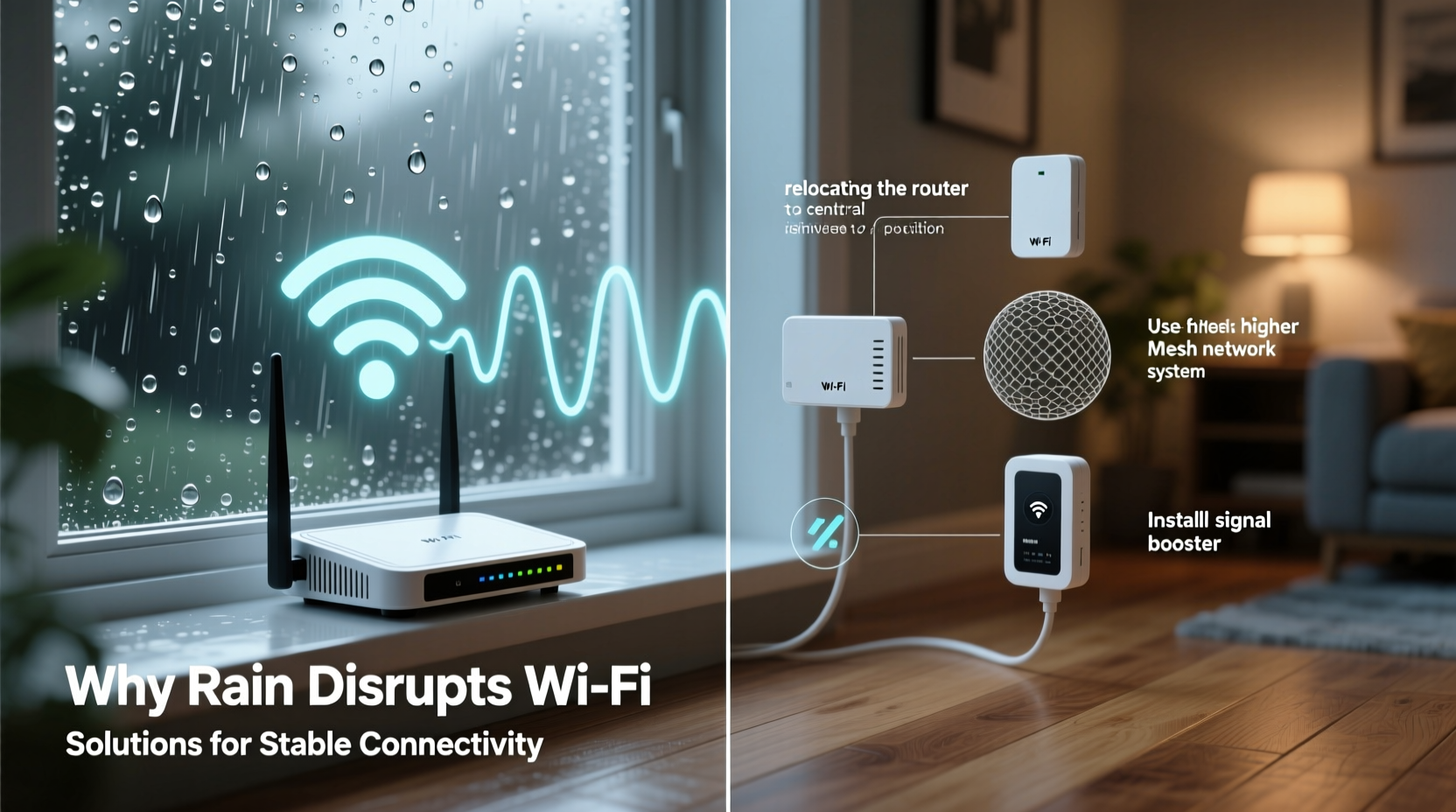
WiFi operates using radio waves, typically in the 2.4 GHz or 5 GHz frequency bands. These signals are designed to travel short distances through air, walls, and other obstacles—but they aren’t immune to environmental conditions. When rain falls, water droplets absorb and scatter radio waves, particularly at higher frequencies. This effect, known as rain fade, becomes more pronounced over longer transmission paths, such as those used in point-to-point wireless internet services (common in rural areas).
Rain doesn’t usually disrupt indoor WiFi routers connected directly to a wired modem. However, many homes—especially in remote or underserved regions—rely on fixed wireless access (FWA) provided by ISPs using rooftop antennas or external receivers. These systems transmit data from a nearby tower to your home via microwave signals. Heavy rainfall can weaken these signals significantly, leading to latency spikes, reduced bandwidth, or complete disconnection.
Additionally, moisture accumulation on outdoor equipment like satellite dishes, antenna housings, or cable connectors can cause signal degradation. Even minor water ingress into poorly sealed coaxial cables can create electrical resistance, weakening the signal before it reaches your router.
Common Causes of Rain-Induced WiFi Disruptions
Not every rain-related outage stems from atmospheric interference alone. Several physical and technical factors compound the problem. Identifying which applies to your situation is key to finding the right fix.
- Rain Fade in Fixed Wireless Connections: As mentioned, microwave links used by WISPs (Wireless Internet Service Providers) suffer signal attenuation during heavy precipitation. The denser the rainfall, the greater the loss—sometimes exceeding 20 dB in extreme downpours.
- Water-Damaged Cables and Connectors: Coaxial cables running from an external antenna to your indoor router are vulnerable. Cracked insulation, corroded F-connectors, or improperly sealed joints allow moisture to seep in, increasing signal loss.
- Loose or Misaligned Antennas: Wind and rain can shift rooftop antennas even slightly. A misalignment of just a few degrees can drastically reduce signal strength, especially for high-gain directional units.
- Poor Grounding or Electrical Surges: Lightning storms often accompany rain. Power surges can damage modems, routers, or network interface cards—even without a direct strike. Poor grounding increases this risk.
- Satellite Internet Vulnerability: Services like Starlink or traditional satellite providers are highly susceptible to rain fade due to the long path signals must travel through the atmosphere.
“Rain fade isn’t just theoretical—it’s a well-documented challenge in telecommunications engineering. Signal reliability drops measurably above 10 GHz during precipitation events.” — Dr. Alan Reyes, RF Network Engineer
Step-by-Step Guide to Stabilize Your WiFi During Rain
If your connection routinely fails when it rains, follow this systematic approach to diagnose and resolve the issue.
- Confirm Your Internet Type: Check whether you're on cable, DSL, fiber, fixed wireless, or satellite. Only wireless and satellite connections are significantly affected by rain. Call your ISP or review your service agreement if unsure.
- Inspect Outdoor Equipment: Safely examine any external antennas, dishes, or cabling. Look for cracked enclosures, frayed wires, or greenish corrosion on metal connectors. Replace damaged parts immediately.
- Check Cable Integrity: Ensure coaxial cables are securely fastened and use weatherproof tape or silicone sealant around connector joints. Consider upgrading to quad-shield RG6 cables for better moisture resistance.
- Verify Antenna Alignment: For directional antennas, ensure they remain pointed precisely at the transmission tower. Use a smartphone app with signal strength metering (like NetSpot or WiFiman) to fine-tune positioning.
- Install Surge Protection: Use Ethernet surge protectors between your modem and wall outlet. Also, plug all networking gear into a quality UPS (uninterruptible power supply) with surge suppression.
- Upgrade to Fiber or Wired Alternatives (if available): Fiber-optic lines are completely immune to electromagnetic interference and weather effects. Explore switching providers if fiber becomes accessible in your area.
- Optimize Indoor Network Performance: Even if the incoming signal weakens, maximizing internal efficiency helps maintain usability. Place your router centrally, minimize obstructions, and consider mesh networking for larger homes.
Tips to Prevent Future Rain-Related Outages
Prevention beats repair every time. Implement these proactive measures to harden your network against seasonal weather patterns.
- Use drip loops in outdoor cabling—form a U-shaped loop below each connection point so water runs off instead of following the wire inside.
- Schedule annual maintenance checks for rooftop equipment, ideally before storm season begins.
- Monitor signal strength logs via your router’s admin panel or ISP portal. Sudden drops may indicate developing hardware issues.
- Keep spare coaxial connectors and compression tools on hand for quick field repairs.
Do’s and Don’ts of Weatherproofing Your Home Network
| Do | Don’t |
|---|---|
| Use UV-resistant conduit for exposed cables | Leave connectors exposed to direct rain |
| Apply dielectric grease to metal connections | Overtighten F-connectors, which can strip threads |
| Ground antenna masts properly to avoid static buildup | Ignore firmware updates for routers and modems |
| Test failover options like mobile hotspot backups | Assume “waterproof” labels mean permanent protection—inspect regularly |
Mini Case Study: Solving Rural Connectivity in the Pacific Northwest
In late 2023, a family living in the forested hills near Bellingham, Washington, experienced daily internet outages every time it rained—a frequent occurrence given the region’s climate. They relied on a fixed wireless provider using a rooftop Yagi antenna mounted on their garage. After months of frustration, they contacted a local telecom technician for an assessment.
The inspection revealed several issues: the coaxial cable lacked a drip loop, allowing water to track into the house; the F-connector was corroded; and the antenna had shifted about 15 degrees due to wind vibration. Additionally, no surge protector was installed.
The technician repositioned the antenna using a signal meter, replaced the connector with a waterproof version, added a drip loop and self-amalgamating tape, and installed a grounded surge suppressor. The family also upgraded to a dual-band router to better manage indoor traffic when bandwidth dipped slightly during storms.
Result: Over the next six months, including one of the wettest springs on record, they reported only two brief interruptions—both correlated with regional tower maintenance, not weather. Their average uptime improved from 78% to over 98%.
Checklist: Weatherproof Your WiFi Connection
Use this checklist to audit and improve your network resilience:
- ☐ Identify whether your internet type is vulnerable to rain (wireless/satellite)
- ☐ Inspect all outdoor cables and connectors for damage or wear
- ☐ Confirm proper drip loop installation on external lines
- ☐ Seal entry points with silicone or rubber grommets
- ☐ Apply dielectric grease to metallic connections
- ☐ Realign outdoor antennas using signal strength tools
- ☐ Install Ethernet and power surge protectors
- ☐ Upgrade cabling to RG6 quad-shield or equivalent
- ☐ Test backup connectivity (mobile hotspot, LTE router)
- ☐ Schedule biannual equipment inspections
Frequently Asked Questions
Can rain really block WiFi signals?
Yes, especially for outdoor wireless and satellite connections. Water absorbs microwave frequencies, reducing signal strength. Indoor WiFi from a standard router is rarely affected unless the incoming internet feed is disrupted.
Why does my Starlink stop working when it rains?
Starlink uses Ka/Ku-band satellites orbiting far above Earth. Raindrops absorb and scatter these high-frequency signals over the long atmospheric path, causing temporary outages known as \"rain fade.\" Snow accumulation on the dish surface can also interfere.
Is there a way to get stable internet in rainy areas?
Fiber-optic connections are ideal—they’re unaffected by weather. Where unavailable, choose fixed wireless providers with lower-frequency bands (under 6 GHz), which resist rain fade better than higher ones. Proper installation and maintenance are equally critical.
Conclusion: Build a Resilient Network That Endures the Storm
Your internet shouldn’t vanish every time the sky darkens. While rain-induced disconnections are common in certain setups, they’re not inevitable. With a clear understanding of how moisture impacts wireless transmission and a commitment to proactive maintenance, you can dramatically improve stability. Whether you’re troubleshooting a flickering rural connection or optimizing a suburban smart home, attention to detail makes all the difference.
Start today by inspecting your equipment, sealing vulnerabilities, and preparing a backup plan. Technology should empower you—not leave you disconnected when you need it most. Take control of your network’s reliability and enjoy seamless connectivity, rain or shine.




 浙公网安备
33010002000092号
浙公网安备
33010002000092号 浙B2-20120091-4
Comments
No comments yet. Why don't you start the discussion?