
It’s a common frustration: just as you’re about to finish an important video call or stream your favorite show, the rain starts—and your Wi-Fi drops. You’re not imagining things. Weather, particularly rainfall, can indeed interfere with wireless connectivity, especially if your network setup relies on outdoor components or long-range signals. While indoor Wi-Fi networks are generally resilient, external factors like moisture, signal absorption, and electrical interference become more pronounced during storms. Understanding the technical causes behind rain-induced disconnections is the first step toward building a more reliable, weather-resistant network.
How Rain Affects Wireless Signal Transmission
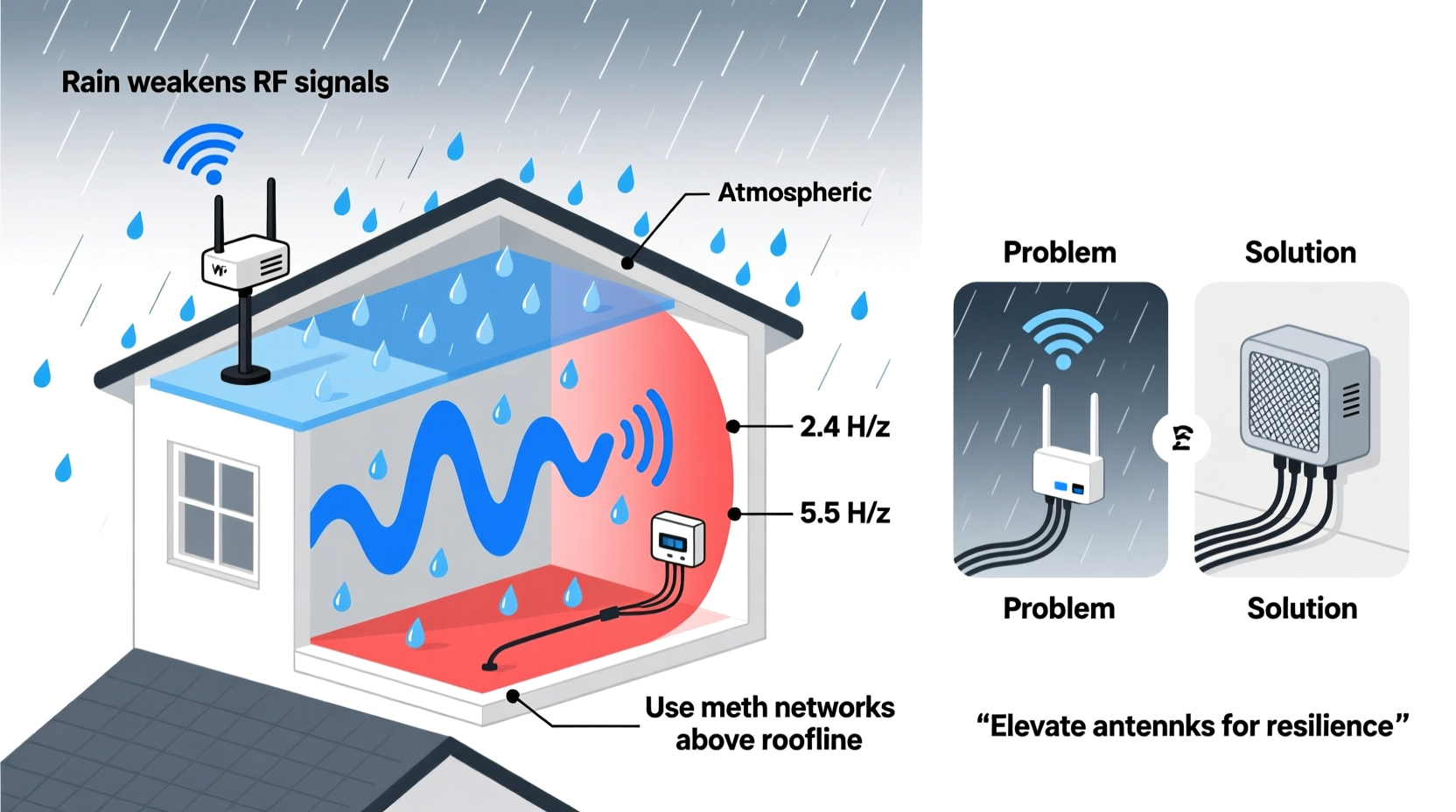
Wi-Fi operates using radio frequency (RF) waves, typically in the 2.4 GHz and 5 GHz bands. These frequencies are susceptible to environmental interference, and rain introduces several physical challenges to signal propagation. The primary issue lies in **signal attenuation**—the weakening of a signal as it travels through a medium. Water droplets in the air absorb and scatter RF energy, especially at higher frequencies.
The effect is more noticeable in longer-distance wireless links, such as those used in point-to-point connections between buildings, rural broadband setups, or mesh networks with outdoor nodes. In these cases, even moderate rainfall can reduce signal strength by 3–10 dB, enough to push a marginal connection below usable thresholds. This phenomenon is known in telecommunications as rain fade.
Additionally, water accumulation on antennas or cables can create impedance mismatches or partial short circuits, further degrading performance. Even indoor routers may suffer indirectly if their upstream internet source (such as a fixed wireless ISP or satellite link) experiences rain-related outages.
Common Technical Causes of Rain-Related Wi-Fi Disruptions
Not all rain-related disconnections stem from atmospheric interference. Often, the root cause lies in hardware vulnerability or poor installation practices. Below are the most frequent technical culprits:
1. Moisture Ingress in Outdoor Equipment
Many homes use outdoor access points, directional antennas, or cable runs that connect internal routers to external infrastructure. If connectors aren’t properly sealed, rainwater can seep into coaxial cables or Ethernet enclosures. This leads to signal loss, corrosion over time, or complete circuit failure.
2. Damaged or Unshielded Cabling
Older or low-quality cables without proper UV and moisture protection degrade faster when exposed to wet conditions. Water inside a coaxial line increases dielectric loss and can cause intermittent connectivity. Similarly, unshielded Ethernet cables running outdoors are vulnerable to both water damage and electromagnetic interference from lightning-induced surges.
3. Power Surges and Electrical Grounding Issues
Thunderstorms bring rapid changes in atmospheric electrical charge, increasing the risk of power fluctuations—even without direct lightning strikes. Poorly grounded equipment or lack of surge protectors can result in router resets, modem failures, or permanent hardware damage.
4. Interference from Nearby Electronics
Rain often coincides with people staying indoors and using more appliances—fans, heaters, humidifiers—that emit electromagnetic noise. Some devices, especially older models, can interfere with 2.4 GHz Wi-Fi bands, compounding connectivity issues during storms.
5. Satellite or Fixed Wireless ISP Outages
If your internet service relies on satellite or wireless ISPs (WISPs), rain fade affects the uplink/downlink signals between your dish/antenna and the provider’s tower. This isn't a flaw in your home network but a limitation of the delivery method itself.
“Rain fade is a well-documented challenge in microwave communications. Even a light drizzle can attenuate high-frequency signals significantly, especially above 10 GHz.” — Dr. Alan Reyes, RF Systems Engineer, IEEE Member
Solutions to Prevent Rain-Induced Wi-Fi Disconnections
While you can’t control the weather, you can take meaningful steps to minimize its impact on your network. The goal is to eliminate weak points and enhance signal resilience.
Inspect and Seal Outdoor Connections
Any outdoor cabling or antenna should be protected with waterproofing techniques. Use self-amalgamating tape (a rubber-based tape that bonds to itself) around coaxial connectors, followed by a layer of electrical tape or heat-shrink tubing for added durability. Avoid standard tape alone—it dries out and fails under prolonged exposure.
Upgrade to Weatherproof Enclosures
Outdoor access points or network junctions should be housed in IP65-rated enclosures that resist dust and water jets. Ensure all cable entries use gland seals to prevent moisture ingress.
Install Surge Protection
Protect both power and data lines. Use UL-listed surge protectors for your router and modem. For outdoor installations, install gas discharge tube (GDT)-based surge suppressors on coaxial and Ethernet lines before they enter the building.
Switch to Lower Frequency Bands During Storms
While 5 GHz offers faster speeds, it's more prone to rain attenuation than 2.4 GHz. If possible, configure devices to prefer the lower band during poor weather. Alternatively, enable band steering cautiously so critical devices stay connected even at reduced throughput.
Optimize Router Placement Indoors
Keep your router away from windows, exterior walls, and metal objects that can reflect or block signals already weakened by atmospheric conditions. Central placement improves redundancy and reduces reliance on edge signals affected by external moisture.
Step-by-Step Guide to Hardening Your Network Against Rain
Follow this actionable timeline to audit and improve your network’s resistance to weather-related disruptions:
- Week 1: Audit Your Setup
Identify all outdoor components—antennas, cables, junction boxes, and grounding points. Note any visible wear, frayed wires, or unsealed connections. - Week 2: Waterproof Exposed Connectors
Use self-amalgamating tape and protective boots on all coaxial and Ethernet joints. Replace corroded connectors immediately. - Week 3: Install Surge Protectors
Add surge suppression on power inputs and data lines. Verify that your main electrical panel has proper grounding. - Week 4: Test and Monitor
Simulate load during light rain. Use tools like ping tests or network monitoring apps to log packet loss and latency spikes. Adjust placement or bands accordingly. - Ongoing: Seasonal Maintenance
Re-inspect seals twice a year—before rainy and storm seasons. Clean antenna surfaces gently with a microfiber cloth to remove grime buildup.
Do’s and Don’ts: Managing Wi-Fi in Wet Conditions
| Do | Don’t |
|---|---|
| Use self-amalgamating tape on outdoor RF connectors | Use duct tape or electrical tape alone for waterproofing |
| Ground all outdoor metallic structures and equipment | Ignore grounding requirements for aesthetic reasons |
| Switch to 2.4 GHz during heavy precipitation | Assume 5 GHz will always perform better regardless of weather |
| Invest in IP-rated enclosures for outdoor gear | Leave networking equipment exposed to direct rain |
| Monitor signal strength via router admin dashboard | Wait for total outage before troubleshooting |
Real-World Example: Rural Home Internet Stability
Consider the case of a homeowner in coastal Oregon who relied on a fixed wireless internet service for remote work. Every autumn, consistent rainfall caused daily disconnections lasting 10–30 minutes. Initial assumptions pointed to ISP issues, but diagnostics revealed a different story.
A site inspection found that the outdoor antenna’s coaxial connector was only taped with vinyl insulation, allowing moisture to creep in during sustained drizzle. The water created a partial short, disrupting signal continuity. After re-terminating the cable and sealing it with self-amalgamating tape and a protective boot, outages dropped from weekly to zero over the next rainy season. The fix cost less than $20 and took under an hour.
This example underscores how small vulnerabilities can have outsized impacts—especially in regions with frequent precipitation.
Frequently Asked Questions
Can rain damage my indoor Wi-Fi router?
Direct damage is unlikely unless there’s a power surge or flooding. However, indirect effects—like upstream signal loss from a rain-affected ISP or increased interference from household electronics—can disrupt service. Using a surge protector and maintaining clean power helps mitigate risks.
Is fiber optic internet immune to rain-related outages?
Fiber connections are highly resistant to weather interference because they transmit data using light, not radio waves. However, the last-mile equipment (such as optical network terminals) still requires power. Outages during storms are usually due to power failures, not signal degradation from rain.
Why does my Wi-Fi drop only during thunderstorms, not light rain?
Thunderstorms combine multiple stressors: heavy rain (causing signal attenuation), electrical surges (triggering reboots), and strong winds (shifting antennas). Light rain may not produce enough cumulative effect to break a stable link, but storm conditions amplify every weakness in the system.
Conclusion: Build a Resilient Network Year-Round
Rain-induced Wi-Fi disconnections are not random inconveniences—they’re symptoms of underlying vulnerabilities in your network’s design or maintenance. Whether you're dealing with moisture-laden cables, unshielded electronics, or reliance on weather-sensitive internet services, each issue can be diagnosed and resolved with practical upgrades and preventive care.
By sealing connections, installing proper surge protection, optimizing frequency usage, and understanding your ISP’s technology limitations, you can maintain reliable connectivity regardless of the forecast. Don’t wait for the next downpour to expose weaknesses. Take action now to future-proof your home network and ensure uninterrupted access when you need it most.




 浙公网安备
33010002000092号
浙公网安备
33010002000092号 浙B2-20120091-4
Comments
No comments yet. Why don't you start the discussion?