
Many homeowners experience frustrating Wi-Fi dead zones in their basements—slow speeds, intermittent disconnections, or no signal at all. This is a common issue rooted in both architectural design and wireless technology limitations. The good news? Modern mesh networking systems offer effective, scalable solutions. Understanding why signals weaken downstairs and how to combat it can transform your connectivity experience.
The Science Behind Basement Wi-Fi Signal Loss
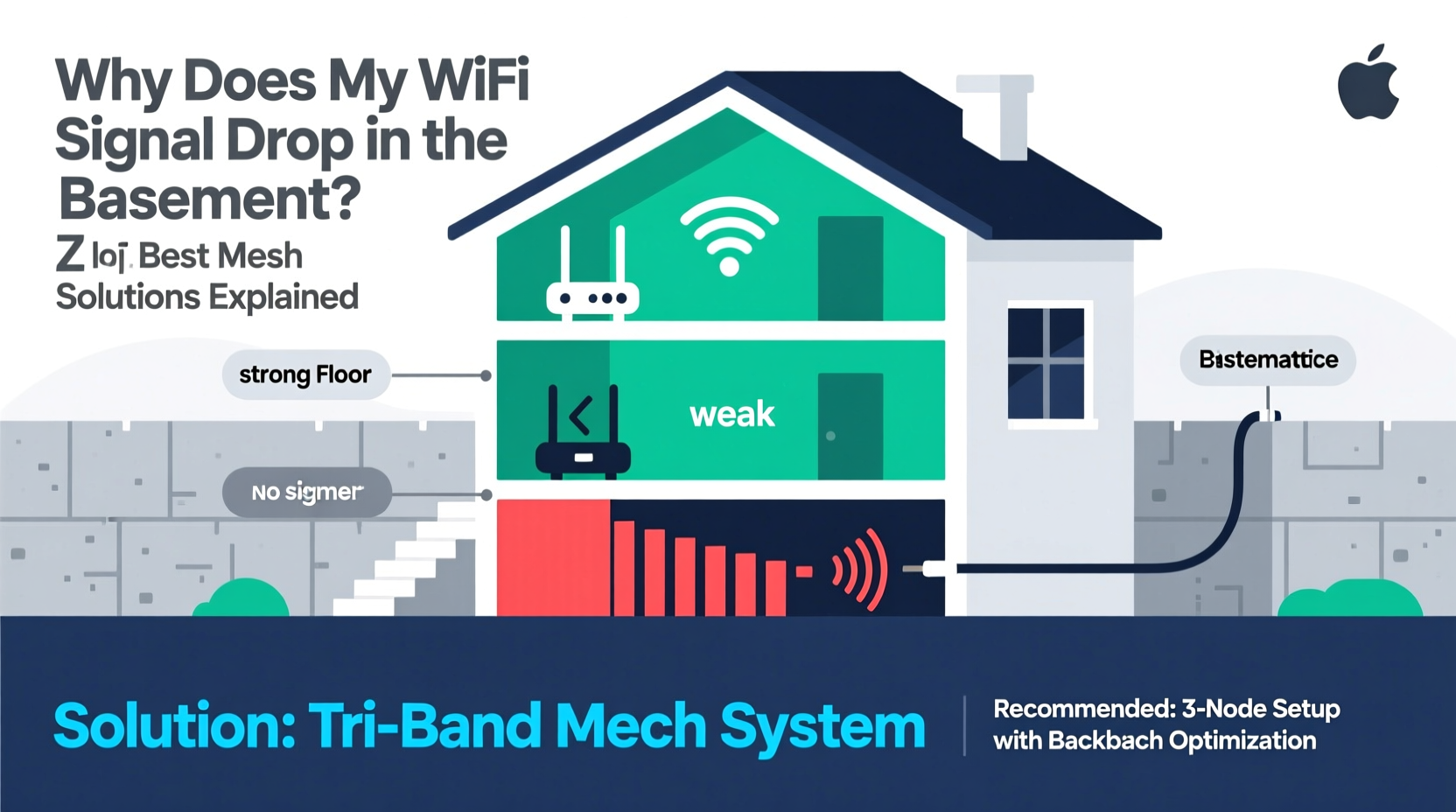
Wi-Fi signals operate on radio frequencies, typically 2.4 GHz and 5 GHz. While these waves travel well through open air, they struggle with physical obstructions. Basements are particularly problematic due to their location and construction materials.
Concrete walls, cinder blocks, metal support beams, and underground positioning absorb or reflect radio waves. Even wooden floors and HVAC ducts contribute to signal degradation. Additionally, most routers are placed on upper levels for general convenience, increasing distance and interference between the router and basement devices.
The 5 GHz band, while faster, has shorter range and poorer wall penetration than 2.4 GHz. If your devices switch to 5 GHz near the router but lose connection in the basement, this explains part of the drop. Conversely, the 2.4 GHz band may reach further but suffers more from congestion due to its widespread use by appliances like microwaves and cordless phones.
Why Mesh Networks Are Ideal for Basement Coverage
Traditional range extenders often worsen performance by halving bandwidth and creating separate network names (SSIDs). Mesh Wi-Fi systems solve this by using multiple nodes that communicate seamlessly, forming one unified network with intelligent routing.
Mesh networks dynamically choose the best path for data, supporting features like band steering (automatically moving devices to optimal frequencies) and seamless roaming (switching nodes without dropping connections). For homes with basements, strategically placing a satellite node on the ground floor or within the basement itself bridges the connectivity gap effectively.
Unlike older repeaters, mesh nodes backhaul data efficiently—either wirelessly or via Ethernet—preserving speed and stability. High-end models even use a dedicated third radio for backhaul, ensuring client devices don’t compete for bandwidth.
“Mesh networks have redefined whole-home coverage. In multi-level homes, especially those with finished basements, a well-placed node can eliminate dead zones without compromising performance.” — David Lin, Senior Network Engineer at HomeTech Labs
Top Mesh Solutions for Reliable Basement Connectivity
Not all mesh systems perform equally in challenging environments. When selecting a system for basement coverage, consider range, backhaul capability, ease of setup, and support for modern standards like Wi-Fi 6 (802.11ax).
| System | Best For | Backhaul Type | Basement Suitability | Key Feature |
|---|---|---|---|---|
| Google Nest Wifi | Easy setup, smart home integration | Wireless (dual-band) | Good (with node on mid-level) | Built-in speaker in router option |
| Netgear Orbi RBK752 (Wi-Fi 6) | Large homes, high-speed needs | Dedicated tri-band wireless | Excellent | Private 4x4 backhaul channel |
| TP-Link Deco XE75 (Wi-Fi 6E) | Futuristic homes with minimal interference | Tri-band (including 6 GHz) | Outstanding (if basement supports 6 GHz) | Access to uncrowded 6 GHz band |
| Eero Pro 6E | Amazon ecosystem users | Dedicated 6 GHz backhaul | Excellent | Zigbee hub built-in |
| ASUS ZenWiFi XD6 | Security-focused households | Tri-band wireless | Very Good | Lifetime free AiProtection security suite |
For maximum reliability, opt for systems that support Ethernet backhaul. Running a single cable from your main router to a basement node eliminates wireless interference entirely and ensures full-speed throughput. Many mesh units include LAN ports specifically for this purpose.
Mini Case Study: Restoring Connectivity in a Finished Basement
The Thompson family converted their basement into a media room and home office. Their ISP-provided gateway was located upstairs, resulting in frequent buffering during movie nights and dropped Zoom calls. Initial attempts with a Wi-Fi extender failed—the extended network had poor latency and required manual switching.
They installed a Netgear Orbi RBK752 system. The primary unit replaced their old router upstairs. A second satellite was placed halfway down the stairs, connected via Ethernet to a jack run from the basement. Within minutes, the entire house showed full bars. Streaming, gaming, and video conferencing became seamless—even in the far corners of the basement.
Throughput tests revealed download speeds over 300 Mbps in the basement, compared to under 20 Mbps before. The key was combining powerful hardware with wired backhaul and strategic placement.
Step-by-Step Guide to Optimizing Basement Wi-Fi
Improving basement connectivity isn’t just about buying new gear—it’s about deploying it wisely. Follow this sequence for best results:
- Assess Your Current Setup: Walk through your basement with a Wi-Fi analyzer app (like Wi-Fi Analyzer for Android or AirPort Utility for iOS). Note signal strength (RSSI), channel congestion, and which band you’re connected to.
- Relocate Your Main Router (If Possible): Move it closer to the center of your home or at least one level above the basement. Avoid attics or distant rooms.
- Choose a Mesh System with Strong Backhaul: Prioritize tri-band or Wi-Fi 6/6E models with dedicated backhaul channels. Check manufacturer specs for basement-tested performance.
- Install the First Node Strategically: Place the secondary node where the signal from the main router is still strong—typically halfway between the router and the basement. Never place it where the signal is already weak.
- Use Ethernet Whenever Possible: Run a Cat6 cable from your main router to a basement node. This turns the node into a hardwired access point, delivering full-speed, low-latency connectivity.
- Optimize Settings: Enable band steering, update firmware, and assign static IP addresses to critical devices if needed. Disable legacy modes (like 802.11b) to reduce noise.
- Test and Adjust: Use speed test tools (e.g., Speedtest.net) in multiple basement locations. If performance lags, reposition the node slightly or add a third unit for larger spaces.
Common Mistakes That Worsen Basement Signal Issues
- Placing the Extender Too Far: If the first satellite receives a weak signal, it can’t rebroadcast a strong one. Always place nodes within strong signal range of each other.
- Ignoring Wired Options: Assuming everything must be wireless limits performance. Ethernet backhaul is superior in dense or large homes.
- Using Outdated Equipment: Routers more than three years old likely lack beamforming, MU-MIMO, or DFS support—all crucial for penetrating obstacles.
- Overlooking Interference Sources: Refrigerators, washing machines, and fluorescent lights emit electromagnetic noise that disrupts 2.4 GHz signals.
- Running Multiple Overlapping Networks: Neighboring Wi-Fi networks on the same channel cause co-channel interference. Use your mesh app to select the clearest channels.
Checklist: Setting Up a Basement-Ready Mesh Network
- ☐ Conduct a site survey using a Wi-Fi scanning tool
- ☐ Select a mesh system with tri-band or Wi-Fi 6/6E support
- ☐ Plan node placement: one per floor, ideally staggered vertically
- ☐ Run Ethernet cables if feasible (especially to basement node)
- ☐ Update all firmware before final configuration
- ☐ Name your network and password consistently across bands
- ☐ Test speeds in multiple basement locations after installation
- ☐ Schedule regular firmware updates and network health checks
Frequently Asked Questions
Can I put a mesh node directly in the basement?
Yes, but only if it maintains a strong wireless or wired connection to the main router. If placed where the signal is already poor, performance will suffer. For best results, connect it via Ethernet or position it one floor above the basement initially.
Do I need Wi-Fi 6 for basement coverage?
Wi-Fi 6 improves efficiency, capacity, and battery life, but isn’t strictly necessary. However, its better handling of interference and improved range make it highly beneficial in challenging areas like basements. If you're investing long-term, Wi-Fi 6 or 6E is recommended.
Will powerline adapters work instead of mesh?
Powerline adapters can extend network access using electrical wiring, but their performance varies widely based on circuit quality and age of wiring. They often underperform compared to mesh systems, especially in homes with shared circuits or surge protectors. Mesh Wi-Fi is generally more reliable and easier to manage.
Final Recommendations and Next Steps
Basement Wi-Fi issues stem from physics as much as technology. But with today’s advanced mesh networks, there’s no reason to accept spotty connectivity. The right combination of equipment, placement, and—if possible—wired infrastructure can deliver seamless coverage from attic to foundation.
Start by evaluating your current signal strength and identifying bottlenecks. Then invest in a reputable mesh system tailored to multi-floor homes. Prioritize models with strong backhaul capabilities and user-friendly management apps. And whenever feasible, integrate Ethernet to unlock full potential.




 浙公网安备
33010002000092号
浙公网安备
33010002000092号 浙B2-20120091-4
Comments
No comments yet. Why don't you start the discussion?