
Every holiday season, millions of homes light up with festive displays powered by strings of Christmas lights. While these decorations bring joy and warmth, they also come with quirks—like suddenly changing patterns when unplugged and replugged. If you’ve ever turned off your lights only to find them blinking in a completely different sequence upon restarting, you’re not imagining things. This behavior isn’t random; it’s rooted in the electronics behind modern light strings. Understanding why unplugging resets the pattern reveals fascinating insights into how smart LEDs and microcontrollers function—and how we interact with them unknowingly.
How Modern Christmas Lights Work
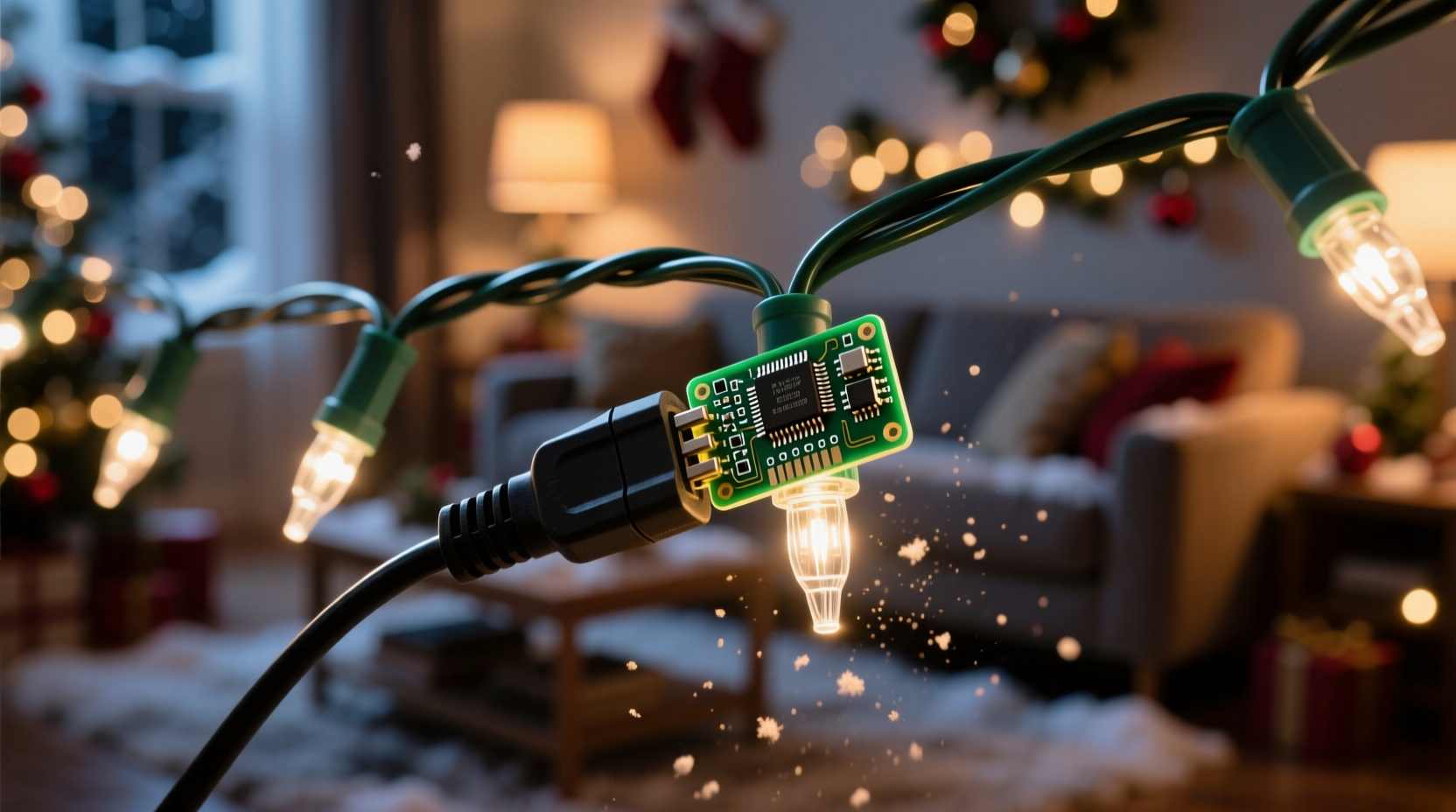
Unlike traditional incandescent bulbs that simply glow when electricity flows, most contemporary Christmas lights—especially those marketed as “multi-mode” or “programmable”—are built around LED technology integrated with small electronic circuits. These circuits often include a tiny microcontroller, which acts like a miniature computer embedded directly into the light strand.
This microcontroller manages everything from brightness levels to sequencing effects such as fading, chasing, twinkling, or wave patterns. Instead of relying on mechanical timers or external switches, the logic for each effect is coded into firmware stored on the chip. When power is applied, the controller reads its programmed instructions and begins cycling through the selected light pattern.
The key point is: **these lights don’t just turn on—they boot up**, much like a smartphone or laptop. And just as rebooting a device can clear temporary settings or glitches, cutting power to a smart light string forces it to restart its internal program from the beginning.
Why Power Cycles Reset the Pattern
When power is interrupted—even briefly—the microcontroller loses all active memory. Most low-cost controllers used in consumer-grade light strings rely on volatile memory, meaning data disappears when electricity stops flowing. The programmed modes remain intact (stored in non-volatile memory), but the current state—such as which mode is active or where the sequence left off—is wiped clean.
Upon reconnection, the system defaults to a predefined starting condition. For many manufacturers, this means launching into the first animation mode in the sequence, typically a slow fade or steady glow. Even if you had manually cycled to a flashy strobe effect before turning them off, the reset erases that selection.
This behavior mimics what happens during a hard reset on other digital devices. Think of it like unplugging your Wi-Fi router: services go down, configurations reload, and connectivity resumes from scratch. In the case of Christmas lights, the \"service\" is the visual display, and the \"configuration\" is the chosen lighting effect.
“Microcontrollers in decorative lighting are designed for simplicity and cost-efficiency, not persistent memory retention. A full reset on power loss is both expected and intentional.” — Dr. Alan Reyes, Embedded Systems Engineer at HolidayTech Labs
Technical Differences Between Light Types
Not all Christmas lights behave the same way when unplugged. The response depends largely on the type of bulb, circuitry, and whether the string includes user controls. Below is a comparison of common types and how they react to power interruptions.
| Type of Lights | Includes Microcontroller? | Memory Retention? | Pattern After Replug | Notes |
|---|---|---|---|---|
| Basic Incandescent Strings | No | N/A | Same (steady on) | No patterns; just constant illumination. |
| Fixed-Effect LED Strings | Sometimes | No | Always same effect | One preset animation, no user control. |
| Multi-Mode LED with Button | Yes | No | Resets to Mode 1 | Most common cause of perceived \"reset.\" |
| Smart Wi-Fi/App-Controlled Lights | Yes | Yes (cloud/local) | Persists previous setting | Can remember preferences across outages. |
| Timer-Equipped Light Strands | Limited | Partial | Depends on timer logic | May resume last state if battery-backed. |
As shown, only higher-end smart systems retain settings after being unplugged. Most budget-friendly multi-mode strings lack the necessary components—like backup batteries or persistent memory chips—to preserve user choices. Therefore, every power interruption results in a return to factory default behavior.
Mini Case Study: The Living Room Display Dilemma
Consider Sarah, who decorates her living room fireplace mantle each December with two sets of LED icicle lights. Both strands offer eight different modes, controlled via a small button on the plug. She prefers the \"twinkle snowfall\" effect and carefully selects it each year.
Last winter, she noticed that after a neighborhood power outage, both strands defaulted to a pulsing rainbow cycle—the first mode in the sequence. Frustrated, she assumed the lights were malfunctioning. But after testing them herself, she realized that any time she unplugged them—even for a few seconds—the same reset occurred.
Once she understood the mechanism, Sarah adjusted her routine. Instead of using the wall switch to cut power, she now leaves the outlet energized and uses a smart plug to schedule on/off times. Because the lights never fully lose power, the microcontroller maintains continuity, and her preferred mode persists day after day.
Step-by-Step Guide to Managing Light Patterns
If you want consistent performance from your programmable Christmas lights without unexpected resets, follow this practical sequence:
- Identify your light type: Check the packaging or label to see if your lights have multiple modes and a manual selector button.
- Test the reset behavior: Plug in the lights, select a non-default mode (e.g., chase or strobe), unplug for 10 seconds, then plug back in. Observe whether it returns to Mode 1.
- Avoid direct switching: Do not use a wall switch or basic power strip to turn off lights if you want to preserve the current mode.
- Use a smart plug: Connect your lights to a Wi-Fi-enabled smart plug. This allows remote on/off control while keeping the physical connection live, preventing full power loss.
- Label your favorites: Count how many button presses it takes to reach your preferred mode so you can quickly restore it after unavoidable resets.
- Group compatible strands: Use only lights from the same brand/model together so they reset uniformly and maintain visual harmony.
Common Misconceptions About Light Resets
Several myths circulate about why Christmas lights change patterns when unplugged. Let’s clarify the facts:
- Myth: The lights are broken or defective.
Reality: Full reset on power loss is standard design for most entry-level LED strings. - Myth: Leaving them plugged in will wear them out faster.
Reality: LEDs consume very little energy and generate minimal heat. Being constantly powered does not significantly reduce lifespan. - Myth: All LED lights behave this way.
Reality: Only programmable, multi-mode versions with microcontrollers exhibit this behavior. Basic steady-on LEDs do not. - Myth: Surge protectors cause the reset.
Reality: Surge protectors interrupt power like any switch. The reset occurs due to power loss, not the device type.
FAQ
Do all Christmas lights reset when unplugged?
No. Only programmable LED strings with multiple effects and internal controllers typically reset. Simple incandescent or single-mode LED strands stay consistent because they lack dynamic programming.
Is there a way to make my lights remember their pattern?
Yes. Use a smart plug to control on/off timing without cutting physical power. Alternatively, look for premium brands advertising “memory function” or “state retention.” These use small capacitors or battery backups to preserve settings during short outages.
Why don’t manufacturers build in memory for all lights?
Cost is the primary factor. Adding non-volatile memory or backup power increases component expenses. Since most consumers prioritize affordability over persistence, manufacturers opt for simpler, reset-on-boot designs.
Checklist: Prevent Unwanted Christmas Light Resets
- ☑ Determine if your lights are multi-mode with a mode button
- ☑ Test whether unplugging causes a return to Mode 1
- ☑ Avoid using wall switches or manual power strips for daily shutoff
- ☑ Invest in smart plugs for scheduled operation without resets
- ☑ Choose lights labeled “last-setting recall” for future purchases
- ☑ Group similar models together to minimize visual mismatch after resets
- ☑ Keep instruction manuals to reference mode sequences and features
Conclusion: Embrace the Reset—or Work Around It
The reason unplugging Christmas lights sometimes resets their pattern lies in the delicate balance between affordability and functionality. Manufacturers equip modern LED strands with intelligent controllers to deliver dazzling effects, but omit costly memory-preserving components to keep prices accessible. As a result, every power cycle becomes a fresh start—an unintended quirk that affects countless holiday displays each year.
Understanding this phenomenon empowers you to work with the technology, not against it. Whether you accept the reset as part of the seasonal rhythm or upgrade to smarter, memory-equipped systems, knowledge gives you control. With simple tools like smart plugs and informed purchasing decisions, you can ensure your holiday ambiance remains exactly as intended—bright, beautiful, and beautifully consistent.




 浙公网安备
33010002000092号
浙公网安备
33010002000092号 浙B2-20120091-4
Comments
No comments yet. Why don't you start the discussion?