
For years, membrane keyboards dominated offices and homes. But a quiet revolution has taken place under fingertips everywhere. Mechanical keyboards, once considered niche tools for typists and gamers, are now embraced by writers, coders, designers, and remote workers alike. The shift isn’t just about aesthetics or nostalgia—it’s rooted in tangible improvements to comfort, performance, and long-term value. Understanding why so many people make the switch requires looking beyond surface-level appeal and into how mechanical switches fundamentally change the way we interact with our devices.
Superior Typing Experience and Tactile Feedback
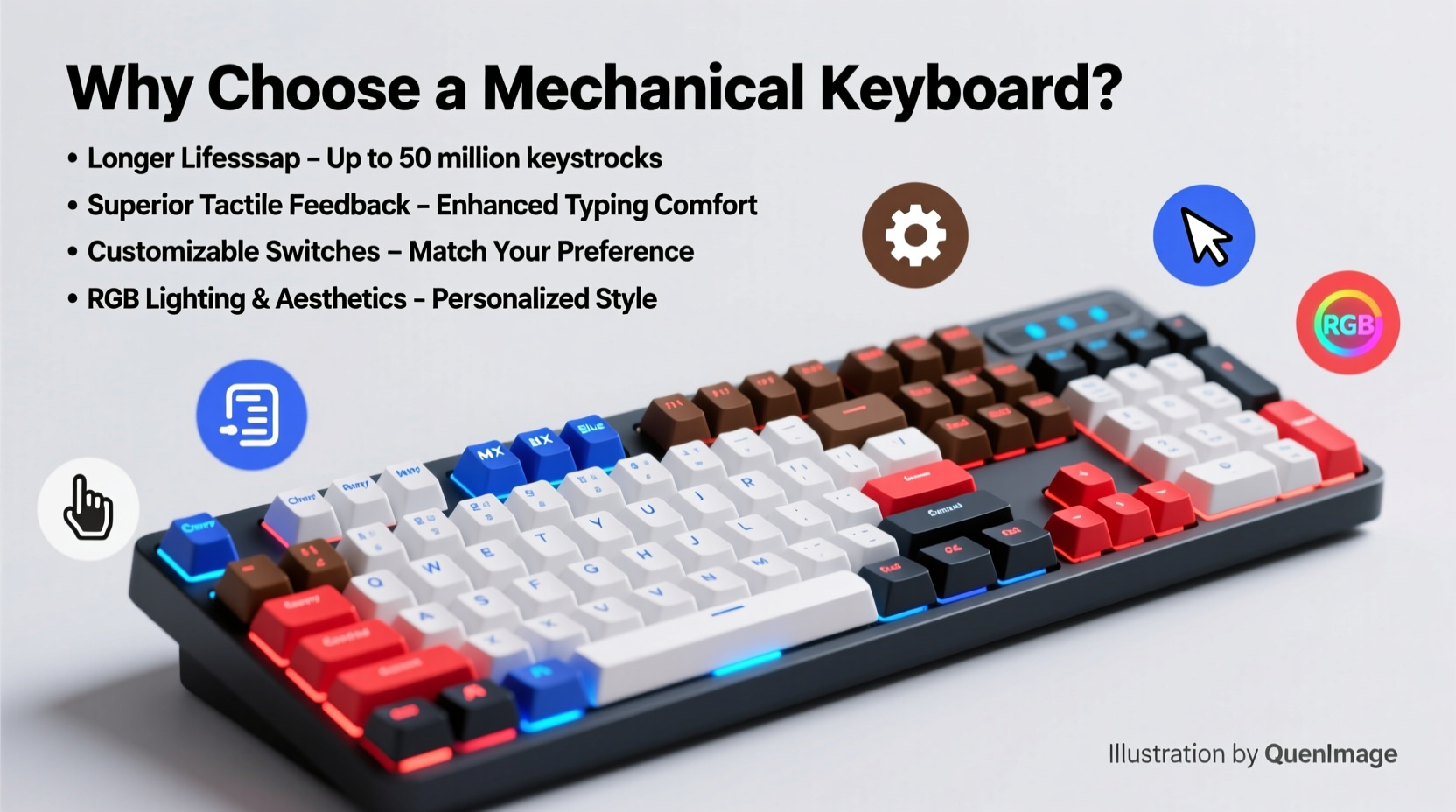
One of the most immediate differences when switching to a mechanical keyboard is the tactile response. Unlike membrane keyboards that rely on rubber domes beneath each key, mechanical keyboards use individual physical switches for every keycap. These switches provide distinct feedback—audible clicks, tactile bumps, or smooth linear motion—depending on the type chosen.
This precision enhances typing accuracy and rhythm. Users often report fewer typos because they can feel when a keystroke registers without bottoming out. For those who spend hours writing emails, coding, or drafting documents, this reduces finger fatigue and increases typing speed over time.
Durability That Lasts Years, Not Months
Mechanical keyboards are built to endure. Most mechanical switches are rated for at least 50 million keystrokes per key—some go as high as 100 million. In contrast, membrane keyboards typically last between 5 and 10 million keystrokes before degradation sets in.
The construction also contributes to longevity. Keycaps are usually made from durable ABS or PBT plastic, resistant to shine and wear. Since each switch operates independently, a single failed key doesn't render the entire keyboard unusable. Many models support hot-swappable switches, allowing users to replace worn components without soldering.
“Mechanical keyboards represent an investment in both ergonomics and equipment lifespan. I’ve seen users get eight to ten years of daily use from a well-maintained board.” — Daniel Reeves, Peripheral Design Engineer at Input Labs
Customization and Personalization Options
Perhaps one of the most compelling reasons to adopt a mechanical keyboard is the level of personalization available. From keycap materials and colors to programmable keys and RGB lighting, these keyboards cater to both function and style.
Enthusiasts can customize layouts (such as 60%, TKL, or full-size), remap keys via software like QMK or VIA, and even build their own boards from scratch. This flexibility allows users to tailor their setup precisely to their workflow—whether that means creating macros for design software, shortcuts for spreadsheets, or gaming profiles.
| Feature | Mechanical Keyboard | Membrane Keyboard |
|---|---|---|
| Switch Lifespan | 50–100 million keystrokes | 5–10 million keystrokes |
| Tactile Feedback | Precise, customizable per switch | Soft, inconsistent pressure point |
| Key Rollover | NKRO (Full anti-ghosting) | Limited (often 6-key rollover) |
| Customization | Hot-swap, programmable, moddable | Minimal to none |
| Noise Level | Varies by switch (clicky to silent) | Generally quieter but mushy |
Better Ergonomics and Reduced Strain
Repetitive strain injuries (RSIs) like carpal tunnel syndrome are real concerns for anyone spending extended periods at a computer. Mechanical keyboards can play a role in mitigating these risks through improved ergonomics.
Because actuation force (the pressure needed to register a keystroke) is consistent across all keys and often lower than on stiff membrane boards, fingers don’t need to press as hard. This reduces muscle strain over long sessions. Additionally, many mechanical keyboards come in split, angled, or tented designs that promote neutral wrist positioning.
Some models feature detachable palm rests or compatibility with external ergonomic accessories. Combined with proper desk height and posture, these features help maintain comfort during intensive workdays.
Mini Case Study: A Writer’s Transition to Mechanical
Sarah Lin, a freelance technical writer based in Portland, used a standard laptop keyboard for seven years. After developing persistent wrist discomfort and noticing declining typing accuracy, she invested in a 75% mechanical keyboard with low-profile tactile switches.
Within two weeks, she reported a noticeable reduction in finger fatigue. “I used to rest my hands after 30 minutes,” she said. “Now I can write for hours without pain.” She also customized her layout to include quick-access keys for research tools and grammar checkers, improving her workflow efficiency by an estimated 20%.
Enhanced Performance for Gamers and Power Users
Gamers were among the first to champion mechanical keyboards—and for good reason. Features like N-Key Rollover (NKRO) ensure that every keypress is registered simultaneously, even during fast-paced sequences. This eliminates “ghosting,” where certain key combinations fail to register due to hardware limitations.
Additionally, actuation points on mechanical switches are typically faster and more predictable than membrane alternatives. Linear switches like Cherry MX Reds offer smooth travel ideal for rapid inputs, while clicky switches provide auditory confirmation crucial in competitive scenarios.
But it's not just gamers who benefit. Developers compiling code, editors managing complex timelines, and data analysts navigating spreadsheets all gain from responsive, reliable input devices that keep up with their thinking speed.
Checklist: Is a Mechanical Keyboard Right for You?
- Do you spend more than 2 hours daily typing or working on a computer?
- Have you experienced hand or wrist fatigue from prolonged keyboard use?
- Are you interested in customizing your workspace for better efficiency?
- Do you play PC games regularly or require precise input control?
- Would you prefer a device that lasts 5+ years instead of replacing yearly?
If three or more apply, a mechanical keyboard is likely a worthwhile upgrade.
Frequently Asked Questions
Are mechanical keyboards louder than regular keyboards?
Some are, especially those with clicky switches like Cherry MX Blues or Kailh Box Whites. However, many modern options use silent or linear variants (e.g., Cherry MX Browns or Reds) designed for office environments. Sound levels vary widely—choose based on your environment and preference.
Can I use a mechanical keyboard with any computer?
Yes. Most mechanical keyboards connect via USB (wired) or Bluetooth (wireless) and are compatible with Windows, macOS, Linux, and even some tablets. Always verify OS-specific firmware support if planning to reprogram keys.
Are mechanical keyboards worth the higher price?
When viewed as a long-term investment in health, productivity, and durability, yes. While entry-level models start around $60, they often outlast multiple cheaper alternatives. Over five years, the cost-per-use becomes significantly lower than repeatedly replacing membrane keyboards.
Conclusion: Make the Switch With Confidence
A mechanical keyboard isn’t just a peripheral—it’s a tool engineered for performance, comfort, and endurance. Whether you're battling wrist strain, seeking greater typing precision, or simply want a more satisfying interaction with your machine, the benefits are clear and measurable. With advancements in design, affordability, and accessibility, there’s never been a better time to explore what mechanical input has to offer.




 浙公网安备
33010002000092号
浙公网安备
33010002000092号 浙B2-20120091-4
Comments
No comments yet. Why don't you start the discussion?