
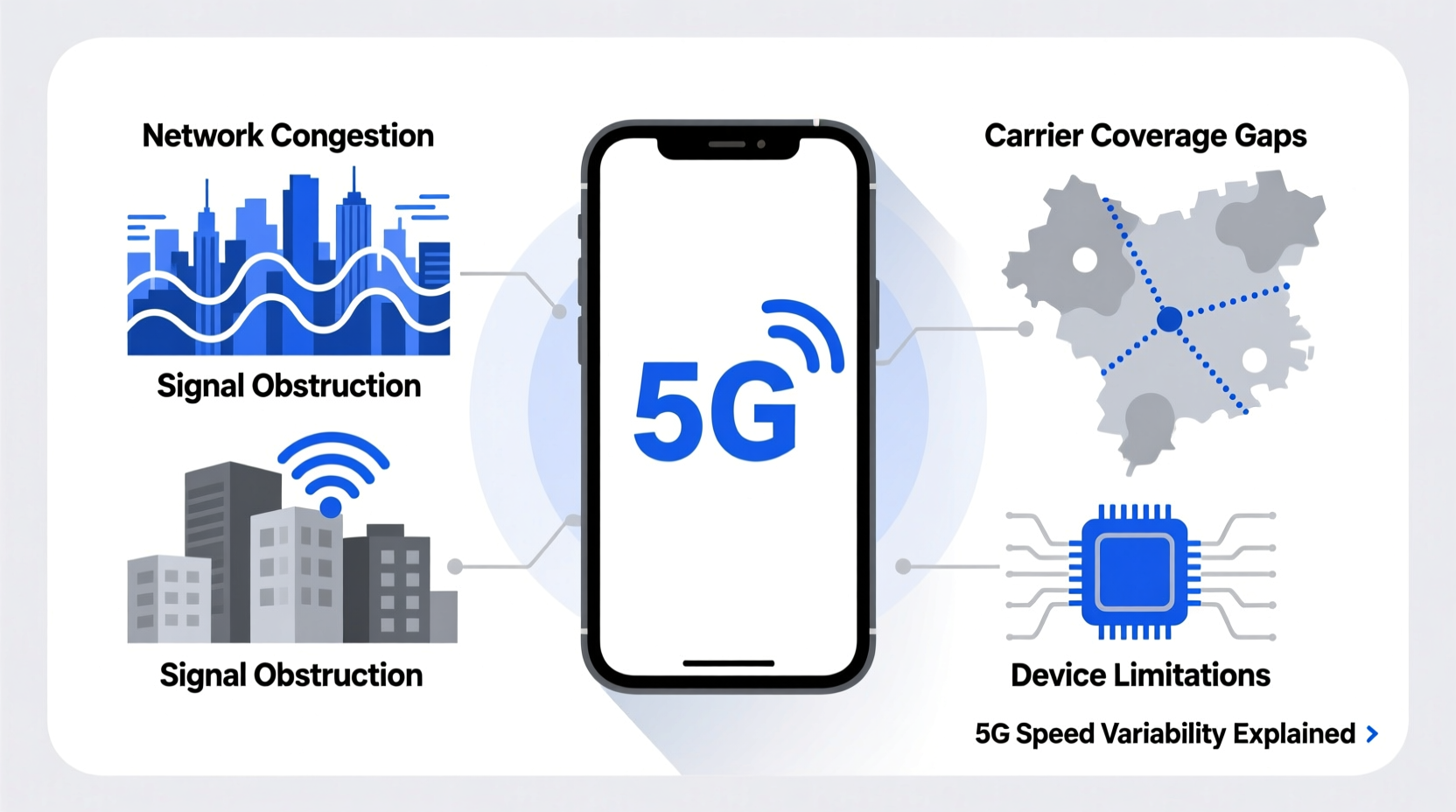
5G promises lightning-fast internet—download speeds up to 10 times faster than 4G, near-instant response times, and seamless streaming. Yet many users find themselves asking: why is 5G so slow on my phone? Despite the marketing hype, real-world performance often falls short of expectations. The truth is that 5G speed isn’t just about your device or carrier—it’s shaped by a complex web of network infrastructure, signal physics, congestion, and environmental factors.
Understanding why 5G slows down requires looking beyond your phone’s display. It’s not always a defect, poor service, or outdated hardware. Instead, it’s often the result of how wireless networks operate in practice. From signal range limitations to network prioritization, several technical realities impact your daily 5G experience.
How 5G Actually Works: A Quick Overview
Unlike 4G LTE, which relies primarily on lower-frequency bands with wide coverage and moderate speeds, 5G uses three distinct frequency ranges:
- Low-band (600–900 MHz): Offers broad coverage and strong wall penetration but delivers speeds only slightly better than 4G—typically 50–150 Mbps.
- Mid-band (2.5–3.7 GHz): Balances speed and coverage, delivering 100–900 Mbps. This is often called “real” 5G due to its optimal balance.
- High-band / mmWave (24–47 GHz): Delivers multi-gigabit speeds (1–3 Gbps) but over very short distances—often less than a city block—and struggles with walls, windows, and even human hands.
Most phones today support all three bands, but availability depends on your location and carrier. In urban areas, you might get mmWave near stadiums or downtown hubs. In suburbs and rural zones, you’re likely stuck with low-band 5G, which explains why your “5G” feels no faster than 4G.
“Many consumers expect 5G to be universally fast, but they're often connected to low-band spectrum that offers marginal improvements.” — Dr. Linda Chen, Wireless Network Engineer at MIT
Top Reasons Why 5G Feels Slow on Your Phone
1. You’re on Low-Band 5G
The most common reason for slow 5G is simple: you’re not actually on high-speed 5G. Carriers like Verizon, AT&T, and T-Mobile use the term “5G” broadly—even when you're connected to low-band frequencies. These signals travel far and penetrate buildings well, but their speeds rarely exceed 150 Mbps, sometimes dipping below 4G LTE in congested areas.
2. Distance from Cell Tower & Obstructions
Especially with mmWave, signal strength drops dramatically with distance and obstacles. A brick wall, tinted window, or even holding your phone incorrectly can block high-frequency waves. Mid-band performs better, but still degrades faster than low-band over distance.
In one test conducted in downtown Chicago, a user experienced 1.2 Gbps on mmWave outside a Verizon store—but dropped to 80 Mbps after stepping inside. That’s a 93% speed loss due to building materials alone.
3. Network Congestion During Peak Hours
Like highways, wireless networks slow down when too many users are online. Even with advanced 5G capacity, popular locations—commuter trains, shopping malls, concerts—can overwhelm local towers. During rush hour, your 5G connection may throttle to prioritize basic services like calls and texts.
4. Carrier Throttling and Data Prioritization
Many unlimited plans include “deprioritization” clauses. After using a certain amount of high-speed data (e.g., 50GB), carriers reduce your priority during congestion. While not a complete shutdown, this means slower speeds when the network is busy—even on 5G.
5. Poor Backhaul Infrastructure
5G towers need fast fiber-optic backhaul to deliver promised speeds. In areas where fiber hasn't been deployed, towers rely on older microwave links or copper lines, creating a bottleneck. No matter how fast the wireless signal is, it can’t exceed the speed of its wired backbone.
6. Device Limitations and Thermal Throttling
Your phone's modem, antenna design, and thermal management affect 5G performance. High-speed data generates heat. When your phone gets warm—especially during extended downloads or video calls—it may throttle 5G to cool down. Some budget phones also lack full 5G band support, limiting peak speeds.
Real-World Example: The Commuter’s Dilemma
Take Sarah, a remote worker commuting daily from suburban New Jersey into Manhattan. Her phone shows “5G” throughout her train ride, but video calls freeze and downloads crawl.
Here’s what’s happening: On the outskirts, she’s on low-band 5G (600 MHz), giving ~60 Mbps. As she approaches the city, the network shifts to mid-band, briefly boosting speeds to 400 Mbps. But once she enters Penn Station, hundreds of devices connect to the same tower. Congestion triggers deprioritization, and her effective speed drops to 30 Mbps. Inside her office building, mmWave can’t penetrate the glass façade, forcing a fallback to weaker indoor repeaters.
Sarah isn’t doing anything wrong—she’s experiencing the layered reality of modern 5G deployment.
How to Improve Your 5G Speed: Practical Steps
You can’t rebuild cell towers, but you can optimize your connection. Follow these steps to maximize your 5G performance:
- Verify Your 5G Type: Use your phone’s network settings or carrier app to see whether you're on low, mid, or high-band 5G. iPhones and Android devices often show indicators like “5G+” (Verizon mmWave) or “5G UW” (T-Mobile Ultra Capacity).
- Move Closer to Windows or Outdoors: Especially in buildings, position yourself near exterior walls or go outside to access stronger mmWave or mid-band signals.
- Restart Network Settings: Over time, network configurations can glitch. Resetting network settings (Settings > General > Reset > Reset Network Settings on iOS) clears cached towers and forces a fresh connection.
- Disable Battery Saver Mode: Power-saving modes often reduce background data and limit modem performance, capping 5G speeds.
- Check for Carrier Updates: Carriers push profile updates that improve network compatibility. Ensure your phone has the latest carrier settings installed.
- Avoid Physical Obstruction: Don’t cover the bottom or sides of your phone—the antennas are often located there. Use a case that doesn’t block signal bands.
- Use Wi-Fi When Possible: In homes or offices with strong broadband, Wi-Fi 6 often outperforms outdoor 5G, especially indoors.
Comparison: 5G Types and Realistic Speed Expectations
| 5G Type | Frequency Range | Average Speed | Coverage Radius | Best For |
|---|---|---|---|---|
| Low-band 5G | 600–900 MHz | 50–150 Mbps | 1,000+ miles per tower | Rural areas, indoor coverage |
| Mid-band 5G (C-band) | 2.5–3.7 GHz | 100–900 Mbps | ~5–10 miles | Cities, suburbs, balanced speed/coverage |
| High-band 5G (mmWave) | 24–47 GHz | 1–3 Gbps | ~500 feet | Dense urban zones, stadiums, fixed wireless |
| 4G LTE (for comparison) | 700–2100 MHz | 20–100 Mbps | ~10–20 miles | Nationwide baseline |
Troubleshooting Checklist: Fix Slow 5G in 5 Minutes
When your 5G slows down, run through this quick checklist:
- ✅ Confirm you’re not on low-band 5G (check phone indicator)
- ✅ Move closer to a window or step outside
- ✅ Toggle Airplane Mode on/off to reset radio
- ✅ Ensure “5G Preferred” or “5G On” mode is enabled
- ✅ Close bandwidth-heavy apps running in the background
- ✅ Update carrier settings and phone OS
- ✅ Test speed with multiple servers (use Ookla Speedtest or Fast.com)
Frequently Asked Questions
Does 5G drain my battery faster?
Yes. 5G modems consume more power than 4G, especially when searching for or maintaining high-band signals. Thermal output and constant tower switching increase energy use. To conserve battery, switch to “5G Auto” or “LTE” when speed isn’t critical.
Can weather affect 5G speed?
High-band 5G (mmWave) is sensitive to rain, fog, and humidity. Water droplets absorb millimeter waves, reducing signal strength. While rare, heavy storms can temporarily degrade mmWave performance by 30–50%. Low- and mid-band 5G are largely unaffected.
Is my phone compatible with fast 5G?
Most phones from 2021 onward support mid-band 5G. However, some models lack mmWave support—even flagship devices like the iPhone 15 (except U.S. versions). Check your phone’s specs for “mmWave” or “C-band” support. Without it, you’ll never access the fastest 5G layers.
What the Future Holds for 5G Performance
5G is still evolving. Carriers are expanding mid-band coverage through C-band deployments and improving beamforming technology to direct signals more efficiently. Open RAN (Radio Access Network) initiatives aim to reduce hardware costs, accelerating tower rollouts. Meanwhile, software updates are optimizing how phones manage handoffs between bands.
In the next few years, dynamic spectrum sharing (DSS) will become smarter, allowing seamless transitions between low, mid, and high bands without user intervention. Phones will automatically select the best available layer based on speed needs, location, and battery status.
Additionally, standalone (SA) 5G networks—currently being rolled out—are expected to reduce latency and improve reliability by removing dependence on 4G cores. This shift will unlock true 5G potential, particularly for real-time applications like AR/VR and autonomous systems.
Conclusion: Rethinking What “Fast” Means on 5G
5G isn’t inherently slow—it’s just inconsistently fast. Its performance depends on invisible variables: spectrum type, tower density, backhaul quality, and even the weather. Recognizing that “5G” is not a single speed but a spectrum of possibilities helps set realistic expectations.
Instead of frustration, approach slow 5G as a solvable puzzle. Use the tools and knowledge above to diagnose issues, optimize your environment, and advocate for better service. Share your experiences online—consumer feedback drives carrier investment. The future of mobile speed isn’t just in towers and chips; it’s in informed users demanding better connectivity.




 浙公网安备
33010002000092号
浙公网安备
33010002000092号 浙B2-20120091-4
Comments
No comments yet. Why don't you start the discussion?