
There’s nothing more frustrating than settling into a hotel room after a long journey, only to find that the Wi-Fi barely supports loading a single web page—let alone streaming a video or joining a video call. Despite being in the digital age, slow hotel internet remains a widespread issue. While guests expect seamless connectivity, many hotels still deliver subpar performance. Understanding why this happens—and what you can do about it—is essential for anyone who travels for work or leisure.
The reality is that hotel Wi-Fi isn’t just “bad by accident.” A combination of outdated infrastructure, network congestion, cost-cutting decisions, and poor design choices creates an environment where high-speed internet becomes nearly impossible to maintain. But with the right knowledge and tools, travelers can bypass many of these limitations and significantly improve their online experience—even on the most sluggish networks.
Why Hotel Wi-Fi Is Inherently Slow
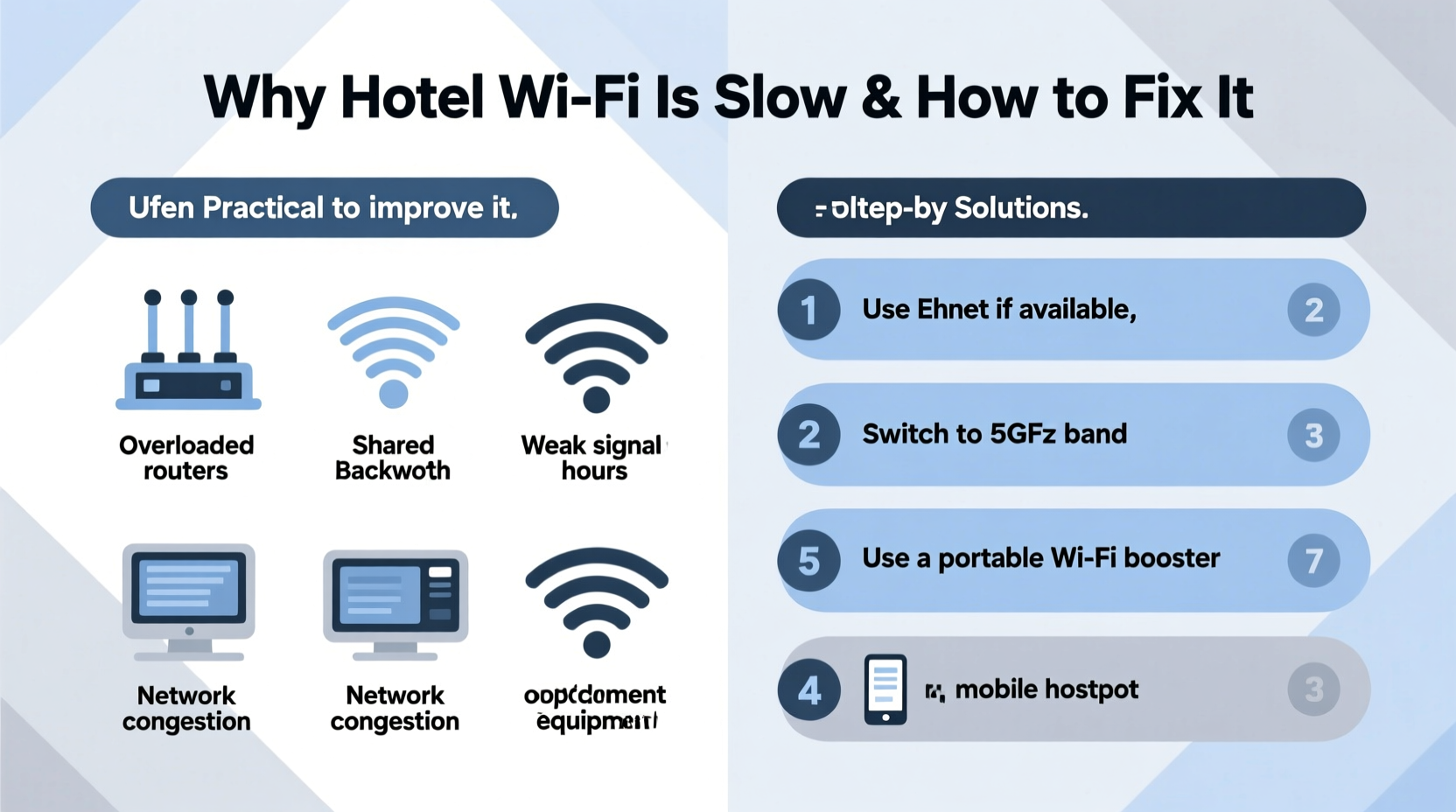
Hotel internet performance stems from a mix of technical, financial, and logistical factors. Unlike home broadband, where one household uses a dedicated line, hotel networks must support dozens—or even hundreds—of guests simultaneously. This shared bandwidth model is the root cause of most slowdowns.
Hotels often use consumer-grade routers or older enterprise equipment that wasn’t designed for heavy concurrent usage. These systems struggle when multiple users stream, download, or upload large files at once. Additionally, many properties outsource their internet service to third-party providers who prioritize profit over performance, resulting in throttled speeds and unreliable connections.
“Most mid-tier hotels allocate less than 1 Mbps per guest, which is insufficient for modern usage like Zoom calls or HD streaming.” — David Lin, Network Infrastructure Consultant
Another major factor is signal interference. Many hotels are built with thick walls, metal frames, or outdated wiring that block or weaken Wi-Fi signals. Guest rooms located far from the router or on higher floors often suffer from dead zones or intermittent dropouts. Even if the backbone connection is strong, poor wireless distribution ruins the end-user experience.
Common Causes of Slow Hotel Internet
- Limited Bandwidth Allocation: Hotels may purchase low-tier business plans to cut costs, creating bottlenecks during peak hours.
- Network Congestion: High occupancy means more devices competing for the same airwaves, especially in conference-heavy hotels.
- Outdated Equipment: Older access points and switches lack modern protocols like Wi-Fi 6 (802.11ax), reducing efficiency.
- Bandwidth Throttling: Some providers intentionally slow down certain traffic types (e.g., video streaming) to manage load.
- Poor Network Design: Inadequate placement of access points leads to coverage gaps and weak signals.
- Authentication Overhead: The login portal process adds latency and sometimes limits session duration or data usage.
How to Test and Diagnose Your Connection
Before attempting fixes, confirm whether the problem lies with the hotel's network or your device. Start by running a speed test using a trusted tool like Ookla Speedtest or Fast.com. Look for three key metrics:
- Download Speed: Should be at least 5 Mbps for smooth browsing; 25+ Mbps for HD streaming.
- Upload Speed: Critical for video conferencing; aim for 3+ Mbps.
- Latency (Ping): Below 50 ms is ideal; above 100 ms causes lag in real-time apps.
If results are poor across multiple devices, the issue is almost certainly the network. However, if only one device performs badly, check for background updates, malware, or Wi-Fi adapter issues. Restarting your device or forgetting and rejoining the network can resolve minor glitches.
Step-by-Step: Diagnosing Hotel Wi-Fi Issues
- Connect to the hotel’s Wi-Fi and complete any captive portal login.
- Close all unnecessary apps and browser tabs.
- Run a speed test and record the results.
- Repeat the test on another device (phone, tablet, laptop).
- Compare results—if all show similar slowness, the network is the bottleneck.
- Try switching between 2.4 GHz and 5 GHz bands if available (via network settings).
- Note any timeouts, DNS errors, or frequent disconnections.
Proven Methods to Speed Up Hotel Wi-Fi
While you can’t upgrade the hotel’s router, there are several effective strategies to optimize your connection. These techniques range from simple behavioral changes to using external hardware.
1. Choose the Right Room
Location matters. Request a room close to the elevator bank or central corridor—these areas are typically near network equipment. Avoid corner rooms, top floors, or those adjacent to concrete stairwells, which block signals. Rooms directly above or below the front desk or business center often have better reception.
2. Use an Ethernet Cable with a Travel Router
If the room has an Ethernet port (common in business hotels), connect a travel router like the GL.iNet Slate or TP-Link TL-WR902AC. This allows you to create your own private Wi-Fi network with improved stability and security. Many travel routers also support USB tethering or dual-band routing, giving you more control over connectivity.
3. Leverage Mobile Hotspot as Backup
Your smartphone’s LTE or 5G connection is often faster and more reliable than hotel Wi-Fi. Turn on personal hotspot and connect your laptop or tablet. To conserve battery, plug the phone into a power source. For extended use, consider a dedicated mobile hotspot device with a local SIM card, especially when traveling internationally.
4. Limit Background Activity
Disable automatic cloud backups, software updates, and syncing services (like iCloud, Dropbox, or OneDrive) while connected to hotel networks. These processes consume significant bandwidth without your awareness. On Windows, disable Delivery Optimization; on macOS, pause iCloud Drive sync temporarily.
5. Change DNS Settings
Switching to a faster DNS provider like Google DNS (8.8.8.8, 8.8.4.4) or Cloudflare (1.1.1.1) can reduce latency and improve page load times. This is especially helpful if the hotel’s DNS server is slow or misconfigured.
“Changing DNS is one of the easiest free upgrades you can make—it doesn’t increase raw speed but makes browsing feel snappier.” — Sarah Kim, Cybersecurity Analyst
Comparison Table: Wi-Fi Optimization Tools
| Tool/Method | Effectiveness | Cost | Best For |
|---|---|---|---|
| Mobile Hotspot | High | Low (uses existing plan) | Urgent tasks, video calls |
| Travel Router with Ethernet | Very High | Medium ($50–$100) | Frequent business travelers |
| DNS Change | Moderate | Free | Browsing, email |
| Wi-Fi Extender (Personal) | Low-Moderate | Medium | Large rooms with weak signal |
| VPN (Selectively) | Variable | Low-Medium | Bypassing throttling (if encrypted) |
Mini Case Study: Remote Worker in Bangkok
Julia, a freelance graphic designer, traveled to Bangkok for two weeks and booked a mid-range hotel near the city center. On her first day, she found the Wi-Fi too slow to upload design files—uploads took over 10 minutes for small ZIPs. After testing, she discovered her download speed was 1.8 Mbps and upload only 0.6 Mbps.
She tried moving her laptop closer to the door, facing the hallway, and noticed a slight improvement. Then, she connected her GL.iNet travel router to the room’s Ethernet port, set up her own Wi-Fi, and switched DNS to 1.1.1.1. Her upload speed jumped to 3.2 Mbps. For critical client calls, she used her iPhone’s 5G hotspot.
By combining wired access, smart configuration, and cellular backup, Julia completed all deadlines without disruption—despite the hotel’s inadequate native Wi-Fi.
Checklist: How to Improve Hotel Internet Instantly
- ✅ Run a speed test immediately upon connecting
- ✅ Restart your device and reconnect to Wi-Fi
- ✅ Disable automatic updates and cloud sync
- ✅ Switch to 5 GHz band if available (less interference)
- ✅ Change DNS to 8.8.8.8 or 1.1.1.1
- ✅ Use Ethernet + travel router if a port is available
- ✅ Enable mobile hotspot as fallback
- ✅ Position yourself near the center of the room or hallway wall
- ✅ Avoid peak usage times (7–9 AM, 6–10 PM)
- ✅ Contact front desk to report issues—sometimes they reboot systems
Frequently Asked Questions
Can a VPN make hotel Wi-Fi faster?
Not directly. A VPN encrypts your traffic and routes it through a remote server, which usually adds overhead and slightly reduces speed. However, if the hotel is throttling specific services (like streaming platforms), a VPN might bypass those restrictions and restore full bandwidth. Use it selectively based on need.
Why does hotel Wi-Fi ask me to log in every few hours?
This is due to session timeouts in the network’s captive portal system. It’s a common method to manage user sessions and enforce fair usage policies. Some systems automatically re-authenticate, while others require manual login. Using a travel router with auto-login scripts can help maintain continuous connection.
Is it safe to use hotel Wi-Fi for banking or sensitive work?
No—public hotel networks are often unencrypted and vulnerable to eavesdropping. Always use a reputable VPN when accessing sensitive accounts. Avoid logging into financial portals unless you're on a secured, private network or using cellular data.
Conclusion: Take Control of Your Connectivity
Slow hotel Wi-Fi is a persistent challenge, but it doesn’t have to derail your productivity or peace of mind. The underlying causes—limited bandwidth, outdated gear, and poor design—are systemic, but entirely navigable with preparation and know-how. By diagnosing the network, optimizing your setup, and having backup options like mobile hotspots or travel routers, you can transform an unusable connection into a functional one.
Don’t accept sluggish internet as inevitable. Equip yourself with the right tools and habits before your next trip. Whether you're closing a business deal, attending a virtual meeting, or simply unwinding with a movie, reliable connectivity should never be a luxury—it's a necessity. Start implementing these strategies today and turn every hotel stay into a productive, stress-free experience.




 浙公网安备
33010002000092号
浙公网安备
33010002000092号 浙B2-20120091-4
Comments
No comments yet. Why don't you start the discussion?