
It’s unsettling when your Amazon Echo device suddenly lights up or responds without being prompted. You’re not alone if you’ve asked yourself, “Why is my Alexa randomly turning on?” While most instances have logical explanations rooted in technical design or environmental triggers, the concern about privacy—especially around unintended recordings—is valid and increasingly common. Understanding the causes behind these behaviors and knowing how to control them empowers users to maintain both functionality and peace of mind.
Alexa’s always-on microphone is designed to listen for its wake word—typically “Alexa,” though this can be changed—but that doesn’t mean it’s constantly recording or transmitting data. Still, unexpected activations can create anxiety. This article breaks down the real reasons behind random Alexa activations, evaluates actual privacy risks, and provides actionable steps to secure your device and regain confidence in using voice assistants.
Common Causes of Random Alexa Activations
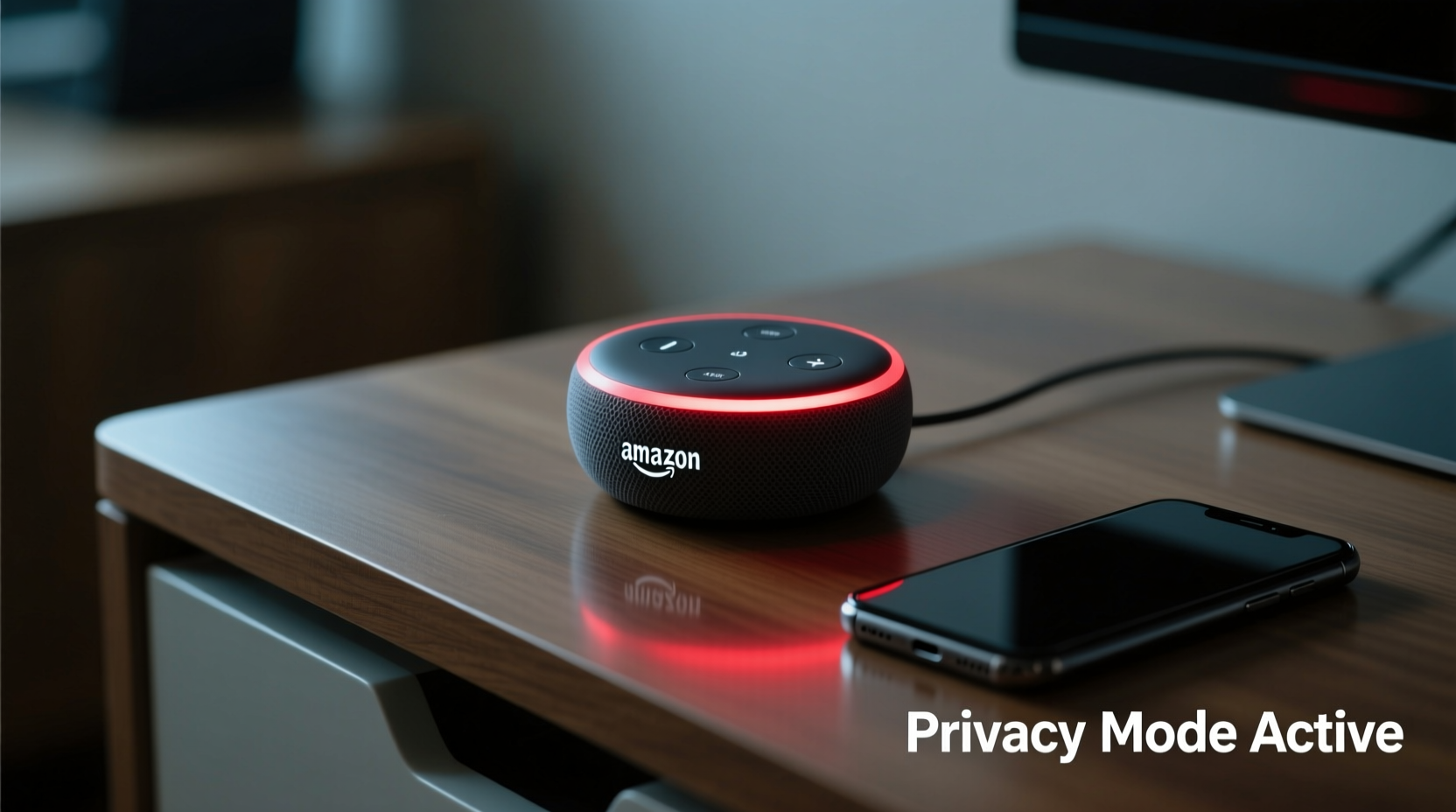
Alexa activating unexpectedly isn't usually a sign of malfunction or surveillance. Instead, it's often due to environmental or technical factors that mimic the wake word. These include background noise, similar-sounding phrases, software glitches, or hardware sensitivity.
- False Wake Word Triggers: Words like “election,” “alex,” or “wrecks a” can sound enough like “Alexa” to activate the device, especially in noisy environments.
- TV or Radio Content: Commercials, shows, or music mentioning “Alexa” may trigger nearby devices, particularly if volume levels are high.
- Hardware Sensitivity: Some Echo models have highly sensitive microphones that pick up distant or muffled sounds more easily than others.
- Firmware Glitches: Outdated or buggy software updates can cause erratic behavior, including phantom activations.
- Cross-Talk Between Devices: If you own multiple Echo units, one device hearing another respond can create a feedback loop.
Privacy Implications: Are You Being Recorded?
The core concern behind random activations is whether Alexa is recording private conversations without consent. According to Amazon, audio is only saved when the wake word is detected or when the physical button is pressed. Before that point, audio is processed locally and immediately discarded unless the wake phrase is recognized.
“Amazon does not save or review audio from Alexa devices unless the wake word is spoken or the user manually activates the microphone.” — Amazon Customer Privacy Statement
However, there have been rare cases where misinterpretations led to unintended recordings. In 2018, an Oregon family reported that their Echo recorded a private conversation and sent it to a random contact. Amazon later confirmed it was an extremely rare combination of false triggers and misinterpreted commands. While such incidents are outliers, they underscore the importance of proactive privacy management.
It’s also worth noting that Alexa stores voice recordings by default in the cloud unless disabled. These recordings help improve speech recognition but can be reviewed, deleted, or auto-deleted after a set period.
How Alexa Handles Audio: A Timeline
- Listening Locally: Microphones continuously process sound, but data is not stored or transmitted.
- Wake Word Detected: Once “Alexa” (or custom word) is recognized, a brief pre-trigger snippet (up to 1–2 seconds) is captured and sent to the cloud.
- Cloud Processing: The request is analyzed, and a response is generated.
- Storage Option: The interaction may be saved in your Alexa app history unless auto-delete is enabled.
- User Control: You can delete individual recordings or clear all history at any time.
Step-by-Step Guide to Securing Your Alexa Device
If random activations are causing discomfort, take control with these practical measures. Implementing even a few of these steps can significantly reduce unwanted behavior and enhance privacy.
1. Adjust Microphone Sensitivity (If Available)
While Amazon doesn’t offer a direct sensitivity slider, some newer Echo models adapt based on room acoustics. Reducing background noise or repositioning the device away from speakers or TVs can minimize false triggers.
2. Change the Wake Word
Go to the Alexa app → Devices → Echo & Alexa → Select your device → Settings → Wake Word. Choose a less commonly spoken alternative like “Computer” or “Amazon.”
3. Enable Auto-Delete for Voice Recordings
Navigate to: Alexa App → More → Settings → Alexa Privacy → Manage Your Alexa Data → Choose “Auto-Delete Voice Recordings.” Options include deleting after 3 or 18 months.
4. Use the Mute Button Liberally
When having sensitive conversations, press the microphone off button (red line). This physically disables the mic, ensuring no input is processed. Remember: the red light indicates the mic is off.
5. Review and Delete Past Recordings
Regularly audit your voice history. In the Alexa app, go to Alexa Privacy → Review Voice History. Tap individual entries to delete, or use bulk delete for older records.
6. Disable Skills That May Trigger Responses
Some third-party skills respond to vague prompts. Audit installed skills under Alexa App → Skills & Games → Your Skills. Disable any unused or overly sensitive ones.
Do’s and Don’ts: Managing Alexa Privacy
| Do | Don’t |
|---|---|
| Use the mute button during private discussions. | Assume Alexa is always listening and storing data. |
| Enable auto-delete for voice recordings. | Leave your Alexa near a TV that frequently says “Alexa.” |
| Review voice history monthly. | Ignore firmware updates—they often fix bugs and improve accuracy. |
| Position Echo devices away from loudspeakers. | Share your Wi-Fi password or Alexa login with untrusted individuals. |
Real Example: When Alexa Shared a Private Conversation
In 2018, a Portland family discovered that their Echo had recorded a private conversation about hardwood flooring and sent it as a voice message to a random employee in their contact list. The incident made national headlines and raised serious questions about voice assistant safety.
Upon investigation, Amazon explained that a sequence of unlikely events occurred: first, the device misheard “can you” as “Alexa”; then, it misinterpreted “hardwood floor” as “send a message”; finally, it matched a name in the contact list. Though the odds were astronomically low, the case highlighted how layered voice commands could lead to unintended outcomes.
The family wasn’t harmed, but the experience prompted Amazon to tighten confirmation protocols. Today, sending voice messages requires explicit verbal confirmation, such as “Yes, send it.” This change illustrates how user feedback drives stronger privacy safeguards.
Expert Insight on Smart Speaker Safety
“Voice assistants are designed with privacy-first architecture, but user behavior plays a critical role. Simple habits—like muting when needed and reviewing data settings—reduce risk more than any technical fix.” — Dr. Lena Torres, Digital Privacy Researcher at MIT Cybersecurity Lab
Experts agree that while no connected device is entirely immune to misuse or error, informed usage dramatically reduces exposure. Dr. Torres emphasizes that awareness—not fear—should guide smart home adoption.
Checklist: Secure Your Alexa in 7 Steps
- ✅ Change the wake word to something less common.
- ✅ Turn on auto-delete for voice recordings (3 or 18 months).
- ✅ Physically mute the microphone during private moments.
- ✅ Review and delete old voice history monthly.
- ✅ Keep your Echo away from TVs, radios, or loud appliances.
- ✅ Update device firmware regularly via the Alexa app.
- ✅ Disable unused skills and restrict permissions for others.
Frequently Asked Questions
Can Alexa record me when I’m not saying the wake word?
No. Alexa processes audio locally in real time but only sends data to the cloud after detecting the wake word. Short snippets before the wake word (up to 2 seconds) may be included for context but are not routinely stored unless you’ve opted into helping improve Alexa.
Is it safe to have Alexa in the bedroom or bathroom?
It depends on your comfort level. For maximum privacy, use the mute button when engaging in personal activities. Alternatively, place devices in shared living areas where conversations are less sensitive.
How do I know if Alexa is listening right now?
The device will display visual cues: a blue ring means it’s responding; a solid red ring means the microphone is off. No light means it’s idle but still listening for the wake word. You can also ask, “Alexa, what did you hear?” to confirm recent activity.
Conclusion: Take Control of Your Smart Home Experience
Random Alexa activations are typically harmless quirks caused by sound similarities or environmental noise—not evidence of invasive monitoring. However, dismissing privacy concerns would be a mistake. The technology is powerful, and with that power comes responsibility—both from manufacturers and users.
You don’t need to abandon your smart speaker to protect your privacy. By adjusting settings, staying informed, and applying simple routines, you can enjoy the convenience of voice control without compromising security. Awareness is your strongest tool. Revisit your Alexa settings today, implement the checklist above, and make your smart home truly work for you—on your terms.




 浙公网安备
33010002000092号
浙公网安备
33010002000092号 浙B2-20120091-4
Comments
No comments yet. Why don't you start the discussion?