
There’s nothing more frustrating than spending weeks designing a dazzling animated Christmas display—only to find that the lights and animations are dancing to their own rhythm instead of syncing with the music. Whether you're using a simple setup or a complex network of smart controllers, audio-lights desynchronization can ruin the magic of your holiday show. The good news? Most timing issues are fixable with the right approach. This guide breaks down the common causes behind out-of-sync displays and delivers actionable solutions so your lights hit every beat perfectly.
Understanding the Root Causes of Sync Issues
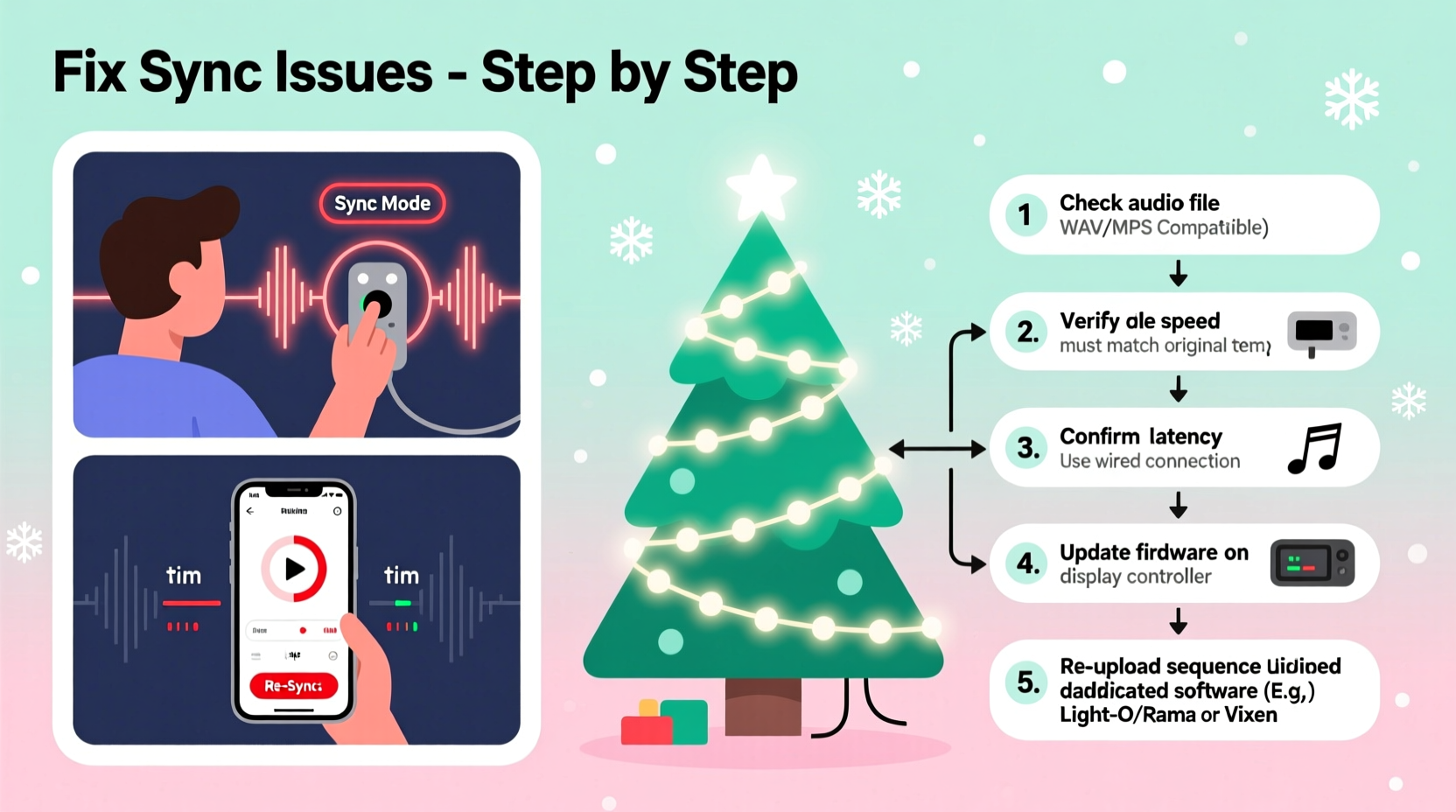
Synchronization problems between music and lights stem from mismatches in timing signals across devices, software delays, or hardware limitations. Unlike live performances where timing is managed centrally, holiday light shows rely on precise coordination between multiple components: audio files, control software, communication protocols (like DMX or E1.31), and physical controllers. When one part lags, the entire system falls out of step.
The most frequent culprits include:
- Audio latency: Delays between when audio plays and when it's processed by the lighting software.
- Network lag: Slow or inconsistent data transmission over Wi-Fi or Ethernet networks.
- Clock drift: Slight differences in internal clocks between controllers causing gradual misalignment.
- Misconfigured start triggers: Lights beginning before or after the music due to incorrect triggering methods.
- File format inconsistencies: Using compressed audio formats that introduce variable bit rates or decoding delays.
Each of these factors can contribute independently—or combine into a perfect storm of poor timing. Fixing them requires both technical awareness and systematic troubleshooting.
Step-by-Step Guide to Resync Your Display
Follow this structured process to diagnose and correct synchronization issues in your animated Christmas display.
- Verify Audio File Integrity
Play the audio file on the same device used for the light show. Ensure it starts immediately without buffering or delay. Use an audio editor like Audacity to check for silent gaps at the beginning or end. - Check Software Playback Settings
In your lighting control software (e.g., xLights, Light-O-Rama, Vixen), confirm that audio output is routed correctly. Disable any audio enhancements or equalizers that may add latency. - Test Network Latency
If using Ethernet or Wi-Fi to send signals to remote controllers, run a ping test from your control PC to each node. Response times should be under 10ms consistently. High variability indicates network congestion or interference. - Update Firmware and Drivers
Ensure all lighting controllers, USB adapters, and network gateways are running the latest firmware. Outdated drivers can cause packet loss or delayed signal processing. - Adjust Audio Offset in Software
Most lighting programs allow you to apply a global audio offset (in milliseconds). If lights consistently lead or trail the music, adjust this setting incrementally until alignment improves. - Use Hardware Triggers Instead of Manual Start
Relying on manual button presses introduces human error. Use a synchronized trigger method such as a timecode signal, GPIO pulse, or network-based cue to start both audio and lights simultaneously. - Re-sequence Problematic Channels
If only certain sections are out of sync, recheck the sequence timeline. Misplaced cues or incorrect channel mapping may be responsible.
This process eliminates variables systematically, helping you isolate whether the issue lies in software, hardware, or configuration.
Common Fixes and Optimization Tips
Beyond the core troubleshooting steps, several best practices significantly improve synchronization reliability.
Optimize Your Network Infrastructure
Wi-Fi is convenient but unreliable for real-time control. For large displays, switch to wired Ethernet connections wherever possible. If Wi-Fi is unavoidable:
- Use a dedicated 5GHz band to reduce interference.
- Place access points close to controller clusters.
- Limit other devices on the same network during shows.
Use a Master Clock or NTP Sync
For multi-controller setups, ensure all devices reference the same time source. Some advanced systems support NTP (Network Time Protocol) synchronization, which keeps all nodes aligned within milliseconds. Without this, even small clock variations accumulate over time, causing noticeable drift.
Prefer Wired Over Wireless Audio Output
If your audio plays through Bluetooth speakers or wireless soundbars, expect a 100–300ms delay. These devices buffer audio for compression and transmission, creating a mismatch with instantly triggered lights. Use a wired speaker system or connect audio directly via AUX cable to maintain tight sync.
Reduce Processing Load on Control Computer
A slow or overloaded computer struggles to keep up with real-time rendering. Close background applications, disable visual effects, and consider dedicating a single machine solely to running the light show. An SSD and sufficient RAM (16GB recommended) help maintain smooth performance.
Do’s and Don’ts: Sync Best Practices Table
| Do | Don't |
|---|---|
| Use WAV or constant-bitrate MP3 files | Use variable-bitrate (VBR) MP3s or low-quality streams |
| Run audio and lights from the same machine | Split audio playback and control across separate devices without sync triggers |
| Apply audio offset adjustments in software | Manually press \"start\" on both systems and hope they align |
| Use wired Ethernet for controller communication | Depend on congested Wi-Fi networks for critical timing data |
| Test full sequences weekly during setup | Wait until opening night to run a complete rehearsal |
Mini Case Study: Restoring Sync in a Neighborhood-Wide Display
Tom R., a hobbyist in Ohio, built a 12-controller Christmas display spanning his front yard and roofline. Each year, neighbors gathered to watch the synchronized show set to classic holiday tunes. But one November, he noticed the snowflake animations were peaking a half-second after the musical crescendo.
After ruling out audio file corruption, Tom discovered his new smart amplifier was using Bluetooth to receive audio from the control laptop—a change he’d made for convenience. The 220ms latency caused the visible lag. He reverted to a direct 3.5mm AUX connection and recalibrated the audio offset in xLights to -220ms. The result? Perfect lip-sync between music and lights.
Additionally, Tom upgraded two older ESP8266-based controllers to ESP32 models with improved Wi-Fi stability, reducing packet drop during peak sequences. His experience underscores how seemingly minor changes—especially in audio routing—can disrupt an otherwise flawless show.
Expert Insight: What Professionals Recommend
“Timing precision in holiday lighting isn’t about having the most expensive gear—it’s about eliminating variables. Use wired connections, test early, and always account for audio latency. A 100ms offset might seem trivial, but audiences notice.” — Daniel Wu, Lighting Systems Engineer and Holiday Display Consultant
“The biggest mistake I see is assuming the software handles everything. You must actively manage offsets, especially when changing output devices. Treat your audio path with the same care as your light sequencing.” — Sarah Lin, Creator of ‘Festival Lights’ community tutorials
Essential Checklist for Perfect Sync
Before launching your holiday display, go through this checklist to prevent synchronization issues:
- ✅ Confirm audio file has no leading silence
- ✅ Use WAV or CBR MP3 format at 320kbps
- ✅ Play audio through wired output (not Bluetooth)
- ✅ Set audio offset in software based on testing
- ✅ Use a single master device to trigger lights and music
- ✅ Test full sequence at least three times before public showing
- ✅ Monitor network health (ping times, signal strength)
- ✅ Update all controller firmware and software versions
- ✅ Label and verify channel mappings in sequencing software
- ✅ Have a backup USB drive with all files and settings
Frequently Asked Questions
Why do my lights start before the music?
This usually happens when the lighting software begins the sequence while the audio player takes extra time to decode and output sound—especially with Bluetooth or resource-heavy media players. Apply a negative audio offset (e.g., -150ms) in your control software to delay the lights slightly and match the audio onset.
Can I fix sync issues without reprogramming my entire sequence?
Yes. In most cases, you don’t need to re-sequence. Adjusting the global audio offset in your software (like xLights or Vixen) compensates for timing differences. Only if specific channels are erratic will you need to edit individual cues.
Does weather affect synchronization?
Not directly. However, cold temperatures can reduce Wi-Fi signal strength and slow down older electronics. Power fluctuations during storms may reset controllers. Use weatherproof enclosures, surge protectors, and stable power supplies to maintain consistency.
Final Thoughts: Precision Makes the Magic
A perfectly synced Christmas light show feels magical because every flash, twinkle, and motion aligns with the music’s emotion. That sense of wonder doesn’t happen by accident—it results from careful planning, attention to detail, and proactive troubleshooting. By understanding the technical sources of desynchronization and applying reliable fixes, you preserve the integrity of your creative effort.
Don’t wait until the first night of your display to discover timing flaws. Test early, document your settings, and refine your setup incrementally. Small adjustments make a dramatic difference in audience experience. Whether you’re entertaining family or drawing crowds from across the neighborhood, a well-timed show leaves a lasting impression.




 浙公网安备
33010002000092号
浙公网安备
33010002000092号 浙B2-20120091-4
Comments
No comments yet. Why don't you start the discussion?