
Bluetooth connectivity in modern vehicles has become a standard convenience, enabling hands-free calling, music streaming, and navigation access. Yet nothing undermines that convenience faster than a connection that drops repeatedly—mid-call, mid-song, or just as you're pulling out of the driveway. If you’ve found yourself asking, “Why is my car Bluetooth disconnecting constantly?” you’re not alone. Millions of drivers face similar frustrations, often due to overlooked software quirks, hardware limitations, or simple misconfigurations. The good news: most issues are fixable with methodical troubleshooting. This guide walks you through the root causes and actionable solutions to restore stable, reliable Bluetooth performance in your car.
Understanding Common Causes of Bluetooth Disconnection
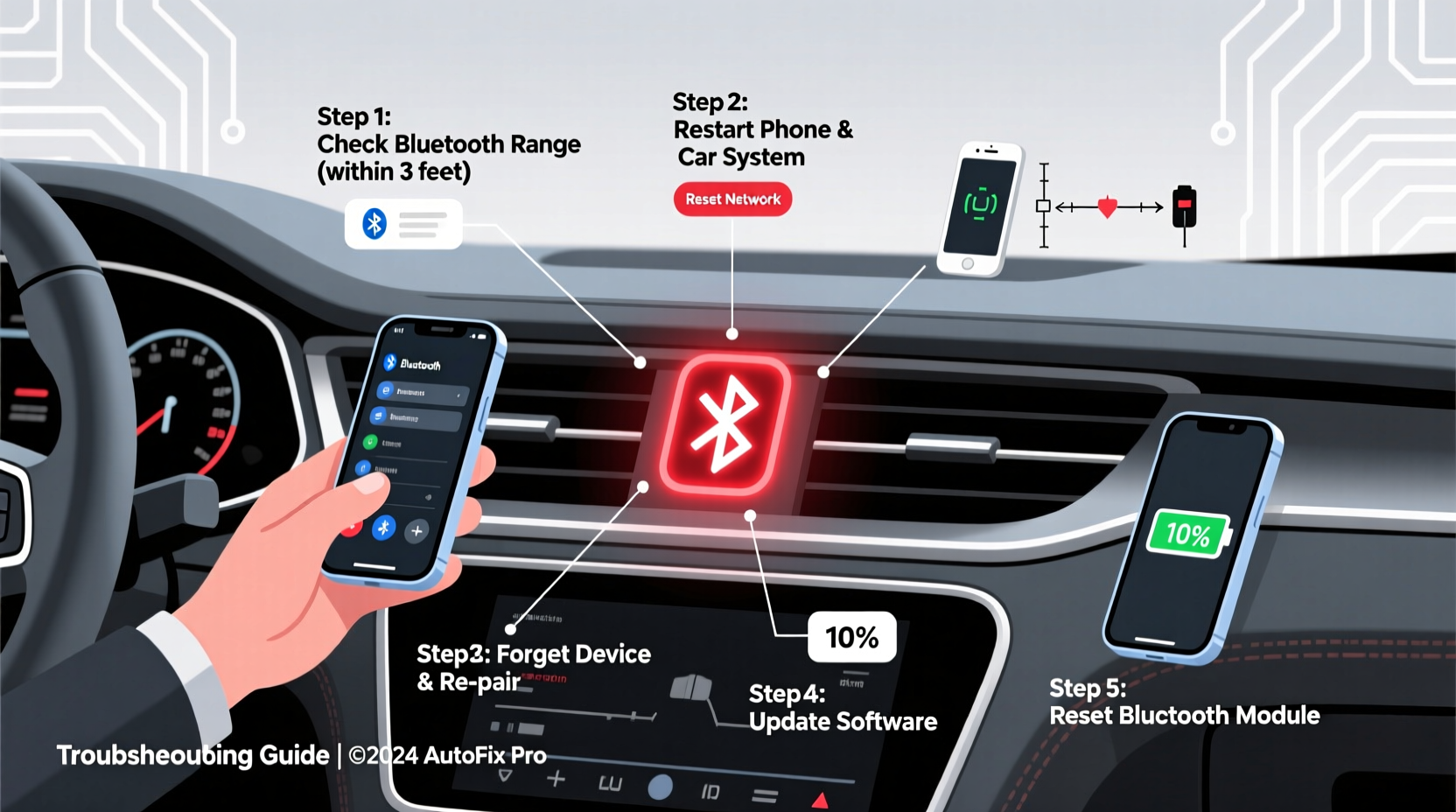
Before diving into fixes, it’s essential to understand what might be causing the instability. Bluetooth operates on the 2.4 GHz frequency band, which is also used by Wi-Fi routers, microwaves, and other wireless devices. Interference from nearby electronics can disrupt signals. But more commonly, disconnections stem from pairing conflicts, outdated firmware, or power-saving features designed to conserve battery life.
Automotive manufacturers integrate Bluetooth via embedded systems that vary widely in capability. Older infotainment units may lack support for newer Bluetooth protocols, while budget models often use lower-power chips prone to signal dropouts. Similarly, smartphones running multiple background apps can struggle to maintain a consistent connection when resources are strained.
Another frequent culprit is device memory overload. Many cars store up to eight paired devices, but exceeding this limit—or retaining outdated pairings—can create confusion during auto-reconnect attempts. Additionally, automatic reconnection logic sometimes fails when two phones with the same model name (e.g., “John’s iPhone”) are in range.
“Bluetooth stability in cars depends as much on software architecture as it does on radio strength. A clean pairing process and regular updates are critical.” — Dr. Alan Zhou, Wireless Systems Engineer at MobilityTech Labs
Step-by-Step Troubleshooting Guide
Follow this systematic approach to diagnose and resolve persistent Bluetooth disconnections. Start at Step 1 and proceed sequentially—many users skip ahead and miss simple fixes.
- Restart both devices: Power cycle your phone and car. Turn off your smartphone completely, wait 30 seconds, then restart. For the car, turn off the ignition, open and close the driver’s door to reset the infotainment system, or disconnect the negative terminal of the battery for 5 minutes if necessary.
- Delete old pairings: On your phone, go to Settings > Bluetooth, find your car’s name, tap the gear icon (or “i”), and select “Forget This Device.” In your car’s settings, remove all previously paired phones under the Bluetooth menu.
- Re-pair from scratch: With both devices powered on, initiate pairing from the car side first. Enable discoverable mode on your phone and select it from the car’s list. Complete any PIN verification.
- Test without interference: Park away from Wi-Fi routers, smart meters, or crowded urban signals. Try pairing again in an open area like a parking lot.
- Update software: Check for updates on both your phone’s OS and your car’s infotainment system. Manufacturers release patches that improve Bluetooth stack reliability.
- Limit background activity: Close unused apps, disable battery savers temporarily, and turn off features like NFC or hotspot mode during testing.
- Test with another phone: Pair a different smartphone to determine if the issue lies with your device or the car’s system.
Common Fixes by Vehicle Brand and Phone Type
Different carmakers use varying Bluetooth implementations, and compatibility issues often depend on brand-specific quirks. Below is a comparison of known behaviors and recommended actions based on real-world diagnostics.
| Vehicle Brand | Known Issue | Solution |
|---|---|---|
| Honda / Acura | Infotainment resets after firmware update; loses pairings | Clear cache partition via service menu or visit dealer for reflash |
| Ford / Lincoln | Synching delays cause timeout during reconnect | Disable “Auto-Connect” and manually connect after startup |
| Toyota / Lexus | Limited to 5 devices; older entries block new ones | Remove inactive devices monthly; avoid duplicate names |
| BMW / Mini | iDrive prioritizes last-connected device even if out of range | Set primary phone as “Favorite” in ConnectedDrive settings |
| Android Phones | Aggressive Doze mode kills Bluetooth services | Add car app to battery optimization whitelist |
| iPhones | Handoff feature interferes with car detection | Turn off Handoff in Settings > General > AirPlay & Handoff |
Preventative Maintenance Checklist
To minimize future disruptions, adopt these habits as part of routine vehicle care. Think of them as digital maintenance—just as important as checking tire pressure or oil levels.
- ✅ Re-pair devices every 3–6 months to clear cached glitches
- ✅ Keep your phone’s operating system updated
- ✅ Avoid stacking multiple Bluetooth accessories (e.g., dash cam + tire monitor + headset)
- ✅ Use high-quality USB cables for data transfer and charging
- ✅ Disable unnecessary wireless functions when driving long distances
- ✅ Store only one primary phone per driver profile
- ✅ Monitor for dashboard warnings related to “Communication Module” or “Infotainment Error”
Real-World Example: Fixing Chronic Disconnects in a 2021 Toyota Camry
Sarah, a sales representative who logs over 1,200 miles weekly, began experiencing constant Bluetooth dropouts in her 2021 Camry LE. Her calls would cut out within 90 seconds of starting the engine, forcing her to hold her phone near the dashboard vent—an unsafe workaround.
She tried restarting both devices and toggling Bluetooth on and off, but the problem persisted. After reading online forums, she discovered that Toyotas manufactured between 2018 and 2022 had a known bug where the head unit would attempt to reconnect to a previously paired iPad in her home office, even though it was miles away. The system wasted cycles searching for unavailable devices instead of locking onto her active phone.
Following a technician’s advice, Sarah accessed the Bluetooth settings in her car, deleted all five stored devices—including the forgotten iPad—and re-paired only her Pixel 8. She also disabled Wi-Fi calling temporarily during drives, as overlapping networks were confusing the handoff protocol. Since then, she’s gone four weeks without a single dropout, significantly improving her focus and safety on the road.
When Hardware May Be the Culprit
If software fixes fail, consider underlying hardware problems. While rare, certain failure points can mimic software issues:
- Antenna degradation: Some vehicles route Bluetooth signals through windshield-embedded antennas. Cracks or defroster line damage can impair reception.
- Failing head unit capacitors: Over time, heat cycles degrade internal components. Symptoms include delayed boot-up, frozen screens, and spotty Bluetooth.
- Low-voltage conditions: Weak batteries or alternator issues reduce power to the infotainment system, causing intermittent function.
A diagnostic scan using an OBD-II tool can reveal communication errors logged by the vehicle’s CAN bus network. Codes such as U0140 (“Lost Communication with Infotainment Module”) indicate deeper electronic faults requiring professional repair.
“Many customers come in thinking their phone is broken, but we often find the root cause is a failing control module or poor grounding in the dash harness.” — Marcus Reed, ASE-Certified Auto Electrician
FAQ: Frequently Asked Questions
Can a software update really fix Bluetooth issues?
Yes. Automakers regularly release firmware updates addressing bugs in the Bluetooth stack. For example, Hyundai issued a 2023 patch that resolved random disconnections in Sonata models equipped with Android Auto. Check your manufacturer’s website or visit a dealership for available updates.
Why does my Bluetooth work fine at home but fail during commutes?
This typically indicates environmental interference. Heavy traffic areas often have dense concentrations of Bluetooth and cellular signals. Additionally, tunnels, bridges, and tall buildings create dead zones that force your phone to switch towers rapidly—a process that can interrupt established connections.
Is it safe to reset my car’s infotainment system?
Yes. Performing a factory reset on your head unit erases personal data and settings but does not affect engine calibration, safety systems, or warranty status. Always back up saved contacts and navigation favorites before proceeding.
Final Steps and Long-Term Stability
Stable Bluetooth performance hinges on consistency. Once you’ve completed the troubleshooting process, resist the urge to immediately re-add multiple devices. Stick with one primary phone for at least a week to confirm reliability. During this period, observe how quickly the system reconnects after ignition cycles and whether media resumes playback automatically.
Monitor your phone’s behavior too. If battery usage spikes after pairing, investigate whether the car app is running unnecessarily in the background. On Android, use Digital Wellbeing tools; on iOS, review Screen Time reports to spot anomalies.
Finally, document your success. Note down the date of re-pairing and any changes made. Set a calendar reminder to revisit the setup every six months. Just like rotating tires or replacing cabin filters, digital hygiene keeps your car functioning smoothly for years.




 浙公网安备
33010002000092号
浙公网安备
33010002000092号 浙B2-20120091-4
Comments
No comments yet. Why don't you start the discussion?