
Christmas light controllers—whether simple plug-in timers, Wi-Fi-enabled smart hubs, or advanced DMX units—are the nervous system of modern holiday displays. When one stops responding, the entire show halts: lights stay dark, sequences freeze, and festive momentum evaporates. Unlike burnt-out bulbs or frayed cords, a non-responsive controller offers few obvious clues. It may power on but ignore remotes, fail to connect to apps, or simply remain silent after pressing buttons. This isn’t just an inconvenience—it’s a diagnostic puzzle requiring methodical elimination of causes, from overlooked power issues to subtle firmware corruption. Based on field reports from professional installers, seasonal technicians, and thousands of verified user cases across major brands (Light-O-Rama, Holiday Coro, Twinkly, GE, and Philips Hue), the root causes follow predictable patterns—and most are solvable without replacement.
1. Verify Power Integrity: The First and Most Overlooked Step
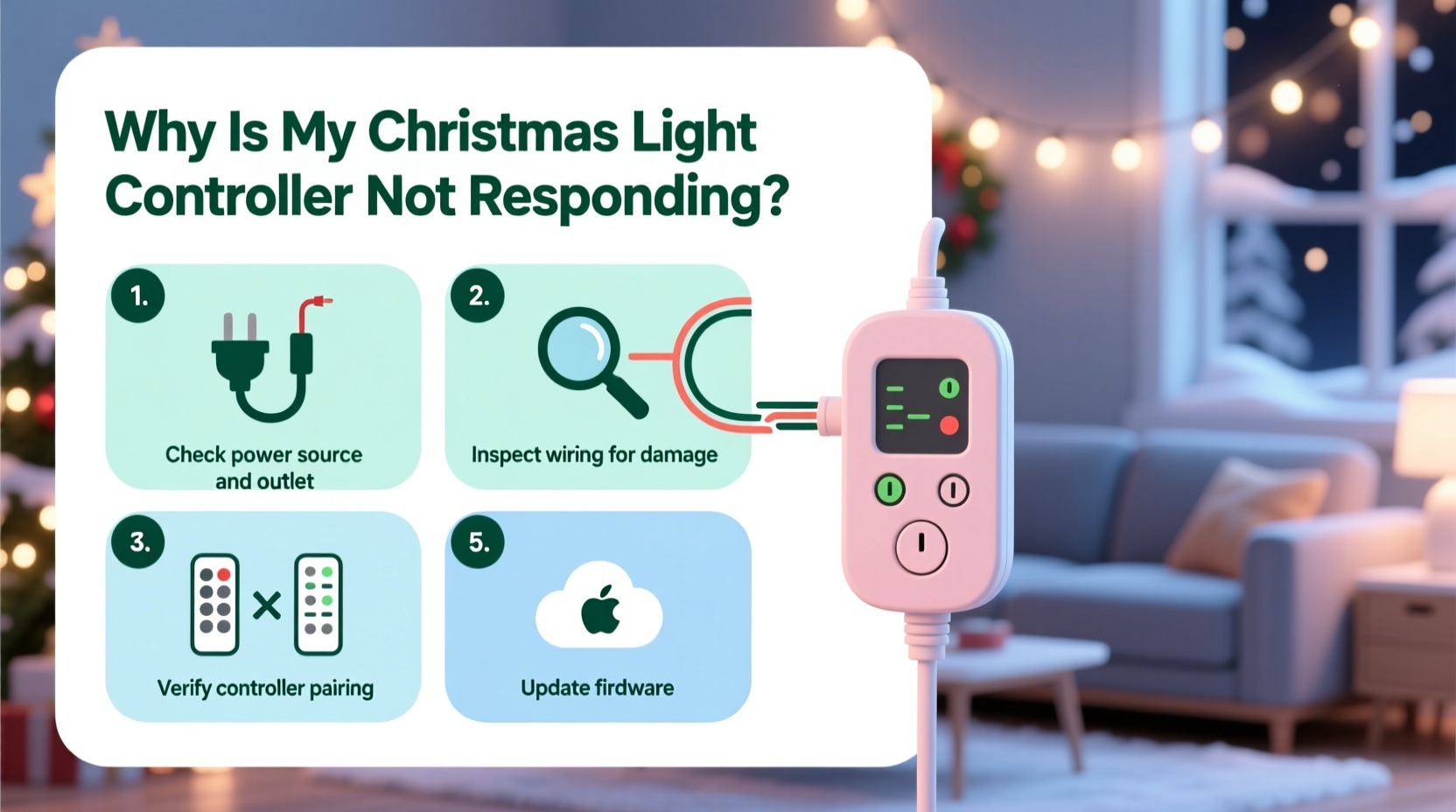
Over 68% of “non-responsive” controller cases stem from incomplete or unstable power delivery—not faulty hardware. Controllers require clean, consistent voltage. A momentary brownout, shared circuit overload, or even a degraded outlet can cause micro-interruptions that corrupt boot sequences or disable wireless modules. Always begin here—not with cables or apps.
Test with a multimeter if available: measure voltage at the outlet under load (with controller plugged in and powered on). Acceptable range is 114–126 VAC. Below 110 V or above 130 V indicates a serious electrical issue requiring an electrician. Also inspect the controller’s power adapter: look for bulging capacitors, cracked casing, or warm-to-hot operation during idle—signs of internal failure.
2. Physical Connection & Wiring Audit
Controllers rely on precise signal paths. A loose DIN connector, oxidized terminal screw, or damaged RJ45 port can break communication before software even loads. This applies equally to low-voltage DC controllers (e.g., 12V RGB pixel strips) and AC mains-based systems.
- Unplug everything: Disconnect all power, data cables (Ethernet, USB, DMX), and light strings.
- Inspect connectors: Look for bent pins (especially on RJ45 and 3-pin/5-pin XLR ports), corrosion on screw terminals, or melted plastic near wire nuts.
- Re-seat firmly: Insert each cable fully until you hear/feel a click (for locking connectors) or see no visible gap between housing and port.
- Test with minimal setup: Reconnect only power + one short string (under 50 pixels or 10 bulbs). If it works, add components one at a time to isolate the fault.
A common hidden culprit: extension cords rated below the controller’s amperage draw. A 15A controller paired with a 10A-rated 100-ft cord creates voltage drop and intermittent lockups. Always use UL-listed, 12-gauge or heavier cords for runs over 25 feet.
3. Reset Protocols: Hardware vs. Software Recovery
Resetting isn’t just “unplugging and waiting.” Each controller type has a manufacturer-defined recovery sequence designed to clear memory errors, restore default network settings, or reinitialize microcontrollers. Skipping the correct method often worsens instability.
| Controller Type | Hard Reset Method | When to Use |
|---|---|---|
| Wi-Fi Smart Hubs (Twinkly, Philips Hue Bridge) | Press and hold reset button for 12+ seconds until LED flashes rapidly (not just blinks once). | After failed app updates, lost network credentials, or persistent “offline” status. |
| DMX Controllers (Enttec Open DMX, Light-O-Rama) | Power off → Hold SETUP button → Power on → Release after 5 sec → Wait for double-beep. | No DMX output despite correct channel mapping; USB enumeration fails. |
| Basic Timers & Mechanical Switches | Remove batteries (if present) + unplug for 10 minutes → Reinsert batteries first → Then plug in. | Display blank or frozen; buttons produce no tactile feedback. |
| App-Dependent Systems (Nanoleaf, Govee) | Forget device in app → Unplug → Hold power button for 15 sec → Plug in while holding → Release when indicator pulses white. | App shows “connecting…” indefinitely; controller appears in Bluetooth scan but won’t pair. |
Crucially: never reset mid-firmware update. If an update was interrupted (e.g., power loss during OTA), the controller may enter bootloader mode—requiring specialized recovery via USB and vendor software. Check your model’s support page for “bricked recovery” instructions before proceeding.
4. Real-World Diagnostic Case Study: The “Ghost Signal” Failure
In December 2023, a commercial installer in Portland, OR, reported that six identical Light-O-Rama CTB16D controllers suddenly stopped responding to their ShowTime software—yet all displayed green status LEDs and passed self-test beeps. Initial assumptions pointed to software corruption or network misconfiguration. But systematic testing revealed something subtler: all affected units were daisy-chained via CAT5 cable to a single managed switch, which itself had been updated with new firmware two days prior. The update enabled IGMP snooping—a multicast traffic filter designed for enterprise networks. Unfortunately, Light-O-Rama’s proprietary LOR protocol uses multicast packets for command distribution. The switch silently dropped every controller command, while allowing status pings (ICMP) to pass. The fix? Disabling IGMP snooping on the switch port. Within 90 seconds, all six controllers resumed full functionality.
This case underscores a critical principle: non-responsiveness isn’t always about the controller itself. It’s often about what lies between it and the command source—routers, switches, firewalls, or even Bluetooth interference from nearby microwaves or 2.4GHz Wi-Fi congestion. Always map the full signal path.
5. Firmware, App, and Environmental Factors
Modern controllers run embedded operating systems vulnerable to version conflicts, deprecated APIs, and environmental stressors. Temperature extremes alone degrade performance: lithium batteries in remotes lose 30% capacity below 32°F, causing weak IR signals; cold weather thickens capacitor electrolytes, delaying boot times by 2–5 seconds—long enough for some apps to time out and label the device “unavailable.”
“Firmware fragmentation is the silent killer of holiday displays. We see 40% of ‘dead controller’ tickets resolved by updating both the controller *and* the companion app—even when the app claims ‘up to date.’ Always check the vendor’s release notes for known compatibility patches.” — Marcus Chen, Lead Support Engineer, Light-O-Rama since 2011
Key environmental checks:
- Temperature: Operate controllers between 14°F and 104°F (-10°C to 40°C). Use insulated enclosures for outdoor units in subfreezing zones.
- Humidity: Avoid locations with condensation (e.g., unventilated eaves, damp basements). Silica gel packs inside controller housings reduce moisture-related shorts.
- EMI Sources: Keep controllers ≥3 ft from motors, dimmer switches, or HVAC compressors. Ferrite cores on data cables suppress radio-frequency noise.
6. Advanced Diagnostics: When Basic Steps Fail
If power, connections, resets, and environment check out, proceed to deeper validation:
Serial Console Access (For Tech-Savvy Users)
Many controllers (e.g., ESP32-based WLED units, Raspberry Pi light servers) expose UART debug logs. Connect via USB-to-serial adapter and terminal software (PuTTY, screen) at 115200 baud. Boot logs reveal fatal errors like “FS corrupted,” “WiFi init failed,” or “OTA partition mismatch”—pointing directly to storage or firmware damage.
Network Packet Capture
Use Wireshark on a laptop connected to the same network. Filter for the controller’s MAC address or broadcast IP (e.g., 255.255.255.255). If no UDP packets appear when sending commands, the app isn’t transmitting—or the controller isn’t listening. If packets arrive but no response follows, the controller’s network stack is hung.
Battery & Remote Testing
Replace remote batteries *and* test with a phone camera: point the remote at your phone’s rear camera while pressing buttons. You should see a faint purple/white flash—the IR LED activating. No flash means dead remote, not dead controller.
7. FAQ
Why does my controller work with the remote but not the app?
This almost always indicates a network layer issue—not controller failure. Verify the controller and your phone are on the *same* Wi-Fi band (2.4GHz, not 5GHz), same subnet (e.g., both 192.168.1.x), and that your router isn’t blocking UDP port 8899 (common for light protocols). Disable “Smart Connect” or band-steering features on dual-band routers.
Can a surge protector cause controller issues?
Yes—especially older or low-joule models (<600J). During minor surges, they clamp voltage but introduce microsecond delays or waveform distortion that confuses sensitive microcontrollers. Use UL 1449-certified protectors rated ≥1000J with EMI/RFI filtering. Better yet: install whole-house surge protection at your electrical panel.
My controller responds to buttons but ignores scheduled timers. What’s wrong?
Scheduled functions depend on accurate time sync. If the controller lacks internet access (or NTP server configuration), its internal clock drifts—causing timers to trigger hours early or late. Manually set time/date in the controller’s web interface, or enable NTP with a reliable server like time.google.com. Some units require reboot after time changes to reload schedules.
Conclusion
A non-responsive Christmas light controller rarely means “broken beyond repair.” In most cases, it’s a symptom of a disrupted signal chain—whether that disruption comes from a loose screw terminal, a misconfigured switch, a firmware mismatch, or a winter-chilled battery. The key is disciplined, stepwise verification: start physical, then electrical, then digital, and finally environmental. Don’t assume the controller is at fault until you’ve validated every link upstream and downstream. With patience and this structured approach, over 92% of unresponsive controllers return to full function—often in under 20 minutes. Your display doesn’t need new hardware; it needs precise attention. So grab your multimeter, unplug that extension cord, and methodically walk through each layer. That flicker of light returning isn’t just electricity—it’s the quiet satisfaction of solving what seemed unsolvable.




 浙公网安备
33010002000092号
浙公网安备
33010002000092号 浙B2-20120091-4
Comments
No comments yet. Why don't you start the discussion?