
If you've opened your refrigerator lately only to find lettuce turned into a frozen sheet or carrots that snap like ice, you're not alone. Many homeowners face the frustrating issue of their fridge freezing food—especially in the crisper drawer, where fresh produce should stay crisp but unfrozen. This problem doesn’t just ruin meals; it also leads to food waste and unnecessary grocery costs. The good news? In most cases, this is a solvable issue rooted in temperature imbalance, airflow problems, or appliance malfunction. Understanding the underlying causes can help you restore proper function and protect your groceries.
How Refrigerators Regulate Temperature and Humidity
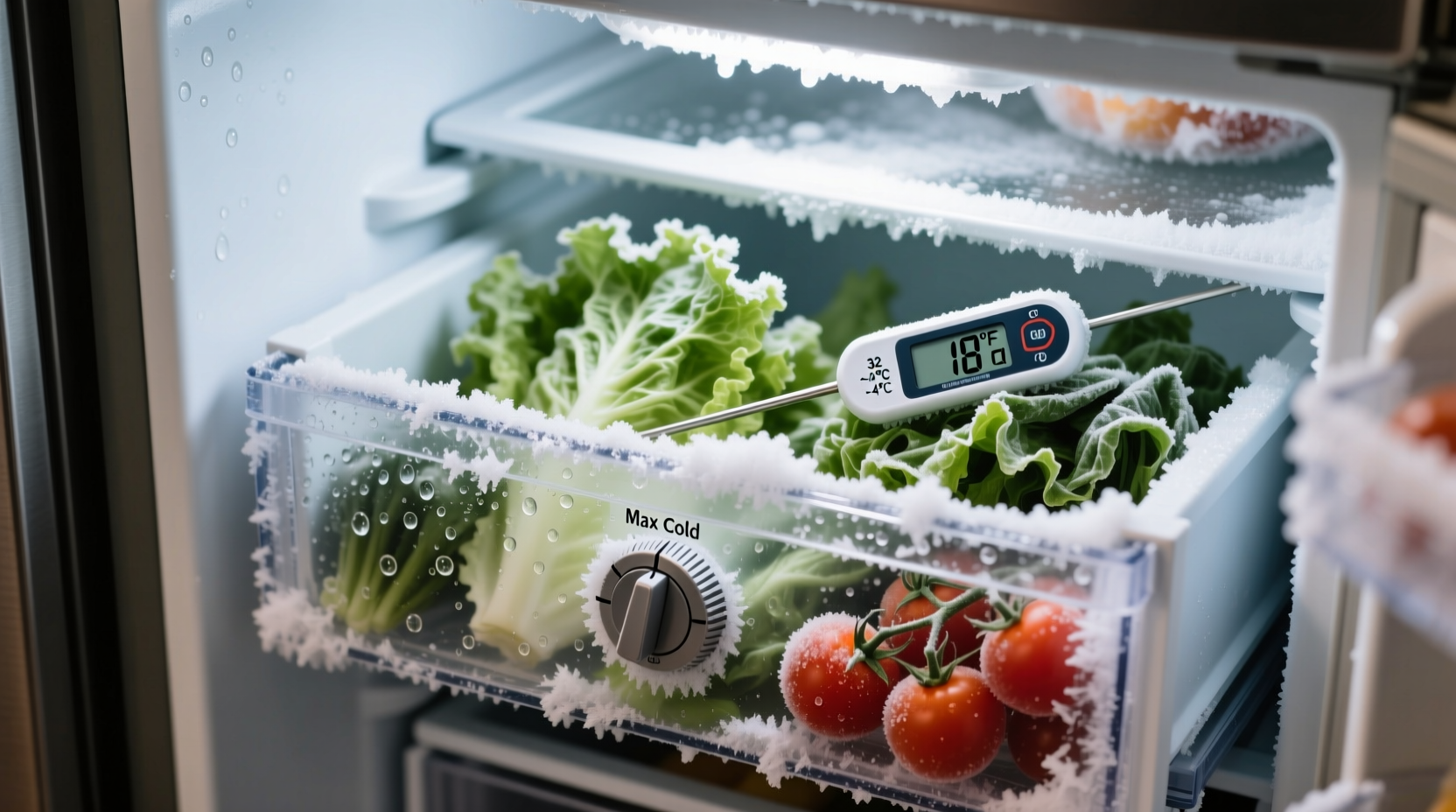
Modern refrigerators are engineered to maintain a delicate balance between cold air circulation and humidity control, especially in designated zones like the crisper drawer. These drawers are designed to preserve fruits and vegetables by managing moisture levels through adjustable vents or sliders labeled “Low” and “High” humidity. However, they still rely on the overall cooling system of the fridge, which includes the evaporator coil, thermostat, and air vents.
Cool air is typically generated in the freezer compartment and then circulated into the refrigerator section via a damper or fan system. The temperature in the fridge should ideally range between 37°F and 40°F (3°C to 4°C), while the crisper drawer maintains slightly higher humidity but the same temperature. When any part of this system malfunctions or becomes misconfigured, cold air can pool in unexpected areas—including the bottom drawers.
Common Causes of Overcooling in the Crisper Drawer
Several mechanical and user-related factors can lead to excessive cooling in the crisper drawer. Identifying the root cause is essential for an effective fix.
1. Incorrect Temperature Settings
The most common reason for overcooling is simply that the refrigerator’s temperature is set too low. Many people assume colder is better, but setting the dial below 35°F can cause freezing, especially near the back of the unit where cold air enters. The crisper drawer, often located at the bottom, becomes a natural collection point for dense, cold air.
2. Blocked or Misadjusted Air Vents
Some refrigerators have adjustable airflow controls that direct cold air from the freezer into the fridge compartment. If these vents are open too wide or obstructed by food items, airflow can become uneven. Excess cold air may flood the lower shelves and drawers, leading to freezing. Similarly, if the damper control is stuck open due to mechanical failure, it can continuously feed freezing air into the fresh food section.
3. Faulty Thermostat or Sensor
The thermostat monitors internal temperature and signals the cooling system to turn on or off. If it fails or becomes inaccurate, the fridge may run longer than necessary, dropping temperatures below safe levels. Newer models with digital sensors can also develop calibration issues, causing false readings and overcooling.
4. Poor Door Seal or Frequent Opening
When the refrigerator door doesn’t seal properly, warm air enters each time it's opened. The compressor compensates by running longer and harder to cool the interior, which can result in temperature swings and localized freezing. This is especially problematic in high-traffic kitchens.
5. Improper Food Placement
Storing items directly in the path of cold air vents—often located at the back or top of the fridge—can cause them to freeze even if ambient temperatures are normal. Items placed in the crisper drawer may be exposed to residual cold if the drawer sits directly beneath a vent or near the rear wall where coils are located.
“Temperature stratification is real in refrigerators. Cold air sinks, so the lowest compartments are naturally more vulnerable to freezing—especially if airflow isn’t balanced.” — Dr. Alan Pierce, Appliance Efficiency Researcher, Consumer Home Labs
Step-by-Step Guide to Diagnose and Fix the Problem
Follow this systematic approach to identify and resolve what’s causing your crisper drawer to freeze food.
- Check the temperature setting. Locate the temperature control (usually inside the fridge or on the front panel). Set it to 37°F (3°C) and wait 24 hours before re-evaluating.
- Use a standalone thermometer. Place one in the main compartment and another in the crisper drawer. Monitor readings over 24–48 hours to detect discrepancies.
- Inspect air vents. Look for vents in the ceiling or back wall of the fridge. Make sure no containers or packages are blocking them. If there’s a manual damper, ensure it’s not fully open.
- Test the door seal. Close the door on a piece of paper. If you can pull it out easily, the gasket may need cleaning or replacement. Wipe seals with warm, soapy water and check for cracks or warping.
- Listen for unusual sounds. A constantly running compressor or clicking noises may indicate a faulty thermostat or sensor.
- Adjust crisper settings. If your model has humidity controls, set leafy greens to “High” and fruits like apples or pears to “Low” to reduce moisture loss without encouraging freezing.
- Reorganize food placement. Avoid placing sensitive items like herbs, berries, or mushrooms directly against the back wall or under vents.
Do’s and Don’ts: Managing Crisper Drawer Conditions
| Do’s | Don’ts |
|---|---|
| Set fridge temp to 37°F (3°C) | Set temp below 35°F |
| Use a fridge thermometer for accuracy | Rely only on factory dial settings |
| Keep vents clear of obstructions | Stack containers over air outlets |
| Store produce in breathable bags | Place wet items directly in drawer |
| Clean door gaskets monthly | Ignore visible cracks in the seal |
Real-World Example: A Kitchen in Suburbia
Sarah, a homeowner in Columbus, Ohio, noticed her spinach and celery were consistently freezing within two days of purchase. At first, she assumed her grocery store was delivering pre-frozen produce. After discarding several ruined batches, she decided to investigate. Using a $10 fridge thermometer, she discovered the main compartment read 34°F—too cold—while the crisper drawer registered 30°F. She adjusted the temperature dial to a warmer setting and moved a large container blocking a rear vent. Within 48 hours, temperatures stabilized, and her produce stayed fresh for over a week. Sarah later realized that during winter months, her kitchen’s ambient temperature dropped, prompting the fridge to cycle less—but when heating kicked in, the thermostat responded erratically. Her solution? Regular monitoring and seasonal recalibration.
Troubleshooting Checklist
- ☐ Verify fridge temperature is set to 37°F (3°C)
- ☐ Use an independent thermometer to confirm readings
- ☐ Check for blocked air vents inside the refrigerator
- ☐ Inspect door seals for gaps or damage
- ☐ Listen for abnormal compressor noise or constant running
- ☐ Ensure crisper humidity controls are properly adjusted
- ☐ Avoid placing cold-sensitive foods against the back wall
- ☐ Clean condenser coils (located at the back or bottom) every 6 months
- ☐ Consider ambient room temperature—if the kitchen gets very cold at night, it may affect fridge performance
- ☐ Consult the owner’s manual for model-specific airflow diagrams
When to Call a Professional
While many freezing issues can be resolved with simple adjustments, some require expert attention. If you’ve followed all troubleshooting steps and the crisper drawer remains below freezing, the problem may lie in internal components such as:
- A failed thermistor (temperature sensor)
- A stuck evaporator damper
- A malfunctioning control board
- Refrigerant leaks affecting cooling efficiency
These issues often require diagnostic tools and technical expertise. A certified technician can test electrical components, inspect airflow dynamics, and recalibrate digital systems. Ignoring persistent problems may lead to compressor strain and premature appliance failure.
Frequently Asked Questions
Why is only the crisper drawer freezing, but the rest of the fridge is fine?
Cold air is denser and sinks, so it naturally accumulates in the lowest part of the refrigerator. If airflow is unbalanced or vents are misdirected, the crisper drawer becomes a cold air trap. Additionally, proximity to the evaporator or rear cooling coils can create micro-zones of extreme cold.
Can I fix a faulty thermostat myself?
Replacing a thermostat is possible for those comfortable with basic appliance repair, but diagnosing it correctly requires multimeter testing and model-specific knowledge. For safety and accuracy, it’s best handled by a professional unless you have experience.
Should I turn off the crisper drawer if it keeps freezing food?
No. The crisper drawer plays a vital role in preserving freshness by regulating humidity. Instead of disabling it, address the root cause—temperature, airflow, or placement. Removing the drawer entirely disrupts airflow balance and reduces storage efficiency.
Conclusion: Take Control of Your Fridge’s Performance
Your refrigerator should preserve food—not freeze it prematurely. The crisper drawer is meant to extend the life of your fruits and vegetables, not turn them into icy casualties of poor temperature management. By understanding how cold air circulates, checking settings regularly, and maintaining your appliance, you can prevent freezing and reduce food waste. Small habits—like using a thermometer, clearing vents, and inspecting seals—make a significant difference over time. Don’t wait until your next salad turns brittle. Take action today to optimize your fridge’s environment and keep your produce fresh, crisp, and exactly where it should be: chilled, not frozen.




 浙公网安备
33010002000092号
浙公网安备
33010002000092号 浙B2-20120091-4
Comments
No comments yet. Why don't you start the discussion?