
If your internet speeds plummet every evening, you're not imagining things. Millions of users experience the same frustrating slowdown between 6 PM and 10 PM. Streaming buffers, video calls freeze, and downloads crawl—just when you need reliable connectivity the most. The root causes are often two-fold: network-wide bandwidth congestion and intentional ISP throttling. Understanding these issues isn’t just about diagnosing a temporary glitch—it’s about reclaiming control over your home network.
Internet performance doesn’t exist in a vacuum. It’s shaped by infrastructure limitations, provider policies, and household usage patterns. By unpacking how peak-hour demand and data management practices interact, you can identify what’s really slowing your connection and take meaningful steps to improve it.
Understanding Peak-Time Bandwidth Congestion
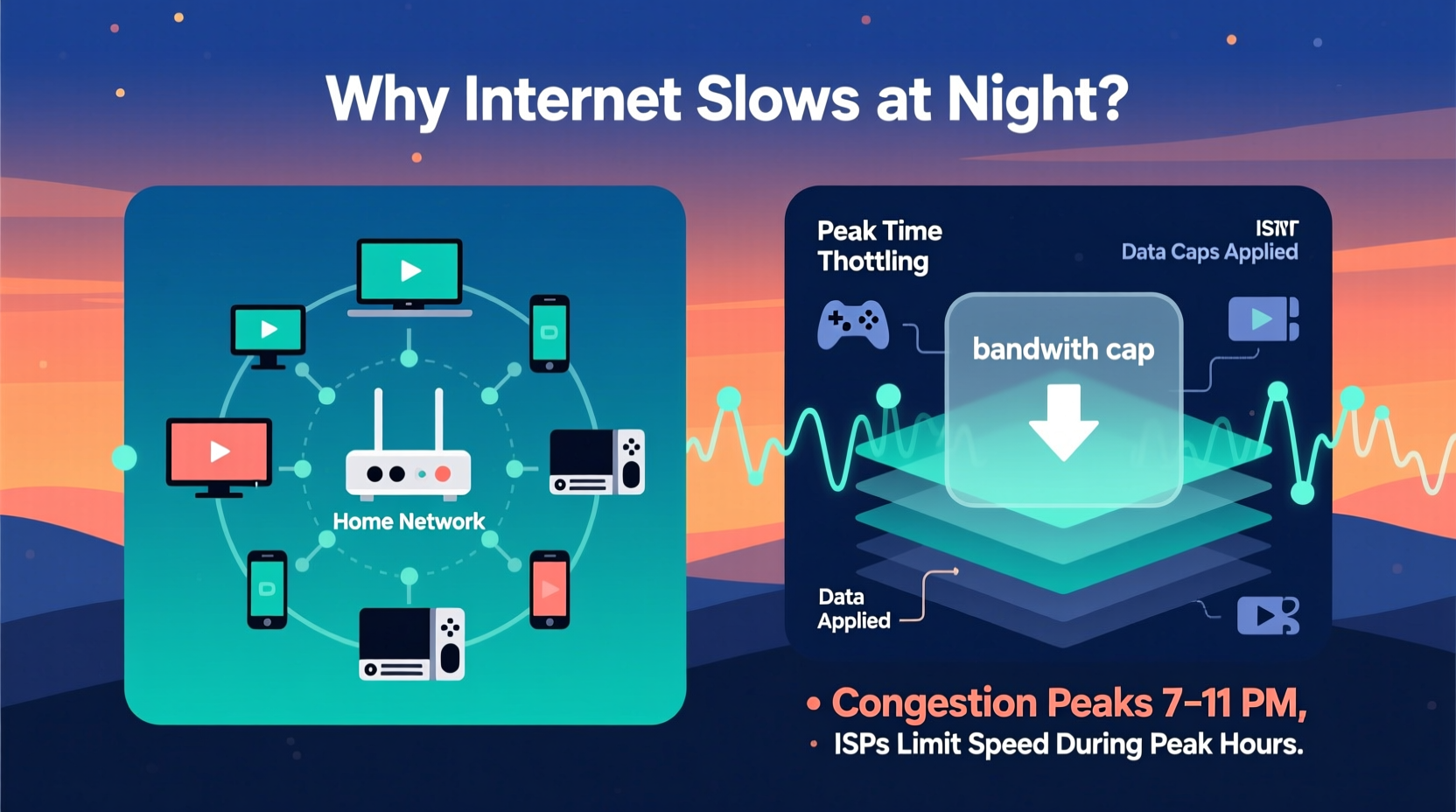
Bandwidth congestion occurs when too many users on the same network segment attempt to use the internet simultaneously. Think of your neighborhood’s internet connection like a shared highway. During off-peak hours—say, midday—traffic flows smoothly. But during rush hour, especially after work and school hours, that same road becomes clogged.
Most internet service providers (ISPs) use a model called \"oversubscription,\" where they allocate more potential bandwidth than physically exists, banking on the fact that not everyone will use their full connection at once. This works well under normal conditions. However, when entire neighborhoods stream Netflix, game online, or join Zoom calls simultaneously, the network reaches capacity. Your router may be functioning perfectly—but the bottleneck lies upstream, beyond your control.
Data from the Federal Communications Commission (FCC) and independent studies show average broadband speeds drop by 20% to 40% during peak usage times. In densely populated areas or older cable networks, the decline can exceed 50%. This isn’t random; it’s predictable and recurring.
How ISPs Throttle Internet Speeds
While congestion is partly a technical limitation, throttling is a deliberate policy decision made by ISPs. Throttling means intentionally slowing down certain types of traffic—often video streaming, peer-to-peer file sharing, or high-bandwidth applications—after a user hits a data threshold or during heavy usage periods.
Some ISPs employ \"network management practices\" that prioritize some traffic over others. For example, real-time services like VoIP calls might retain priority, while large downloads get deprioritized. Others throttle specific services—historically, companies like Comcast have been found to target BitTorrent traffic, while mobile carriers like T-Mobile and AT&T have slowed video streams unless customers pay for premium plans.
Even if you have an \"unlimited\" data plan, your ISP may still engage in throttling under fine print terms. These policies are often buried in lengthy service agreements but become evident through inconsistent performance. Unlike congestion, which affects all users equally during peak hours, throttling may selectively impact only certain activities or accounts.
“Throttling remains a common tool for managing network load, even in markets with few competitors. Transparency is improving, but consumers still need to monitor their own connections.” — Dr. Susan Lee, Network Policy Researcher at MIT
Spotting the Difference: Congestion vs. Throttling
Telling whether your slow internet stems from congestion or throttling requires careful observation and testing. Both produce similar symptoms—lag, buffering, timeouts—but their patterns differ.
| Factor | Bandwidth Congestion | ISP Throttling |
|---|---|---|
| Timing | Occurs predictably during evenings (6–11 PM) | May occur after data cap reached or during specific activity |
| Affected Services | All internet activities slow down | Specific apps (e.g., YouTube, Netflix, torrents) affected |
| Duration | Daily, tied to usage peaks | Persistent until billing cycle resets or threshold passed |
| Mitigation | Off-peak scheduling helps | Requires changing plans, using a VPN, or contacting ISP |
| Geographic Scope | Affects entire neighborhood or node | Can affect individual users selectively |
For instance, if your YouTube videos buffer nightly but download speeds remain stable during the day, congestion is likely. But if only 4K YouTube streams stutter while other sites load normally—even during low-traffic hours—you may be experiencing targeted throttling.
Step-by-Step Guide to Diagnose and Improve Nighttime Speeds
You don’t have to accept slow internet as inevitable. Follow this systematic approach to diagnose the cause and implement effective countermeasures.
- Run baseline speed tests
Use tools like Fast.com (Netflix), Speedtest.net (Ookla), or Google’s built-in speed test. Test multiple times: once during the day (11 AM), once in the early evening (6 PM), and again at peak (8 PM). Record upload, download, and latency values. - Test with a wired connection
Ensure results aren’t skewed by Wi-Fi interference. Connect your computer directly to the modem via Ethernet. Repeat tests to rule out local wireless issues. - Monitor per-application performance
Try accessing different services: load a large website, start a Zoom call, begin a 4K YouTube stream, and initiate a cloud backup. Note which fail first. Selective slowdowns suggest throttling. - Use a reputable VPN
Enable a trusted virtual private network (such as Mullvad, ProtonVPN, or NordVPN). Re-run speed tests. If performance improves significantly with the VPN active, your ISP is likely throttling unencrypted traffic based on content type. - Check your data usage
Log into your ISP account portal and review monthly data consumption. Many ISPs apply throttling after 1 TB or 1.2 TB. If you’re nearing or exceeding those limits, throttling is probable. - Contact customer support
Ask directly: “Do you engage in any form of bandwidth throttling or network optimization during peak hours?” Request details in writing. While responses may be vague, this creates a paper trail and sometimes prompts escalation to better support tiers. - Upgrade or switch service
If both congestion and throttling persist, consider upgrading to a higher-tier plan, switching to fiber (if available), or exploring municipal broadband options. Fiber-optic networks are far less prone to congestion due to higher capacity.
Real-World Example: The Johnson Family’s Fix
The Johnsons in suburban Austin had struggled for months with unbearable internet lag every night. Their two teenagers couldn’t complete homework, and parents working remotely faced dropped calls. Initial troubleshooting focused on Wi-Fi extenders and new routers—but problems persisted.
They followed the diagnostic steps above. Daytime speeds averaged 180 Mbps, but dropped to 35 Mbps nightly. A VPN boosted evening speeds back to 140 Mbps. Further investigation revealed their ISP applied “data prioritization” after 1 TB, which the family routinely exceeded due to streaming and gaming.
Armed with evidence, they contacted the ISP and switched to an unlimited, non-throttled business plan for $15 more per month. They also scheduled large downloads for overnight. Within a week, their peak-hour reliability improved dramatically. The solution wasn’t buying new gear—it was understanding the underlying policies affecting their service.
Actionable Tips to Minimize Slowdowns
While you can’t single-handedly upgrade your ISP’s infrastructure, several practical strategies reduce the impact of congestion and throttling.
- Schedule high-bandwidth tasks (backups, updates, large downloads) for early morning or late-night hours.
- Lower streaming quality settings on platforms like Netflix and YouTube during peak times (e.g., limit to 1080p instead of 4K).
- Use Quality of Service (QoS) settings on your router to prioritize critical devices (work laptops, video conferencing tools).
- Invest in a mesh Wi-Fi system to eliminate dead zones, ensuring optimal signal strength even when bandwidth is tight.
- Consider a dual-WAN setup with a secondary internet connection (like LTE/5G hotspot) for failover during outages or extreme slowdowns.
Checklist: Regain Control Over Your Internet Speed
Use this checklist to systematically address nighttime slowdowns:
- ✅ Conduct speed tests at multiple times of day
- ✅ Compare wired vs. wireless performance
- ✅ Monitor data usage against your plan’s cap
- ✅ Test with a trusted VPN enabled
- ✅ Identify which services are affected (all vs. specific)
- ✅ Adjust router QoS settings to prioritize key devices
- ✅ Schedule large downloads for off-peak hours
- ✅ Contact ISP with findings and request clarification on throttling
- ✅ Explore alternative providers or upgrade to fiber
- ✅ Document changes and re-test monthly
Frequently Asked Questions
Can my ISP legally throttle my internet?
Yes, in most cases. As long as the practice is disclosed in the service agreement, ISPs can throttle connections. Net neutrality rules in the U.S. were rolled back in 2018, allowing more flexibility in traffic management. However, misleading customers about service quality can violate FTC guidelines.
Does using a VPN stop throttling?
It often does—if the throttling is based on detecting specific types of traffic (like video streaming). Since a VPN encrypts your data, the ISP can’t see what you’re doing and must treat all traffic equally. However, some ISPs throttle based on volume regardless of content, so a VPN alone may not solve everything.
Is fiber immune to nighttime slowdowns?
Fiber is far more resistant to congestion due to its vastly higher capacity and dedicated line architecture. Unlike cable, which shares bandwidth across neighborhoods, fiber-to-the-home (FTTH) offers symmetrical speeds and minimal degradation during peak hours. Upgrading to fiber is one of the most effective long-term solutions.
Take Back Your Connection
Nighttime internet slowdowns aren’t just an annoyance—they disrupt work, education, and leisure. But attributing them to “bad Wi-Fi” or “old equipment” misses the real issue. Bandwidth congestion and ISP throttling are systemic challenges, but they’re not unbeatable.
By measuring your speeds objectively, understanding your ISP’s policies, and applying strategic fixes—from VPNs to plan upgrades—you can restore reliable performance when you need it most. Knowledge is power: the more you understand about how your internet works, the harder it becomes for providers to deliver subpar service without accountability.
Start tonight. Run a speed test. Compare it to your daytime results. Look at your data usage. Try a trusted VPN. Small actions build clarity, and clarity leads to control. Your internet shouldn’t vanish when the sun goes down.




 浙公网安备
33010002000092号
浙公网安备
33010002000092号 浙B2-20120091-4
Comments
No comments yet. Why don't you start the discussion?