
If your internet flies during the day but crawls after 6 PM, you're not imagining it—and you're far from alone. Millions of households experience a noticeable drop in internet speed every evening, just when they need it most for streaming, gaming, or video calls. The culprit? Bandwidth bottlenecks. Understanding why this happens—and what you can do about it—is key to reclaiming fast, reliable connectivity when it matters.
This phenomenon isn’t random. It’s rooted in network congestion, usage patterns, and infrastructure limitations that peak simultaneously across neighborhoods. As families return home, devices power on, and high-bandwidth activities begin, local networks reach their capacity. This article breaks down the technical and behavioral causes behind nighttime slowdowns and provides actionable solutions to mitigate them.
How Network Congestion Triggers Nighttime Slowdowns
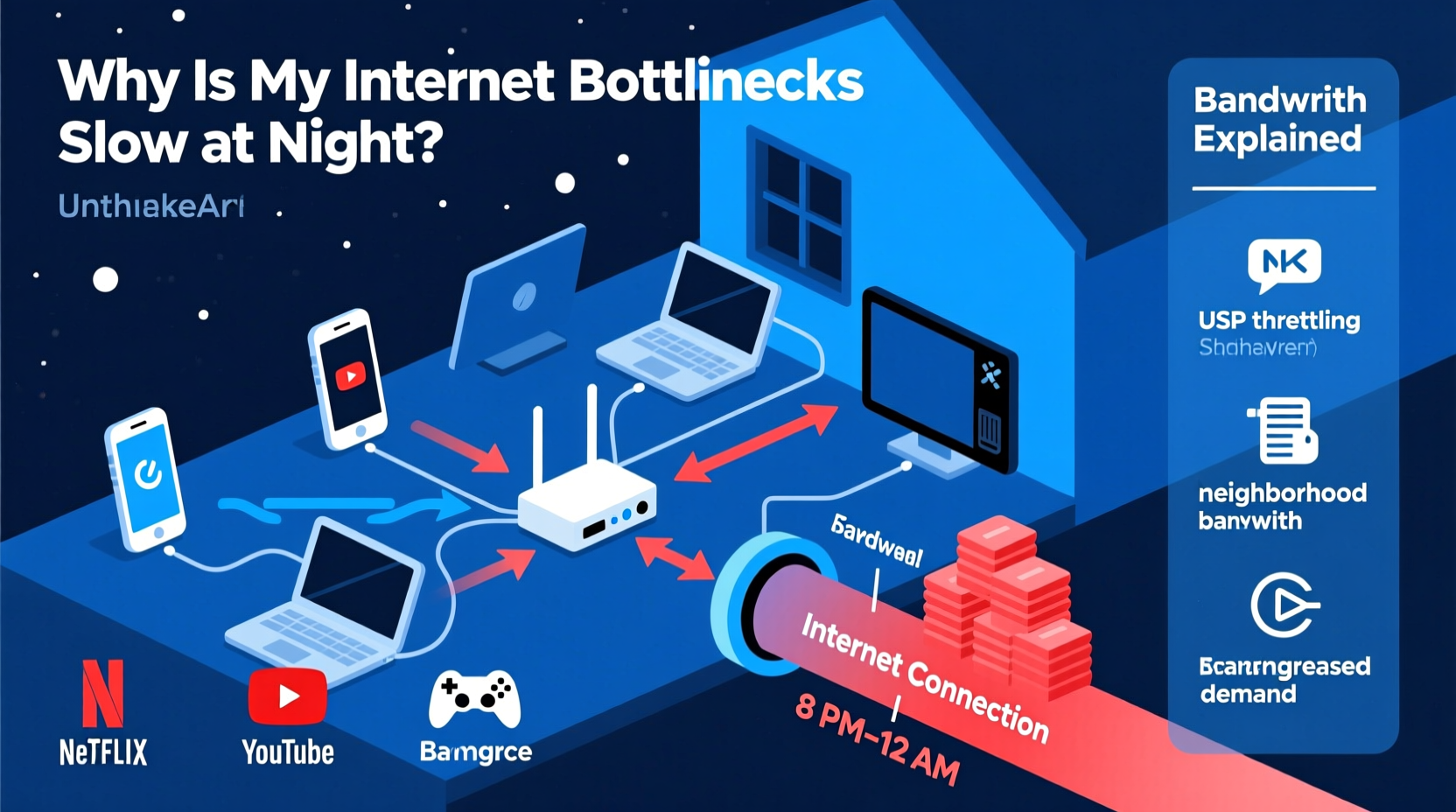
The most common reason for slow internet at night is network congestion. Internet Service Providers (ISPs) allocate bandwidth across neighborhoods using shared infrastructure. In many residential areas, especially those served by cable internet, multiple homes connect to the same node—a central distribution point. When too many users access the network simultaneously, that node becomes overwhelmed.
Think of it like rush-hour traffic: during off-peak hours, roads are clear and travel is smooth. But between 5 PM and 10 PM, highways clog as commuters head home. Similarly, internet traffic spikes in the evening as people stream Netflix, play online games, upload videos, and browse social media—all data-intensive tasks that consume large amounts of bandwidth.
According to the Federal Communications Commission (FCC), average broadband usage increases by up to 40% during peak evening hours compared to midday. This surge often exceeds the capacity ISPs have provisioned per neighborhood node, leading to latency, buffering, and reduced download speeds.
Understanding Bandwidth vs. Speed: What’s Really Being Shared?
Many users confuse internet speed with bandwidth, but they’re distinct concepts. Speed refers to how quickly data travels from one point to another—measured in Mbps (megabits per second). Bandwidth is the total volume of data that can be transmitted over a connection at once.
In shared network environments like cable internet, bandwidth is divided among all active users on a node. If your ISP advertises \"up to 300 Mbps,\" that doesn’t mean you’ll always get that rate—it means you’re entitled to a portion of the available bandwidth, which shrinks as more neighbors go online.
Fiber-optic connections typically avoid this issue because they offer dedicated bandwidth per household. However, fiber remains less widely available than cable, leaving millions vulnerable to congestion-based slowdowns.
| Connection Type | Shared or Dedicated? | Vulnerable to Nightly Congestion? |
|---|---|---|
| Cable | Shared (per node) | Yes – highly susceptible |
| DSL | Semi-shared (distance-sensitive) | Moderate – depends on line quality |
| Fiber | Dedicated (per subscriber) | No – consistent performance |
| 5G Home Internet | Shared (cell tower) | Yes – varies by location density |
As shown above, your type of internet service plays a major role in whether you'll experience nightly slowdowns. Cable and wireless options are inherently more prone to congestion due to shared infrastructure.
Home Network Factors That Amplify the Problem
While external network congestion is a primary cause, internal factors within your own home can make the situation worse. Even if your ISP delivers stable bandwidth, poor router placement, outdated hardware, or device overload can mimic or intensify slowdown symptoms.
For example, older Wi-Fi routers may struggle to handle multiple high-demand devices simultaneously. A single 4K video stream requires about 25 Mbps; add two gamers, a smart home hub, and several smartphones, and your router could be processing over 100 Mbps of concurrent traffic. If your router was designed for earlier Wi-Fi standards (like 802.11n), it may become a bottleneck regardless of your internet plan.
Additionally, interference from neighboring Wi-Fi networks—especially in apartments or dense suburbs—can degrade signal quality during peak usage times. Many routers default to crowded channels (like Channel 6 on 2.4 GHz), causing packet loss and retransmissions that reduce effective throughput.
“Even with a robust ISP connection, home network design determines real-world performance. A modern mesh system can eliminate dead zones and distribute load efficiently.” — David Lin, Senior Network Engineer at NetFlow Dynamics
Mini Case Study: The Johnson Family’s Streaming Struggles
The Johnsons live in a suburban neighborhood with cable internet. Their plan promises 400 Mbps, which feels fast during weekday mornings. But each evening, their streaming services buffer, Zoom calls freeze, and online games lag. After contacting their ISP, they were told their account shows no outages and speeds test “within range.”
A network audit revealed three issues: first, their neighborhood node supports 500 homes but currently serves 480, operating near maximum capacity at night. Second, their five-year-old router used outdated Wi-Fi 5 (802.11ac) technology and couldn't efficiently manage six connected devices. Third, their router sat in a basement closet surrounded by concrete walls, severely limiting signal strength upstairs.
After upgrading to a Wi-Fi 6 mesh system and switching to a wired Ethernet connection for their main TV, the Johnsons saw immediate improvements—even during peak hours. While they still experienced slight slowdowns during extreme congestion, their home network was no longer compounding the problem.
Step-by-Step Guide to Diagnose and Fix Nighttime Internet Slowness
Follow this structured approach to identify the root cause of your nighttime slowdowns and implement effective solutions.
- Test Your Speed at Different Times
Use a trusted tool like Speedtest.net or Fast.com to run tests daily at noon, 6 PM, and 10 PM for one week. Record results to spot patterns. Look specifically at download speed, upload speed, and ping (latency). - Check for Internal Network Issues
Restart your router and modem. Connect a laptop directly via Ethernet and rerun the speed test. If wired speeds are significantly faster than Wi-Fi, your wireless setup is likely the weak link. - Update Router Firmware and Settings
Log into your router’s admin panel (usually via 192.168.1.1 or similar). Check for firmware updates. Change your Wi-Fi channel to a less congested one (use apps like Wi-Fi Analyzer to find optimal channels). - Limit Bandwidth-Hungry Devices
Enable Quality of Service (QoS) settings on your router to prioritize critical devices (e.g., work laptop over smart fridge). Set automatic updates on computers and consoles to occur overnight during low-traffic periods. - Contact Your ISP with Data
Share your speed logs and ask: Is our node oversubscribed? Are there planned upgrades? Can we switch to a less congested service tier or technology (e.g., fiber if available)? - Consider Upgrading Service or Technology
If congestion persists, explore alternatives: fiber providers, fixed wireless, or even satellite internet (like Starlink) in rural areas. Sometimes paying slightly more for a business-tier plan yields better contention ratios.
Actionable Tips to Reduce Evening Network Load
Small changes in usage habits and device management can yield noticeable improvements, even without upgrading your plan.
- Pause cloud backups and software updates during peak hours (6 PM–11 PM).
- Stream in HD (not 4K) unless absolutely necessary—this cuts bandwidth use by up to 75%.
- Turn off unused smart devices or place them on a separate guest network.
- Use Ethernet cables for stationary devices like TVs, desktops, and game consoles.
- Set parental controls to limit streaming time for children during high-demand windows.
FAQ: Common Questions About Nighttime Internet Slowdowns
Does my ISP throttle internet speed at night?
Most major ISPs do not engage in deliberate throttling based on time of day. However, they may deprioritize heavy users during congestion under \"fair usage\" policies. True throttling—slowing specific services like Netflix—is rare since net neutrality rules discourage it. More often, what feels like throttling is simply network congestion.
Can too many devices crash my Wi-Fi?
Not exactly \"crash,\" but yes—too many active devices can overwhelm your router’s processing power and RAM, especially on older models. Routers have limits on concurrent connections (often 20–30). Exceeding this leads to dropped signals, high latency, and intermittent disconnections.
Would a mesh network help with nighttime slowdowns?
A mesh system improves coverage and device handling within your home, reducing Wi-Fi-related bottlenecks. It won’t fix ISP-level congestion, but it ensures your internal network isn’t making the problem worse. For large homes or multi-story buildings, mesh Wi-Fi is often worth the investment.
Checklist: How to Fight Nighttime Internet Slowdowns
Use this quick-reference checklist to systematically address slow evening internet:
- ✅ Run speed tests at multiple times over several days
- ✅ Compare wired vs. wireless performance
- ✅ Upgrade router firmware and optimize Wi-Fi channels
- ✅ Enable QoS to prioritize essential devices
- ✅ Schedule large downloads outside peak hours
- ✅ Contact ISP with evidence of slowdowns
- ✅ Evaluate switching to fiber or alternative provider
- ✅ Invest in a Wi-Fi 6 or Wi-Fi 6E mesh system if needed
Conclusion: Take Control of Your Evening Internet Experience
Nighttime internet slowdowns aren’t inevitable. While shared bandwidth and peak-hour congestion are real challenges, they’re not insurmountable. By understanding the underlying causes—from neighborhood node saturation to outdated home networking gear—you can take informed steps to improve performance.
The solution often lies in a combination of smarter device management, strategic upgrades, and informed engagement with your service provider. Whether it’s switching to Ethernet, optimizing your router settings, or exploring fiber availability, small actions add up to smoother streaming, faster browsing, and fewer frustrations after dark.




 浙公网安备
33010002000092号
浙公网安备
33010002000092号 浙B2-20120091-4
Comments
No comments yet. Why don't you start the discussion?