
If your internet works fine during the day but grinds to a crawl every evening, you're not imagining things. This frustrating pattern affects millions of households, especially in densely populated areas. The slowdown isn't random—it's often tied to network congestion, hardware limitations, or service provider policies that peak when most people are online after work. Understanding the root causes and knowing how to respond can mean the difference between buffering videos and seamless streaming.
Nighttime internet lag doesn’t just disrupt entertainment; it interferes with remote work, online learning, gaming, and video calls. While it may seem like an unavoidable part of modern life, many causes are fixable with simple adjustments to your router settings, usage habits, or ISP plan. Let’s break down what’s really happening after dark—and how you can take back control of your connection.
Why Internet Slows Down at Night: The Core Causes
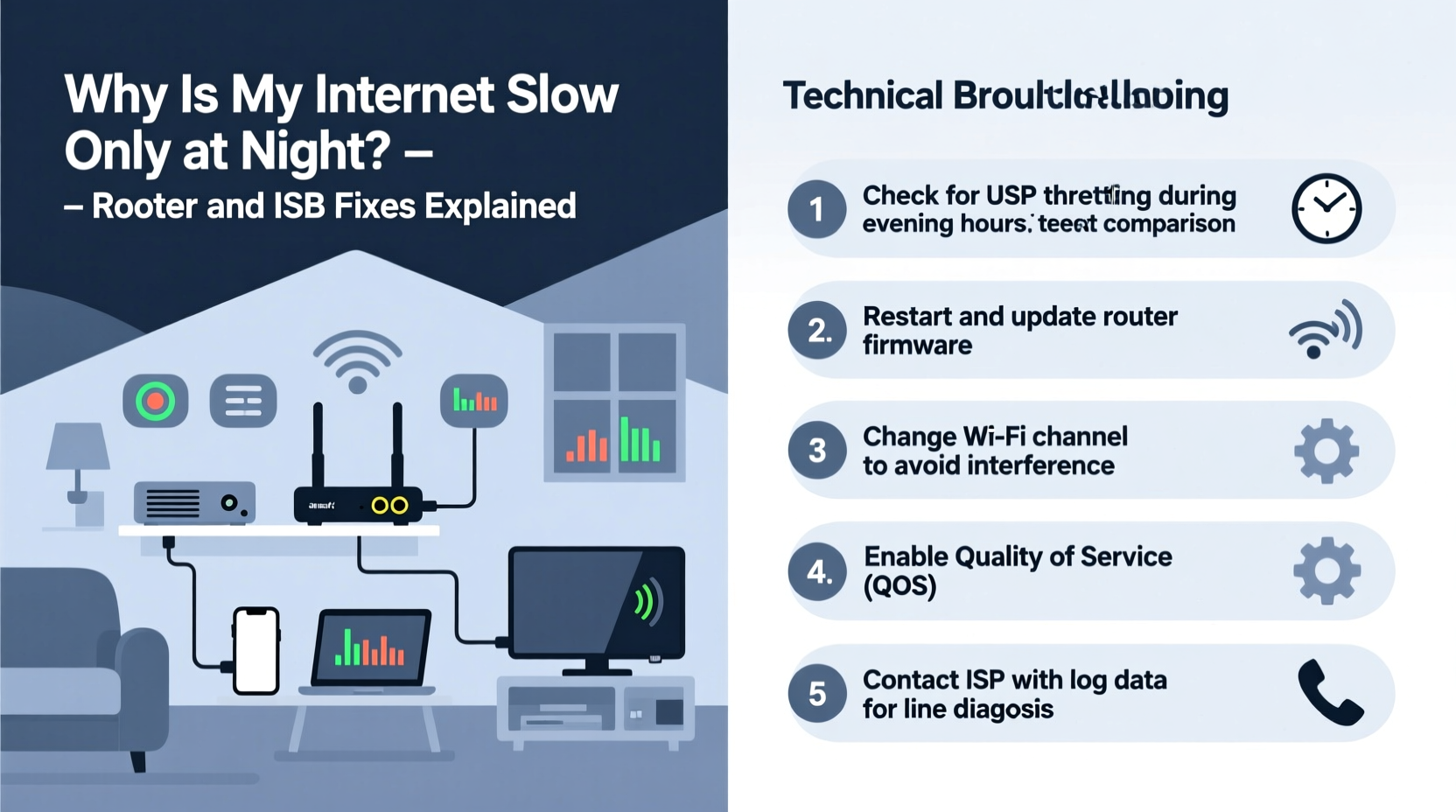
The primary reason for nighttime slowdowns is increased network demand. As people return home, they simultaneously turn on smart TVs, stream movies, play online games, and browse social media. This surge in activity impacts both your local network (inside your home) and the broader infrastructure managed by your Internet Service Provider (ISP).
- Local Network Congestion: Multiple devices competing for bandwidth within your home can overwhelm your router, especially if it's outdated or poorly configured.
- ISP Network Congestion: Your ISP serves thousands of users in your area. When too many go online at once, shared infrastructure becomes overloaded, reducing available speed per user.
- Throttling Policies: Some ISPs intentionally reduce speeds during peak hours for certain types of traffic, such as streaming or large downloads.
- Wi-Fi Interference: Neighboring networks using the same Wi-Fi channel create signal interference, which worsens at night when more homes are active.
- Router Overheating or Memory Leaks: Routers running continuously without reboots can degrade in performance over time, particularly under sustained load.
“Peak-time slowdowns are often a symptom of capacity strain—not just on your equipment, but across the entire delivery chain from your device to the ISP backbone.” — David Lin, Senior Network Engineer at MetroNet Solutions
Router-Based Fixes to Improve Nighttime Speed
Your router is the command center of your home network. Even with a strong ISP connection, poor router management can cripple performance. Fortunately, several tweaks can dramatically improve stability and throughput during high-demand periods.
1. Reboot Your Router Regularly
Routers accumulate temporary data and memory leaks over time. A simple reboot clears this clutter and resets connections. Set a routine—manually or via a smart plug—to restart your router daily, ideally before peak usage begins.
2. Update Firmware
Manufacturers release firmware updates to patch bugs, improve security, and enhance performance. Check your router’s admin interface (usually accessible via 192.168.1.1 or similar) for updates. Never skip these—they can resolve hidden inefficiencies affecting speed.
3. Optimize Channel Settings
Most routers default to crowded Wi-Fi channels (like 6 on 2.4 GHz). Use a free tool like Wi-Fi Analyzer (Android) or NetSpot (PC/Mac) to scan nearby networks and switch to a less congested channel. For dual-band routers, encourage devices to use the 5 GHz band, which is faster and less prone to interference.
4. Enable Quality of Service (QoS)
QoS allows you to prioritize critical activities—like video calls or gaming—over background tasks like software updates. Access your router settings and assign higher priority to specific devices or applications. This ensures smooth performance even when bandwidth is tight.
5. Replace Outdated Hardware
If your router is more than three to four years old, it likely lacks support for modern standards like MU-MIMO, beamforming, or Wi-Fi 6. Upgrading to a newer model improves handling of multiple connected devices and increases overall efficiency.
| Router Feature | Benefit for Nighttime Use |
|---|---|
| Wi-Fi 6 (802.11ax) | Better handles multiple devices and reduces latency |
| MU-MIMO Support | Allows simultaneous data streaming to several devices |
| Tri-Band Design | Dedicated backhaul channel reduces congestion |
| Advanced QoS Controls | Prioritizes important traffic automatically |
ISP-Level Solutions and Negotiation Tactics
Sometimes, the bottleneck lies beyond your walls. If multiple household members are hitting their data caps or your neighborhood experiences consistent throttling, your ISP may be limiting your service during peak hours.
Check Your Plan’s Bandwidth Limits
Review your current internet plan. Does it include data caps? Many providers throttle speeds after 1TB of usage per month. Monitor your consumption through your ISP’s app or portal. If you're nearing the cap, consider upgrading to an unlimited plan.
Test for Throttling
To detect throttling, run a speed test using a regular browser, then repeat it while connected to a trusted Virtual Private Network (VPN). If speeds increase significantly with the VPN, your ISP may be shaping traffic based on content type (e.g., Netflix, torrents).
Contact Your ISP with Evidence
When calling customer support, have recent speed tests ready (use tools like Ookla Speedtest or FCC’s M-Lab). Calmly present data showing consistent drops during evenings despite full signal strength. Ask specifically:
- Are there known outages or maintenance in my area?
- Is my account being throttled due to data usage?
- Can I upgrade to a higher-tier plan with better peak-hour performance?
Consider Switching Providers
If your ISP consistently fails to deliver promised speeds during peak times and refuses to address concerns, explore alternatives. Municipal broadband, fiber providers, or fixed wireless services may offer superior reliability—even at a comparable price.
Step-by-Step Guide to Diagnose and Fix Nighttime Lag
Follow this structured approach to identify and eliminate the source of slowdowns:
- Document the Issue: Run speed tests at different times over 3–5 days. Note download/upload speeds and ping values during daytime vs. evening.
- Isolate Internal Factors: Disconnect all devices except one. Test speed again at night. If performance improves, internal congestion is likely the culprit.
- Reboot and Update: Power cycle your modem and router. Check for firmware updates and apply them.
- Adjust Router Settings: Change Wi-Fi channels, enable QoS, and separate 2.4 GHz and 5 GHz bands with distinct names (SSIDs).
- Run a Throttling Test: Compare speeds with and without a reputable VPN active.
- Contact ISP: Share your findings and request troubleshooting or plan upgrades.
- Upgrade Equipment or Service: Invest in a new router or switch to a faster, uncapped plan if necessary.
Real-World Example: How One Family Fixed Their Streaming Woes
The Thompson family in Austin, Texas, struggled nightly with frozen Zoom calls and buffering Disney+ streams. During the day, speeds averaged 120 Mbps; by 7 PM, they dropped to 18 Mbps. After logging data for a week, they discovered no single device was misbehaving. A Wi-Fi scan revealed their router was on channel 6, jammed by 14 neighboring networks.
They changed to channel 1, enabled QoS to prioritize laptops and tablets, and updated firmware. Speeds improved slightly—but still dipped after 8 PM. Suspecting ISP throttling, they tested with a NordVPN connection and saw speeds jump to 95 Mbps. Armed with evidence, they contacted their provider, who admitted to “network optimization” during peak hours. After threatening to switch to Google Fiber, the ISP offered a premium tier with guaranteed minimum speeds—free for six months. Within two weeks, their evening experience transformed.
Essential Checklist: Fix Slow Night Internet
- ✅ Run speed tests at various times to confirm the issue
- ✅ Reboot modem and router daily or use a smart plug timer
- ✅ Update router firmware to latest version
- ✅ Switch to a less congested Wi-Fi channel (use analyzer tool)
- ✅ Enable QoS and prioritize key devices
- ✅ Connect bandwidth-heavy devices via Ethernet when possible
- ✅ Test for throttling using a secure VPN
- ✅ Contact ISP with documented speed data and ask about upgrades
- ✅ Consider switching to a fiber or gigabit provider if available
Frequently Asked Questions
Why does my internet slow down only between 7 PM and 11 PM?
This window aligns with peak residential usage. Most people arrive home, stream content, game online, and use smart devices. Both your local network and ISP infrastructure face maximum load during these hours, leading to congestion and reduced speeds.
Can a better router fix nighttime slowdowns caused by my ISP?
A better router won’t override ISP-level throttling or neighborhood congestion, but it can optimize how your home uses available bandwidth. Features like QoS, beamforming, and dual/tri-band support ensure efficient distribution, minimizing internal bottlenecks that compound external issues.
Does turning off devices help improve internet speed at night?
Yes. Every connected device consumes background bandwidth for updates, syncing, and pinging servers. Turning off unused phones, tablets, smart speakers, and IoT gadgets reduces overhead and frees up resources for critical tasks like streaming or video conferencing.
Take Control of Your Evening Connection
Nighttime internet slowness isn’t inevitable. With methodical diagnosis and strategic adjustments—from optimizing router settings to challenging ISP practices—you can reclaim fast, stable connectivity when you need it most. Start by gathering data, then systematically eliminate potential causes. Whether it’s a firmware update, a channel change, or a firm conversation with your provider, each step brings you closer to uninterrupted browsing, streaming, and working after dark.




 浙公网安备
33010002000092号
浙公网安备
33010002000092号 浙B2-20120091-4
Comments
No comments yet. Why don't you start the discussion?