
If your video buffers endlessly, downloads crawl, or video calls freeze mid-sentence, you're not alone. Millions face frustratingly slow internet speeds daily—often without knowing the root cause. While some assume their internet plan is to blame, the truth is more complex. A sluggish connection can stem from hardware issues, network congestion, interference, or even simple misconfigurations. The good news? Most problems are fixable with practical steps that don’t require a technician.
Common Causes of Slow Internet Speed
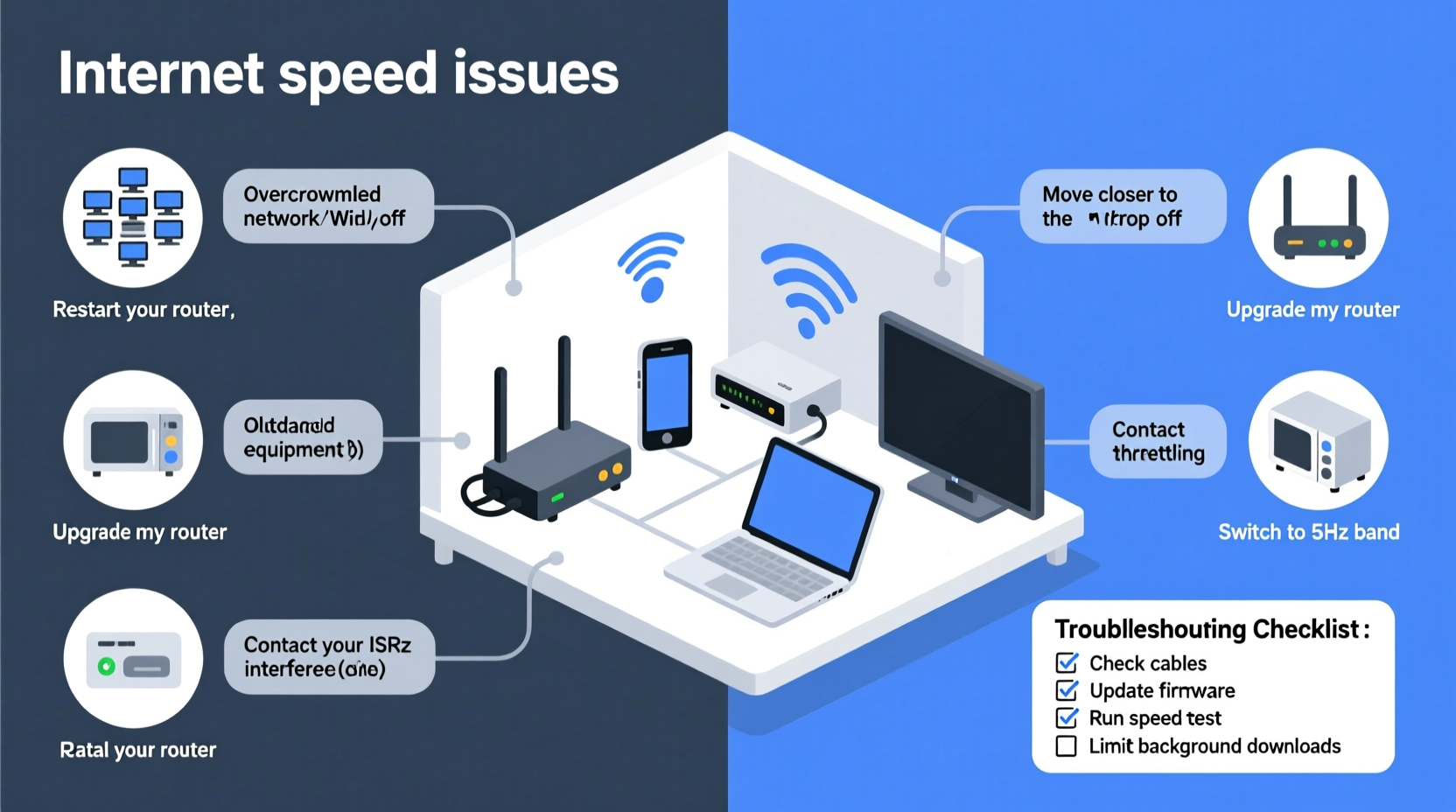
Before jumping to conclusions, it’s essential to understand what might be dragging down your bandwidth. Identifying the source saves time and money—and often leads to quick fixes.
- Outdated or overloaded router: Routers degrade over time. Older models may not support modern Wi-Fi standards (like Wi-Fi 5 or Wi-Fi 6), limiting speed potential.
- Network congestion: Too many devices streaming, gaming, or downloading simultaneously can overwhelm your network.
- Distance and physical obstructions: Thick walls, metal structures, and distance weaken Wi-Fi signals, especially on the 5 GHz band.
- Interference from other electronics: Microwaves, cordless phones, and Bluetooth devices emit radio frequencies that interfere with Wi-Fi.
- ISP throttling: Some Internet Service Providers intentionally slow your connection during peak hours or when detecting high-bandwidth usage like streaming or torrenting.
- Background apps and updates: Devices automatically syncing, updating software, or backing up data consume bandwidth silently.
- Malware or unauthorized users: Infected devices or unsecured networks can allow outsiders to leech your bandwidth.
How to Diagnose Your Internet Speed Issues
Before making changes, confirm whether the problem lies with your internal network or your ISP. Use this step-by-step diagnostic process:
- Run a speed test: Visit a trusted site like Speedtest.net or Fast.com. Test multiple times throughout the day to identify patterns.
- Compare results to your plan: If your download speed consistently falls below 80% of your advertised rate, there's an issue.
- Test via Ethernet: Connect a computer directly to your router using a cable. If speeds improve dramatically, the issue is likely Wi-Fi related.
- Check device-specific performance: Test different devices. If only one is slow, the problem may be local to that machine.
- Inspect your router’s admin panel: Log in (usually via 192.168.1.1) and check connected devices. Unrecognized ones could indicate unauthorized access.
“More than half of reported slow internet cases turn out to be home network issues—not ISP failures.” — David Lin, Senior Network Engineer at Broadband Insights Group
Proven Fixes to Boost Your Internet Speed
Once you’ve diagnosed the problem, apply targeted solutions. These methods address both technical and environmental factors affecting your connection.
1. Optimize Router Placement
Place your router centrally, elevated, and away from large metal objects, appliances, and thick walls. Avoid basements or closets unless using a mesh system.
2. Upgrade or Replace Old Hardware
If your router is over three years old, consider upgrading to a Wi-Fi 6 model. Modern routers handle multiple devices better and offer improved range and throughput.
3. Switch Wi-Fi Bands Strategically
Use 2.4 GHz for longer range and better wall penetration. Use 5 GHz for faster speeds in close proximity. Dual-band routers let you assign devices accordingly.
4. Limit Bandwidth-Hungry Applications
Pause automatic updates on computers and smart TVs. Disable cloud backups during peak usage hours. Prioritize critical tasks like work calls or online classes.
5. Enable Quality of Service (QoS)
Most modern routers include QoS settings. Use them to prioritize traffic for video conferencing, gaming, or specific devices over background tasks.
| Solution | Difficulty | Effectiveness | Time Required |
|---|---|---|---|
| Restart router | Easy | Medium | 2 minutes |
| Move router centrally | Easy | High | 10–15 minutes |
| Upgrade to Wi-Fi 6 | Moderate | Very High | 30 minutes |
| Enable QoS | Moderate | High | 15 minutes |
| Contact ISP for line check | Easy | Variable | 1+ hours |
Real-World Example: Fixing a Home Office Bottleneck
Sarah, a freelance graphic designer in Portland, noticed her Zoom calls kept freezing despite having a 200 Mbps plan. After testing, she found her wired speed was only 60 Mbps. She moved her laptop closer to the router—speed jumped to 180 Mbps. Then she discovered her smart TV was downloading a 4K update in the background. By pausing the update and enabling QoS to prioritize her work device, her connection stabilized. No new hardware needed—just smarter management.
Checklist: Quick Actions to Improve Internet Speed
- ✅ Restart your modem and router
- ✅ Run a speed test on multiple devices
- ✅ Move the router to a central, unobstructed location
- ✅ Switch to the less congested Wi-Fi band (5 GHz if nearby, 2.4 GHz if distant)
- ✅ Disconnect unused devices from the network
- ✅ Check for firmware updates on your router
- ✅ Scan devices for malware
- ✅ Contact your ISP if speeds are consistently below 80% of promised rates
Frequently Asked Questions
Why is my internet slow at night?
Evening slowdowns are common due to network congestion. Many people stream, game, or browse after work, increasing demand on your local node. This is called \"peak time throttling\" by ISPs. Consider upgrading your plan or using QoS to maintain priority tasks.
Can too many devices slow down Wi-Fi?
Yes. Each connected device consumes a small amount of bandwidth for background communication—even when idle. More than 15 active devices can strain older routers. Use a mesh system or access points for larger homes with many gadgets.
Does my internet plan really matter?
Absolutely. A 25 Mbps plan may suffice for light browsing, but households with multiple 4K streams, gamers, or remote workers need 100 Mbps or higher. Always match your plan to your usage profile.
Conclusion: Take Control of Your Connection
Slow internet doesn’t have to be a daily frustration. With a methodical approach, most speed issues can be resolved in under an hour—often without spending a dime. Start with simple fixes like repositioning your router or restarting equipment, then move to advanced strategies like QoS or hardware upgrades. Monitor your speeds regularly and stay proactive about network hygiene. A fast, reliable connection isn’t just about convenience—it’s essential for work, education, and staying connected in today’s digital world.




 浙公网安备
33010002000092号
浙公网安备
33010002000092号 浙B2-20120091-4
Comments
No comments yet. Why don't you start the discussion?