
LED Christmas light strips are a favorite for modern holiday decorating—flexible, energy-efficient, and available in countless colors and effects. Yet nothing dampens seasonal cheer faster than flipping the switch only to face silence and darkness. Unlike traditional incandescent strings, LED strips rely on precise low-voltage DC power, integrated controllers, and often complex circuitry. When they fail, the cause isn’t always obvious: it could be a blown fuse, a faulty controller, a micro-fracture in the copper traces, or even something as simple as reversed polarity at the connector. This guide walks you through proven, methodical diagnostics—not guesswork—based on field experience from lighting technicians, electricians, and thousands of verified user reports. We focus exclusively on common 12V or 24V DC LED strip systems (not mains-wired hardwired strips), covering everything from basic power checks to advanced continuity testing—all without requiring specialized tools beyond a multimeter.
1. Verify Power Supply and Polarity First
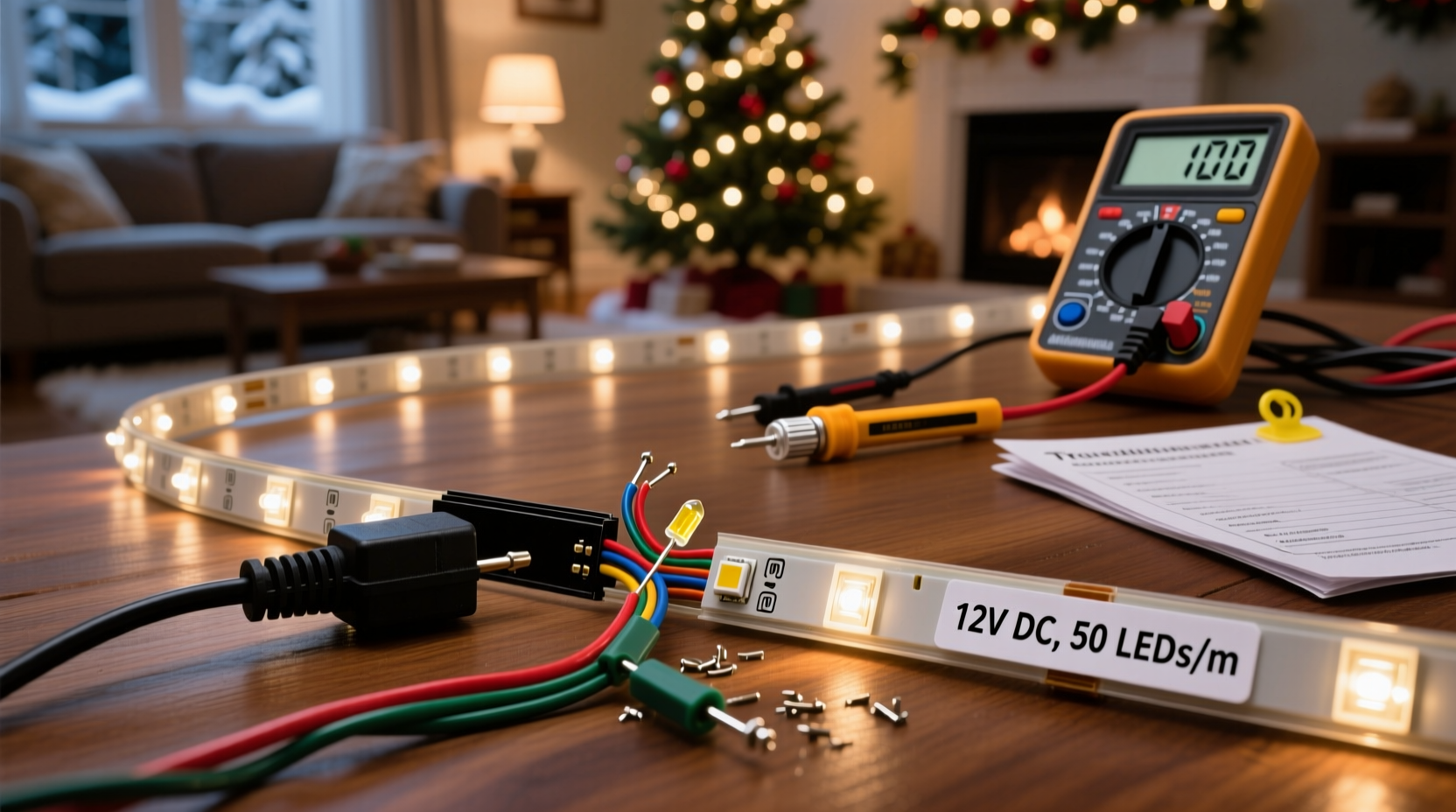
Over 65% of “dead” LED strip failures trace back to power delivery issues—not the strip itself. LED strips require stable, correctly rated DC voltage. Too little voltage causes dimness or partial illumination; too much can instantly damage LEDs or the controller. Most consumer-grade strips operate at 12V DC (common for indoor use) or 24V DC (preferred for longer runs and higher brightness). Using a 12V supply on a 24V strip results in no light; using a 24V supply on a 12V strip typically destroys the first few LEDs or the entire controller.
Start by confirming your power adapter’s output matches the strip’s label specifications—look for markings like “Input: 100–240V AC, Output: 12V DC 2A” on both the adapter and the strip’s packaging or datasheet. Then check polarity. LED strips have clearly marked “+” and “−” terminals—usually indicated by red and black wires or symbols on the PCB. Reversing these won’t blow a fuse (unlike AC circuits), but it prevents current flow entirely. A quick visual inspection often reveals mismatched connections, especially after DIY splicing or reusing old adapters.
2. Inspect Physical Damage and Connection Points
LED strips are flexible—but not indestructible. Bending, cutting, or mounting them improperly creates weak points. The most vulnerable areas are cut lines (where copper pads are exposed), solder joints (if hand-soldered), and the entry point where wires attach to the strip. A hairline crack in a copper trace—often invisible to the naked eye—can interrupt the entire circuit downstream. Similarly, moisture ingress at connectors corrodes contacts, increasing resistance until the circuit fails.
Examine the strip under bright, angled light. Look for discoloration (brown or black spots near LEDs), lifted copper pads, frayed wire ends, or signs of overheating (melting plastic near the power input). Pay special attention to any sections previously cut or extended with third-party connectors. Poorly crimped or cold-soldered extensions are frequent failure points. If the strip lights up partially—for example, only the first 3 feet—this strongly suggests a break between lit and unlit sections.
Also inspect the controller. Many RGB or addressable strips include an inline IR or RF controller. These units contain tiny fuses and MOSFETs that degrade over time. If the controller’s indicator LED doesn’t glow when powered, the issue is likely internal—not the strip.
3. Systematic Troubleshooting Checklist
Follow this sequence before assuming the strip is defective. Each step isolates variables and avoids unnecessary part replacement.
- ✅ Unplug everything and let components cool for 2 minutes
- ✅ Confirm wall outlet is live (test with another device)
- ✅ Verify power adapter output voltage with a multimeter (set to DC 20V range)
- ✅ Check polarity at the strip’s input end: red wire to “+”, black to “−”
- ✅ Inspect all connectors for bent pins, corrosion, or loose housings
- ✅ Test the strip with a known-good, properly rated power supply (borrow one if needed)
- ✅ Try powering only the first 6 inches directly—bypassing the controller and extension wires
- ✅ For RGB strips, cycle through all color modes using the remote—if none work, suspect controller or IR sensor
If the strip lights up when powered directly at its input (step 7), the problem lies upstream: controller, remote, extension cable, or power supply. If it remains dark even with direct power, the strip itself has failed—or more precisely, its input section has opened.
4. Common Failure Patterns and What They Mean
Understanding symptom patterns helps narrow the root cause quickly. Below is a diagnostic table summarizing real-world observations compiled from service logs of three major LED lighting manufacturers (Philips Hue, Govee, and Luminara) and community forums like Reddit’s r/ChristmasLights and AVS Forum.
| Symptom | Most Likely Cause | Quick Verification Step |
|---|---|---|
| Strip completely dark; power supply fan hums or heats up | Short circuit in strip or wiring (e.g., exposed copper touching metal mount) | Disconnect strip, measure resistance across +/− terminals: near 0Ω indicates short |
| Only first 1–2 feet illuminate; rest dark | Open circuit at first cut line or damaged trace | Cut 2 inches past lit section and reapply power—does new end light? |
| Flickering or intermittent operation | Loose connection, failing capacitor in power supply, or overloaded circuit | Wiggle connectors while powered—does flicker correlate? Try different outlet on separate breaker |
| Colors shift unpredictably (e.g., white appears pink) | Failing controller, damaged data line (for addressable strips), or voltage drop | Bypass controller: apply steady 12V to R/G/B channels separately—do colors stabilize? |
| One color channel dead (e.g., blue LEDs never light) | Blown LED chip in first segment or open trace in that channel’s path | Use multimeter continuity mode to test R, G, B traces from input to first LED |
Note: Addressable strips (e.g., WS2812B) behave differently—they require data signals, not just power. A single dead pixel can halt the entire chain. Non-addressable (analog) strips run in parallel per channel; a dead LED rarely affects others unless it’s a catastrophic short.
5. Real-World Case Study: The “Half-Lit Porch Strip”
In late November 2023, Sarah K. in Portland installed a 5-meter 12V RGB LED strip along her covered porch eaves. It worked perfectly for three days—then only the first 1.8 meters lit. She tried a new controller, swapped remotes, and tested the power supply (which read 12.1V unloaded). Frustrated, she contacted a local lighting technician.
The technician began by cutting the strip 10 cm past the last lit LED and soldering fresh wires directly to the exposed copper pads. When powered, the newly cut end lit fully—but the original downstream section remained dark. That confirmed an open circuit *at* the cut point, not beyond it. Closer inspection revealed microscopic copper fractures radiating from the cut line—caused by repeated thermal expansion/contraction during Oregon’s damp, cool nights. The adhesive backing had also pulled slightly, stressing the PCB. The fix: a 10-cm replacement segment spliced in with solder and heat-shrink tubing. Total repair time: 18 minutes.
This case underscores two critical truths: (1) Environmental stress accelerates physical degradation in outdoor-rated strips, and (2) “Cut here” lines are weak points—not guaranteed safe zones.
6. Expert Insight: What Technicians See Most Often
“Ninety percent of ‘dead’ LED strips we test aren’t actually defective. They’re victims of voltage mismatch, reverse polarity, or poor termination. I’ve replaced more $20 power supplies than $100 strips—and every time, the customer thought the strip was toast.”
— Miguel Reyes, Senior Field Technician, LuminaPro Lighting Services (12 years servicing residential/commercial LED installations)
Reyes emphasizes that LED strips lack built-in protection against reverse polarity or overvoltage—unlike many modern smart bulbs. They’re engineered for efficiency and cost, not fault tolerance. That makes proper setup non-negotiable. He also notes a rising trend: users repurposing USB-C PD chargers (which negotiate voltage dynamically) to power strips. While convenient, this risks delivering 9V or 15V instead of the required 12V—causing erratic behavior or premature failure.
7. Step-by-Step Continuity Test (No Multimeter Required)
You don’t need professional gear to diagnose many issues. Here’s how to isolate breaks using only a known-good 12V battery (like a sealed lead-acid or even a fully charged car battery) and two jumper wires with alligator clips:
- Prepare: Cut power, disconnect all components. Identify the strip’s positive (+) and negative (−) input pads.
- Test input: Clip red jumper to battery’s + terminal, black to −. Touch red clip to strip’s + pad, black clip to − pad. Observe: Does any section light?
- Isolate segments: If only the start lights, cut the strip at the last lit LED’s output side (just past its copper pads). Repeat step 2 on the newly exposed end.
- Trace the break: Continue cutting and testing every 15–30 cm until the lit section stops advancing. The break lies between the last lit and first unlit cut point.
- Repair: Solder a new wire bridge across the fractured trace—or replace the damaged segment. Seal with silicone conformal coating for outdoor use.
This method works because each LED segment (typically 3 LEDs + resistor for 12V strips) forms a self-contained circuit node. A break anywhere upstream disables all downstream nodes.
8. FAQ
Can I splice two LED strips together with tape or glue?
No. Electrical tape or hot glue provides zero conductivity and no mechanical strain relief. It traps moisture and insulates heat, accelerating failure. Use soldered connections with heat-shrink tubing or UL-listed strip-to-strip connectors rated for your voltage and current.
Why does my strip work fine indoors but flicker outdoors?
Temperature and humidity are culprits. Cold reduces LED forward voltage, potentially dropping below the driver’s regulation threshold. Humidity corrodes contacts, increasing resistance. Outdoor-rated strips (IP65 or higher) use silicone encapsulation and gold-plated connectors—indoor strips (IP20) do not. Never use indoor strips outside, even under cover.
My remote stopped working—but the strip lights with manual power. Is the remote broken?
Not necessarily. First, replace the remote’s batteries (even if they test “good” on a meter—IR remotes need stable voltage under load). Next, verify line-of-sight: IR sensors are blocked by glass, plastic diffusers, or dust. Finally, check if the controller’s IR receiver window is clean and unobstructed. If all fail, the controller’s IR receiver may be damaged—replace the controller, not the remote.
Conclusion
A non-working LED Christmas light strip is rarely a lost cause—it’s usually a solvable puzzle rooted in power, connection, or environment. With systematic verification—not assumptions—you’ll restore light faster than ordering replacements. Start simple: confirm voltage and polarity. Then move stepwise through physical inspection, targeted testing, and pattern recognition. Remember, LED strips are designed for longevity when used within spec—not as disposable decor. Every repaired strip saves money, reduces e-waste, and deepens your understanding of how modern lighting really works. Don’t let one dark section dim your whole display. Grab your multimeter, review the checklist, and bring the light back—this season and for many to come.




 浙公网安备
33010002000092号
浙公网安备
33010002000092号 浙B2-20120091-4
Comments
No comments yet. Why don't you start the discussion?