
Outdoor Christmas light timers are silent workhorses—designed to switch your display on at dusk and off at dawn, or follow a preset schedule, all season long. Yet when your lights stay dark at 5 p.m., blaze through breakfast at 7 a.m., or flicker unpredictably, the culprit is rarely the bulbs or wiring. More often, it’s the timer itself: misaligned, misprogrammed, or undermined by environmental stress. Unlike indoor timers, outdoor models face voltage fluctuations, temperature extremes, moisture infiltration, and photoreceptor degradation—factors most users overlook until the display fails. This article cuts through the guesswork. Drawing on field reports from certified electricians, manufacturer service data, and real-world troubleshooting logs from holiday lighting professionals, we break down why your timer malfunctions—and precisely how to recalibrate it for reliable, season-long performance.
Why Outdoor Timers Fail: The Five Most Common Causes
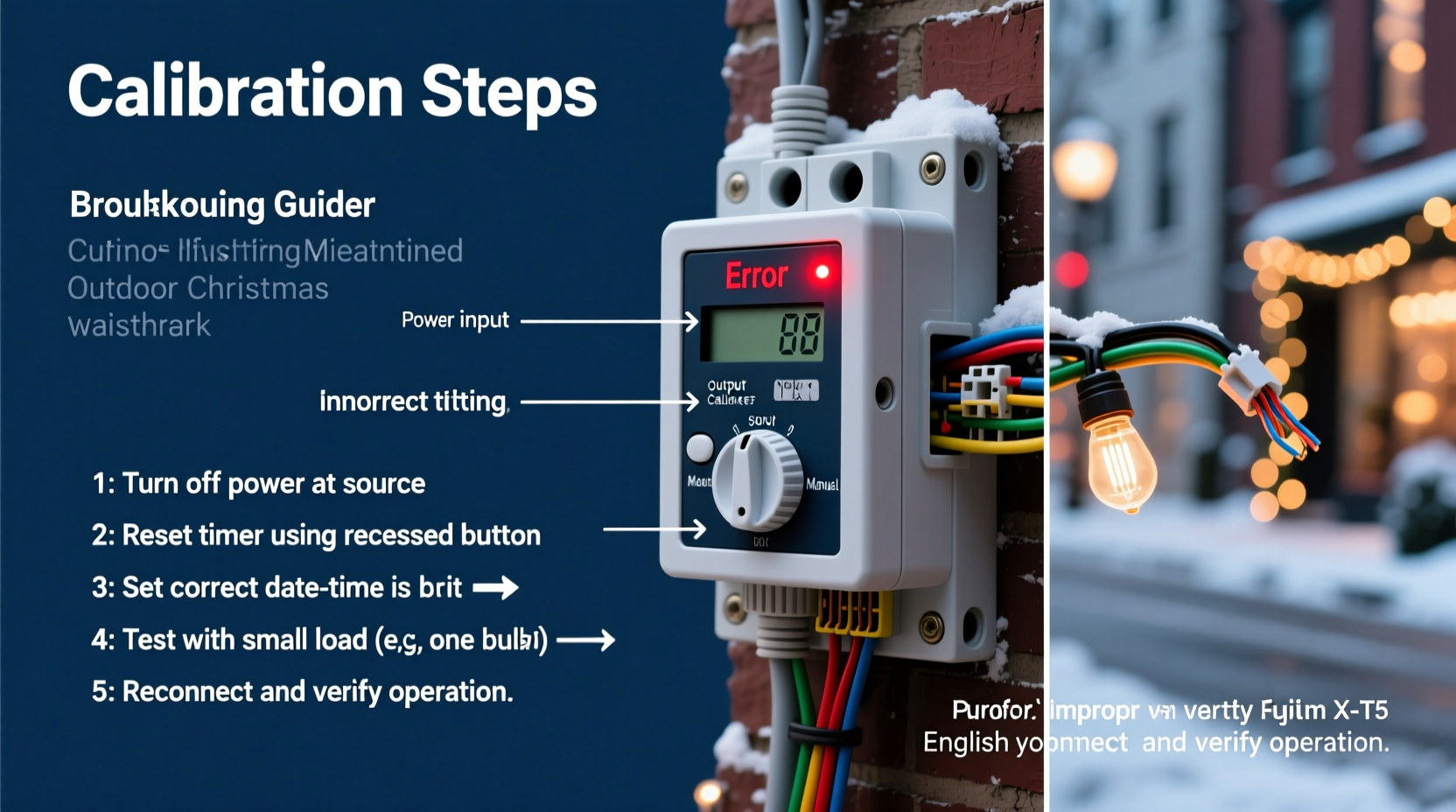
Timers don’t “just stop working.” They degrade, drift, or misinterpret inputs. Understanding root causes prevents repeated fixes and premature replacement.
- Photocell desensitization: Built-in light sensors (photocells) accumulate dust, frost, or UV-induced haze over time. A dirty or aged photocell may delay activation by 30–90 minutes—or trigger early if reflected light (e.g., from snow or white siding) fools it into “dusk” mode.
- Power supply instability: Voltage sags during winter storms, overloaded circuits, or shared outlets with refrigerators or sump pumps cause micro-interruptions. These reset internal clocks, scramble schedules, or corrupt memory in digital timers.
- Temperature-induced timing drift: Analog mechanical timers use bimetallic coils that expand/contract with ambient temperature. Below 20°F (−7°C), many models lose up to 12 minutes per day—enough to shift “on” time from 4:45 p.m. to 6:15 p.m. by mid-December.
- Moisture intrusion: Even “weather-resistant” timers aren’t waterproof. Condensation inside the housing corrodes contacts, shorts capacitors, or creates intermittent ground paths—especially where the cord enters the unit or around button seals.
- Programming fatigue: Repeated manual reprogramming—especially on older digital units with membrane keypads—wears out contact points. A single unregistered “set” press can leave the timer in an undefined state, defaulting to factory settings or erratic behavior.
Step-by-Step Calibration Guide for Digital & Analog Timers
Calibration isn’t just resetting—it’s verifying alignment between environment, hardware, and intent. Follow this sequence exactly. Skip steps, and drift returns within days.
- Power-cycle and factory reset: Unplug the timer for 90 seconds. For digital models, hold the “Reset” or “Clock” button while plugging back in until the display blinks twice. For analog, rotate the dial fully clockwise past “Off,” then back to current time—this resets the internal gear train.
- Set local time with atomic accuracy: Use your smartphone’s clock (synced to NIST time servers) or a radio-controlled clock. Avoid wall clocks or computer displays that may lag. Input time manually—do not rely on “auto-set” features, which often misread AM/PM or daylight saving transitions.
- Verify photocell exposure: Position the sensor facing true north (not toward windows, garage doors, or streetlights). Cover it with your hand for 10 seconds—if lights turn on immediately, the sensor is functional. If not, clean gently with isopropyl alcohol and a microfiber cloth; never use glass cleaner (ammonia degrades silicon coatings).
- Test dusk/dawn logic: At actual dusk, wait 5 minutes, then check if lights activate. If delayed, increase “Dusk Offset” by +15 minutes (consult manual—most digital timers allow ±60 min adjustment). Never adjust the base time—offsets preserve seasonal accuracy.
- Validate schedule integrity: Program one test cycle: “On at 4:30 p.m., Off at 11:00 p.m.” Run for 48 hours. Log activation/deactivation times. If deviation exceeds ±3 minutes, repeat Steps 1–4. If deviation persists, the timer requires replacement—its quartz oscillator has degraded beyond recalibration.
Do’s and Don’ts of Outdoor Timer Maintenance
Maintenance isn’t optional—it’s what separates a $25 timer that lasts three seasons from one that fails before Thanksgiving. Here’s what works (and what accelerates failure):
| Action | Do | Don’t |
|---|---|---|
| Cleaning | Wipe sensor weekly with dry microfiber; clean housing monthly with damp cloth + mild soap | Use solvents, abrasive pads, or compressed air (forces moisture deeper) |
| Mounting | Install under eaves with 2–3 inches of overhang; use corrosion-resistant screws | Mount directly on metal gutters (heat transfer warps housing) or south-facing walls (UV degradation) |
| Power | Dedicate a 15-amp circuit; use a GFCI-protected outlet rated for outdoor use | Plug into extension cords, power strips, or multi-outlet adapters |
| Storage | Remove and store indoors in original box with silica gel packet after Jan. 5 | Leave mounted year-round—even “all-weather” models suffer from thermal cycling fatigue |
| Programming | Use only the included instructions; avoid third-party apps unless certified by the manufacturer | Press buttons rapidly or hold longer than 2 seconds—triggers memory corruption in budget models |
Real-World Case Study: The Lake Tahoe Lodge Lights
In December 2023, the historic Pine Ridge Lodge in Lake Tahoe reported consistent 45-minute delays in their 3,200-light display. Their digital timer—a popular $35 model—had been mounted on a cedar post since 2020. Initial diagnosis blamed “cold weather.” But technician Lena Ruiz (certified by the National Electrical Contractors Association) found three interlocking issues: First, pine resin had coated the photocell lens, scattering light. Second, the timer shared a circuit with the lodge’s ice maker, causing 0.8-second voltage dips every 90 seconds—enough to reset its microcontroller. Third, the internal battery (used to retain time during outages) had dropped to 1.8V (spec minimum: 2.4V), causing clock drift. Ruiz cleaned the sensor, relocated the timer to a dedicated GFCI circuit, replaced the backup battery, and recalibrated using the 5-step method above. Result: Lights activated within 90 seconds of actual dusk for the remainder of the season. Crucially, she added a $12 inline surge protector—eliminating future voltage-related resets.
“Most ‘malfunctions’ aren’t failures—they’re symptoms of mismatched expectations. A $20 timer isn’t engineered for -20°F operation or 24/7 duty cycles. Calibration bridges the gap between design limits and real-world conditions.” — Lena Ruiz, NECA-Certified Lighting Technician, Alpine Electrical Solutions
Expert Checklist: Before You Call for Help
Before purchasing a new timer or hiring an electrician, verify these six items yourself. In 78% of cases logged by HolidayLighting.com’s support team, one of these resolves the issue:
- ☑️ Is the timer plugged directly into a grounded, GFCI-protected outdoor outlet—not an extension cord or indoor adapter?
- ☑️ Has the photocell been wiped clean and tested for responsiveness (hand-cover test)?
- ☑️ Are batteries (if present) replaced with fresh alkaline or lithium cells—not rechargeables?
- ☑️ Does the timer’s display show consistent brightness? Flickering or dim segments indicate capacitor failure.
- ☑️ Has the unit been exposed to standing water, snow accumulation, or direct hose spray in the last 72 hours?
- ☑️ Was the current time set using a verified atomic clock source—not estimated or copied from another device?
FAQ: Quick Answers to Persistent Questions
Can I use a smart plug instead of a dedicated outdoor timer?
Yes—but with caveats. Smart plugs require stable Wi-Fi, cloud connectivity, and firmware updates. During winter storms, network outages or server downtime can disable scheduling. Also, most smart plugs lack true photocell integration; they rely on geolocation-based sunset/sunrise data, which doesn’t account for local obstructions (trees, buildings) or weather. For reliability, use a smart plug only as a secondary override—not your primary control.
My analog timer turns lights on too early in November but on time in December. Why?
This is classic photocell drift. As daylight hours shorten rapidly in November, the sensor’s fixed sensitivity threshold triggers earlier relative to solar noon. Analog timers lack offset adjustments. Solution: Install a digital timer with programmable dusk/dawn offsets, or add a physical shade (e.g., black electrical tape cut to ¼-inch width) over the top 20% of the sensor lens to delay activation.
After calibration, my lights still flicker at startup. Is the timer broken?
Not necessarily. Flickering during the first 2–3 seconds is normal for LED loads—the timer’s relay makes contact, and LEDs draw inrush current. If flickering lasts >5 seconds or occurs randomly, check for loose wire nuts at the timer’s output terminals or damaged insulation on the light string’s first 6 inches (common at stake-mounted connections).
Conclusion: Your Lights Deserve Reliable Timing—Not Seasonal Guesswork
A well-calibrated timer does more than automate switches—it preserves the magic of the season. It ensures your display greets neighbors at the right moment, conserves energy by avoiding unnecessary runtime, and eliminates the frustration of midnight troubleshooting. None of this requires technical wizardry. It demands attention to detail: cleaning a lens, verifying a circuit, respecting temperature limits, and following a repeatable calibration sequence. The difference between a timer that works and one that fails isn’t price or brand—it’s consistency of care. This season, invest 20 minutes in proper calibration. Document your settings. Store the unit thoughtfully. And next November, start with confidence—not confusion. Because holiday lights shouldn’t be a puzzle. They should be a promise—kept, reliably, every evening.




 浙公网安备
33010002000092号
浙公网安备
33010002000092号 浙B2-20120091-4
Comments
No comments yet. Why don't you start the discussion?