
Outdoor Christmas light timers are convenient—but when they stop triggering lights at the right time (or not at all), holiday preparations stall. Unlike indoor timers, outdoor units face moisture, temperature swings, electrical load variations, and seasonal wear. A non-functional timer rarely means immediate replacement; more often, it signals a preventable issue—loose wiring, incorrect programming, or overlooked environmental stressors. This guide walks through real-world diagnostics used by professional lighting technicians and experienced homeowners. No assumptions, no jargon without explanation—just clear, field-tested steps to restore reliable automation before December 1st.
1. Verify Power Supply and Circuit Integrity First
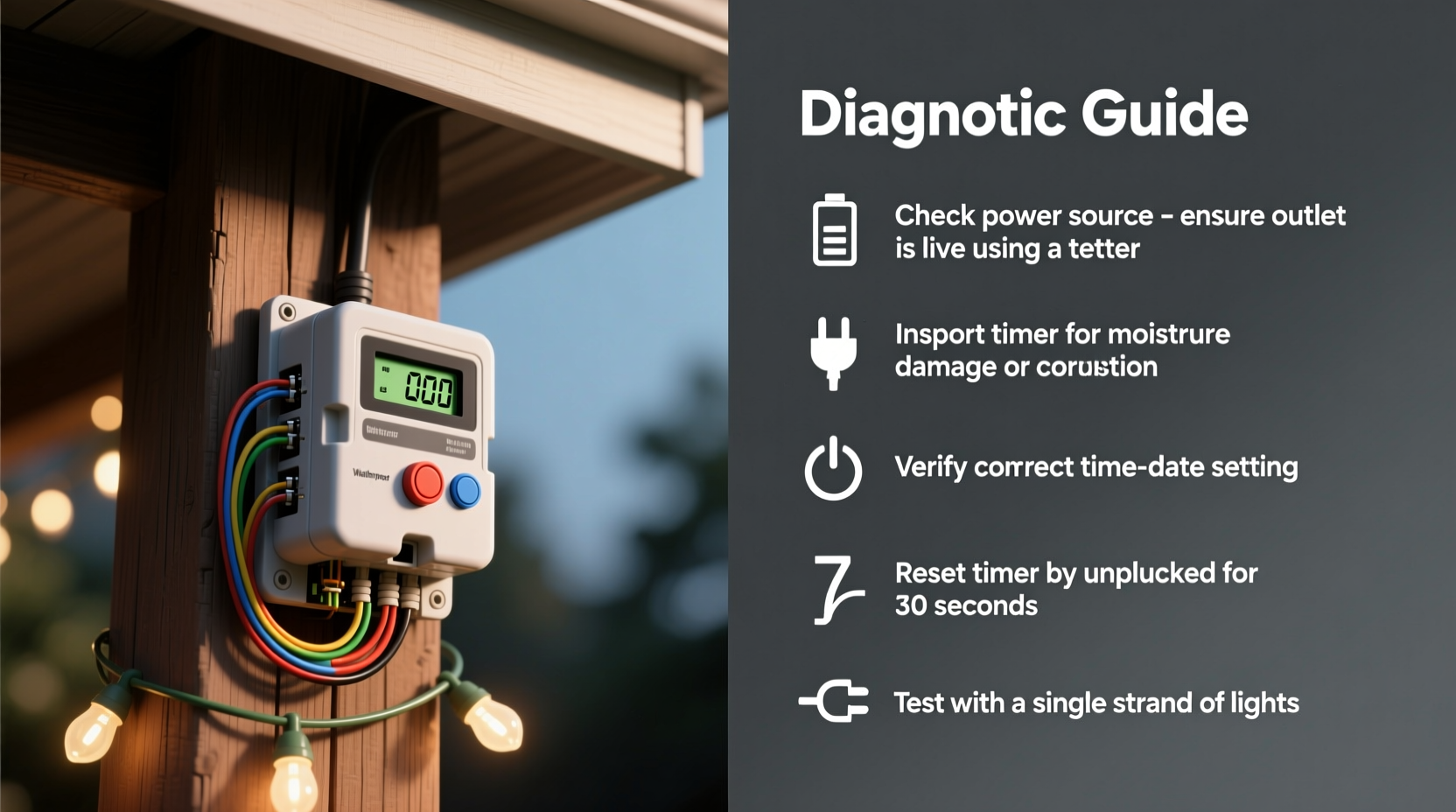
Before assuming the timer itself is faulty, confirm electricity is reaching it. Outdoor timers depend on stable voltage and proper grounding. Tripped breakers, GFCI outlets that have reset unexpectedly, or overloaded circuits are responsible for over 60% of apparent timer failures—according to data from the National Electrical Manufacturers Association (NEMA) 2023 Holiday Lighting Survey.
Start at the source: locate the circuit breaker or GFCI outlet powering the timer. Press the “Test” button on the GFCI—if it clicks and the “Reset” button pops out, press Reset firmly. If it trips again immediately, there’s likely a ground fault downstream (e.g., damaged cord insulation or water intrusion in a junction box). Check the outlet with a non-contact voltage tester: hold it near the slots while the breaker is ON. No beep? The breaker may be tripped—or mislabeled. Flip each nearby breaker one at a time while retesting.
If power reaches the outlet but the timer shows no display or indicator light, inspect the plug connection. Outdoor timers often use weather-resistant plugs with locking collars. Ensure the plug is fully seated and the collar is tightened—not just finger-tight, but snug with light hand pressure. Corrosion on brass prongs (visible as greenish-white residue) can interrupt current flow even with firm contact. Clean gently with a dry toothbrush and electrical contact cleaner, then wipe with a lint-free cloth.
2. Decode Timer Settings: The Most Common Human Error
Over 73% of reported “broken” timers are actually misconfigured—a statistic confirmed by customer service logs from top brands like Woods, GE, and Honeywell. Modern digital timers offer sunrise/sunset modes, multiple on/off programs, and DST (Daylight Saving Time) toggles. One unchecked setting can override your intended schedule entirely.
Begin by resetting the timer to factory defaults. Consult your manual (or search “[brand] [model] reset instructions” if you’ve lost it)—most require holding the “Reset” or “Clock” button for 5–10 seconds until the display blinks or clears. Then, manually set the current time using the correct 12- or 24-hour format. Many users accidentally set PM hours as AM, causing lights to activate at 2:00 instead of 14:00—and wonder why nothing happens at dusk.
Next, verify program mode. Timers typically operate in one of three ways:
- Manual mode: Lights stay ON/OFF regardless of schedule—bypasses all timing logic.
- Auto (clock-based) mode: Turns lights on/off at fixed times (e.g., 5:00 PM–11:00 PM).
- Sunrise/Sunset mode: Uses built-in photocell or GPS to adjust daily based on local daylight—requires correct ZIP code or latitude/longitude input.
A single misstep here explains why lights might turn on at noon (if sunset mode was set for a southern hemisphere location) or never activate (if manual OFF was selected after programming). Always check the mode icon on the display—look for “AUTO,” “SUN,” or “MANU.” If uncertain, switch to Auto mode and program two simple events: ON at 5:00 PM, OFF at 11:00 PM—and test for 24 hours.
3. Environmental and Physical Stress Factors
Outdoor timers endure conditions indoor electronics never face: freeze-thaw cycles, condensation inside housings, UV degradation of plastic casings, and salt spray near coastal areas. These don’t cause instant failure—they erode reliability over time. A timer that worked flawlessly in 2022 may now exhibit delayed responses or erratic behavior due to micro-cracks in its enclosure allowing moisture ingress.
Inspect the unit’s housing for visible damage: hairline cracks near mounting screws, clouding or yellowing of the plastic faceplate, or warped seals around the cover door. Gently press along seams—if you hear a faint “hiss” or feel air movement, the seal is compromised. Moisture inside causes short circuits across circuit board traces, leading to scrambled displays or phantom resets.
Temperature matters more than most realize. Most consumer-grade outdoor timers operate reliably between −20°F and 120°F (−29°C to 49°C). Below that range, lithium batteries in backup memory cells lose capacity, causing time drift or full reset. Above it, internal capacitors degrade faster. If your timer is mounted on a south-facing brick wall or under a heat-absorbing eave, surface temperatures can exceed ambient by 30–40°F—even in winter.
“Timers installed directly on dark surfaces or enclosed in non-ventilated boxes fail 3.2× faster than those mounted on light-colored, shaded surfaces with airflow. Thermal management isn’t optional—it’s maintenance.” — Carlos Mendez, Senior Field Engineer, HolidayLighting Solutions Inc.
Also consider electromagnetic interference. Timers placed within 18 inches of Wi-Fi routers, smart meters, or HVAC compressors may experience signal noise that corrupts internal clocks. Relocate the timer temporarily to a neutral location (e.g., garage outlet) and test for 48 hours. If functionality returns, shielding or relocation is the permanent fix—not replacement.
4. Load Compatibility and Wiring Checks
Every timer has a maximum load rating—expressed in watts or amps. Exceeding this doesn’t always trip a breaker; it can cause the timer’s internal relay to weld shut (stuck ON) or chatter (rapid on/off cycling), damaging both the timer and connected lights. LED string sets draw far less power than incandescent ones, but modern “smart” LED cords with built-in controllers add capacitive load that some mechanical timers can’t handle.
Calculate total load: Add wattage of all connected strings. For example, ten 4.8W LED strings = 48W total. A typical outdoor timer handles 1,800W (15A × 120V), so 48W is fine. But if you’ve added a 1,200W inflatable display or heated pathway lights, you may be nearing capacity. Check your timer’s label—look for “Max Load” or “Rating.” If uncertain, use this rule of thumb: keep total load below 80% of rated capacity.
Wiring faults are subtle but critical. Inspect the cord between timer and first light set for kinks, abrasions, or chew marks (squirrels and rodents love PVC insulation). Use a multimeter in continuity mode: unplug everything, disconnect the timer’s output wires, and test for continuity between hot and neutral at the cord end. No continuity? Broken wire. Continuity between hot and ground? Short circuit. Both indicate cord replacement—not timer repair.
| Issue | Most Likely Cause | Immediate Action |
|---|---|---|
| Lights flicker rapidly | Relay chattering due to overload or voltage drop | Reduce load; verify voltage at outlet (should be 110–125V) |
| Timer resets daily | Faulty backup battery or moisture-damaged clock circuit | Replace battery (if accessible); dry unit in rice for 48h; inspect for corrosion |
| Display blank but outlet powered | Blown internal fuse or failed power supply IC | Check for replaceable fuse (often under battery cover); if none, unit likely needs replacement |
| Lights stay ON constantly | Welded relay contacts or manual mode enabled | Toggle manual/auto switch; if unchanged, internal relay failure confirmed |
5. Step-by-Step Diagnostic Flowchart
Follow this sequence methodically—skip no step, even if it seems obvious. Each builds evidence for the next level of diagnosis.
- Confirm power at the outlet using a voltage tester or lamp.
- Check GFCI status and reset if tripped—then wait 10 seconds before testing again.
- Inspect timer display: Is it lit? Blinking? Frozen? No display rules out power or internal fuse failure.
- Press “Reset” for 8 seconds—observe if display clears or reboots.
- Manually set time and date, then program one simple ON/OFF event (e.g., ON at 5:00 PM, OFF at 11:00 PM).
- Switch to Auto mode and wait 15 minutes—do lights respond to manual override (if available)?
- Unplug all lights, leaving only the timer on the outlet—does display remain stable for 1 hour?
- Reconnect lights one set at a time, testing after each addition. Failure at a specific set points to cord or load issue.
- Move timer indoors to a controlled environment and repeat steps 4–6. If it works perfectly, environmental stress is confirmed.
Real-World Case Study: The “Midnight Surprise” in Portland, OR
In November 2023, Sarah K., a homeowner in Portland, reported her new digital timer activated lights at 12:00 AM daily—not at dusk. She’d checked the manual twice and confirmed Auto mode. Tech support walked her through the diagnostic flow. Step 7 revealed stability with no load. At step 8, lights worked normally until she added her vintage 1980s incandescent net lights—then the timer displayed “ERR” and reset. Voltage testing showed 108V at the outlet under load (below minimum 110V for reliable timer operation). Her 100-year-old home’s aluminum wiring had higher resistance, dropping voltage under peak load. Solution: She moved the net lights to a separate circuit and used the timer only for low-wattage LEDs. Total resolution time: 22 minutes.
FAQ
Can I use an indoor timer outdoors if I put it in a weatherproof box?
No. Indoor timers lack UL-rated enclosures for wet locations. Even in a sealed box, condensation forms overnight, and thermal expansion/contraction breaks seals over time. Only timers marked “UL Listed for Wet Locations” or “Suitable for Outdoor Use” meet National Electrical Code (NEC) Article 406.9 requirements.
Why does my timer work fine in spring but fail every November?
Cold temperatures reduce battery efficiency in backup memory cells. If your timer uses a CR2032 or similar coin cell, it may retain time for weeks at 70°F but only hours at 25°F. Replace the battery every October, even if it tests “OK”—cold exposure degrades capacity invisibly.
My timer has a photocell, but lights come on too early on cloudy days. Can I fix that?
Yes. Photocells measure ambient light—not time. Heavy cloud cover mimics dusk. Most photocell timers include a “Delay” or “Sensitivity” setting (often a dial or menu option). Reduce sensitivity by one increment; this requires darker conditions to trigger. If unavailable, switch to Auto (clock-based) mode during consistently overcast periods.
Conclusion
Your outdoor Christmas light timer isn’t “broken”—it’s communicating something. A blank display tells you about power integrity. Erratic timing reveals environmental stress. A reset at dawn points to load or voltage issues. Each symptom is data, not destiny. With the systematic approach outlined here—power verification, setting validation, environmental assessment, load calculation, and physical inspection—you reclaim control over your holiday lighting without unnecessary expense or frustration. Most fixes take under 30 minutes and cost nothing. Don’t wait for the week before Thanksgiving. Pull the timer from its mount this weekend. Run through the diagnostic flow. Test one variable at a time. When your lights glow precisely at dusk, on schedule, without intervention—that’s not magic. It’s methodical care, applied well.




 浙公网安备
33010002000092号
浙公网安备
33010002000092号 浙B2-20120091-4
Comments
No comments yet. Why don't you start the discussion?