
If you charge your phone fully before bed only to wake up to a significantly depleted battery—sometimes even below 50%—you're not alone. This frustrating experience affects millions of smartphone users across Android and iOS platforms. While some overnight drain is normal due to background processes, losing more than 10–15% while idle suggests an underlying issue. The good news: most causes are fixable with simple diagnostics and adjustments. Understanding what’s consuming your battery when you’re not actively using your device can save you from premature replacements, charging anxiety, and performance issues.
Battery degradation, rogue apps, connectivity features, and system settings all play a role in how much power your phone uses overnight. Rather than jumping to conclusions or assuming hardware failure, it's smarter to methodically investigate the root cause. This guide walks through practical steps to diagnose and resolve excessive overnight battery drain—no technical expertise required.
Common Causes of Overnight Battery Drain
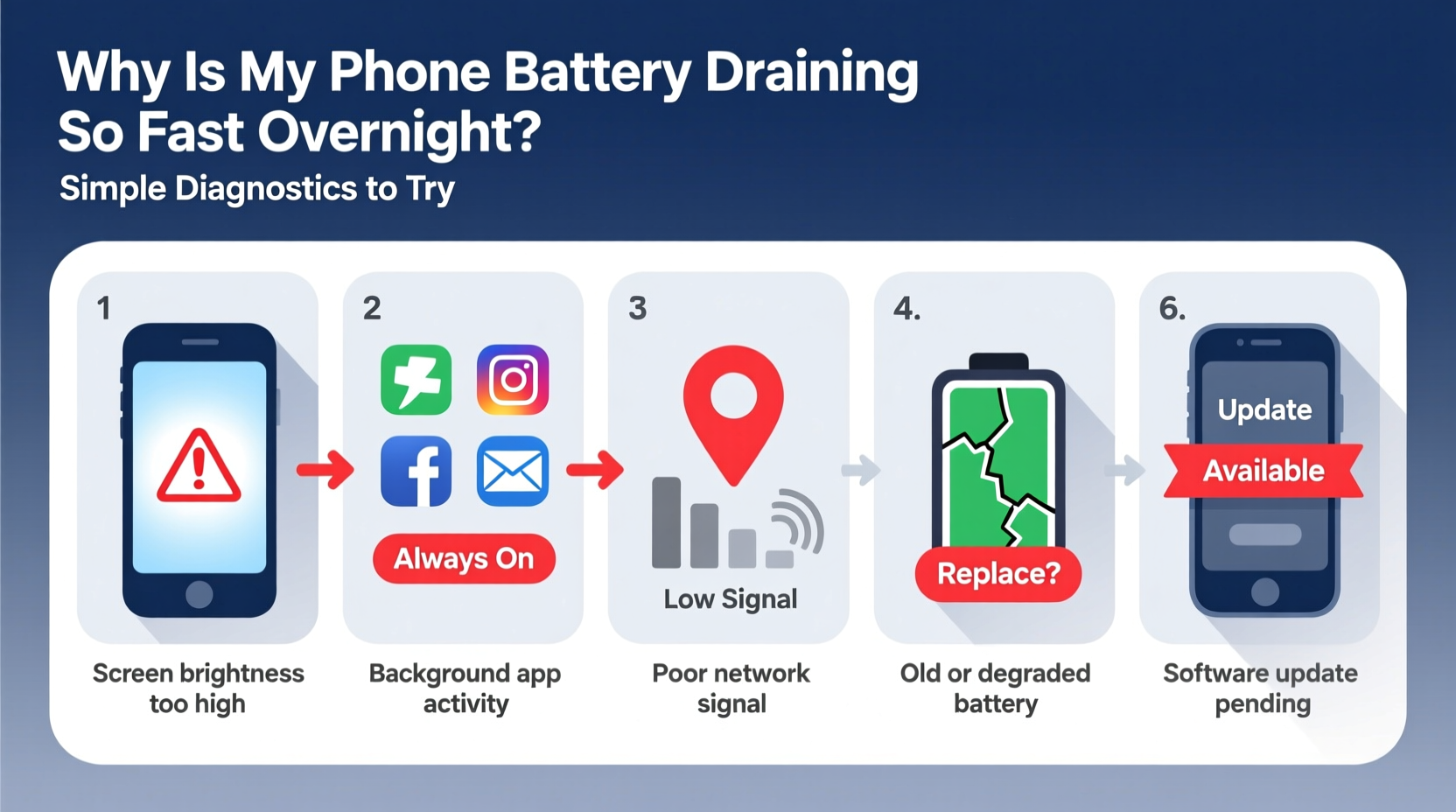
Before diving into solutions, it helps to understand the usual suspects behind rapid battery loss during sleep hours. These factors often work in combination, making the problem seem worse than any single cause would suggest.
- Background App Activity: Apps continue syncing data, updating content, or tracking location even when not in use.
- Poor Network Signal: Weak cellular or Wi-Fi signals force your phone to work harder to maintain connectivity.
- Push Notifications & Email Fetching: Frequent checks for new messages consume energy over time.
- Bluetooth & Location Services: Devices like smartwatches, trackers, or GPS-dependent apps run continuously.
- System Updates or Indexing: Phones sometimes perform maintenance tasks at night, such as indexing files or downloading updates.
- Aging Battery Health: Lithium-ion batteries degrade over time, reducing capacity and increasing discharge rates.
- Dark Mode vs. Brightness Settings: On OLED screens, dark mode saves power—but high brightness still draws significant energy.
Identifying which factor applies to your situation requires observation and testing. The following diagnostics help isolate the real culprits.
Step-by-Step Diagnostic Process
Follow this logical sequence to pinpoint what’s draining your battery overnight. Each step builds on the previous one, helping you rule out possibilities until you find the source.
- Check Battery Usage Statistics
Start by reviewing your phone’s built-in battery report.- On iPhone: Go to Settings > Battery > Battery Health & Usage. Look at “Last 24 Hours” and focus on usage between bedtime and wake-up.
- On Android: Navigate to Settings > Battery > Battery Usage. Identify apps that consumed power while the screen was off.
- Enable Airplane Mode Overnight (Test Only)
For one night, turn on Airplane Mode before sleeping. This disables all wireless connections—cellular, Wi-Fi, Bluetooth, and GPS.- If battery drain drops dramatically (e.g., less than 5%), wireless activity is likely the culprit.
- If drain remains high, the issue lies within software processes or hardware health.
- Disable Background App Refresh Selectively
Many apps refresh content in the background, even when unused.- iOS: Settings > General > Background App Refresh. Turn it off globally or per app.
- Android: Settings > Apps > [App Name] > Mobile Data & Wi-Fi > Background Data. Disable for non-essential apps.
- Review Location Services
Some apps constantly access GPS, draining power silently.- Check Settings > Privacy > Location Services (iOS) or Settings > Location (Android).
- Set apps that don’t need constant location access to “While Using” or “Only Once.”
- Look for apps showing “Frequent Locations” or “Significant Locations”—disable if unnecessary.
- Update Software and Apps
Outdated operating systems or buggy app versions often contain memory leaks or inefficient code.- Install the latest OS update (iOS or Android).
- Update all apps via the App Store or Google Play.
Do’s and Don’ts: Managing Overnight Battery Use
To avoid recurring issues, adopt best practices that balance functionality and battery longevity. The table below summarizes key actions.
| Do’s | Don’ts |
|---|---|
| Charge to 80–90% instead of 100% to reduce battery stress | Leave your phone charging overnight regularly (accelerates wear) |
| Turn off Bluetooth and Wi-Fi if not needed | Keep Bluetooth on to connect to devices you’re not using |
| Use Low Power Mode (iOS) or Battery Saver (Android) at night | Run resource-heavy apps before bed (e.g., games, video editors) |
| Restart your phone weekly to clear memory leaks | Ignore persistent battery warnings or swelling signs |
| Store your phone in a cool place (heat kills batteries) | Place your phone under pillows or blankets while charging |
Real-World Example: Diagnosing Sarah’s iPhone Drain
Sarah noticed her iPhone 13 dropped from 100% to 43% overnight despite minimal use. She wasn’t running any apps before bed and kept Wi-Fi on but didn’t stream anything. Concerned, she followed basic diagnostics.
First, she checked Settings > Battery and found that “Settings” itself used 22% of battery overnight—a red flag. Further investigation revealed that System Services, particularly “Location Services,” were active throughout the night. Upon drilling down, she discovered Find My and HomeKit were triggering frequent location pings due to a malfunctioning smart home accessory.
After resetting her smart hub and disabling non-critical location access, her overnight drain improved to just 8%. A firmware update for the accessory later resolved the root cause. Sarah’s case illustrates how interconnected devices can indirectly impact battery life—even when the phone appears idle.
“Over 60% of overnight battery drain cases we see stem from unoptimized background services or outdated apps. Simple user-level fixes resolve most within 48 hours.” — Dr. Lena Torres, Mobile Systems Analyst at TechInsight Labs
Frequently Asked Questions
Is it normal for my phone to lose battery overnight?
Yes, a small amount of drain (5–15%) is normal due to system maintenance, push notifications, and network pinging. However, losing more than 20% without usage indicates an issue worth investigating.
Can malware cause overnight battery drain?
Rarely on official platforms, but yes. Malicious apps from unofficial sources may run hidden processes. Stick to trusted app stores, review permissions carefully, and uninstall apps behaving unusually (e.g., heating the device or using excessive data).
Does turning off my phone every night help the battery?
It reduces wear slightly by eliminating all drain, but it’s not necessary. Modern lithium-ion batteries are designed for continuous use. A weekly restart is usually sufficient to clear glitches and optimize performance.
Action Plan: What to Do Tonight
You don’t need to overhaul your entire phone setup. Instead, take targeted action tonight to start improving battery behavior.
- Review Battery Usage: Check which apps ran overnight.
- Limit Background Activity: Disable refresh for non-essential apps.
- Turn Off Unneeded Radios: Disable Bluetooth, Wi-Fi, and cellular data if possible (or use Airplane Mode).
- Enable Battery Saver: Activate low-power mode before bed.
- Monitor Results: Repeat the test for two nights and note changes.
If problems persist after these steps, consider checking battery health metrics:
- iOS: Settings > Battery > Battery Health & Charging. Look for “Maximum Capacity.” Below 80% indicates aging hardware.
- Android: Dial
*#*#4636#*#*(on most devices) to access testing menu and view battery info. Alternatively, use apps like AccuBattery.
If your battery health is poor, replacement may be the most effective long-term solution. Most manufacturers offer affordable battery service programs.
Conclusion: Take Control of Your Phone’s Battery Life
Overnight battery drain isn't inevitable. With a few strategic checks and adjustments, you can reclaim hours of usable life and reduce dependency on constant charging. The key is systematic diagnosis—not guesswork. By leveraging your phone’s built-in tools, understanding background processes, and applying smart habits, you gain control over what happens while you sleep.
Your phone should serve you, not frustrate you. Start with one diagnostic step tonight. Track the results. Make small, sustainable changes. Over time, you’ll notice better battery consistency, cooler device temperatures, and fewer emergency charges. Share your experience or questions below—your insight might help someone else solve their mystery drain.




 浙公网安备
33010002000092号
浙公网安备
33010002000092号 浙B2-20120091-4
Comments
No comments yet. Why don't you start the discussion?