
If your phone used to charge from 20% to 80% in under 30 minutes but now takes over an hour to gain the same amount, you're not imagining things. Slow charging has become one of the most common smartphone frustrations — especially when there’s no obvious reason. While battery degradation and software updates play a role, the real culprits are often hiding in plain sight: your charging cable and port.
The good news? Most slowdowns aren’t permanent. With a few targeted checks and minor maintenance steps, you can often restore near-original charging speeds without spending money on replacements or repairs. This guide breaks down the physical causes behind sluggish charging, offers practical fixes, and helps you identify when it's time to upgrade — and when it’s not.
Why Charging Speed Degrades Over Time
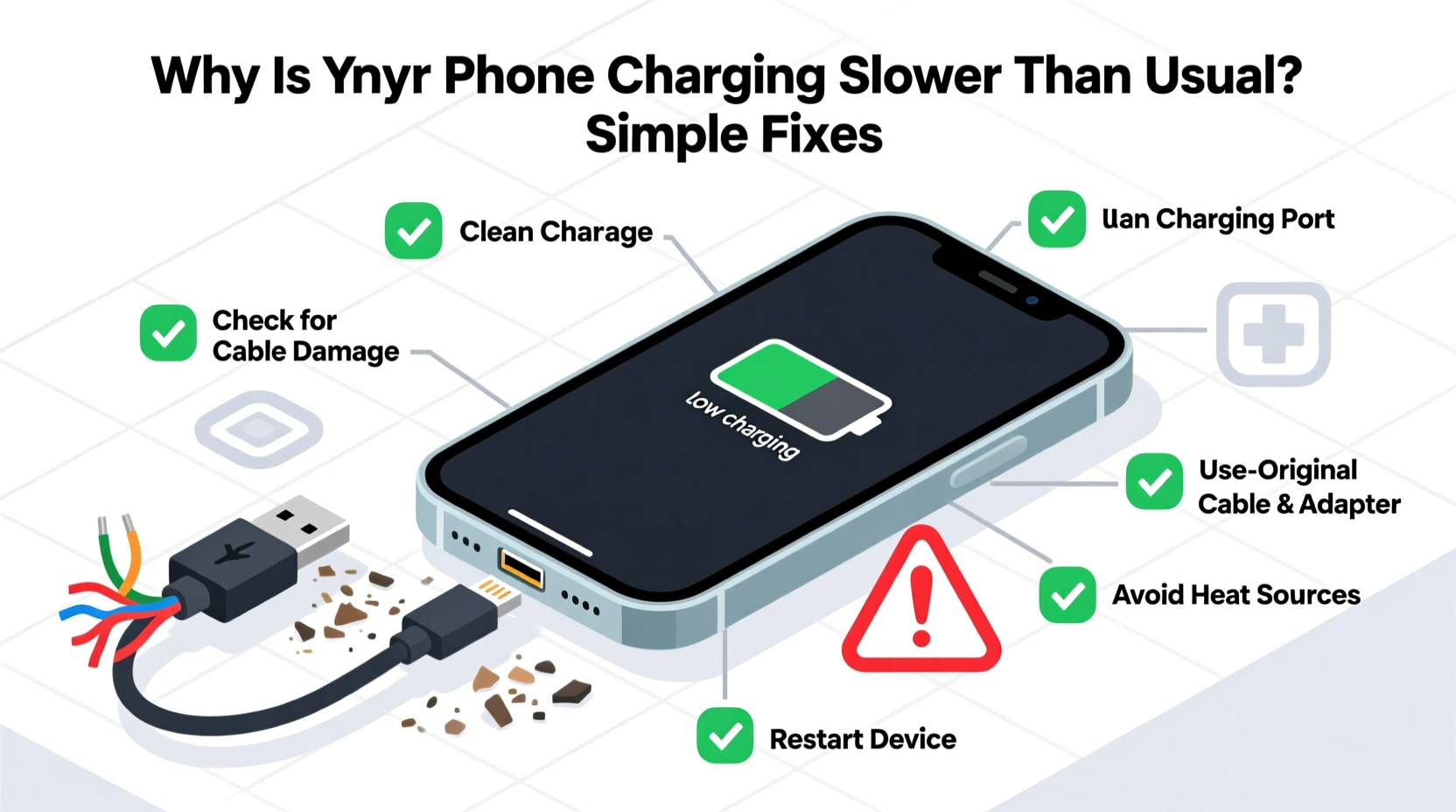
Modern smartphones support fast charging technologies like Qualcomm Quick Charge, USB Power Delivery (PD), or proprietary systems such as Samsung Adaptive Fast Charging and Apple Fast Charging. These rely on precise voltage regulation, high-quality cables, and clean connections between the charger, cable, and device.
Over time, wear and tear compromise this system. Dust accumulates in the charging port. Cables fray at stress points. Connectors loosen from repeated plugging and unplugging. Even minor damage or contamination can force your phone to default to slow charging modes — sometimes dropping from 18W to just 5W.
A study by iFixit found that over 60% of slow-charging cases were resolved with basic cleaning or cable replacement, proving that hardware issues outweigh software or battery age in many instances.
“Most users assume their battery is dying when charging slows, but nine times out of ten, the issue starts at the connection point.” — Dr. Lena Torres, Mobile Hardware Engineer at TechInsight Labs
Step-by-Step: Diagnose the Real Cause
Before replacing parts or buying new chargers, follow this diagnostic process to pinpoint the source of the slowdown:
- Test with a different wall adapter: Plug in your current cable to a known working, high-wattage charger (e.g., 18W or higher). If speed improves, your original adapter may be failing.
- Try another cable: Use a certified cable known for fast charging. Avoid third-party cables without proper certification (like MFi for Apple or USB-IF for Android).
- Check the charging port visually: Shine a flashlight into the port. Look for lint, dust, or discoloration (especially blackened pins).
- Monitor charging behavior: Does the phone heat up excessively? Does it disconnect intermittently? Both suggest poor contact.
- Test wireless charging (if available): If wireless works fine but wired is slow, the issue is almost certainly with the port or cable.
Cleaning Your Phone’s Charging Port Safely
Dust, pocket lint, and dried skin cells accumulate in the charging port over months of daily use. This debris creates resistance, disrupts electrical contact, and forces the phone to reduce charging current to prevent overheating.
Apple recommends against using sharp objects to clean ports, but gentle methods are safe and effective.
What You’ll Need:
- Plastic toothpick or SIM eject tool
- Canned air or small bulb blower
- Soft-bristled brush (like a clean toothbrush)
- Flashlight
Safe Cleaning Procedure:
- Power off your phone completely.
- Hold the device with the port facing downward.
- Use short bursts of canned air to dislodge loose particles.
- Gently scrape along the sides of the port with a plastic pick — never metal.
- Brush lightly across the connector pins to remove stubborn fibers.
- Repeat until no more debris emerges.
- Reconnect the charger and test charging speed.
Never use compressed air cans upside down — this releases liquid propellant that can damage internal circuits. Also avoid cotton swabs; they leave behind fibers that worsen buildup.
“Lint is the silent killer of charging ports. It insulates, absorbs moisture, and traps heat. Regular cleaning every 6–8 weeks prevents long-term damage.” — Carlos Mendez, Senior Repair Technician at FixHub
Cable Quality Matters More Than You Think
Not all USB-C or Lightning cables are created equal. Many low-cost cables lack the necessary wiring (such as e-marker chips) to support higher wattages. Others degrade quickly due to poor strain relief at the connectors.
A damaged cable might still “work” — delivering power — but only at reduced rates. The phone detects instability and throttles input to protect the battery.
Signs Your Cable Is Failing:
- Intermittent charging (connection cuts in and out)
- Fraying near the plug heads
- Bent or wobbly connectors
- Only charges when held at a certain angle
- Phone displays “Accessory Not Supported” or similar warnings
| Feature | High-Quality Cable | Poor-Quality/Damaged Cable |
|---|---|---|
| Charging Speed | Full supported wattage (e.g., 18W–30W) | Reduced (often 5W–7W) |
| Build Quality | Reinforced joints, braided exterior | Thin rubber, cracks easily |
| Data Transfer | Supports USB 2.0/3.0 speeds | Slow or no data sync |
| Lifespan | 12+ months with regular use | 3–6 months before failure |
| Safety Certification | MFi, USB-IF, or OEM certified | No certification or fake labels |
Mini Case Study: Reviving a Two-Year-Old iPhone
Mark, a freelance photographer in Portland, noticed his iPhone 13 took nearly three hours to charge fully — up from 90 minutes a year earlier. He assumed the battery was degrading and scheduled a $89 replacement at Apple. Before the appointment, he read about port cleaning and decided to try it.
Using a plastic SIM tool and canned air, he removed a dense clump of blue fabric lint from his charging port — likely from his jeans pockets. After cleaning, he tested with an Apple-certified 20W USB-C charger and a new MFi cable. The phone charged from 20% to 80% in 32 minutes.
He canceled the battery service. His battery health was still at 87%, well within normal range. The fix cost him nothing and took less than ten minutes.
This is a typical scenario. Physical obstructions, not battery wear, were responsible for the slowdown.
Do’s and Don’ts of Charging Maintenance
| Action | Do | Don't |
|---|---|---|
| Cleaning Tools | Plastic picks, soft brushes, canned air | Metal tools, pins, sharp objects |
| Cable Storage | Loosely coiled, away from heat | Tightly wrapped, in direct sunlight |
| Port Exposure | Keep phone out of back pockets | Carry phone in dusty or lint-heavy pockets |
| Charger Compatibility | Use manufacturer-recommended wattage | Use unknown third-party fast chargers |
| Replacement Frequency | Replace cables every 6–12 months | Wait until cable stops working completely |
When to Consider Replacement Parts
Sometimes, cleaning and cable swaps aren’t enough. Internal port damage or worn-out connectors require professional repair.
Signs you may need a hardware replacement:
- Port feels loose when inserting the cable
- Phone only charges when tilted or held in place
- Visible corrosion or bent pins inside the port
- Multiple cables and chargers fail to deliver fast charging
For iPhones, a full dock replacement typically costs $99–$149 at Apple or authorized providers. On Android devices, especially Samsung Galaxy models, micro-soldering repairs run $75–$120 depending on complexity.
Before opting for repair, perform a final test: if wireless charging works at full speed, the issue is isolated to the charging port, confirming the need for service.
FAQ: Common Questions About Slow Charging
Can software updates really slow down charging?
Yes, but only temporarily. Some updates include battery calibration routines or thermal management adjustments that limit charging during initial installation. Once the system stabilizes (usually after 24–48 hours), speeds return to normal. However, persistent slowdowns post-update usually indicate a hardware issue.
Is it safe to clean the charging port with alcohol?
No. While isopropyl alcohol evaporates quickly, applying liquids directly to the port risks seeping into internal components and causing corrosion or short circuits. Stick to dry cleaning methods only.
Does fast charging harm my battery over time?
Modern phones regulate fast charging intelligently. Most only use peak speeds when the battery is below 50–60%, then taper off to reduce stress. Occasional fast charging doesn’t significantly impact lifespan. However, consistently charging from 0% to 100% at high speeds can accelerate wear compared to slow overnight charging.
Simple Checklist: Restore Fast Charging in 10 Minutes
Quick Action Plan:
- Inspect the charging port with a flashlight.
- Remove debris using a plastic tool and canned air.
- Examine your current cable for fraying or looseness.
- Swap in a certified fast-charging cable and high-wattage adapter.
- Test charging speed — monitor first 15 minutes for noticeable improvement.
Conclusion
Slow charging doesn’t automatically mean your phone is aging out or needs a costly repair. In most cases, the fix lies in maintaining two small but critical components: the charging cable and the port. Regular inspection, gentle cleaning, and using high-quality, certified accessories can preserve fast charging for years.
These habits take minimal effort but deliver significant returns in daily convenience. Instead of reaching for a spare charger or blaming the battery, start at the source. A few minutes of maintenance could save you time, money, and frustration.




 浙公网安备
33010002000092号
浙公网安备
33010002000092号 浙B2-20120091-4
Comments
No comments yet. Why don't you start the discussion?