
It’s not uncommon to notice your phone warming up while it charges—especially after a long day of use. A slight temperature increase is normal due to energy conversion during charging. But when that warmth turns into noticeable heat, or worse, becomes uncomfortable to touch, it’s time to pay attention. Overheating during charging isn’t just about discomfort; it can signal deeper issues that compromise battery health, performance, and even personal safety.
Modern smartphones are packed with powerful processors, high-capacity batteries, and fast-charging technology—all of which generate heat. When combined with poor habits, faulty accessories, or environmental factors, this heat can escalate quickly. Understanding why your phone heats up—and knowing when it's more than just a minor inconvenience—is essential for preserving your device and avoiding potential hazards like battery swelling or fire risks.
What Causes Your Phone to Overheat While Charging?
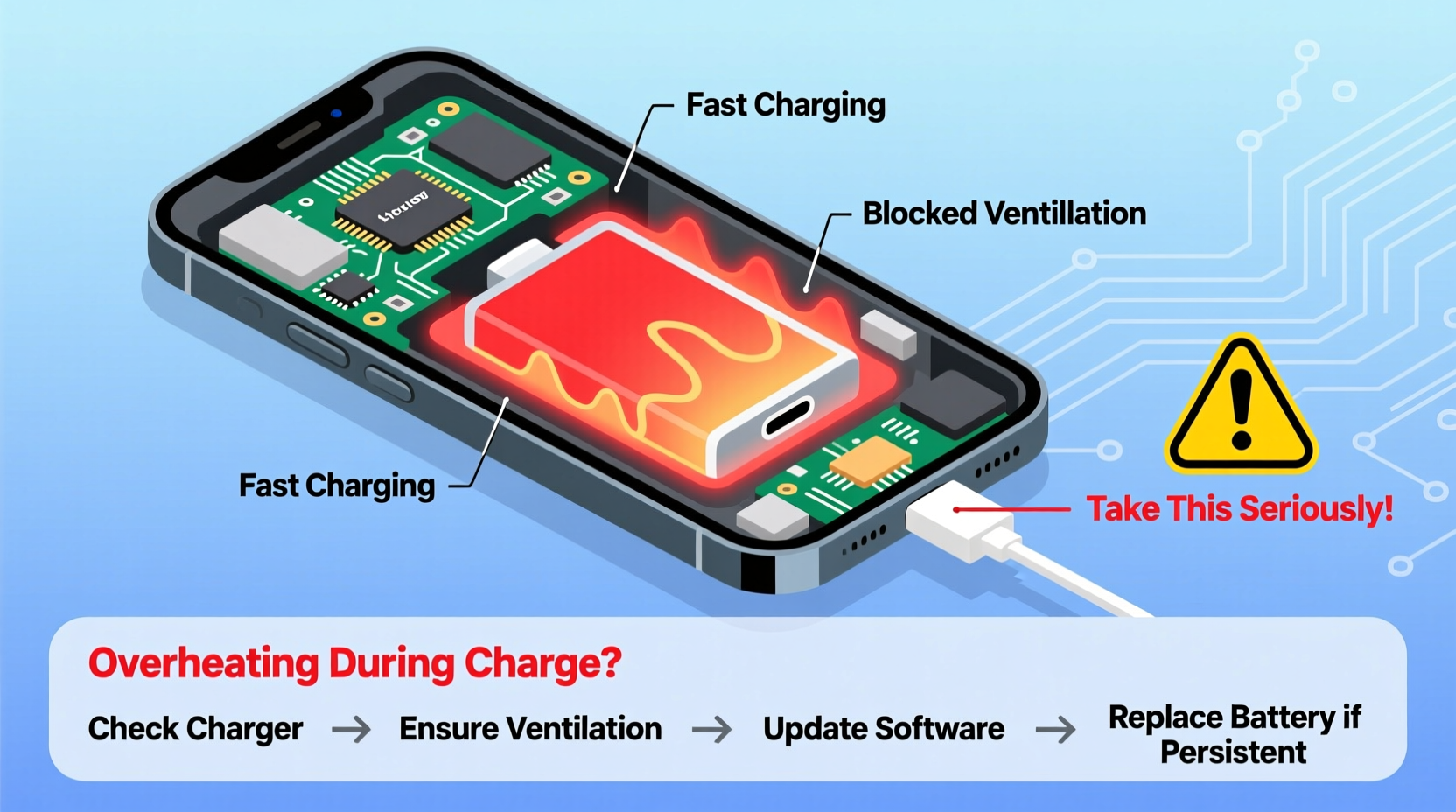
Several internal and external factors contribute to excessive heat during charging. Some are harmless and temporary; others point to underlying problems that need immediate correction.
- Fast Charging Technology: High-wattage chargers deliver power quickly, but they also generate more heat. Phones using 30W, 65W, or higher charging systems often get warm as a byproduct of rapid energy transfer.
- Poor-Quality Chargers and Cables: Third-party or counterfeit chargers may lack proper voltage regulation, leading to unstable current flow and excess heat buildup.
- Background App Activity: Running resource-heavy apps (like games, video editors, or navigation tools) while charging forces the processor and battery to work harder, increasing thermal output.
- Aged or Damaged Batteries: As lithium-ion batteries degrade over time, their efficiency drops. They become less capable of managing charge cycles, which leads to increased resistance and overheating.
- Environmental Conditions: Charging in direct sunlight, on a bed, or inside a car on a hot day traps heat and prevents proper ventilation.
- Phone Case Insulation: Thick silicone, leather, or rubber cases act like insulation, trapping heat instead of allowing it to dissipate.
When Should You Take Phone Overheating Seriously?
Not every warm phone is cause for alarm. However, certain symptoms indicate a serious issue requiring prompt action. Ignoring these signs can lead to permanent hardware damage or safety risks.
Warning Signs That Demand Immediate Attention
- The phone shuts down unexpectedly during charging. If your device powers off despite being plugged in, it may have triggered a thermal protection mechanism.
- You feel intense heat—too hot to hold comfortably. Surface temperatures above 45°C (113°F) suggest abnormal operation.
- The screen flickers, dims, or displays unusual behavior. Heat can interfere with display drivers and sensors.
- You smell a burning odor or see discoloration on the casing. These are red flags indicating possible internal component failure.
- The battery appears swollen. A bulging back panel or screen lifting from the frame means the battery has expanded—stop using the device immediately.
“Lithium-ion batteries are stable under normal conditions, but sustained overheating can trigger thermal runaway—a chain reaction that may result in fire or explosion.” — Dr. Alan Zhou, Battery Safety Researcher at MIT Energy Initiative
Step-by-Step Guide to Diagnose and Reduce Charging Heat
If your phone consistently overheats while charging, follow this practical sequence to identify and resolve the root cause.
- Unplug and Power Down: Stop charging immediately if the phone feels excessively hot. Let it cool completely before handling further.
- Remove the Case: Take off any protective cover to improve airflow and heat dissipation.
- Inspect the Charger and Cable: Use only manufacturer-approved or certified third-party accessories. Look for frayed wires, bent connectors, or irregular labeling.
- Check for Background Processes: Open Settings > Battery to review which apps consume the most power. Close unnecessary apps running in the background.
- Charge in a Cool, Ventilated Area: Avoid carpets, beds, sofas, or enclosed spaces. Place the phone on a hard surface like a desk or table.
- Disable Fast Charging Temporarily: On Android devices, go to Settings > Battery > Additional Settings to toggle off fast charging. iPhones automatically regulate speed but benefit from cooler environments.
- Restart the Device: A reboot clears cached processes that might be contributing to heat.
- Update Software: Install the latest OS update—manufacturers often release patches to optimize battery and thermal management.
- Monitor Temperature After Changes: Repeat charging under improved conditions and observe whether heat levels decrease.
- Seek Professional Service: If overheating persists, visit an authorized repair center for battery diagnostics.
Do’s and Don’ts: Charging Habits That Prevent Overheating
| Do’s | Don’ts |
|---|---|
| Use original or MFi/USB-IF certified chargers and cables | Never use damaged, frayed, or unbranded charging accessories |
| Charge on a flat, hard, non-flammable surface | Avoid charging under pillows, blankets, or on soft fabrics |
| Keep the phone in a well-ventilated room below 30°C (86°F) | Don’t leave the phone charging in direct sunlight or hot cars |
| Turn off Bluetooth, GPS, and Wi-Fi if not needed during charging | Avoid heavy multitasking or gaming while charging |
| Enable battery protection features (like heat control modes) | Never ignore repeated overheating warnings from the system |
Real-World Example: How One User Avoided a Potential Hazard
Jamal, a rideshare driver in Phoenix, noticed his phone would shut down mid-route even though it was plugged into his car charger. At first, he dismissed it as a glitch. But after the third incident—during a 105°F (40°C) summer day—he decided to investigate.
He observed that the phone got extremely hot near the bottom edge, where the charging port is located. The case was thick rubber, and the phone sat in direct sunlight on his dashboard. He switched to a thin TPU case, moved the phone to the passenger seat away from the window, and replaced his no-name car charger with an OEM-certified one.
The difference was immediate. His phone no longer overheated, maintained stable charging, and stopped shutting down unexpectedly. Later, a technician confirmed that continued use under those conditions could have led to irreversible battery degradation—or worse, a combustion risk due to trapped heat in a high-temperature environment.
This case illustrates how everyday habits, combined with extreme conditions, can push a phone beyond its thermal limits—even without obvious warning signs until it’s nearly too late.
Checklist: Is Your Charging Setup Safe?
Use this quick-reference checklist to ensure your charging routine protects both your phone and your safety:
- ✅ I use a manufacturer-recommended or certified charger and cable
- ✅ My charging cable shows no signs of wear or damage
- ✅ I charge my phone in a cool, dry place with good air circulation
- ✅ I avoid using the phone for intensive tasks while charging
- ✅ My phone case allows for heat dissipation (not overly thick or insulated)
- ✅ I’ve disabled unnecessary background services during charging
- ✅ My phone does not exceed uncomfortable temperatures during normal use
- ✅ I’ve updated my operating system and apps recently
- ✅ I monitor battery health monthly (Settings > Battery > Health on iOS; via diagnostic apps on Android)
- ✅ I replace batteries showing signs of aging (slow charging, rapid drain, swelling)
Frequently Asked Questions
Can overheating permanently damage my phone’s battery?
Yes. Prolonged exposure to high temperatures accelerates chemical degradation in lithium-ion batteries. This reduces overall capacity, shortens lifespan, and increases the likelihood of swelling or failure. Keeping your phone below 35°C (95°F) during charging helps preserve long-term battery health.
Is wireless charging more likely to cause overheating?
Wireless charging is generally less efficient than wired charging, converting more energy into heat. Without proper ventilation—especially when using thick cases or placing the phone on fabric surfaces—wireless charging can increase the risk of overheating. Using Qi-certified pads with built-in cooling fans or removing the case during wireless charging can mitigate this.
Should I stop charging my phone at 100% to prevent heat buildup?
You don’t need to stop at 100%, but limiting peak charge can help. Many modern phones include “optimized charging” modes that delay reaching 100% until just before you wake up. For older models, consider unplugging around 80–90% if the device feels warm, especially during fast charging.
Conclusion: Act Now Before It’s Too Late
Your smartphone is designed to handle moderate heat, but consistent overheating during charging is not something to normalize. What starts as mild warmth can escalate into hardware failure, data loss, or physical danger if ignored. By understanding the causes, recognizing warning signs, and adopting safer charging practices, you protect not only your investment but also your personal well-being.
Take a moment today to inspect your charger, evaluate your charging environment, and test your phone’s response under controlled conditions. Small changes—like switching to a certified cable or removing a bulky case—can make a significant difference. If problems persist, seek professional diagnostics before risking further damage.




 浙公网安备
33010002000092号
浙公网安备
33010002000092号 浙B2-20120091-4
Comments
No comments yet. Why don't you start the discussion?