
It’s a common frustration: you plug in your phone to charge, only to find it getting uncomfortably hot minutes later. Excessive heat during charging isn’t just annoying—it can shorten your battery’s lifespan, slow performance, or even pose safety risks. While some warmth is normal, sustained high temperatures signal an underlying issue. The good news? Most causes are easy to diagnose and fix. From charger compatibility to app usage, this guide breaks down the science behind phone overheating and delivers practical, no-nonsense solutions to keep your device cool and safe.
Understanding Why Phones Overheat When Charging
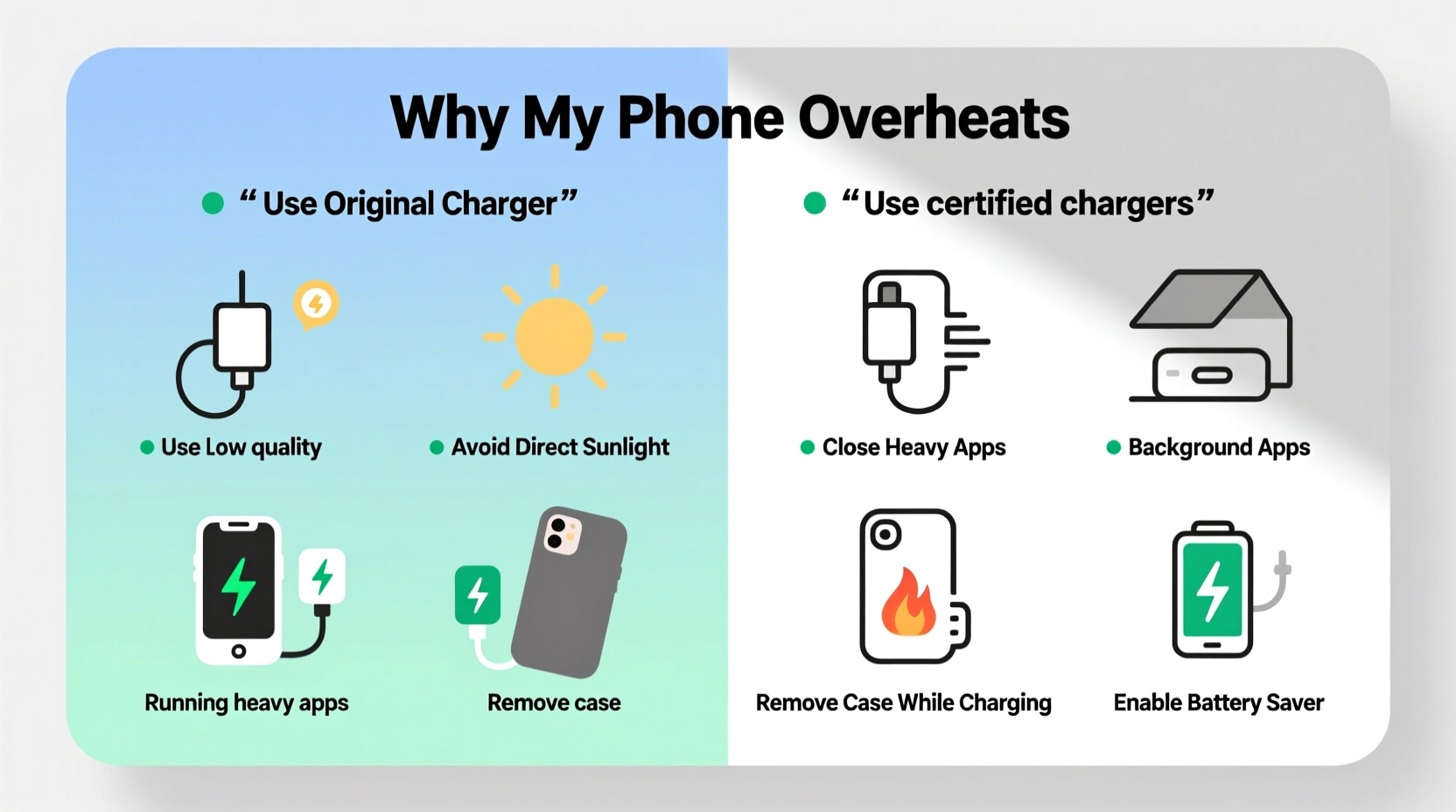
When your phone charges, electrical energy converts into stored chemical energy inside the battery. This process generates heat naturally. However, several factors can amplify that heat beyond safe levels. Modern smartphones use lithium-ion batteries, which are efficient but sensitive to temperature extremes. According to the Battery University, “Lithium-ion batteries should operate between 0°C and 45°C (32°F–113°F). Charging outside this range accelerates degradation.”
Overheating typically results from a combination of internal and external stressors:
- Inefficient power conversion: Low-quality chargers or cables waste energy as heat.
- Background processes: Apps running in the background increase CPU load, generating more heat.
- Poor ventilation: Covering the phone with blankets, placing it under pillows, or using thick cases traps heat.
- Fast charging: Higher wattage increases speed but also thermal output.
- Aging components: Older batteries and degraded circuits struggle to manage heat efficiently.
Left unchecked, prolonged overheating can lead to battery swelling, reduced capacity, and in rare cases, fire hazards. Recognizing the triggers is the first step toward prevention.
Common Causes and How to Diagnose Them
Not all overheating stems from the same source. Pinpointing the root cause ensures you apply the right fix. Here’s how to troubleshoot systematically:
- Check the charging equipment. Use only manufacturer-approved or certified third-party chargers and cables. Counterfeit or damaged accessories often deliver unstable voltage, forcing the phone to work harder and generate excess heat.
- Monitor ambient temperature. Charging in direct sunlight, near heaters, or in a parked car can push internal temperatures past safe limits—even if the phone itself isn’t malfunctioning.
- Inspect case design. Silicone, leather, or rugged cases may look protective but often insulate heat instead of dissipating it.
- Review recent app activity. Did you start a navigation app, download a large file, or stream video while charging? These tasks demand significant processing power.
- Assess battery health. On iPhones, go to Settings > Battery > Battery Health. On Android, dial
*#*#4636#*#*or use a diagnostic app like AccuBattery. A battery below 80% capacity works harder and heats up faster.
If your phone overheats consistently under light usage, suspect hardware issues—like a failing battery or damaged charging port—and consider professional inspection.
Simple Fixes That Actually Work
You don’t need technical expertise to reduce charging heat. Implement these proven strategies to cool things down quickly.
1. Remove the Case While Charging
Phone cases trap heat like insulation. Removing the case—even for 15–30 minutes—can significantly improve airflow. This is especially crucial when fast charging or using wireless charging, both of which generate more heat than standard charging.
2. Use Original or Certified Chargers
Cheap knockoff chargers may seem cost-effective, but they lack proper voltage regulation and surge protection. Stick to OEM (original equipment manufacturer) chargers or those certified by standards like USB-IF, MFi (for Apple), or Qi (for wireless).
3. Charge in a Cool, Dry Environment
Avoid charging on beds, sofas, or carpets. These surfaces block ventilation grills and retain heat. Instead, place your phone on a hard surface like a wooden table or ceramic countertop. Keep it away from windows, radiators, or enclosed spaces like drawers.
4. Turn Off the Phone or Enable Airplane Mode
Shutting down your phone eliminates all background processes, allowing the battery to charge with minimal resistance and heat. If turning it off isn’t practical, activate Airplane Mode and disable Wi-Fi, Bluetooth, and cellular data. This reduces CPU strain and cooling demands.
5. Avoid Using the Phone While Charging
Gaming, streaming, or browsing while charging forces the processor and battery to multitask, increasing thermal output. If you must use your phone, limit activity to essential tasks like texting or checking notifications.
6. Clean the Charging Port
Dust, lint, and debris in the charging port create poor connections, leading to inefficient power transfer and excess heat. Use a dry toothbrush or compressed air to gently clean the port weekly. Avoid metal tools that could short-circuit the pins.
Do’s and Don’ts: Charging Habits That Prevent Overheating
| Do | Don’t |
|---|---|
| Use manufacturer-recommended chargers and cables | Use frayed, bent, or unbranded charging accessories |
| Charge on a flat, non-flammable surface | Charge on soft fabrics or near flammable materials |
| Remove the case during extended charging sessions | Leave the phone in a thick case while fast charging |
| Keep the phone below 45°C (113°F) | Expose the phone to direct sunlight while charging |
| Enable adaptive charging features (if available) | Leave the phone plugged in overnight regularly |
“Thermal management is critical for lithium-ion longevity. Even brief exposure to high temperatures can permanently reduce battery capacity.” — Dr. Lin Zhao, Energy Systems Researcher at MIT
Real-World Example: Sarah’s Overheating iPhone
Sarah, a freelance designer, noticed her iPhone 13 was shutting down unexpectedly during morning charges. The phone felt too hot to hold, and her battery drained faster throughout the day. After reading about overheating risks, she took action:
- She stopped using her magnetic third-party wireless charger, replacing it with Apple’s official MagSafe.
- She removed her silicone case during charging.
- She switched from charging under her bed pillow to a nightstand.
- She enabled Optimized Battery Charging in Settings.
Within two days, the phone stayed within a safe temperature range. After a month, her battery health improved slightly—from 78% to 79%—and shutdowns ceased. Sarah now shares these tips with clients who report similar issues.
Step-by-Step Guide to Cool Down an Overheating Phone
If your phone is already hot while charging, follow this immediate response plan:
- Unplug immediately. Continuing to charge risks permanent battery damage.
- Turn off the device. Powering down halts heat-generating processes.
- Remove the case. Let the body release trapped heat.
- Move to a cool area. Place it on a tile floor or near a fan—but never in a freezer or refrigerator (condensation can destroy electronics).
- Wait 20–30 minutes. Allow the internal temperature to normalize.
- Restart and inspect. Once cooled, turn it back on. Check for unusual behavior or error messages.
- Resume charging cautiously. Use a known-good cable and charger, and monitor temperature closely.
If overheating persists after these steps, seek service. Internal faults like short circuits or swollen batteries require professional repair.
FAQ: Your Overheating Questions Answered
Is it dangerous if my phone gets hot while charging?
Mild warmth is normal, but excessive heat—especially if the phone becomes uncomfortable to touch or shuts down—is a warning sign. Prolonged overheating can degrade the battery, damage internal components, or, in extreme cases, lead to combustion. Always take preventive action.
Can software updates cause overheating?
Yes. Major OS updates often run background optimization tasks after installation, increasing CPU usage and heat generation. This usually resolves within 24–48 hours. If overheating continues, check for rogue apps or uninstall unnecessary updates temporarily.
Does wireless charging make phones hotter than wired?
Generally, yes. Wireless charging is less efficient than wired, losing more energy as heat due to electromagnetic induction. Combine that with enclosing the phone in a case, and temperatures rise faster. For cooler charging, use wired connections when possible, especially for overnight or full-cycle charging.
Preventive Checklist for Long-Term Safety
To maintain optimal phone temperature and extend battery life, follow this monthly checklist:
- ✅ Inspect charger and cable for wear or fraying
- ✅ Clean the charging port with a soft brush
- ✅ Verify battery health status
- ✅ Update operating system and apps
- ✅ Remove case during charging sessions
- ✅ Avoid charging in high-temperature environments
- ✅ Limit intensive app usage while charging
- ✅ Replace batteries showing signs of swelling or rapid drain
Conclusion: Stay Cool, Stay Safe
Your phone’s temperature during charging is more than just comfort—it’s a vital indicator of its health and safety. Simple habits like using genuine chargers, removing cases, and avoiding high-heat environments can prevent long-term damage and keep your device running smoothly for years. Overheating is rarely an isolated incident; it’s a symptom of mismatched hardware, poor practices, or environmental stress. By applying the fixes outlined here, you’re not just cooling down your phone—you’re protecting your investment and ensuring reliable performance.




 浙公网安备
33010002000092号
浙公网安备
33010002000092号 浙B2-20120091-4
Comments
No comments yet. Why don't you start the discussion?