
Phone overheating during charging is more than just an annoyance—it can signal deeper issues that compromise performance, safety, and long-term device health. While a slight temperature rise is normal, excessive heat can degrade your battery, slow down processing speeds, or even lead to hardware failure. This guide dives into the root causes of overheating, walks through proven diagnostic steps, and provides actionable solutions backed by industry insights and real-world experience.
Understanding Normal vs. Dangerous Heat Levels
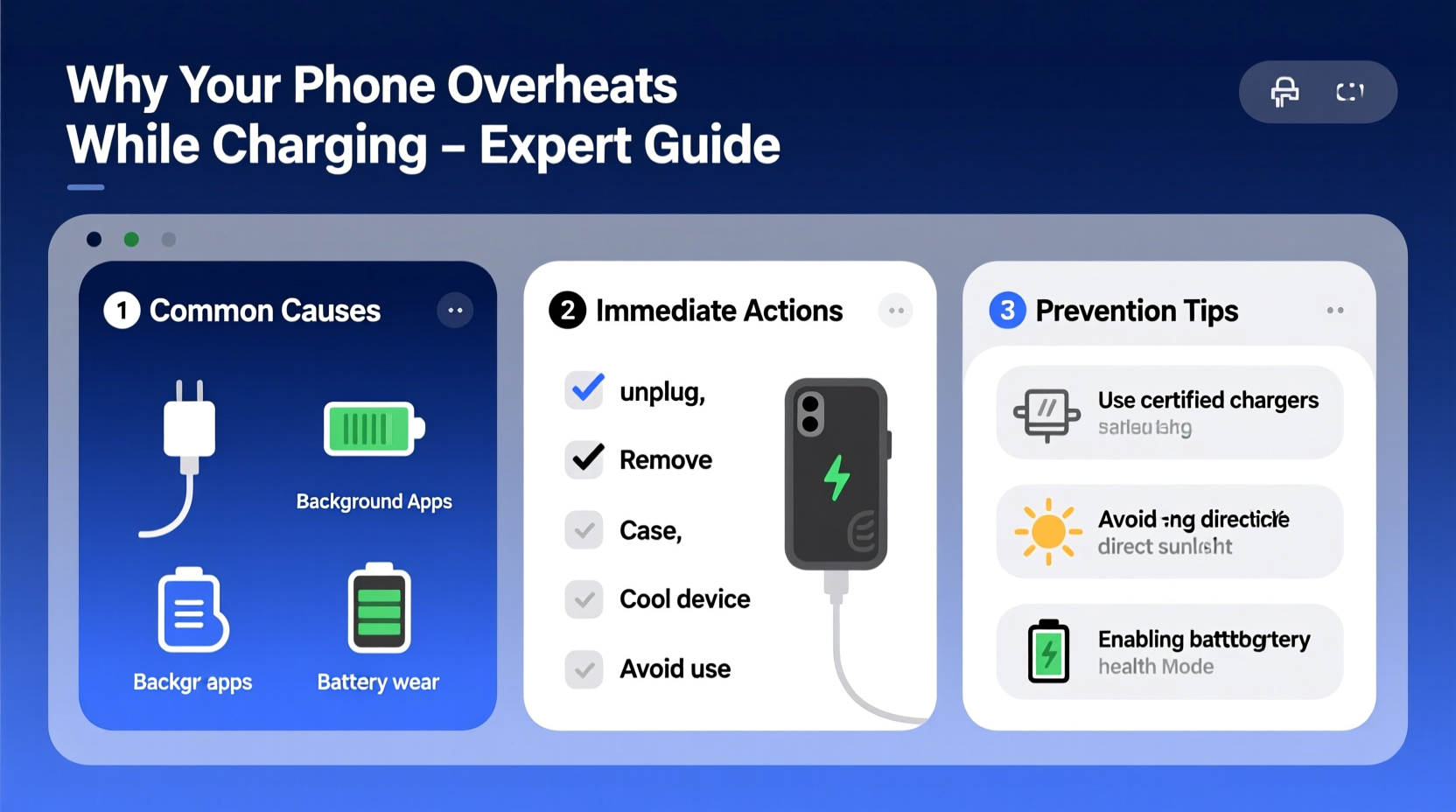
Not all warmth during charging is cause for alarm. Lithium-ion batteries generate heat as they convert electrical energy into stored power. A mildly warm phone after 30 minutes of fast charging is typically within safe operating limits. However, if the device becomes too hot to hold comfortably, shuts down unexpectedly, or displays a “temperature warning,” it has crossed into dangerous territory.
The ideal operating temperature range for most smartphones is between 0°C and 35°C (32°F to 95°F). Charging outside this window—especially above 40°C (104°F)—can accelerate chemical degradation inside the battery, reducing its capacity over time. Repeated exposure to high temperatures may also trigger thermal throttling, where the phone slows itself down to cool off, resulting in laggy performance.
“Battery longevity is directly tied to thermal exposure. Keeping your phone cool during charging isn’t just about comfort—it’s about preserving core functionality.” — Dr. Lin Zhao, Electrical Engineer & Mobile Power Systems Researcher
Common Causes of Overheating During Charging
Several factors contribute to excessive heat buildup while charging. Identifying the source is essential for applying the right fix.
- Faulty or non-certified chargers and cables: Aftermarket accessories often lack proper voltage regulation, leading to unstable current flow and excess heat.
- Background app activity: Resource-heavy apps running in the background increase CPU load, which generates additional heat on top of charging-related warmth.
- Environmental conditions: Charging in direct sunlight, near heaters, or in enclosed spaces like under pillows traps heat and prevents dissipation.
- Battery aging: As batteries degrade over time (typically after 500 full charge cycles), internal resistance increases, making them less efficient and more prone to heating.
- Software bugs or OS glitches: Poorly optimized updates or malfunctioning system processes can cause abnormal power draw.
- Physical damage: Dropped phones or water exposure may compromise internal components, including the battery or charging circuitry.
Mini Case Study: The Fast-Charging Habit Gone Wrong
Alex, a freelance photographer based in Miami, relied on fast charging between shoots to keep his Android phone powered. He routinely used a third-party 30W charger bought online and often charged while editing photos. Within eight months, he noticed the phone grew uncomfortably hot, took longer to charge, and occasionally rebooted mid-session. After visiting a repair shop, diagnostics revealed significant battery swelling due to sustained high-temperature charging. The technician traced the issue to incompatible charging hardware combined with continuous processor strain. Switching to the original manufacturer's charger and avoiding multitasking during charging reversed further deterioration, though the battery had already lost 30% of its original capacity.
This case illustrates how seemingly minor habits—like using uncertified gear or ignoring rising temperatures—can compound into serious hardware problems.
Troubleshooting Steps to Diagnose and Fix Overheating
Follow this structured approach to isolate and resolve the cause of overheating. Start with the simplest checks and progress to more involved solutions.
- Unplug and let the phone cool completely. Do not attempt to force shutdowns or immerse in cold environments. Allow natural cooling at room temperature.
- Inspect the charger and cable. Use only OEM (original equipment manufacturer) or MFi-certified (for Apple devices) accessories. Look for frayed wires, bent connectors, or unusual warmth in the adapter itself.
- Check for software updates. Navigate to Settings > System > Software Update (Android) or Settings > General > Software Update (iOS) to ensure you’re running the latest stable version.
- Restart the device. A reboot clears temporary memory and halts rogue processes consuming power unnecessarily.
- Boot into Safe Mode (Android) or DFU Mode (iOS). On Android, holding the power button and selecting “Safe Mode” disables third-party apps. If the phone no longer overheats while charging in Safe Mode, a downloaded app is likely responsible.
- Monitor battery health. On iPhones, go to Settings > Battery > Battery Health & Charging. On Android, dial
*#*#4636#*#*to access hidden testing menus (if available) or use trusted apps like AccuBattery. Replace the battery if maximum capacity falls below 80%. - Test with different outlets and power sources. Try charging from a wall outlet instead of a laptop USB port or car charger. Some USB ports deliver inconsistent power, especially older ones.
Step-by-Step Prevention Timeline
To maintain optimal charging conditions, adopt these practices regularly:
| Timeframe | Action | Purpose |
|---|---|---|
| Daily | Remove case while charging if phone warms up | Improves airflow and heat dissipation |
| Weekly | Review battery usage in settings | Identify power-hungry apps |
| Monthly | Inspect cable and charger for wear | Prevent short circuits or poor connections |
| Every 6 Months | Check battery health status | Detect early signs of degradation |
| As Needed | Replace damaged cables or aged batteries | Maintain efficiency and safety |
Do’s and Don’ts When Charging Your Phone
Avoid common pitfalls that exacerbate overheating. Refer to this comparison chart for best practices.
| Do | Don't |
|---|---|
| Use manufacturer-approved chargers and cables | Use cheap, unbranded charging accessories |
| Charge in a cool, dry, ventilated space | Leave phone in direct sunlight or hot cars |
| Turn off the phone or enable Airplane Mode while charging | Play graphics-intensive games or stream video while charging |
| Remove thick protective cases during charging | Wrap phone in towels or place under pillows while charging |
| Keep software updated | Ignore system warnings about temperature |
When to Seek Professional Help
Sometimes, overheating points to hardware failure beyond user control. Recognize these red flags:
- The phone shuts down repeatedly during charging without reaching 100%
- You notice visible bulging of the screen or back panel
- The battery percentage jumps erratically (e.g., 40% to 70% in seconds)
- There’s a burning smell or discoloration near the charging port
If any of these occur, stop using the device immediately. Continuing to charge a physically compromised battery poses fire and explosion risks. Visit an authorized service center for diagnosis. Technicians can run advanced diagnostics, replace faulty components safely, and dispose of swollen batteries according to environmental regulations.
“Swollen batteries are under pressure and can rupture. Never puncture or disassemble them yourself.” — National Fire Protection Association (NFPA) Safety Bulletin
FAQ: Frequently Asked Questions
Can wireless charging cause more heat than wired?
Yes, wireless charging is generally less efficient than wired, converting some energy into heat due to electromagnetic induction. While modern Qi chargers include thermal management, they still tend to produce more heat, especially when the phone is misaligned or placed on thick cases. For cooler charging, opt for wired connections when possible.
Is it safe to leave my phone charging overnight?
Modern smartphones are designed to stop drawing power once fully charged, so leaving them plugged in isn’t inherently dangerous. However, doing so in warm environments or with degraded batteries increases cumulative heat exposure. To minimize risk, avoid overnight charging on beds or sofas, and consider using timers or smart plugs to cut power after 6–7 hours.
Why does my phone overheat even when not in use but charging?
Even idle phones perform background tasks like syncing emails, updating apps, or checking location services. These activities consume power and generate heat. Combine that with charging, and temperatures can rise significantly. Disable unnecessary background refresh in settings to reduce load.
Final Checklist: Prevent Overheating Now
Use this concise checklist to safeguard your device moving forward:
- ✅ Use only certified chargers and cables
- ✅ Avoid using the phone while charging, especially for gaming or video calls
- ✅ Keep the phone in a cool, open environment during charging
- ✅ Remove cases that trap heat
- ✅ Monitor battery health monthly
- ✅ Update your operating system regularly
- ✅ Replace worn-out cables or adapters immediately
- ✅ Disable background app refresh for non-essential apps
Conclusion
Overheating during charging is a warning sign your phone should not be ignored. With deliberate care and informed habits, you can prevent irreversible damage, extend your device’s lifespan, and ensure safer daily use. The key lies in combining proper equipment, mindful usage patterns, and proactive maintenance. Small changes—like switching to an official charger or pausing app usage during charging—can make a lasting difference.




 浙公网安备
33010002000092号
浙公网安备
33010002000092号 浙B2-20120091-4
Comments
No comments yet. Why don't you start the discussion?