
If you’ve noticed your phone screen flickering when stepping into bright sunlight—especially under direct daylight—it’s more than just a visual annoyance. For users of modern smartphones with OLED displays, this phenomenon can raise concerns about hardware defects, long-term eye strain, or even premature screen failure. While OLED technology delivers stunning contrast, deep blacks, and vibrant colors, it also introduces unique challenges under intense ambient lighting. Understanding the root causes behind screen flicker in sunlight and knowing how to diagnose and fix it can save both your viewing experience and device longevity.
The flickering effect often appears as a shimmering, pulsing, or wavy distortion across the display, particularly noticeable on white backgrounds or during quick scrolling. It tends to worsen in high-brightness conditions and may be accompanied by temporary unresponsiveness or color shifts. This behavior isn’t universal across all devices but is increasingly reported among flagship phones using AMOLED or Dynamic AMOLED panels from manufacturers like Samsung, Google, and Apple (with their iPhone Pro models).
Understanding OLED Technology and Sunlight Sensitivity
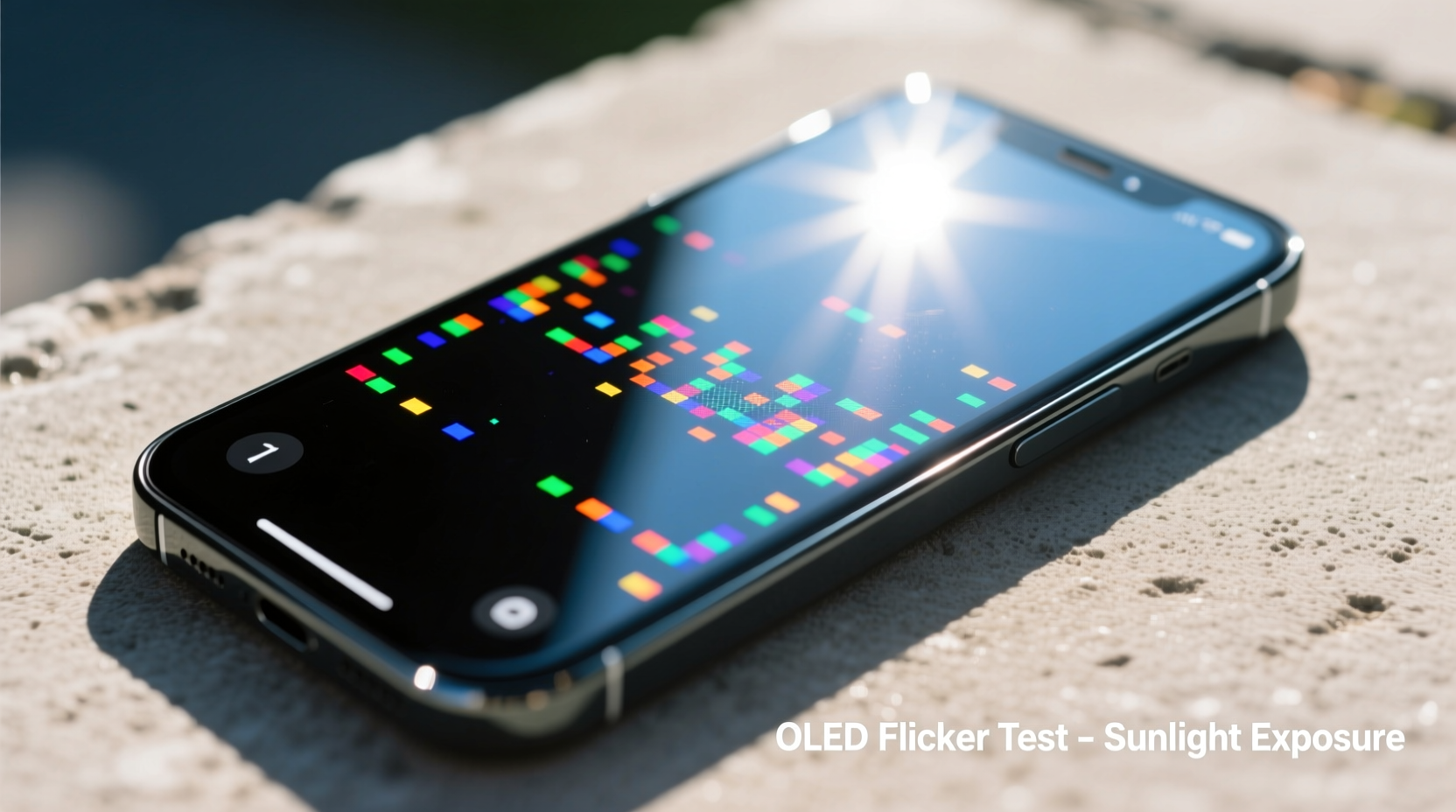
OLED, or Organic Light-Emitting Diode, screens differ fundamentally from traditional LCDs. Each pixel in an OLED display generates its own light, allowing for true blacks and infinite contrast ratios. However, this self-emissive property makes OLEDs more sensitive to environmental factors such as temperature, brightness levels, and adaptive refresh rate algorithms.
In bright sunlight, your phone automatically ramps up screen brightness to maintain visibility. Many OLED devices use PWM (Pulse Width Modulation) dimming to control brightness at lower levels, but at peak brightness, they often switch to DC dimming. The transition between these modes, especially under rapidly changing light conditions, can cause perceptible flickering. Additionally, some OLED panels employ variable refresh rates (e.g., 1Hz to 120Hz) that adjust based on content and ambient light. These dynamic changes may contribute to instability in certain lighting scenarios.
“OLED flicker under sunlight is often not a defect, but a consequence of aggressive auto-brightness algorithms interacting with PWM modulation.” — Dr. Lin Wei, Display Systems Engineer at MIT Media Lab
Another factor is the optical bonding between the OLED panel and the cover glass. Poor adhesion or air gaps can create internal reflections when exposed to intense light, producing a moiré-like flicker or glare. This is sometimes mistaken for screen malfunction but is instead an optical interference issue.
Common Causes of Screen Flickering in Sunlight
- Auto-Brightness Overcompensation: The ambient light sensor may overreact to sudden exposure to sunlight, rapidly cycling brightness levels and causing visible flicker.
- PWM Frequency Limitations: Low-frequency PWM used for dimming can become perceptible under certain lighting, especially when combined with camera shutter effects (rolling shutter).
- Firmware Glitches: Outdated or buggy display drivers may fail to manage brightness transitions smoothly.
- Adaptive Refresh Rate Artifacts: Devices with LTPO OLED panels adjust refresh rates dynamically. Sudden jumps from 10Hz to 120Hz in bright environments can introduce visual instability.
- Physical Screen Damage: Micro-cracks or delamination—even if invisible—can distort light transmission and exacerbate flickering.
- Third-Party Screen Protectors: Low-quality films may interfere with touch response and light diffusion, creating ripple effects under direct sun.
Step-by-Step Guide to Diagnose and Fix OLED Flickering
Before assuming hardware failure, follow this structured troubleshooting process to identify and resolve the issue.
- Rule Out Environmental Factors
Move indoors or into shade and observe if the flickering stops. If it does, the issue is likely related to brightness adaptation rather than permanent damage. - Disable Auto-Brightness
Navigate to Settings > Display > Brightness and toggle off “Adaptive” or “Auto” brightness. Manually set brightness to 80–90% and test outdoors again. A stable brightness level often eliminates flicker caused by rapid sensor adjustments. - Update Your Software
Check for system updates. Manufacturers frequently release patches addressing display anomalies. For example, Samsung has issued firmware updates specifically targeting outdoor visibility bugs in Galaxy S23 and Z Fold series devices. - Calibrate the Ambient Light Sensor
Cover the front sensor (usually near the earpiece) with your finger for 10 seconds, then remove it. Repeat this 3–4 times in a well-lit room. This recalibrates the sensor by forcing it to re-measure baseline light levels. - Reset Display Settings
Go to Settings > Display and reset any custom color profiles, motion smoothness, or blue light filters. Use the default “Natural” or “Standard” mode to eliminate software-based distortions. - Boot into Safe Mode
Restart your phone in Safe Mode (varies by brand; typically involves holding Power + Volume Down). If the flicker disappears, a third-party app may be interfering with display processes. - Test with a Different Screen Theme
Switch to a dark theme or monochrome mode. Since OLED pixels emit less light on black backgrounds, reduced power draw can stabilize performance under stress. - Perform a Factory Reset (Last Resort)
If all else fails, back up your data and perform a clean reset. This eliminates deep-seated software conflicts affecting display drivers.
Do’s and Don’ts When Dealing With OLED Flicker
| Do’s | Don’ts |
|---|---|
| Use high-quality matte screen protectors to reduce glare | Install cheap tempered glass that may scatter light |
| Keep your OS and apps updated regularly | Ignore repeated flickering after updates—report it |
| Enable HDR mode when viewing photos/video in sunlight | Leave the screen at maximum brightness for extended periods |
| Store your phone in a shaded pocket when not in use outdoors | Expose the device to prolonged direct sun, which increases heat stress |
| Contact manufacturer support if flickering persists post-troubleshooting | Attempt DIY screen repairs that void warranty |
Real-World Example: A Photographer’s Outdoor Challenge
Jessica Tan, a travel photographer based in Arizona, began experiencing severe screen flickering on her Samsung Galaxy S24 Ultra while shooting desert landscapes. In full sunlight, the display would shimmer violently during playback, making it nearly impossible to review images accurately. Initially concerned about a defective unit, she followed the calibration steps above. After disabling Adaptive Brightness and replacing her glossy screen protector with an anti-reflective matte version, the flicker reduced significantly. She also enabled Expert RAW mode, which locks the screen brightness manually, giving her consistent visibility. Jessica now carries a small microfiber cloth to wipe the screen frequently, preventing dust and sweat from refracting sunlight unevenly.
Her case highlights how environmental demands amplify subtle display behaviors—and how targeted fixes can restore functionality without repair costs.
When to Seek Professional Repair
While most flickering issues stem from software or settings, persistent symptoms may indicate hardware degradation. Seek authorized service if you observe:
- Flickering continues indoors at normal brightness
- Visible lines, discoloration, or ghosting accompany the flicker
- The touchscreen becomes intermittently unresponsive in sunlight
- Battery drains abnormally fast during outdoor use
These could signal failing OLED subpixels, damaged flex cables, or moisture ingress behind the display assembly. Attempting self-repair risks further damage due to the delicate nature of OLED modules. Most manufacturers offer limited warranties covering display defects within the first year—Samsung’s “Screen Burn Protection” program, for instance, includes flicker-related failures under specific conditions.
FAQ
Is screen flickering in sunlight harmful to my eyes?
Occasional flicker is unlikely to cause lasting harm, but prolonged exposure to unstable displays may contribute to eye strain, headaches, or visual fatigue. Using polarized sunglasses and reducing screen time in harsh light helps mitigate discomfort.
Can I prevent OLED flickering permanently?
You can minimize it significantly by disabling auto-brightness, using proper screen protection, and keeping software updated. However, due to inherent OLED behavior under extreme conditions, complete elimination may not be possible on all devices.
Does turning on Dark Mode help reduce flickering?
Yes. Dark Mode reduces overall pixel activity and power load on the OLED panel, which can stabilize performance in bright environments. It also improves battery life and enhances readability under sunlight.
Conclusion: Take Control of Your Display Experience
Screen flickering in sunlight doesn’t have to disrupt your mobile experience. By understanding the interplay between OLED technology, ambient light sensors, and software settings, you gain the power to diagnose and resolve most issues independently. Simple adjustments—like disabling adaptive brightness, updating firmware, or switching to a better screen protector—often make a dramatic difference. In cases where hardware is at fault, early detection ensures timely repair and preserves your investment.
Your phone’s display is one of its most critical components. Treat it with informed care, and don’t dismiss flickering as inevitable. Whether you're navigating city streets, capturing outdoor moments, or simply checking messages on a sunny day, a stable, clear screen should be the standard—not the exception.




 浙公网安备
33010002000092号
浙公网安备
33010002000092号 浙B2-20120091-4
Comments
No comments yet. Why don't you start the discussion?