
Robot mowers offer convenience, precision, and a consistently manicured lawn—when they work properly. But if you’ve noticed uneven cuts, missed strips, or random patches of tall grass despite regular operation, your mower isn’t broken; it’s likely struggling with navigation. Understanding the root causes behind these gaps is essential to restoring full coverage and maintaining a healthy, even-looking lawn.
Unlike traditional mowers that follow a predictable path guided by human control, robot mowers rely on boundary wires, sensors, algorithms, and environmental cues to map and mow your yard. When any part of this system falters, coverage suffers. The good news? Most navigation issues are preventable or correctable with the right adjustments and maintenance habits.
Common Causes of Missed Grass Patches
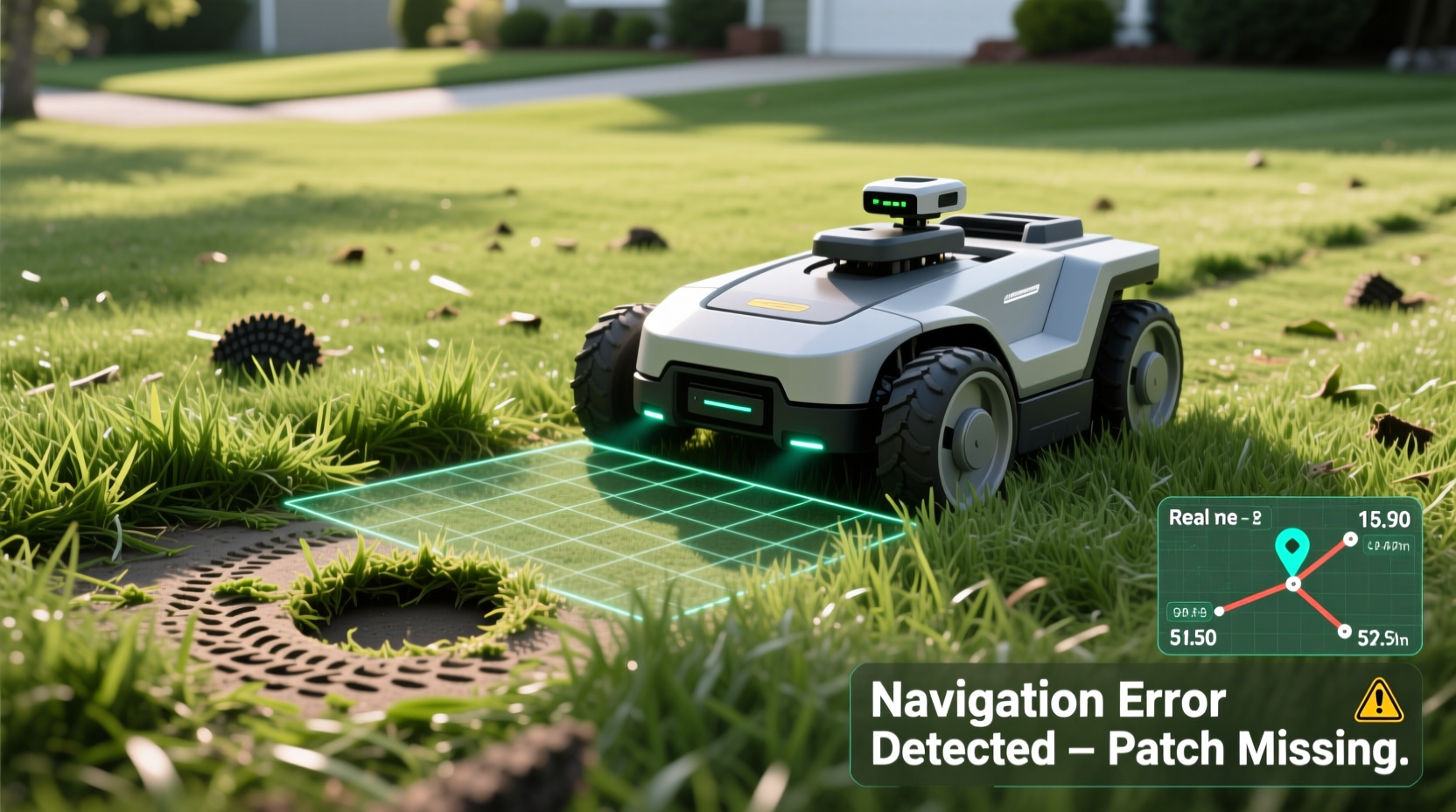
Before diving into solutions, it's important to identify what might be causing your robot mower to skip areas. These issues typically fall into three categories: installation flaws, environmental interference, and mechanical or software limitations.
- Poor boundary wire layout: If the perimeter or guide wire isn’t installed correctly, the mower may not recognize certain zones as part of the mowing area.
- Inadequate overlap patterns: Many models use random mowing patterns. Without sufficient overlap over time, some spots can be missed repeatedly.
- Signal interference: Metal objects, underground utilities, or dense tree cover can disrupt GPS or signal-based navigation systems.
- Obstacles and terrain changes: Rocks, toys, slopes, or flower beds not accounted for in programming can cause the mower to reroute or avoid sections.
- Damaged or loose boundary wire: A break or short in the wire can confuse the mower’s sense of boundaries, leading to erratic behavior or no-go zones.
- Low battery or premature return-to-base: If the mower doesn’t have enough charge to complete a cycle, it may abandon parts of the lawn mid-session.
Optimizing Boundary Wire Installation
The boundary wire is the backbone of your robot mower’s navigation system. It defines where the mower can and cannot go. Even small errors during installation can lead to major coverage gaps.
Ensure the wire forms a continuous loop from the charging station around the entire lawn perimeter. Use stakes to secure it every 6–10 feet, keeping it about 2–3 inches below the surface or pinned just above ground if buried later. Avoid sharp bends or tight corners, which can distort the electromagnetic field the mower detects.
If you have islands (like garden beds), install inner loops using the same wire type, connected in series with the main loop. Incorrect island wiring often results in the mower either cutting through planted areas or avoiding them entirely.
“Proper boundary wire setup accounts for nearly 70% of successful robot mower performance.” — Lars Nielsen, Smart Lawn Systems Engineer
Checklist: Boundary Wire Best Practices
- Confirm continuity with a wire tester before burial
- Avoid running wire parallel to large metal structures
- Keep wire at least 3 feet away from underground cables or sprinkler control lines
- Test signal strength after installation using the mower’s diagnostic mode
- Label wire junctions for future troubleshooting
Improving Navigation Through Mowing Patterns and Scheduling
Most robot mowers don’t follow grid patterns like robotic vacuums. Instead, they use random or adaptive algorithms to cover the space over multiple sessions. This means full coverage isn’t achieved in one pass—it accumulates over days.
If your mower runs only once per day or for short durations, it may never reach all areas consistently. To compensate, increase mowing frequency. Running the mower daily—or even twice daily during peak growing seasons—ensures more overlapping paths and reduces the chance of persistent missed spots.
Some advanced models support “systematic” or “spiral” modes that improve predictability. Enable these if available. Also, consider adjusting start times to coincide with optimal traction conditions—early morning when dew has dried but the grass isn’t too dry or slippery.
| Mowing Frequency | Coverage Likelihood | Best For |
|---|---|---|
| Every 3–4 days | Low – frequent gaps | Dormant season, slow growth |
| Daily | Moderate – occasional misses | Spring/Fall |
| Daily + midday session | High – near-complete coverage | Summer, fast-growing lawns |
Environmental and Terrain Adjustments
Your yard’s physical characteristics play a significant role in navigation accuracy. Uneven terrain, shaded areas, and clutter can all interfere with both movement and sensing capabilities.
Slopes greater than the mower’s rated incline will trigger safety stops or avoidance behaviors. Check your model’s maximum gradient specification (usually between 20°–35°). On challenging slopes, install additional guide wires to encourage the mower to traverse diagonally rather than head straight uphill.
Thick mulch, pine needles, or heavy thatch can insulate the boundary wire signal, making it harder for the mower to detect edges. Rake problem areas periodically and ensure the wire remains close to the surface beneath organic buildup.
Shaded zones with poor satellite reception affect GPS-enabled models. While most use RTK (Real-Time Kinematic) correction via base stations, trees or buildings blocking sky view degrade positioning accuracy. In such cases, rely more on wire guidance than GPS alone.
Mini Case Study: The Oak-Shaded Back Corner
Homeowner Sarah in Portland noticed her robot mower consistently avoided a lush corner near two large oak trees. Despite correct wire placement, the mower would turn away as it approached. After testing, she discovered the GPS signal dropped from five bars to one in that zone. By adding a short guide wire extension that gently pulled the mower into the shadowed area, she restored full access. Within a week, the patch was level with the rest of the lawn.
This example shows how combining technologies—using wire guidance to compensate for GPS weakness—can solve real-world navigation challenges.
Step-by-Step Guide to Diagnose and Fix Coverage Gaps
Follow this structured approach to systematically eliminate causes of missed grass patches:
- Map the missed areas: Mark locations with flags or take photos over several days to identify consistent gaps versus random omissions.
- Inspect the boundary wire: Use a wire break detector or multimeter to check for continuity. Look for cuts, rodent damage, or loose connections at the charging station.
- Verify mower settings: Confirm mowing schedule, cutting height, and navigation mode in the app or control panel. Ensure “random” or “systematic” mode aligns with your lawn size.
- Clear obstacles: Remove toys, tools, or fallen branches. Trim overgrown shrubs that block mower access.
- Test signal strength: Walk the perimeter with the mower in diagnostic mode (if supported) to see where signal weakens.
- Add guide wires: Install short guide wires leading into problematic zones to actively pull the mower toward them.
- Adjust mowing frequency: Increase runtime or add extra sessions, especially during rapid grass growth.
- Monitor and refine: Observe mowing behavior for 3–5 days after changes. Repeat steps if necessary.
Advanced Tips for Persistent Issues
If basic troubleshooting fails, consider deeper optimizations:
- Upgrade to RTK GPS: Some high-end models support RTK base stations that provide centimeter-level accuracy, drastically improving navigation consistency.
- Use virtual boundaries: In apps that support geofencing, create no-mow zones instead of relying solely on physical wire, reducing complexity in intricate landscapes.
- Firmware updates: Manufacturers regularly release navigation improvements. Check for updates monthly via the companion app.
- Wheel traction check: Worn or dirty wheels reduce maneuverability. Clean treads and replace worn tires to maintain responsiveness.
Also, evaluate whether your current mower is appropriately sized for your lawn. Units designed for smaller yards may struggle with larger or complex spaces, leading to inefficient coverage. As a rule of thumb, choose a model rated for at least 20% more area than your actual lawn size to account for obstacles and routing inefficiencies.
FAQ
Why does my robot mower miss the same spot every time?
This usually indicates a localized issue such as a weak boundary signal, an undetected obstacle, or a programming blind spot. Recheck wire placement in that zone and consider installing a guide wire to direct the mower into the area.
Can weather affect my robot mower’s navigation?
Yes. Heavy rain can make grass clump and reduce wheel traction, while thick fog or snow cover can interfere with GPS models. Most units automatically suspend operation in extreme conditions, but residual moisture or debris afterward can still impact movement and sensor accuracy.
How do I know if the boundary wire is broken?
Use a wire break locator tool or the mower’s built-in diagnostics. Common signs include the mower crossing into no-go zones, erratic circling, or failure to recognize the perimeter. You can also perform a continuity test with a multimeter—any interruption in the circuit indicates a break.
Conclusion
Missed patches aren’t a sign that your robot mower is faulty—they’re a signal that its navigation system needs attention. Whether it’s a mislaid wire, insufficient runtime, or environmental interference, each issue has a logical solution. By methodically diagnosing the cause and applying targeted fixes, you can restore seamless coverage and enjoy a uniformly trimmed lawn year-round.
Great lawn care in the modern era blends technology with hands-on oversight. Don’t treat your robot mower as “set and forget.” Regular checks, smart scheduling, and proactive adjustments turn automation into excellence.




 浙公网安备
33010002000092号
浙公网安备
33010002000092号 浙B2-20120091-4
Comments
No comments yet. Why don't you start the discussion?