
Sleep trackers have become a staple in the health tech landscape, promising insights into sleep duration, quality, and patterns. Yet many users find themselves questioning the numbers: Why does the device say I was awake when I clearly slept through the night? Why do two consecutive nights with similar routines yield wildly different results? The truth is, while modern wearables are sophisticated, they aren’t infallible. Inaccuracy in sleep tracking stems from technological limitations, user behavior, and environmental factors. Understanding these causes—and how to address them—can significantly enhance the reliability of your data and, ultimately, your ability to make informed decisions about your sleep health.
How Sleep Trackers Work (And Where They Fall Short)
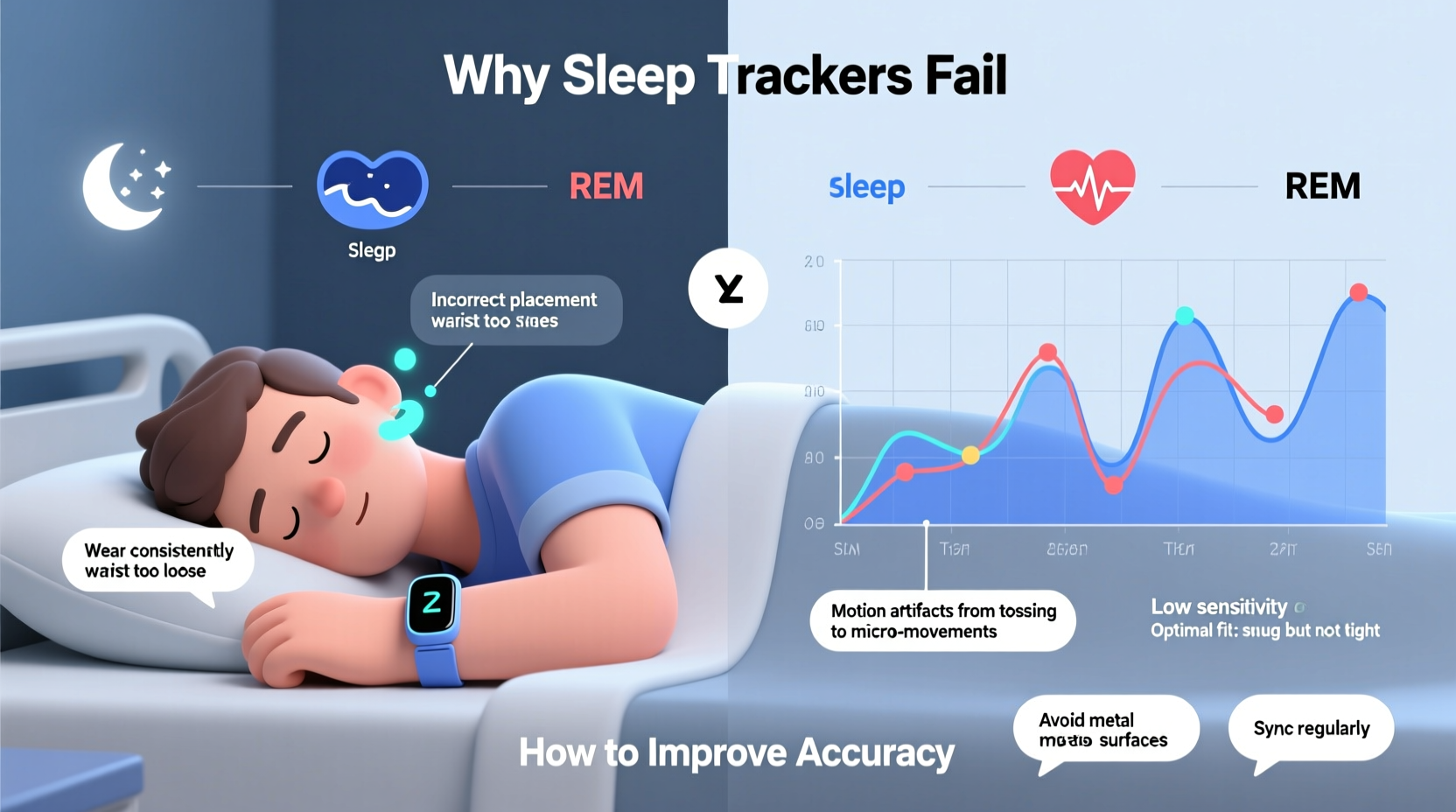
Sleep trackers use a combination of sensors to estimate your sleep stages and overall rest quality. Most consumer devices rely on:
- Accelerometry: Measures movement to determine whether you’re asleep or restless.
- Heart rate variability (HRV): Uses optical sensors to monitor heart rate changes associated with different sleep phases.
- Body temperature and skin response: Some advanced models include thermal sensors or galvanic skin response to detect arousal levels.
Based on this data, algorithms infer when you fall asleep, wake up, and transition between light, deep, and REM sleep. However, unlike clinical polysomnography—which uses EEG, EOG, and EMG to directly measure brain activity—consumer devices estimate sleep indirectly. This fundamental difference is the root of much of the inaccuracy.
“Consumer sleep trackers are useful for identifying trends over time, but they should not be treated as medical-grade diagnostic tools.” — Dr. Rebecca Turner, Sleep Neurologist at Boston Health Institute
Because they don’t measure brain waves, trackers can misclassify stillness during quiet wakefulness as deep sleep or mistake brief awakenings as continuous rest. This leads to discrepancies that frustrate even the most consistent users.
Common Causes of Inaccurate Sleep Data
Inaccuracy isn’t always due to faulty hardware. Often, it’s a mix of technical constraints and user habits. Below are the most frequent culprits:
1. Poor Wearable Placement and Fit
If your device is too loose, movement can create false motion signals. If it’s too tight, blood flow restriction may skew heart rate readings. Wearing the tracker on the wrong part of the body—or removing it during the night—also disrupts data continuity.
2. Algorithm Limitations
Each brand uses proprietary algorithms trained on limited datasets. These models may not account for individual variations in physiology, age, or sleep disorders. For example, someone with insomnia who lies still for hours may be classified as “asleep” despite being fully awake.
3. Environmental Interference
Bright lights, noise, or even sleeping with a partner can affect both your sleep and the device’s ability to interpret it. Movement from a restless bed partner might be recorded as your own, inflating wake-time estimates.
4. Battery and Syncing Issues
If the device powers down mid-night or fails to sync properly in the morning, gaps in data occur. Many users overlook low battery warnings, assuming partial data is complete.
5. Individual Physiological Differences
People with lower resting heart rates, irregular pulse rhythms, or darker skin tones may experience reduced sensor accuracy due to limitations in optical heart rate monitoring technology.
How to Improve Your Sleep Tracker’s Accuracy
You can’t turn a fitness band into a sleep lab, but you can take meaningful steps to maximize its reliability. Start with these evidence-backed strategies:
1. Optimize Device Placement and Usage
Ensure consistent wearing habits. Avoid taking the device off during the night unless necessary. Charge it before bedtime rather than in the middle of the night. If using a ring-style tracker like Oura, make sure it’s on the correct finger (typically index or middle) and sized properly to avoid signal loss.
2. Calibrate with Manual Input
Some apps allow you to manually log bedtime and wake time. Use this feature to align tracked data with reality. Over time, this helps train the algorithm to better recognize your personal sleep patterns.
3. Combine Devices for Cross-Validation
Use multiple sources of data. Pair your wearable with a bedside tracker (like Withings Sleep Analyzer) or a smart mattress pad. Comparing results across systems can highlight inconsistencies and improve confidence in trends.
4. Maintain Consistent Charging and Firmware Updates
Keep your device updated. Manufacturers frequently release firmware improvements that refine sleep detection algorithms. Also, ensure full charge before bedtime to prevent mid-sleep shutdowns.
5. Control Your Sleep Environment
Reduce external variables. Sleep in a dark, quiet room with minimal disruptions. If sharing a bed, consider whether your partner’s movements could interfere with motion-based tracking. Some apps allow you to flag “partner disturbance,” which helps contextualize anomalies.
6. Track Subjective Sleep Quality
Pair objective data with subjective notes. Rate your energy level, mood, and perceived restfulness each morning. If your tracker says you had “excellent sleep” but you feel exhausted, the data may be misleading. This journaling builds a more holistic picture.
Checklist: Steps to Maximize Sleep Tracker Accuracy
- Wear the device snugly on the correct wrist or finger
- Charge fully before bedtime
- Enable heart rate monitoring throughout the night
- Log bedtime and wake time manually if possible
- Update firmware and app regularly
- Avoid removing the device during sleep
- Use a consistent sleep schedule for at least one week to establish baseline data
- Cross-reference with another tracking method (e.g., bedside sensor or sleep diary)
- Note lifestyle factors (alcohol, caffeine, stress) that may affect sleep
- Review weekly trends instead of single-night data
Do’s and Don’ts of Sleep Tracking
| Do | Don’t |
|---|---|
| Wear the device consistently every night | Switch wrists or fingers nightly |
| Update software monthly | Ignore low battery alerts |
| Compare trends over weeks, not single nights | Overreact to one poor sleep score |
| Combine tracker data with how you feel | Treat the data as absolute truth |
| Use manual logs to supplement tracking | Rely solely on automatic detection |
Real-World Example: Sarah’s Sleep Tracking Journey
Sarah, a 34-year-old project manager, began using a popular wrist-based tracker to understand her chronic fatigue. For weeks, the device reported she was getting 7–8 hours of sleep with high sleep efficiency. Yet she woke up groggy and struggled to focus. Frustrated, she started logging her bedtime, wake time, and subjective restfulness in a notebook. She also noticed the tracker often showed long stretches of deep sleep after nights when she drank wine—even though those were the nights she felt worst.
After consulting a sleep coach, Sarah learned that alcohol suppresses REM sleep and increases restlessness, even if movement is minimal. Her tracker mistook her stillness for quality sleep. She adjusted her habits: stopped drinking within three hours of bedtime, began charging her device earlier, and started using a bedside mat that detected breathing patterns. Within two weeks, her data aligned more closely with how she felt. The combined approach revealed she was only getting 5–6 hours of *restorative* sleep, prompting her to prioritize earlier bedtimes.
Sarah’s case illustrates a critical point: trackers work best when used as part of a broader self-awareness strategy, not as standalone arbiters of sleep health.
When to Seek Clinical Validation
If your sleep tracker consistently shows severe disruptions—frequent awakenings, very low deep sleep, or suspected sleep apnea symptoms like gasping or snoring—it’s wise to consult a healthcare provider. Home data can support a diagnosis, but only a formal sleep study can confirm conditions like insomnia, narcolepsy, or obstructive sleep apnea.
Many patients bring tracker data to appointments, which can be helpful. However, clinicians emphasize that consumer devices lack the precision required for definitive conclusions. As Dr. Turner notes, “A tracker might raise a red flag, but it shouldn’t replace professional evaluation when symptoms persist.”
Frequently Asked Questions
Can sleep trackers detect sleep apnea?
No, consumer sleep trackers cannot diagnose sleep apnea. While some devices flag irregular breathing patterns or low blood oxygen levels (SpO2), these are screening indicators, not diagnostic tools. A polysomnogram conducted in a sleep lab is required for accurate diagnosis.
Why does my tracker say I was awake when I wasn’t?
This often happens during periods of quiet wakefulness—lying still with eyes closed but not asleep. Since trackers rely on movement and heart rate, they may misinterpret this state as sleep onset or light sleep. It can also occur due to sensor slippage or algorithm errors.
Is it better to use a wristband or a ring for sleep tracking?
Rings like Oura or Ultrahuman generally offer more stable heart rate readings due to richer blood flow in fingers. Wristbands can be affected by arm movement and fit variability. However, rings may not be suitable for all users (e.g., those with cold hands or arthritis). The best choice depends on comfort, consistency, and personal physiology.
Conclusion: Use Data Wisely, Not Obsessively
Sleep trackers are powerful tools for building awareness, but their value lies in trend analysis, not nightly perfection. Inaccuracy is inevitable given current technological limits, but that doesn’t render the data useless. By optimizing how you use your device, combining objective metrics with subjective experience, and understanding the science behind the sensors, you can extract meaningful insights that support healthier sleep habits.
Don’t chase perfect scores. Instead, focus on gradual improvements—going to bed 15 minutes earlier, reducing screen time before sleep, or cutting evening caffeine. Let your tracker guide, not govern, your routine. When used thoughtfully, it becomes a companion in your wellness journey, not a source of anxiety.




 浙公网安备
33010002000092号
浙公网安备
33010002000092号 浙B2-20120091-4
Comments
No comments yet. Why don't you start the discussion?