
Smart fridges have transformed kitchen functionality with Wi-Fi connectivity, internal cameras, touchscreens, and self-diagnostic systems. While these features offer convenience, they also introduce new points of failure. One common frustration among users is the appearance of random or seemingly unexplained error codes on their refrigerator’s display. These alerts can be alarming—especially when they appear intermittently—and often leave homeowners wondering whether the appliance is failing or if a simple fix exists. The truth is, most random error codes stem from identifiable causes ranging from power fluctuations to sensor malfunctions. Understanding the root triggers and knowing how to respond can save time, money, and unnecessary service calls.
Common Causes of Random Error Codes
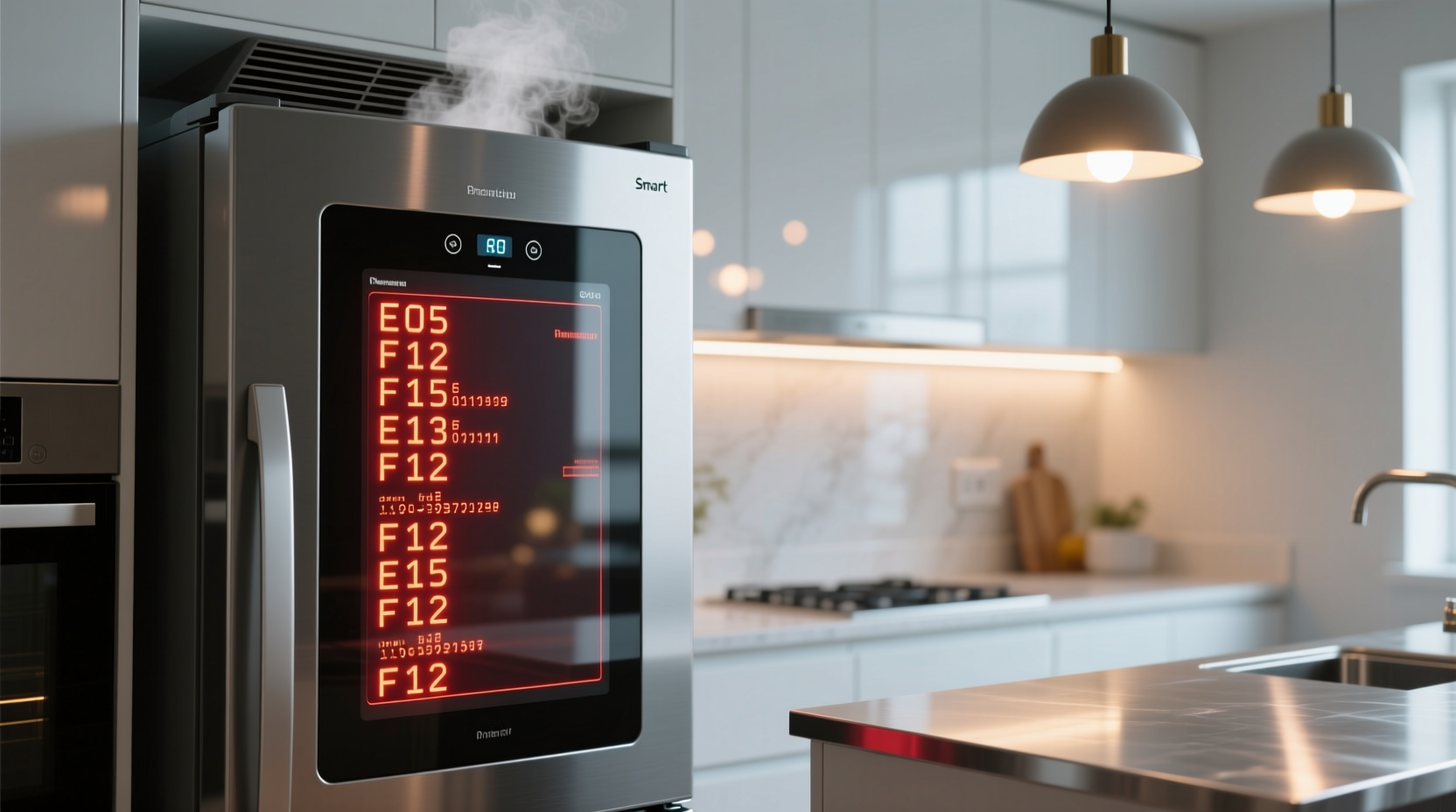
Error codes on smart fridges are part of the built-in diagnostic system designed to alert users to potential issues. However, when these warnings appear without an obvious cause—such as after a door has been left open or during normal operation—it’s typically due to one of several underlying problems:
- Power supply instability: Voltage spikes, surges, or inconsistent power delivery can disrupt the fridge’s control board, causing it to log false errors.
- Faulty sensors: Temperature, humidity, and door-open sensors may degrade over time or send erratic signals due to moisture buildup or electrical interference.
- Software glitches: Like any connected device, smart fridges run on firmware that can freeze, crash, or misinterpret data during updates or background processes.
- Loose wiring or poor connections: Internal connectors between components may become loose due to vibration or thermal expansion, leading to intermittent communication failures.
- Network connectivity issues: If the fridge relies on cloud-based diagnostics, unstable Wi-Fi can trigger network-related error codes even when cooling performance remains unaffected.
How Smart Fridge Diagnostics Work
Modern refrigerators use a central control module (often called the main board or microcontroller) that continuously monitors sensors and subsystems. When readings fall outside expected parameters, the system logs an error code based on predefined thresholds. For example:
| Error Code | Possible Meaning | Frequency of False Triggers |
|---|---|---|
| ER FF | Freezer fan failure | High – often caused by dust buildup or momentary stall |
| ER DS | Door left open | Moderate – can trigger if seal is weak or sensor dirty |
| ER CF | Cooling failure | Low – usually indicates real issue but can follow power outage |
| ER IN | Ice maker malfunction | High – commonly due to frozen fill tube or water pressure drop |
| ER NET | Network connection lost | Very High – appears during router resets or signal drops |
These codes help technicians pinpoint problems, but they don’t always reflect hardware failure. Intermittent errors—those that disappear after a reboot—are frequently software-related or induced by environmental factors rather than mechanical breakdowns.
“Many so-called ‘faults’ in smart appliances are actually transient anomalies caused by minor power disruptions or firmware bugs. A systematic reset process resolves over half of reported error cases.” — Dr. Alan Reyes, Appliance Systems Engineer at Midwest Home Tech Lab
Step-by-Step Guide to Diagnosing Random Errors
If your smart fridge shows error codes unpredictably, follow this structured troubleshooting sequence before calling a technician:
- Record the error code(s): Note exactly what appears on the screen, including frequency and duration. Use your user manual or manufacturer’s website to decode the message.
- Perform a full power cycle: Unplug the fridge or turn off its circuit breaker for at least 10 minutes. This clears cached data and resets the control board.
- Check power source stability: Plug the fridge into a different outlet if possible, or use a voltage meter to confirm consistent 110–120V supply. Consider installing a surge protector rated for appliances.
- Inspect door seals and sensors: Clean the gasket with mild soap and water. Ensure the door closes flush. Test by inserting a dollar bill—if it slips out easily, the seal may be compromised.
- Verify network connection: Reconnect the fridge to Wi-Fi. Restart your router and ensure signal strength near the appliance is strong (minimum -65 dBm).
- Update firmware: Access the settings menu to check for available updates. Outdated software is a frequent culprit behind erratic behavior.
- Monitor temperature consistency: Place a standalone thermometer inside both compartments. If actual temps stay within range despite error messages, the issue is likely not cooling-related.
- Contact customer support: Provide recorded error logs and steps already taken. Many brands offer remote diagnostics through their apps.
Real-World Example: The Case of the Phantom ER FF Code
In suburban Chicago, homeowner Maria K. began receiving “ER FF” alerts on her Samsung Family Hub refrigerator every few days. The freezer still maintained a steady -18°C, and no unusual noises were present. After multiple service visits yielded no hardware faults, she decided to investigate independently.
Maria noticed the error consistently appeared between 7:30 PM and 8:00 PM. She reviewed her home’s energy monitor and discovered a daily voltage dip coinciding with her HVAC system kicking on. Suspecting power interference, she installed a line conditioner for the fridge. Over the next three weeks, no further error codes appeared. Samsung later confirmed via app diagnostics that the control board had registered brief fan communication losses during voltage sags—triggering the ER FF warning—even though the fan itself was functional.
This case illustrates how external electrical conditions can mimic internal component failure. Without careful observation and pattern tracking, Maria might have undergone costly part replacements unnecessarily.
Preventive Maintenance Checklist
To minimize future random error codes, incorporate these actions into your regular appliance care routine:
- ✅ Clean condenser coils every 6 months using a brush or vacuum
- ✅ Wipe down door gaskets monthly to prevent mold and improve seal integrity
- ✅ Check and clear ice maker water lines every 3–4 months
- ✅ Ensure proper clearance around the fridge (at least 2 inches at back and sides)
- ✅ Install a whole-home surge protector or dedicated APC (active power conditioner)
- ✅ Reboot the fridge’s system once every 90 days via power cycle
- ✅ Keep firmware updated through the manufacturer’s mobile app
- ✅ Avoid daisy-chaining the fridge into multi-outlet strips with high-draw devices
When to Call a Professional
While many random errors are resolvable at home, certain signs indicate deeper issues requiring expert attention:
- The same error persists after multiple reboots and power cycles.
- Cooling performance declines—food thaws faster or frost builds rapidly.
- The display flickers, freezes, or shows garbled text unrelated to error codes.
- Burning smells, excessive noise, or visible condensation inside walls occur.
- The fridge fails to reconnect to Wi-Fi despite correct credentials and strong signal.
In such cases, the problem may involve failed capacitors on the control board, damaged wiring harnesses, or compressor relay issues—all of which demand specialized tools and safety precautions to repair.
Frequently Asked Questions
Can a dirty condenser coil cause random error codes?
Yes. When coils are clogged with dust, the compressor works harder and runs longer, increasing heat buildup. This thermal stress can affect electronic components and lead to sensor misreads or control board resets, triggering false errors like ER CF (cooling failure).
Do smart fridges generate more errors than traditional models?
Statistically, yes—but not because they’re less reliable. They simply report more data. Traditional fridges fail silently; smart models alert you to minor fluctuations. Studies show smart units prompt 30–40% more service inquiries, yet only 18% result in actual hardware repairs.
Is it safe to ignore intermittent error codes?
Only if cooling performance remains stable, temperatures are consistent, and the code disappears after a reset. Persistent or recurring codes—even if intermittent—should be investigated. Ignoring them could lead to food spoilage or complete system failure down the line.
Final Recommendations and Next Steps
Random error codes on a smart fridge rarely mean immediate catastrophe, but they shouldn’t be dismissed as mere digital hiccups. Each alert is a signal from your appliance’s nervous system, indicating something disrupted its normal operation. By approaching these warnings methodically—starting with simple resets, verifying power and connectivity, and maintaining cleanliness—you can often resolve issues without professional help.
Investing in stable power delivery and routine maintenance pays long-term dividends in reliability and lifespan. Modern refrigerators are complex computers with cooling functions; treating them as such improves outcomes. Document recurring issues, leverage manufacturer support channels, and remember that correlation does not equal causation—a code pointing to a fan doesn’t always mean the fan is broken.




 浙公网安备
33010002000092号
浙公网安备
33010002000092号 浙B2-20120091-4
Comments
No comments yet. Why don't you start the discussion?