
Power outages are more than just an inconvenience—they can disrupt the delicate balance of modern smart home systems. One of the most common casualties? Your smart thermostat. After a blackout, you might notice erratic behavior: incorrect temperature readings, Wi-Fi disconnections, unresponsive touchscreens, or even complete system lockups. While this may seem alarming, these issues are usually temporary and often stem from predictable technical causes. Understanding why your smart thermostat acts up after losing power—and knowing exactly how to fix it—can save you time, stress, and unnecessary service calls.
The root of post-outage malfunctions typically lies in how smart thermostats manage power transitions, firmware stability, network reconnection protocols, and internal memory resets. Unlike traditional thermostats, smart models rely on continuous software operation, cloud connectivity, and precise calibration—all of which can be compromised when electricity cuts out unexpectedly.
Common Post-Power Outage Issues with Smart Thermostats
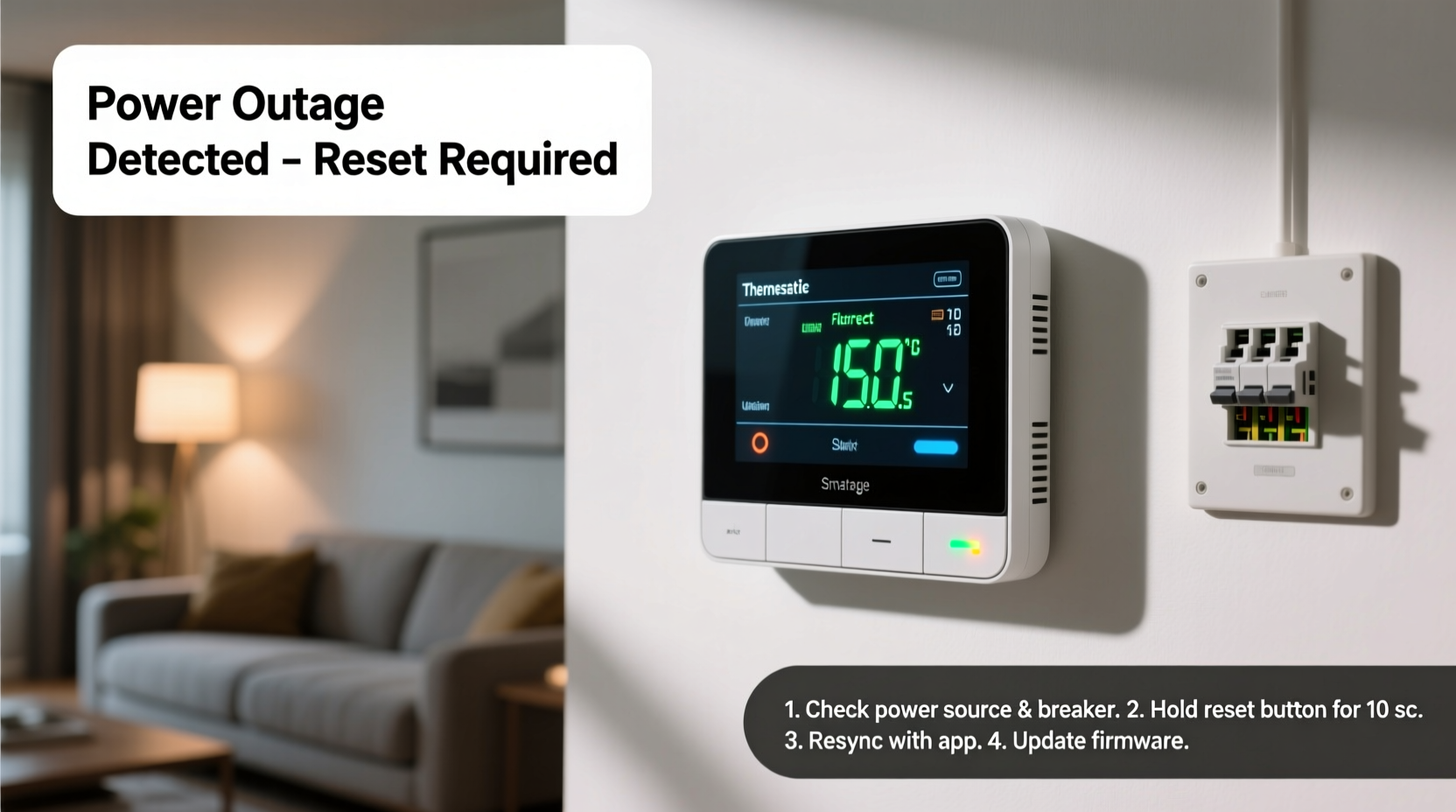
When power returns after an outage, your smart thermostat may not resume normal operations seamlessly. Instead, it might display one or more of the following symptoms:
- Blank or frozen screen: The display remains black or stuck on a logo.
- Incorrect temperature readings: Shows indoor temps that are drastically off (e.g., 30°F indoors).
- Wi-Fi disconnection: Loses connection to your network and won’t reconnect automatically.
- Erratic heating/cooling cycles: Turns HVAC system on and off unpredictably.
- App communication failure: Mobile app shows \"offline\" status or fails to send commands.
- Reset to factory settings: All schedules, preferences, and connected accounts disappear.
These behaviors aren't random. They reflect specific technical responses to abrupt power loss, such as corrupted cache data, failed boot sequences, or incomplete firmware reloads. In many cases, the hardware is intact—the issue lies in the software layer needing a refresh or recalibration.
Why Power Outages Disrupt Smart Thermostats
Smart thermostats operate differently from their mechanical predecessors. They integrate microprocessors, wireless radios, sensors, and real-time operating systems—all dependent on stable power delivery. When power drops suddenly, several internal processes are interrupted mid-cycle, leading to instability upon restoration.
Firmware Interruption During Boot-Up
Like any computer device, smart thermostats go through a boot process when powered on. A sudden power cut during this phase can corrupt temporary files or prevent essential services from loading correctly. This often results in a partially initialized state where the UI works but backend functions fail.
Loss of C-Wire Stability
Many smart thermostats require a continuous power supply via a C-wire (common wire) to maintain operation and charge internal batteries. Homes without a C-wire use power-stealing techniques, which become unreliable during brownouts or unstable grid recovery. Without steady voltage, the thermostat may reboot repeatedly or enter low-power mode.
Network Reconnection Failures
After power returns, your router and modem also restart. If your thermostat powers back on before your Wi-Fi network is fully active, it may fail to reconnect. Worse, some models don’t retry connection attempts aggressively, leaving them stranded in offline mode until manually prompted.
Sensor Calibration Errors
Temperature and humidity sensors inside the unit may need recalibration after a hard reset. Sudden power loss can cause sensor drift, making the thermostat “think” the room is much hotter or colder than it actually is—triggering incorrect HVAC responses.
“Modern thermostats are essentially mini-computers mounted on your wall. Like any computing device, they’re vulnerable to crashes when power isn’t gracefully shut down.” — Dr. Alan Reeves, HVAC Systems Engineer at MIT Building Technology Lab
Step-by-Step Guide to Fix a Malfunctioning Smart Thermostat
Follow this structured troubleshooting sequence to diagnose and resolve post-outage issues efficiently. Start with basic checks and progress to advanced solutions only if needed.
- Wait 10–15 minutes after power restoration. Allow all components—thermostat, furnace, air handler, and router—to stabilize.
- Check the display. Is it blank, flickering, or showing error codes? Note any messages for reference.
- Verify HVAC system power. Ensure the furnace/air conditioner breaker is on and the disconnect switch near the unit is engaged.
- Restart the thermostat. Remove it from the base plate for 30 seconds, then snap it back on. This forces a soft reboot.
- Reconnect to Wi-Fi. Open the thermostat’s menu and manually select your network. Enter the password again if prompted.
- Perform a factory reset (if necessary). Use the reset option in settings or press and hold the reset button (consult manual). Then reconfigure from scratch.
- Update firmware. Once online, check for pending updates in the app or device menu. Install them immediately.
- Re-sync smart home integrations. Reconnect to Google Assistant, Alexa, Apple HomeKit, or IFTTT if automation stopped working.
If the thermostat still behaves oddly after these steps, consider deeper diagnostics like checking wiring integrity or consulting manufacturer support.
Troubleshooting Checklist: Restore Your Thermostat Fast
- ✅ Wait 10+ minutes for full system stabilization
- ✅ Inspect circuit breakers for HVAC and thermostat
- ✅ Remove and reattach thermostat from mounting base
- ✅ Manually reconnect to Wi-Fi network
- ✅ Check for firmware updates in the companion app
- ✅ Verify correct indoor temperature reading against another thermometer
- ✅ Test HVAC operation using manual heat/cool commands
- ✅ Reset schedule and preferences if defaults were restored
Do’s and Don’ts After a Power Outage
| Do’s | Don’ts |
|---|---|
| Wait before panicking—many thermostats self-recover | Don’t force multiple restarts in quick succession |
| Use a multimeter to test voltage at the thermostat terminals | Don’t assume the problem is with the thermostat alone—check furnace first |
| Back up your settings regularly via the app | Don’t skip firmware updates—they often include stability patches |
| Contact customer support with error codes ready | Don’t open the HVAC control panel unless trained |
Real-World Example: How Sarah Fixed Her Nest Thermostat
Sarah, a homeowner in Ohio, experienced a winter storm that knocked out power for nearly four hours. When electricity returned, her Nest Learning Thermostat displayed a blank screen. She tried pressing buttons—nothing happened. After 20 minutes, the screen lit up but showed “-40°F” inside her living room. Confused, she turned off the heat manually at the furnace switch.
She followed online advice: removed the thermostat from its base, waited a minute, and reinstalled it. The device rebooted and prompted her to reconnect to Wi-Fi. However, the temperature still read incorrectly. She accessed the Nest app and noticed a firmware update was pending. After installing it, the thermostat recalibrated its sensor within ten minutes and resumed normal operation.
The key lesson? Patience and methodical troubleshooting prevented a costly service call. The issue wasn’t hardware damage—it was a combination of delayed boot-up, outdated firmware, and sensor miscalibration.
Frequently Asked Questions
Will a power surge damage my smart thermostat permanently?
While rare, strong surges can fry sensitive electronics. Most smart thermostats have built-in surge protection, but installing a whole-home surge protector adds an extra layer of safety. If your thermostat fails to respond after multiple resets, internal damage is possible—contact the manufacturer for warranty options.
Why does my thermostat keep disconnecting from Wi-Fi after outages?
This usually happens because the thermostat boots faster than your router. It attempts to connect before the network is live and doesn’t retry effectively. To fix this, either delay thermostat startup by briefly disconnecting its wires, or set your router to assign a static IP address to the thermostat so reconnection is smoother.
Do I need a C-wire to prevent future issues?
Yes. A dedicated C-wire provides consistent power, reducing reliance on power-stealing methods that struggle during voltage fluctuations. If your system lacks a C-wire, install one or use a power extender kit (available for most brands like Ecobee and Nest) to ensure stable operation.
Preventing Future Post-Outage Problems
While you can’t control the weather or utility failures, you can minimize their impact on your smart thermostat with proactive measures:
- Install a C-wire or power adapter kit: Ensures uninterrupted power flow even during minor voltage dips.
- Use a UPS for your router and modem: Keeps your network alive long enough for devices to shut down properly.
- Enable automatic firmware updates: Reduces vulnerabilities and improves crash recovery logic.
- Label your HVAC breaker: Makes it easier to reset the system quickly after an outage.
- Keep login credentials handy: You may need to re-authenticate apps or re-pair devices after a factory reset.
Additionally, consider upgrading to a model known for robust power-loss resilience. For example, newer Ecobee models include extended capacitors that maintain minimal function during brief outages, while Honeywell Home T9 supports faster Wi-Fi reconnection protocols.
Conclusion: Regain Control and Confidence
A smart thermostat acting strangely after a power outage is a common but solvable issue. By understanding the underlying causes—ranging from firmware glitches to network timing mismatches—you can apply targeted fixes instead of guessing. Most problems resolve with a simple reboot, Wi-Fi reconnection, or firmware update. In rarer cases, hardware inspection or professional help may be needed, but those are exceptions, not the rule.
Take action today: review your thermostat’s power source, confirm you’re running the latest software, and ensure your home network recovers smoothly after outages. With these safeguards in place, your smart climate control system will remain reliable—even when the lights go out.




 浙公网安备
33010002000092号
浙公网安备
33010002000092号 浙B2-20120091-4
Comments
No comments yet. Why don't you start the discussion?