
Smart thermostats are designed to optimize home comfort and energy efficiency by learning your habits and adjusting temperatures automatically. However, when the temperature reading is off—even by a few degrees—it can lead to discomfort, inconsistent heating or cooling, and higher energy bills. If your smart thermostat seems to be reporting incorrect indoor temperatures, it’s not necessarily broken. More often than not, the issue stems from placement, environmental interference, or minor calibration drift over time. Understanding the root causes and knowing how to properly calibrate your device can restore accuracy and ensure your HVAC system operates efficiently.
Common Causes of Inaccurate Temperature Readings
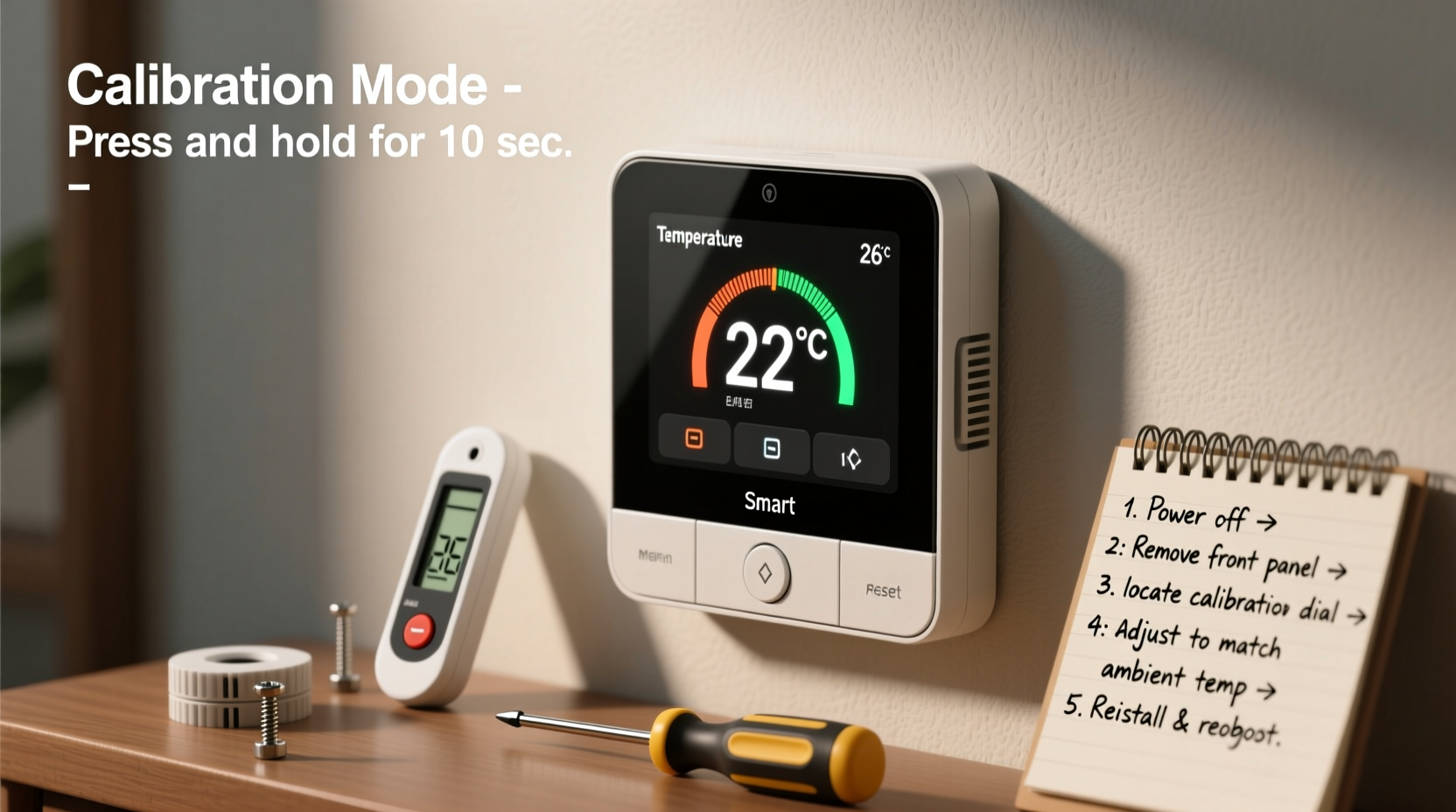
Before jumping into calibration, it's essential to identify what might be causing your smart thermostat to display incorrect data. Many homeowners assume the device itself is faulty, but external factors often play a significant role.
- Poor Placement: Installing your thermostat near heat sources such as ovens, lamps, TVs, or direct sunlight can skew internal sensors.
- Airflow Obstruction: Furniture, curtains, or wall coverings blocking the thermostat can interfere with its ability to sense ambient air temperature.
- Drafts and Exterior Walls: Mounting on an exterior wall or near doors and windows exposes the unit to fluctuating outdoor temperatures.
- Dust Buildup: Accumulated dust inside the thermostat can insulate sensors, leading to delayed or inaccurate responses.
- Firmware Glitches: Outdated or buggy firmware may cause sensor misreads or communication errors with HVAC systems.
- Calibration Drift: Over time, electronic sensors can lose precision, especially in environments with frequent temperature swings.
Step-by-Step Guide to Calibrate Your Smart Thermostat
Calibrating your smart thermostat doesn’t require technical expertise. Most modern devices support manual calibration through their settings menu or companion apps. Follow these steps to correct inaccurate readings.
- Verify Accuracy with a Reference Thermometer: Place a reliable digital thermometer next to your thermostat. Wait 15–20 minutes for both devices to stabilize. Compare the readings.
- Check for Physical Obstructions: Ensure nothing is blocking airflow around the thermostat. Remove any nearby electronics or objects generating heat.
- Access Calibration Settings: Open your thermostat’s settings (either on-device or via app). Look for options like “Temperature Calibration,” “Sensor Adjustment,” or “Offset.”
- Apply a Temperature Offset: If your thermostat reads 73°F while the actual room temperature is 70°F, apply a -3°F offset. This tells the system to subtract 3 degrees from its internal reading.
- Save and Test: Confirm the changes and allow the system to run for several hours. Recheck using the reference thermometer to verify correction.
- Update Firmware: Check for available updates in the app or manufacturer’s website. Updated firmware often includes sensor improvements and bug fixes.
Note that some models—like the Nest Learning Thermostat or Ecobee SmartThermostat—automatically adjust based on remote room sensors or occupancy patterns. If you're using additional sensors, ensure they are also correctly placed and calibrated.
Do’s and Don’ts of Smart Thermostat Maintenance
| Do’s | Don’ts |
|---|---|
| Install on an interior wall with stable airflow | Mount near kitchens, bathrooms, or laundry rooms with variable humidity and heat |
| Use a high-quality digital thermometer for comparison | Rely solely on the thermostat’s reading without verification |
| Perform calibration checks seasonally | Ignore sudden changes in HVAC behavior or comfort levels |
| Clean around the unit gently with a dry cloth | Use water, sprays, or abrasive cleaners on the device |
| Enable automatic software updates | Delay firmware updates that may contain critical fixes |
Real-World Example: The Case of the Overheating Living Room
Consider Sarah, a homeowner in Denver who noticed her living room was uncomfortably warm in winter despite setting her Ecobee thermostat to 68°F. She initially assumed her furnace was malfunctioning. After calling an HVAC technician, the system checked out fine. The technician suggested verifying the thermostat’s accuracy. Sarah placed a digital hygrometer next to the unit and found it was reading 71°F—3 degrees above the actual room temperature of 68°F.
She accessed her Ecobee app, navigated to “Sensors,” selected her main thermostat, and adjusted the temperature offset by -3°F. Within an hour, the HVAC cycled appropriately, and the room reached a consistent, comfortable level. The fix took less than five minutes and saved her from unnecessary service calls or system modifications.
This case illustrates how small calibration errors can have noticeable impacts on comfort and efficiency. Regular verification prevents such issues from escalating.
“Even a 2-degree variance in thermostat readings can increase energy consumption by up to 5%. Proper placement and periodic calibration are low-effort, high-return maintenance tasks.” — Dr. Alan Reyes, Energy Efficiency Researcher at the National Institute of Building Sciences
Troubleshooting Persistent Inaccuracies
If calibration doesn’t resolve the issue, consider deeper troubleshooting steps:
- Test in Multiple Rooms: Use portable sensors or secondary thermometers to assess whether the problem is isolated or widespread.
- Inspect for Drafts: Check windows, doors, and insulation near the thermostat. Cold air infiltration can trick sensors into calling for more heat.
- Reset the Thermostat: Perform a factory reset (after backing up settings) to clear software glitches. Reconnect and recalibrate afterward.
- Check Remote Sensors: If your system uses additional room sensors, ensure they’re not located near heat sources or in unused spaces.
- Contact Support: If discrepancies exceed ±5°F after calibration, contact the manufacturer. The internal sensor may be defective and eligible for replacement under warranty.
Preventive Maintenance Checklist
To avoid recurring inaccuracies, follow this seasonal checklist:
- ✅ Verify thermostat reading against a trusted thermometer every 3 months
- ✅ Clean around the thermostat with a soft, dry cloth to prevent dust buildup
- ✅ Confirm no new furniture or electronics are affecting airflow or emitting heat nearby
- ✅ Update thermostat firmware via the manufacturer’s app or web portal
- ✅ Inspect battery levels (if applicable); low power can affect sensor performance
- ✅ Review and adjust temperature offsets if seasonal patterns shift dramatically
- ✅ Test HVAC response after calibration to ensure proper cycling
Frequently Asked Questions
How do I know if my smart thermostat needs calibration?
You may need to calibrate your thermostat if you notice inconsistencies between its reading and a verified thermometer, uneven room temperatures, frequent HVAC cycling, or discomfort despite correct settings. A difference of more than 2°F typically warrants adjustment.
Can I calibrate my thermostat without a reference thermometer?
While possible, it’s not recommended. Without an accurate baseline, you risk introducing error rather than correcting it. An inexpensive digital thermometer ($10–$15) provides reliable data and pays for itself in energy savings over time.
Will resetting my thermostat erase my schedule and preferences?
Yes, a factory reset will delete custom settings, including schedules, geofencing, and Wi-Fi configurations. Before resetting, note down your preferred settings or take screenshots so you can reconfigure them afterward.
Conclusion: Take Control of Your Home’s Comfort
Inaccurate temperature readings don’t have to undermine your smart thermostat’s promise of comfort and efficiency. With a basic understanding of environmental influences and a simple calibration process, you can maintain precise control over your indoor climate. Regular checks, proper placement, and timely updates ensure your system runs smoothly year-round. Don’t wait for discomfort or high energy bills to prompt action—proactive maintenance today leads to long-term savings and peace of mind.




 浙公网安备
33010002000092号
浙公网安备
33010002000092号 浙B2-20120091-4
Comments
No comments yet. Why don't you start the discussion?