
Smart thermostats promise convenience, comfort, and cost savings by learning your habits and optimizing heating and cooling. But what happens when the monthly utility bill doesn’t reflect those promises? If you’ve installed a smart thermostat expecting lower energy costs but haven’t seen the results, you're not alone. Many homeowners face this frustrating gap between expectation and reality. The issue often lies not with the device itself, but in how it’s configured, used, or integrated into the home's HVAC system.
This guide dives deep into the most common reasons smart thermostats fail to deliver energy savings—and provides actionable solutions to get your system working efficiently. From incorrect settings to hidden hardware issues, we’ll help you diagnose the problem and reclaim control over your energy use.
Common Reasons Smart Thermostats Fail to Save Energy
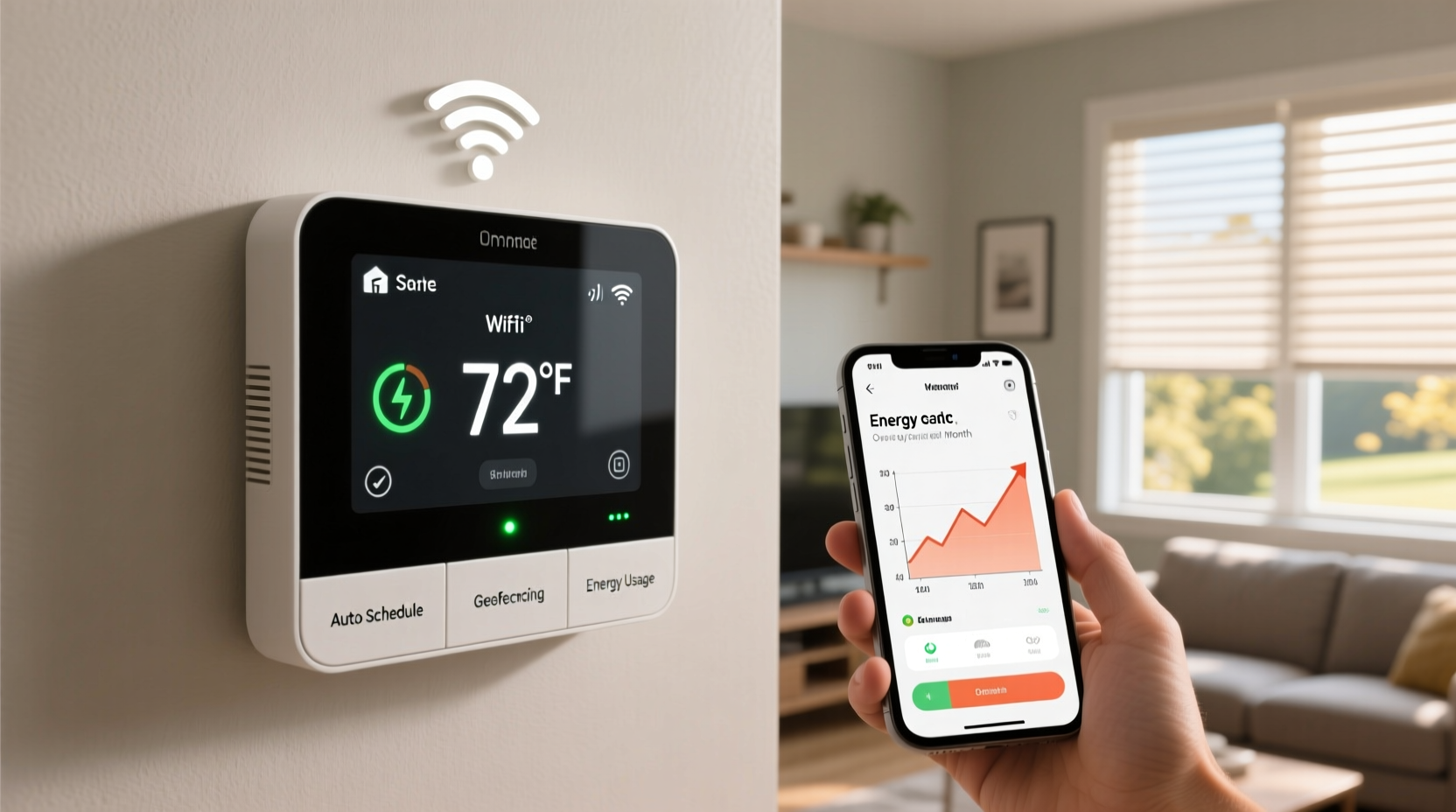
Despite their advanced technology, smart thermostats are only as effective as their setup and environment. Several factors can prevent them from reducing energy consumption:
- Misconfigured schedules: Even intelligent devices rely on accurate input. If your thermostat doesn’t reflect your actual routine, it may heat or cool when no one is home—or skip conditioning when needed.
- Poor placement: A thermostat located near drafts, sunlight, or heat sources can misread room temperature, leading to inefficient cycling.
- Lack of geofencing or occupancy sensing: Without location-based controls, the thermostat can’t automatically adjust when you leave or return.
- Incompatible HVAC systems: Older furnaces or heat pumps may not communicate properly with modern thermostats, limiting efficiency features.
- Incorrect mode settings: Running in “Heat” instead of “Auto,” or disabling eco modes, undermines energy-saving algorithms.
Understanding these pitfalls is the first step toward fixing them. Let’s explore each area in detail and uncover how to optimize performance.
Step-by-Step Guide to Diagnosing Your Smart Thermostat Setup
Follow this logical sequence to identify and resolve issues preventing energy savings.
- Verify thermostat location: Ensure it’s mounted on an interior wall, away from windows, doors, kitchens, or appliances that emit heat. Avoid hallways or rarely used rooms where temperature doesn’t represent overall home comfort.
- Check schedule accuracy: Review daily and weekly temperature profiles. Are setbacks programmed during work hours or sleep? Are they too aggressive (causing discomfort) or too lenient (wasting energy)?
- Enable geofencing: Confirm that the thermostat app has location permissions enabled on your smartphone. Test arrival/departure triggers by walking away and returning to ensure automatic adjustments occur.
- Review HVAC compatibility: Consult manufacturer specs or use online compatibility tools (like those from Nest or Ecobee) to confirm your furnace, air conditioner, or heat pump supports all smart features.
- Inspect wiring: Loose or missing C-wires can cause power instability, leading to erratic behavior and reduced functionality. A steady power supply ensures consistent Wi-Fi connectivity and sensor operation.
- Update firmware: Manufacturers release updates to improve efficiency algorithms and fix bugs. Check the app for pending updates and install them promptly.
- Monitor usage reports: Most smart thermostats provide energy history dashboards. Compare run times across weeks and seasons to spot anomalies.
Do’s and Don’ts: Best Practices for Energy Efficiency
| Do | Don’t |
|---|---|
| Set realistic setback temperatures (e.g., 72°F down to 62°F at night) | Turn the thermostat off completely—this forces longer recovery cycles |
| Use pre-heating/cooling features to reach comfort just before waking or arriving | Manually override schedules daily—this disrupts learning patterns |
| Seal ducts and insulate attics to reduce HVAC workload | Ignore error messages about system performance or filter changes |
| Pair with ceiling fans to improve air circulation | Install near electronics or light switches that generate heat |
| Replace HVAC filters every 1–3 months | Assume the thermostat works perfectly out of the box without calibration |
Real-World Example: Why Sarah’s Bill Increased After Installation
Sarah upgraded her old programmable thermostat to a popular smart model, expecting immediate savings. Instead, her winter heating bill rose by 18%. Confused, she contacted customer support, who reviewed her usage data and discovered several red flags.
The thermostat was placed next to a south-facing window, causing it to \"feel\" warmer than the rest of the house. As a result, the heating system cycled off prematurely, leaving other rooms cold. To compensate, Sarah manually increased the temperature multiple times per day—overriding the learning algorithm.
Additionally, her HVAC system lacked a C-wire, so the thermostat drained its battery using \"power stealing,\" which occasionally disconnected Wi-Fi and disrupted scheduling. Geofencing was disabled because she hadn’t granted location access in the app.
After relocating the thermostat, installing a C-wire adapter, enabling geofencing, and recalibrating the schedule, Sarah saw a 14% reduction in her next bill. Her experience highlights how even high-tech devices depend on correct installation and user engagement.
Expert Insight: What Industry Professionals Say
“Many customers expect magic from smart thermostats, but they’re tools—not miracles. Proper placement, regular maintenance, and understanding system limitations are key to real savings.” — James Langston, HVAC Efficiency Consultant with 20+ years of field experience
“The biggest mistake I see is treating a smart thermostat like a plug-and-play gadget. It needs configuration, feedback, and integration with the rest of the home’s energy ecosystem.” — Dr. Lena Patel, Building Science Researcher at the National Institute of Sustainable Homes
Troubleshooting Checklist: Is Your Smart Thermostat Working Correctly?
Use this checklist to audit your current setup and uncover inefficiencies:
- ✅ Thermostat is located on an interior wall, away from direct sunlight and heat sources
- ✅ Daily temperature schedule aligns with actual household occupancy
- ✅ Geofencing is enabled and tested for reliable departure/arrival detection
- ✅ HVAC system is compatible with the thermostat model (confirmed via manufacturer tool)
- ✅ C-wire is present or a power extender kit is installed
- ✅ Firmware is up to date
- ✅ Air filters are clean and replaced regularly
- ✅ Ductwork is sealed and insulated (especially in unconditioned spaces like basements or attics)
- ✅ Eco modes or adaptive recovery features are activated
- ✅ Monthly energy reports show decreasing run times over time
Frequently Asked Questions
Can a smart thermostat save money if I’m home all day?
Yes, but differently. While absence-based savings are limited, smart thermostats optimize equipment runtime, avoid temperature overshoot, and leverage weather forecasts to pre-cool or pre-heat efficiently. They also alert you to filter replacements and system errors that could increase energy use.
Why does my thermostat keep turning the heat or AC on and off rapidly?
This short-cycling may indicate incorrect calibration, oversized HVAC equipment, or poor sensor placement. Adjust the thermostat’s cycle rate settings if available, or consult an HVAC technician to evaluate system sizing and airflow.
Does using voice control affect energy efficiency?
Occasional voice commands don’t impact efficiency. However, frequent manual overrides train the thermostat to ignore learned behaviors, weakening automation benefits. Reserve manual changes for true exceptions.
Conclusion: Turning Technology Into Real Savings
A smart thermostat alone won’t slash your energy bill. Its value comes from intelligent integration with your lifestyle, home design, and HVAC system. When properly installed and maintained, these devices can reduce heating and cooling costs by 10–23%, according to the U.S. Department of Energy. But that potential remains untapped without attention to detail.
Start by auditing your current setup using the checklist provided. Make small adjustments—relocate the unit, refine the schedule, enable geofencing—and monitor changes in both comfort and consumption. Over time, consistent optimization turns promises into measurable savings.




 浙公网安备
33010002000092号
浙公网安备
33010002000092号 浙B2-20120091-4
Comments
No comments yet. Why don't you start the discussion?