
Smartwatches have become essential tools for monitoring health, especially heart rate. When readings suddenly spike without explanation—while you're sitting still or sleeping—it’s natural to feel concerned. While occasional fluctuations are normal, repeated unexplained spikes can signal underlying issues with the device, user behavior, or even physiological conditions. Understanding the root causes and how to address them ensures you get reliable data and peace of mind.
Understanding How Smartwatch Heart Rate Monitoring Works
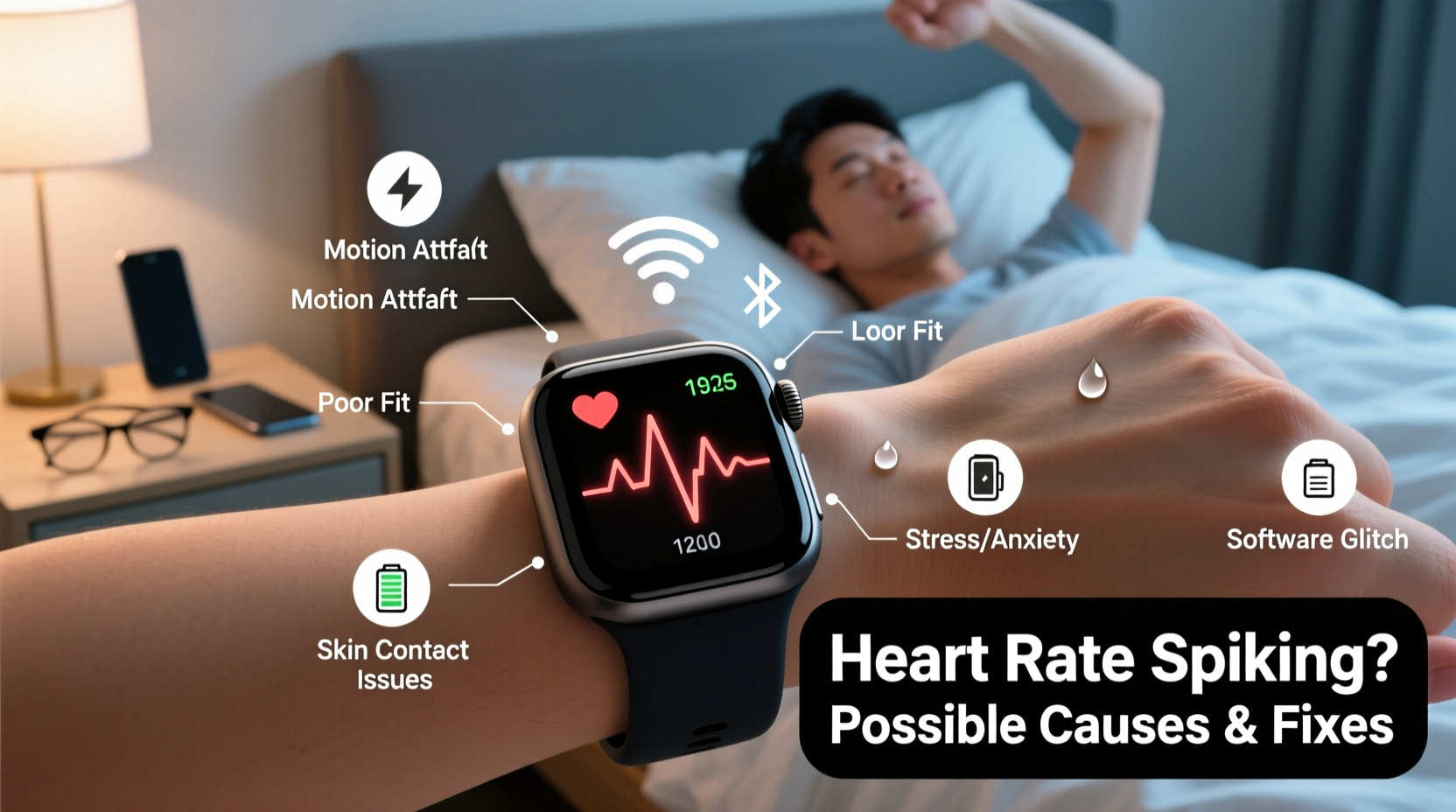
Most modern smartwatches use photoplethysmography (PPG), a technology that shines green LED lights into the skin to detect blood flow changes. As blood pulses through capillaries, it absorbs light differently, allowing the sensor to estimate beats per minute. While effective, this method is sensitive to motion, skin tone, placement, and environmental factors.
Unlike medical-grade ECG devices, PPG-based sensors are designed for convenience and trend tracking—not clinical precision. This means they can misinterpret signals under certain conditions, leading to false spikes in heart rate readings.
“Wearable heart rate monitors are excellent for tracking trends over time, but they’re not substitutes for diagnostic equipment.” — Dr. Lena Patel, Cardiologist and Digital Health Researcher
Common Causes of Random Heart Rate Spikes
Not every spike indicates a health emergency. Many are caused by technical or behavioral factors. Below are the most frequent culprits:
1. Poor Sensor Contact or Loose Fit
If the watch isn’t tight enough, movement between the sensor and skin creates noise in the data. Sudden jolts—like typing or gesturing—can be misread as rapid heartbeats.
2. Intense Physical Movement or Exercise Residue
Even after stopping activity, residual motion artifacts from high-intensity workouts (e.g., weightlifting, boxing) may linger in the algorithm, causing temporary false spikes.
3. Skin Tone and Tattoos
PPG sensors rely on light absorption. Darker skin tones and tattoos can absorb more green light, reducing signal accuracy. Some users report erratic readings when wearing the device over tattooed areas.
4. Low Battery or Overheating
When a smartwatch runs low on power or overheats due to prolonged GPS use or direct sunlight, internal components—including sensors—may behave unpredictably.
5. Software Glitches or Outdated Firmware
Bugs in the operating system or health-tracking app can corrupt data. Manufacturers regularly release updates to improve sensor algorithms and fix known issues.
6. Stress, Anxiety, or Caffeine Intake
Real physiological triggers shouldn’t be ignored. Acute stress, panic attacks, or stimulants like caffeine and nicotine can cause genuine short-term increases in heart rate, which the watch correctly detects.
7. Arrhythmias or Underlying Health Conditions
In rare cases, consistent unexplained spikes may reflect actual cardiac events such as premature ventricular contractions (PVCs), atrial fibrillation, or tachycardia. If symptoms persist, consult a healthcare provider.
Troubleshooting Steps: A Step-by-Step Guide
Before assuming a medical issue, follow this systematic approach to isolate the cause:
- Check Wear Position: Ensure the watch sits snugly on the inside of your wrist, just below the wrist bone. It should stay in place during movement but not cut off circulation.
- Clean the Sensor: Wipe the back of the watch with a soft, dry cloth. Sweat, lotions, or dirt can interfere with light transmission.
- Restart the Device: A simple reboot clears temporary software glitches affecting sensor performance.
- Update Firmware: Go to your watch settings or companion app and check for available updates. Updated firmware often includes improved heart rate algorithms.
- Test in Resting State: Sit quietly for five minutes with your arm resting on a table. Compare the reading with manual pulse checks at the neck or wrist.
- Try the Other Wrist: Switch wrists to see if the issue persists. This helps determine if skin tone, hair, or scarring is interfering.
- Disable Unnecessary Features: Turn off always-on display, background apps, or third-party fitness trackers that might overload processing resources.
- Reset Health Data: In some systems, corrupted health caches cause anomalies. Resetting recalibrates baseline metrics.
Do’s and Don’ts: Best Practices for Accurate Readings
| Do’s | Don’ts |
|---|---|
| Wear the watch snugly, one finger above the wrist bone | Don’t wear it too loose or over bulky clothing |
| Clean the sensor weekly with a dry microfiber cloth | Don’t use alcohol or abrasive cleaners on the sensor |
| Update firmware monthly or when prompted | Don’t ignore software update notifications |
| Use the watch consistently on the same wrist | Don’t switch wrists frequently without recalibration |
| Compare readings with manual pulse checks occasionally | Don’t panic over single abnormal readings |
Mini Case Study: Real-World Example
Sarah, a 34-year-old teacher, noticed her smartwatch frequently showed heart rates above 130 bpm while grading papers at her desk. Alarmed, she visited her doctor, who ordered an ECG. Results were normal. Back home, she followed a troubleshooting checklist: cleaned the sensor, updated her watch OS, and adjusted the fit. She also realized she’d been wearing the watch over a new forearm tattoo.
After switching to her non-dominant wrist and disabling a glitchy third-party stress-tracking app, the random spikes stopped. Her case highlights how multiple factors—hardware placement, software bugs, and skin interference—can combine to create misleading data.
When to Seek Medical Advice
While most spikes are technical, some patterns warrant professional evaluation. Watch for these red flags:
- Consistent spikes above 120 bpm at rest lasting more than a few minutes
- Palpitations, dizziness, chest pain, or shortness of breath alongside high readings
- Frequent nocturnal spikes disrupting sleep
- Irregular rhythm patterns flagged by the watch (e.g., “possible AFib” alerts)
If any of these occur, schedule a visit with your primary care physician or cardiologist. They may recommend a Holter monitor or event recorder for 24–48 hour continuous tracking, providing far more reliable data than a smartwatch.
“Patients increasingly bring wearable data to appointments. We welcome it—but we validate it with clinical tools.” — Dr. Raj Mehta, Electrophysiologist at Boston Heart Institute
FAQ: Frequently Asked Questions
Can dehydration cause my smartwatch to show high heart rate?
Yes. Dehydration reduces blood volume, making your heart work harder to circulate oxygen. This raises your actual resting heart rate, which the watch accurately reflects. Staying hydrated helps maintain normal cardiovascular function.
Why does my heart rate spike when I’m sleeping?
Nocturnal spikes can stem from REM sleep (when heart rate naturally fluctuates), nightmares, sleep apnea, or lying on your arm and compressing the sensor. If frequent, consider checking for sleep disorders and avoid placing pressure on the watch during sleep.
Are Apple Watch, Fitbit, or Garmin more accurate for heart rate?
All major brands use similar PPG technology, so accuracy differences are minor. Independent studies show Garmin performs slightly better during intense exercise, while Apple Watch excels in detecting irregular rhythms. Choose based on ecosystem and features, not expecting major accuracy gaps.
Preventive Checklist: Maintain Reliable Heart Rate Tracking
To minimize future issues, follow this monthly maintenance routine:
- ✅ Clean the optical sensor with a dry cloth
- ✅ Check for firmware and app updates
- ✅ Verify watch fit and reposition if needed
- ✅ Review recent health trends for consistency
- ✅ Perform a manual pulse check comparison
- ✅ Disable unused background apps draining battery
- ✅ Store the watch properly when not in use (avoid extreme temperatures)
Conclusion: Take Control of Your Data
Random heart rate spikes on your smartwatch are usually not signs of danger—but they shouldn’t be ignored either. Most often, the issue lies in fit, movement, or software, not your heart. By understanding how optical sensors work and applying practical fixes, you can restore confidence in your device’s accuracy.
Remember: wearables are powerful for spotting trends and encouraging healthy habits, but they’re not infallible. Combine their insights with self-awareness and professional guidance when needed. Stay proactive, verify anomalies, and use your smartwatch as a tool—not a diagnosis engine.




 浙公网安备
33010002000092号
浙公网安备
33010002000092号 浙B2-20120091-4
Comments
No comments yet. Why don't you start the discussion?